
Listen to this Post
Introduction:
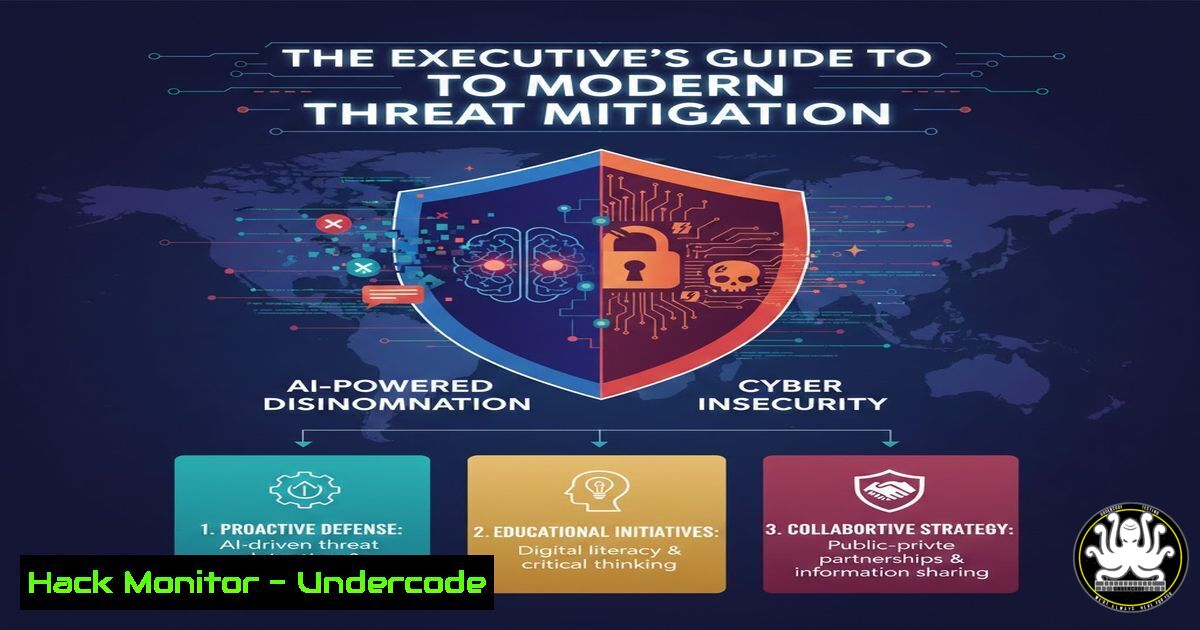
A recent World Economic Forum survey of 11,000 global executives has placed AI-powered disinformation campaigns and pervasive cyber insecurity among the top threats to national and economic stability. This convergence marks a new era where technical exploits and psychological manipulation are fused, demanding a evolved defense strategy that integrates robust IT hygiene, AI literacy, and proactive security hardening.
Learning Objectives:
- Understand the technical nexus between AI-driven disinformation and cyber-attack vectors.
- Implement actionable hardening steps for cloud, API, and endpoint security.
- Develop a framework for organizational resilience against hybrid socio-technical threats.
You Should Know:
- The Technical Anatomy of an AI-Powered Disinformation Campaign
Modern disinformation is not just fake news; it’s a cyber-enabled operation. Threat actors use compromised systems (via phishing or exploits) to create botnets that amplify AI-generated content. Deepfake audio/video synthesis and LLM-generated persuasive text are hosted on hijacked or poorly secured cloud infrastructure.
Step-by-step guide to analyzing and mitigating the infrastructure:
Step 1: Identify Malicious Amplification Networks. Use command-line tools to analyze traffic and logs.
On a Linux gateway, use `tcpdump` and `awk` to find high-volume outbound connections to social media APIs: `tcpdump -i eth0 -n ‘dst port 443′ | awk -F'[ .]’ ‘{print $4″.”$5″.”$6″.”$7}’ | sort | uniq -c | sort -nr | head -20`
Correlate IPs with threat intelligence feeds using `curl` to APIs like AbuseIPDB: `curl -sG https://api.abuseipdb.com/api/v2/check –data-urlencode “ipAddress=192.0.2.1” -H “Key: YOUR_API_KEY” -H “Accept: application/json” | jq .`
Step 2: Harden Your Cloud Storage (A Common Hosting Point). Misconfigured S3 buckets or Azure Blobs host deepfakes. Enforce strict policies.
AWS CLI command to audit all S3 buckets for public read access: `aws s3api list-buckets –query “Buckets[].Name” –output text | xargs -I {} bash -c ‘aws s3api get-bucket-acl –bucket {} | grep -q “http://acs.amazonaws.com/groups/global/AllUsers” && echo {} IS PUBLIC’`
Remediation: Apply a bucket policy denying public read: `aws s3api put-bucket-policy –bucket YOUR_BUCKET –policy ‘{“Version”:”2012-10-17″,”Statement”:[{“Sid”:”PublicReadGetObject”,”Effect”:”Deny”,”Principal”:””,”Action”:”s3:GetObject”,”Resource”:”arn:aws:s3:::YOUR_BUCKET/”}]}’`
2. Fortifying the Human Firewall: Beyond Basic Training
Executives cited disinformation as a key threat, often targeting employees via spear-phishing with credible, AI-crafted messages. Defense requires simulated attacks and continuous monitoring.
Step-by-step guide to implementing advanced phishing resilience:
Step 1: Deploy Open-Source Phishing Simulation Tools. Use tools like GoPhish on an internal server.
Setup on Ubuntu: `sudo apt update && sudo apt install -y golang-go && git clone https://github.com/gophish/gophish.git && cd gophish && go build`
Configure `config.json` with your SMTP details, import a target list, and craft a campaign using AI-generated phishing templates to test employee vigilance.
Step 2: Implement DMARC, DKIM, and SPF to Protect Your Domain. Prevent adversaries from spoofing your brand in disinformation campaigns.
DNS Record Example (SPF): `v=spf1 ip4:YOUR_MAIL_SERVER_IP include:_spf.google.com ~all`
Command to Check: `dig TXT yourdomain.com` | grep “v=spf1”
- API Security: The Silent Attack Vector in AI System Integration
The adverse effects of AI often stem from compromised or manipulated APIs that feed data to AI models or are controlled by them. Insecure APIs are a primary vector for data exfiltration and system takeover.
Step-by-step guide to basic API security auditing:
Step 1: Authenticate and Authorize All Endpoints. Never use API keys in client-side code.
Step 2: Use OAuth 2.0 and Rate Limiting.
Example using Express.js and express-rate-limit: `const rateLimit = require(‘express-rate-limit’); const apiLimiter = rateLimit({ windowMs: 15 60 1000, max: 100 }); app.use(‘/api/’, apiLimiter);`
Step 3: Audit APIs for Injection Flaws. Use `curl` to test for SQLi or command injection on internal APIs: `curl -X POST “https://internal-api.yourcorp.com/v1/query” -H “Content-Type: application/json” -d ‘{“input”:”test\’ OR \’1\’=\’1″}’`
4. Cloud Hardening for Critical Workloads
Cyber insecurity is exacerbated by default cloud configurations. Executives must mandate a “secure-by-default” posture.
Step-by-step guide to foundational cloud hardening:
Step 1: Enable Comprehensive Logging and GuardDuty (AWS) / Microsoft Defender for Cloud (Azure).
AWS CLI to enable GuardDuty across all regions: `aws guardduty list-detectors –region us-east-1` (If none, create one: aws guardduty create-detector --enable)
Step 2: Enforce Network Segmentation with Security Groups & NACLs. Use infrastructure-as-code (Terraform) to enforce rules. Example Terraform snippet for a restrictive security group: `resource “aws_security_group” “allow_web” { ingress { from_port = 443; to_port = 443; protocol = “tcp”; cidr_blocks = [“0.0.0.0/0”] } egress { from_port = 0; to_port = 0; protocol = “-1”; cidr_blocks = [“0.0.0.0/0”] } }`
5. Proactive Vulnerability Management: Patching is Not Enough
Adversaries exploit known vulnerabilities to build botnets for disinformation and attacks. Automated scanning and prioritized patching are critical.
Step-by-step guide to establishing a vulnerability management process:
Step 1: Deploy a Network Scanner like OpenVAS or use Nessus. For a quick internal scan using `nmap` to find vulnerable services: `nmap -sV –script vuln 192.168.1.0/24 -oA vulnerability_scan`
Step 2: Prioritize CVSS v3.1 scores 9.0+ and exploit-known (EPSS score high) patches. Automate patch deployment for critical systems.
Linux (Ubuntu) automated security updates: `sudo apt install unattended-upgrades && sudo dpkg-reconfigure –priority=low unattended-upgrades`
Windows PowerShell command to list available critical updates: `Get-WindowsUpdate -Install -AcceptAll -AutoReboot`
What Undercode Say:
- The Threat is Hybrid: The number one takeaway is that the most dangerous modern threats are socio-technical. Defending requires equal rigor in securing your code, your cloud, and your corporate communications narrative.
- Resilience Over Perfection: Absolute security is impossible. The executive mandate must shift to building resilient, detectable, and recoverable systems. Investments in immutable backups, incident response drills, and chaos engineering are as crucial as any firewall.
Prediction:
The fusion of AI-generated disinformation and automated cyber exploitation will accelerate, leading to a new class of “swarm attacks” capable of manipulating markets and destabilizing organizations within hours. Regulatory pressure will intensify, mandating AI security audits and real-time disinformation attribution reporting. Organizations that build integrated security-operations and communications-response teams, underpinned by zero-trust architecture and continuous employee threat-hunting training, will be the only ones capable of weathering this storm. The next two years will separate those who prepared for a hybrid war from those who only fortified their digital moats.
🎯Let’s Practice For Free:
IT/Security Reporter URL:
Reported By: Michael Tchuindjang – Hackers Feeds
Extra Hub: Undercode MoN
Basic Verification: Pass ✅


