Listen to this Post
Introduction:
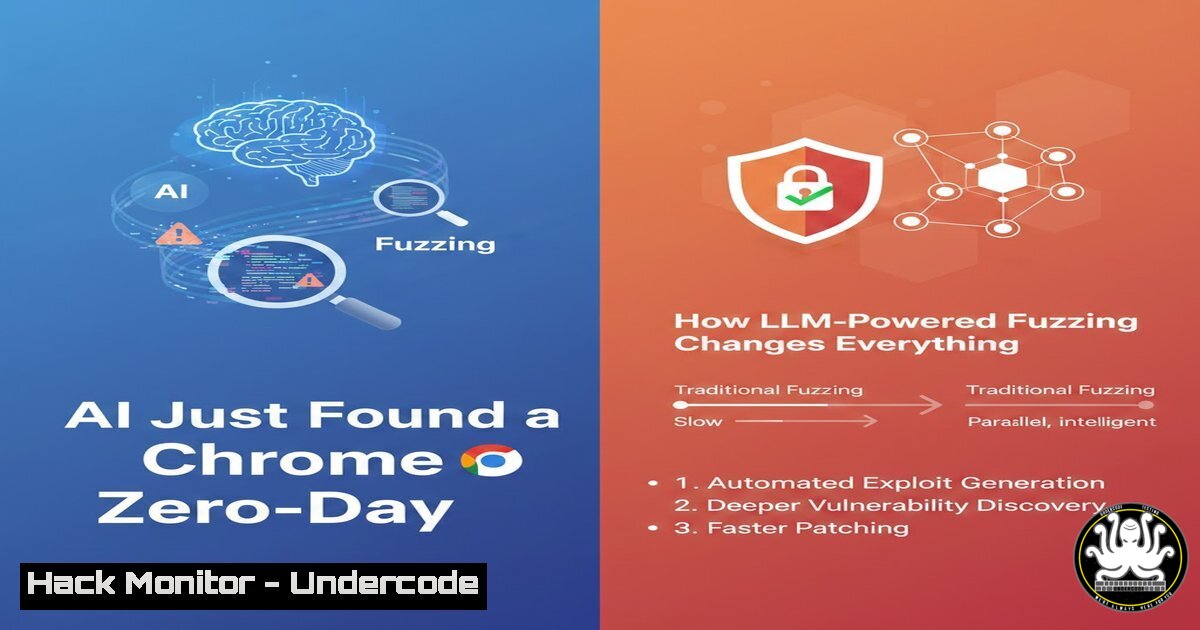
A security researcher has publicly announced the discovery of a zero-day vulnerability in Google Chrome, attributing the find to a novel, self-built fuzzer powered by a Large Language Model (LLM). This tool specifically targets the vast and complex landscape of browser Web APIs to uncover logic bugs that can bypass security mitigations, signaling a paradigm shift in automated vulnerability discovery. By leveraging LLMs to generate intelligent, adaptive test cases, this approach overcomes the traditional pain points of fuzzing massive API surfaces, promising to accelerate the identification of subtle security flaws.
Learning Objectives:
- Understand the architecture and advantage of an LLM-powered fuzzer for browser and Web API security testing.
- Learn the practical steps to set up a foundational fuzzing environment and integrate LLM APIs for test case generation.
- Gain insight into the process of targeting specific Web APIs, analyzing fuzzer output, and applying lessons to harden web applications.
You Should Know:
- The Breakthrough: From Brute Force to Intelligent Fuzzing
Traditional fuzzing involves bombarding a target with random, malformed, or semi-valid data to trigger crashes or unexpected behavior, primarily to find memory corruption bugs. However, for complex systems like modern browsers with hundreds of Web APIs (e.g., the Web Audio API, WebRTC, Geolocation), generating meaningful test cases that probe logic and authorization flows is incredibly difficult. The researcher’s key innovation is using an LLM to understand API documentation and generate syntactically valid yet semantically malicious sequences of calls. This allows the fuzzer to “learn on the go,” adjusting its attack patterns to probe for logic flaws, such as permission bypasses or state corruption, that traditional fuzzers would miss.
Step-by-Step Guide to Conceptualizing the Fuzzer:
- Define the Target Surface: The first step is scoping. The researcher targeted the Web API ecosystem. You can explore this surface using the MDN Web API reference to understand the breadth of interfaces, from `Bluetooth` to
File System Access. - Task the LLM: Instead of random generation, the core process prompts an LLM with context. A simplified prompt might be: “Generate JavaScript code that calls the `Notifications API` to create a notification. Then, write a sequence that attempts to query or interact with that notification from a different, less-privileged browsing context to test for isolation flaws.”
- Orchestrate Execution: The generated code is automatically loaded into headless browser instances (e.g., via Puppeteer or Playwright) to execute the tests and monitor for security violations, unexpected behaviors, or crashes.
- Analyze and Feedback: Results are parsed. If an interesting behavior is found, the context of that finding is fed back to the LLM with instructions to generate variant tests, creating an adaptive feedback loop.
2. Building Your Own Foundational Fuzzing Environment
Before integrating LLMs, you need a robust base fuzzing setup. This involves automating browser control and being able to inject test cases.
Step-by-Step Guide to a Basic Browser Fuzzing Setup:
- Set Up a Sandbox: Use a virtual machine or a dedicated container (Docker) to isolate your testing environment. This is crucial for safety.
Example: Create a simple Docker container for testing
docker run -it --name fuzz_env node:18-bullseye /bin/bash
- Install Browser Automation Tools: We’ll use Puppeteer, which controls a headless Chrome instance.
Inside your container or environment
npm init -y
npm install puppeteer
- Create a Basic Fuzzing Harness: This script launches a browser, navigates to a target page (or a blank page), and injects test code.
// basic_fuzzer.js
const puppeteer = require('puppeteer');</li>
</ol>

(async () => {
const browser = await puppeteer.launch({
headless: 'new', // Run in headless mode
args: ['--no-sandbox', '--disable-setuid-sandbox'] // Docker-compatible flags
});
const page = await browser.newPage();

// Our simple, hard-coded "test case"
const testCode = <code>console.log("Starting test...");
// Example: Attempt to request high-permission device like camera
navigator.mediaDevices.getUserMedia({ video: true })
.then(stream => console.log("Unexpectedly got stream!", stream))
.catch(err => console.log("Expected error:", err.name));
`;

// Listen for console logs to see results
page.on('console', msg => console.log('PAGE LOG:', msg.text()));

await page.goto('about:blank'); // Test on a blank page
await page.evaluate(testCode); // Inject and execute test code

await browser.close();
})();
4. Run the Harness: Execute the script to see the basic mechanism in action.
node basic_fuzzer.js
You should see console output showing either an “Expected error: NotAllowedError” or, if permissions were somehow bypassed, a different message.
3. Leveraging LLMs for Intelligent Test Case Generation
The core of the researcher’s method is automating the creation of sophisticated test cases. Instead of writing thousands of lines of test code manually, you can use an LLM’s API.
Step-by-Step Guide to Integrating an LLM (Using OpenAI as an example):
1. Get API Access: Sign up for an LLM provider like OpenAI and obtain an API key.
2. Craft a System Design a prompt that defines the LLM’s role and the goal.This is a conceptual prompt, not a runnable command SYSTEM_PROMPT="You are a security researcher fuzzing browser Web APIs. Generate concise, valid JavaScript code snippets that test for security logic bugs. Focus on APIs related to permissions, sensitive data (geolocation, credentials, files), and cross-origin communication. The code should be self-contained and ready to be evaluated in a browser console."
3. Create a Node.js Script to Call the LLM:
// llm_testgen.js
import OpenAI from 'openai';
import fs from 'fs';

const openai = new OpenAI({ apiKey: process.env.OPENAI_API_KEY });

async function generateTestCases(apiFocus, count) {
const prompt = `Generate ${count} distinct JavaScript test cases targeting the ${apiFocus} Web API for security logic flaws. Output only the code snippets, separated by ''.</code>;

const completion = await openai.chat.completions.create({
model: "gpt-4-turbo-preview",
messages: [
{ role: "system", content: SYSTEM_PROMPT },
{ role: "user", content: prompt }
],
});

const rawOutput = completion.choices[bash].message.content;
// Split the output into individual test cases
const testCases = rawOutput.split('').map(code => code.trim()).filter(code => code.length > 0);
fs.writeFileSync('generated_tests.js', testCases.join('\n\n// New Test \n\n'));
console.log(<code>Generated ${testCases.length} tests.</code>);
}

// Example: Generate 5 tests for the Clipboard API
generateTestCases('Clipboard', 5);
4. Integrate with Your Fuzzing Harness: Modify your `basic_fuzzer.js` to read from `generated_tests.js` and iterate through each generated code snippet, injecting one at a time and monitoring results.
4. Targeting Specific Web API Attack Vectors
Not all APIs are equally sensitive. The researcher’s fuzzer likely prioritizes APIs with access to hardware, user data, or powerful features.
Step-by-Step Guide to Fuzzing a High-Value Target: The Credentials Management API
1. Understand the API: Study the `CredentialsContainer` interface (navigator.credentials) used for WebAuthn and password management.
2. Craft a Focused LLM “Generate JavaScript code that probes the `navigator.credentials` API for logic flaws. Attempt to create, get, or store credentials under unexpected origins, in insecure contexts, or with malformed parameters. Include tests that mix calls tocreate(),get(), andpreventSilentAccess().”
3. Execute and Monitor: Run the generated tests in your harness. Key things to watch for:Console errors that reveal internal state.
Whether a credential is incorrectly created or retrieved.
Changes in browser behavior that weren’t triggered by a user gesture.
4. Example Manual Test Case (to understand the structure):// Manual test for credential.create in an insecure context if (!window.isSecureContext) { console.log("Insecure context. Testing credentials.create..."); navigator.credentials.create({ publicKey: { / ... intentionally malformed or minimal key options ... / } }).then(cred => console.error("ALERT: Credential created in insecure context!", cred)) .catch(err => console.log("Expected failure:", err)); }5. From Fuzzer Output to Actionable Analysis
The fuzzer’s job is to find anomalous behavior. A security researcher’s job is to determine if that anomaly is a exploitable vulnerability.
Step-by-Step Guide to Triaging Fuzzer Results:
- Log Everything: Ensure your harness logs all outputs: console logs, browser errors, network activity, and, if possible, performance metrics.
- Filter and Prioritize: Automatically filter out known, expected errors (e.g., `NotAllowedError` from a lack of user gesture). Prioritize:
Successful API calls that should have failed (e.g., accessing camera without prompt).
Leaks of data across origins or security boundaries.
Browser crashes or hangs.
- Reproduce and Minimize: Once a potential bug is found, isolate the exact minimal code sequence required to trigger it. This is essential for reporting.
- Validate the Impact: Determine the security consequence. Does it allow data theft? A permissions bypass? A cross-origin information leak? Classify it using standard frameworks like the OWASP Top 10 or MITRE ATT&CK.
-
Hardening Defenses Against This New Class of Fuzzer
As LLM-powered fuzzing becomes more accessible, defenders and developers must adapt.
Step-by-Step Guide for Proactive Defense:
- Implement Rigorous Input Validation: For every Web API, ensure the browser engine validates not just data types, but the logical sequence and context of calls.
- Adopt a Zero-Trust Model for Sensitive APIs: Treat all calls to APIs like
geolocation,bluetooth, or `credentials` as untrusted until a clear, unambiguous user intent (a “gesture”) is verified and tied to the specific origin and API call. - Enhance Code Reviews with Security-Focused LLMs: Use LLMs defensively. In your CI/CD pipeline, use tools that analyze code changes for potential security logic flaws, especially in permission checks and state management.
Example: Using a code analysis tool (like Semgrep) with custom rules

<ol>
<li>Write a rule to detect missing permission checks</li>
<li>Run it against your codebase
semgrep --config /path/to/security-rules/ ./
- Engage in Bug Bounty Programs: Proactively invite skilled researchers, including those using advanced fuzzing techniques, to test your applications. Platforms like HackerOne or Bugcrowd, or services like those offered by VRSecLabs, can manage this process.
7. The Future is Agentic: Beyond Simple Fuzzing
The next evolution, hinted at in the LinkedIn comments, is “agentic browsers.” An LLM wouldn’t just generate code snippets but would autonomously control a browser, navigating, interacting with elements, and making multi-step decisions to find complex, chained vulnerabilities like those in AI-powered applications (e.g., prompt injection in tools like Comet).
Step-by-Step Conceptual Guide to Agentic Testing:
- Tool Integration: The LLM (like an OpenAI Assistant) is given tools:
navigate(url),click(selector),execute_script(code),monitor_network(). - Define a High-Level Goal: “Find a way to exfiltrate the user’s chat history from the target AI web application.”
- Autonomous Execution: The agent plans and executes: It might log in, explore the UI, try to manipulate chat inputs with malicious prompts, and attempt to use Web APIs (like
fetch) to send data to an external server, all while observing results and adapting its strategy.
What Undercode Say:
- Key Takeaway 1: LLMs are democratizing advanced vulnerability research. They lower the barrier to entry for generating sophisticated, context-aware fuzzing inputs, moving beyond memory corruption to hunt for the more elusive and often higher-impact logic flaws in complex systems like browsers.
- Key Takeaway 2: The future of both attack and defense is agentic. The manual “researcher-in-the-loop” model described will evolve into fully autonomous AI agents that can conduct end-to-end security audits, forcing a corresponding evolution in automated, AI-integrated defensive security tooling and secure development lifecycle (SDLC) practices.
The integration of LLMs into fuzzing represents a fundamental shift, not just an incremental improvement. It directly attacks the “meaningful test case generation” problem that has limited API fuzzing for years. While the researcher notes significant setup is still required, the efficiency gain is monumental. This will inevitably lead to a short-term spike in discovered logic vulnerabilities across all browser vendors and major web applications as the technique is refined and shared. In the long term, it will push the entire industry towards designing APIs with formal, machine-verifiable security models from the outset, as traditional perimeter-based input validation will be insufficient against intelligently adaptive AI testers.
Prediction:
The immediate future will see a surge in logic-based Web API vulnerabilities reported to major browsers and frameworks like Electron. Within 2-3 years, LLM-powered fuzzing will become a standard tool in the arsenal of both offensive security teams and quality assurance engineers, leading to more secure software by default. However, this will also lower the barrier for sophisticated attacks, potentially leading to an increase in browser and web application exploits in the wild before defenses fully adapt. The ultimate endpoint is an “AI vs. AI” battleground in cyberspace, where automated agents continuously probe and patch systems at a pace impossible for humans alone.
▶️ Related Video (84% Match):
🎯Let’s Practice For Free:
IT/Security Reporter URL:
Reported By: Kevin Joensen – Hackers Feeds
Extra Hub: Undercode MoN
Basic Verification: Pass ✅


