Listen to this Post
Introduction:
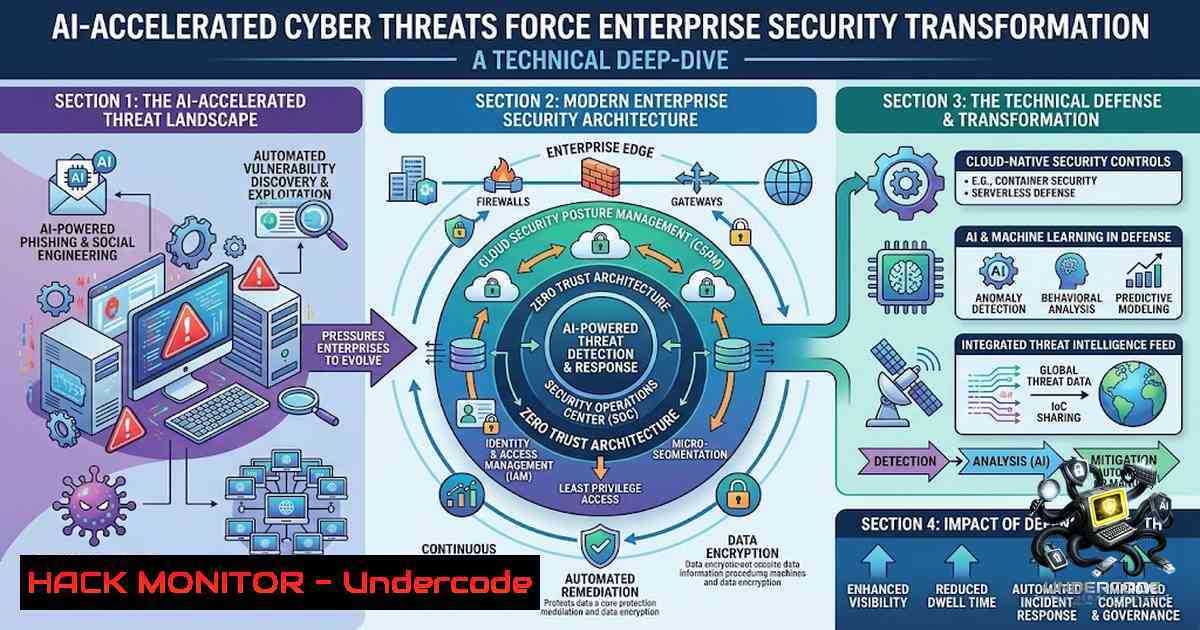
The cybersecurity landscape is undergoing a paradigm shift as artificial intelligence accelerates both attack velocity and defense complexity. Attacks that once required days, weeks, or months to execute can now be completed in a fraction of the time using frontier AI models. This has transformed cybersecurity from an IT concern into a business resilience imperative. As organizations accelerate cloud, data, and AI-led transformation, the demand for professionals who can combine cybersecurity expertise with AI, cloud, and business acumen has surged—with AI-related cybersecurity skills growing 2.5 times since 2020. This article provides a comprehensive technical guide covering Linux and Windows security hardening, threat intelligence platform deployment, API security, cloud hardening, and AI-driven defense strategies—equipping security professionals with actionable commands and configurations to fortify enterprise defenses.
Learning Objectives:
- Master Linux system hardening techniques including SSH configuration, firewall rules, fail2ban deployment, and kernel parameter tuning
- Implement Windows Server security baselines using PowerShell automation and OSConfig modules
- Deploy and configure open-source threat intelligence platforms for IOC aggregation and MITRE ATT&CK mapping
- Apply NIST SP 800-228 guidelines for API security with OWASP Top 10 API countermeasures
- Execute cloud security hardening checklists across identity, network, data, and CI/CD pipelines
You Should Know:
1. Linux System Hardening: Production-Grade Security Configuration
Securing Linux servers in cloud environments requires a multi-layered approach addressing authentication, network access, resource limits, and attack mitigation. Below is a comprehensive hardening script and step-by-step implementation guide.
Step 1: SSH Hardening and Root Access Restriction
Disable root login and enforce key-based authentication to prevent brute-force attacks:
 Backup original SSH configuration
sudo cp /etc/ssh/sshd_config /etc/ssh/sshd_config.bak

Disable root login
sudo sed -i 's/^PermitRootLogin./PermitRootLogin no/' /etc/ssh/sshd_config

Disable password authentication (force key-based)
sudo sed -i 's/^PasswordAuthentication yes/PasswordAuthentication no/' /etc/ssh/sshd_config

Change default SSH port (optional, reduces automated scanning)
sudo sed -i 's/^Port 22/Port 2222/' /etc/ssh/sshd_config

Restart SSH service
sudo systemctl restart sshd
Step 2: Firewall Configuration with UFW
Configure Uncomplicated Firewall (UFW) to allow only essential services:
 Enable UFW
sudo ufw enable

Allow only SSH (adjust port if changed)
sudo ufw allow 2222/tcp

Allow HTTP/HTTPS if running web services
sudo ufw allow 80/tcp
sudo ufw allow 443/tcp

Deny all other incoming connections by default
sudo ufw default deny incoming
sudo ufw default allow outgoing

Check status
sudo ufw status verbose
Step 3: Fail2Ban Installation and Configuration
Deploy fail2ban to block brute-force attacks automatically:
 Install fail2ban
sudo apt update && sudo apt install fail2ban -y

Create local configuration
sudo cp /etc/fail2ban/jail.conf /etc/fail2ban/jail.local

Configure SSH jail (adjust for custom port)
sudo sed -i 's/^port = ssh/port = 2222/' /etc/fail2ban/jail.local

Start and enable fail2ban
sudo systemctl start fail2ban
sudo systemctl enable fail2ban

Check banned IPs
sudo fail2ban-client status sshd
Step 4: System Update and Patch Management
Regular updates are critical for vulnerability mitigation:
 Update package lists and apply upgrades
sudo apt update && sudo apt upgrade -y

Enable automatic security updates
sudo apt install unattended-upgrades -y
sudo dpkg-reconfigure --priority=low unattended-upgrades
Step 5: Kernel and System Hardening Parameters
Apply sysctl hardening for network and resource protection:
 Create custom sysctl configuration
sudo tee -a /etc/sysctl.conf << EOF
 IP spoofing protection
net.ipv4.conf.all.rp_filter = 1
net.ipv4.conf.default.rp_filter = 1

Ignore ICMP redirects
net.ipv4.conf.all.accept_redirects = 0
net.ipv6.conf.all.accept_redirects = 0

Disable source packet routing
net.ipv4.conf.all.accept_source_route = 0
net.ipv6.conf.all.accept_source_route = 0

Log martian packets
net.ipv4.conf.all.log_martians = 1

Ignore ICMP ping requests
net.ipv4.icmp_echo_ignore_all = 1

Increase connection tracking table size
net.netfilter.nf_conntrack_max = 65536
EOF

Apply sysctl settings
sudo sysctl -p
Step 6: File System Permissions Hardening
Secure temporary directories and restrict core dumps:
 Mount /tmp with noexec,nosuid,nodev options
sudo sed -i 's/\/tmp./\/tmp tmpfs defaults,noexec,nosuid,nodev 0 0/' /etc/fstab

Restrict core dumps
echo " hard core 0" | sudo tee -a /etc/security/limits.conf

Remove unnecessary user accounts
sudo userdel -r <unused_username>
2. Windows Server Security Hardening with PowerShell
Modern Windows Server environments require systematic hardening using PowerShell automation and Microsoft security baselines.
Step 1: Install OSConfig PowerShell Module
The OSConfig module enables security baseline deployment for Windows Server 2025:
 Run PowerShell as Administrator
 Install OSConfig module
Install-Module -1ame Microsoft.OSConfig -Scope AllUsers -Force

Verify installation
Get-Module -1ame Microsoft.OSConfig -ListAvailable
Step 2: Apply Security Baseline
Apply the appropriate security baseline matching the server role:
 Apply Domain Controller security baseline
Apply-WindowsSecurityBaseline -BaselineType DomainController

Or apply Member Server baseline
Apply-WindowsSecurityBaseline -BaselineType MemberServer

Or apply Workstation baseline
Apply-WindowsSecurityBaseline -BaselineType Workstation
Step 3: Hardening with Harden-Windows-Security Module
Deploy comprehensive hardening using community-maintained modules:
 Install hardening module
Install-Module -1ame 'Harden-Windows-Security-Module' -Force

Apply all recommended security settings
Protect-WindowsSecurity -All

Apply specific security categories
Protect-WindowsSecurity -ServiceHardening, NetworkHardening, RegistryHardening
Step 4: Disable LLMNR and NetBIOS (Mitigate MITM Attacks)
Prevent LLMNR/NBT-1S poisoning attacks:
 Disable LLMNR via Group Policy or registry
Set-ItemProperty -Path "HKLM:\SOFTWARE\Policies\Microsoft\Windows NT\DNSClient" -1ame "EnableMulticast" -Value 0 -Type DWord

Disable NetBIOS over TCP/IP
$regPath = "HKLM:\SYSTEM\CurrentControlSet\Services\NetBT\Parameters\Interfaces"
Get-ChildItem $regPath | ForEach-Object {
Set-ItemProperty -Path $_.PSPath -1ame "NetbiosOptions" -Value 2 -Type DWord
}
Step 5: Enable PowerShell Script Execution and Logging
 Set execution policy for scripts
Set-ExecutionPolicy RemoteSigned -Scope CurrentUser

Enable PowerShell script block logging
Set-ItemProperty -Path "HKLM:\SOFTWARE\Policies\Microsoft\Windows\PowerShell\ScriptBlockLogging" -1ame "EnableScriptBlockLogging" -Value 1 -Type DWord
3. Threat Intelligence Platform Deployment
Open-source threat intelligence platforms aggregate, correlate, and visualize cybersecurity threats from multiple public sources.
Deploying OSCTIP (Open Source Cyber Threat Intelligence Platform)
OSCTIP aggregates intelligence from free APIs and open-source feeds, providing actionable insights on emerging risks.
Step 1: Clone and Install Dependencies
 Clone the repository
git clone https://github.com/techwithgbenga/osctip.git
cd osctip

Install Python dependencies
pip install -r requirements.txt

Set up environment variables
cp .env.example .env
 Edit .env with your API keys for threat feeds
Step 2: Configure Threat Intelligence Sources
 Configure enabled threat feeds in config.yaml
nano config/config.yaml
Add the following sources:
- AlienVault OTX
- IBM X-Force Exchange
- VirusTotal
- Shodan
- AbuseIPDB
Step 3: Initialize Database and Run Platform
 Run database migrations
python manage.py migrate

Create admin user
python manage.py createsuperuser

Start the development server
python manage.py runserver 0.0.0.0:8000
Step 4: IOC Analysis with Cyber Lens
Cyber Lens provides unified risk assessment by checking IPs, domains, URLs, and hashes against public security feeds:
 Clone Cyber Lens
git clone https://github.com/thenix09/Cyber_lens.git
cd Cyber_lens

Install dependencies
pip install -r requirements.txt

Run IOC analysis
python analyze.py --ip 8.8.8.8
python analyze.py --domain malicious-domain.com
python analyze.py --hash <file_hash>
4. API Security Hardening (NIST SP 800-228 Guidelines)
APIs are increasingly targeted by cyberattacks. NIST SP 800-228 provides comprehensive guidelines for API protection across the entire lifecycle.
Step 1: Implement Strong Authentication and Authorization
 Python Flask example - JWT with role-based access
from flask_jwt_extended import create_access_token, jwt_required, get_jwt_identity

@app.route('/api/protected', methods=['GET'])
@jwt_required()
def protected():
current_user = get_jwt_identity()
 Check user roles/permissions
if not user_has_permission(current_user, 'read:data'):
return jsonify({"error": "Insufficient permissions"}), 403
return jsonify({"data": "Protected content"}), 200
Step 2: Input Validation and Sanitization
Prevent injection attacks through strict input validation:
 Validate input against schema
from marshmallow import Schema, fields, validate

class APISchema(Schema):
user_id = fields.Int(required=True, validate=validate.Range(min=1))
email = fields.Email(required=True)
action = fields.Str(validate=validate.OneOf(['create', 'update', 'delete']))

Use schema to validate requests
schema = APISchema()
try:
validated_data = schema.load(request.json)
except ValidationError as err:
return jsonify({"errors": err.messages}), 400
Step 3: Rate Limiting and Throttling
Protect against brute-force and DoS attacks:
 Flask-Limiter implementation
from flask_limiter import Limiter
from flask_limiter.util import get_remote_address

limiter = Limiter(app, key_func=get_remote_address)

@app.route('/api/login')
@limiter.limit("5 per minute")
def login():
 Login logic
pass

@app.route('/api/reset-password')
@limiter.limit("3 per hour")
def reset_password():
 Password reset logic
pass
Step 4: API Versioning and Lifecycle Management
API versioning is a security practice that helps manage changes without breaking integrations:
 Versioned API endpoints
@app.route('/api/v1/users', methods=['GET'])
def get_users_v1():
 Legacy response format
pass

@app.route('/api/v2/users', methods=['GET'])
def get_users_v2():
 Enhanced response with additional security fields
pass
Step 5: Implement OWASP Top 10 API Protections
Address Broken Object Level Authorization (BOLA), Broken Authentication, and other critical risks:
 BOLA prevention - always validate object ownership
@app.route('/api/users/<int:user_id>')
@jwt_required()
def get_user(user_id):
current_user_id = get_jwt_identity()
 Ensure the requested user_id belongs to the authenticated user
if user_id != current_user_id and not is_admin(current_user_id):
return jsonify({"error": "Access denied"}), 403
return jsonify(get_user_data(user_id))
5. Cloud Security Hardening Checklist
Cloud environments require systematic hardening across identity, network, data, and compute layers.
Step 1: Identity and Access Management
 AWS CLI - Enforce MFA and least privilege
aws iam list-users
aws iam list-mfa-devices --user-1ame <username>

Audit IAM policies
aws iam list-policies --scope Local
aws iam get-policy-version --policy-arn <arn> --version-id <version>

Remove unused IAM users
aws iam delete-user --user-1ame <unused_user>
Step 2: Network Security Group Hardening
Restrict overly permissive security group rules:
 AWS - Review security group rules
aws ec2 describe-security-groups --group-ids <sg-id>

Remove overly permissive rules (0.0.0.0/0)
aws ec2 revoke-security-group-ingress --group-id <sg-id> --protocol tcp --port 22 --cidr 0.0.0.0/0

Replace with specific IP ranges
aws ec2 authorize-security-group-ingress --group-id <sg-id> --protocol tcp --port 22 --cidr <your-ip>/32
Step 3: Storage and Data Security
Ensure non-public data does not have anonymous read permissions:
 AWS S3 - List buckets with public access
aws s3api list-buckets --query 'Buckets[].Name' | while read bucket; do
aws s3api get-bucket-acl --bucket $bucket | grep -i "AllUsers"
done

Block public access
aws s3api put-public-access-block --bucket <bucket-1ame> --public-access-block-configuration "BlockPublicAcls=true,IgnorePublicAcls=true,BlockPublicPolicy=true,RestrictPublicBuckets=true"
Step 4: Vulnerability Scanning and Patch Management
 AWS Inspector - Start vulnerability scan
aws inspector2 start-findings-report --report-format CSV --filter '{"severity":["CRITICAL","HIGH"]}'

Azure - Run vulnerability assessment
az security va sql list --resource-group <rg> --server <server>
Step 5: Backup Validation
Regularly verify backup integrity and restoration capabilities:
 AWS - Test backup restoration
aws rds restore-db-instance-from-db-snapshot --db-instance-identifier <test-instance> --db-snapshot-identifier <snapshot-id>

After testing, delete test instance
aws rds delete-db-instance --db-instance-identifier <test-instance> --skip-final-snapshot
6. AI-Driven Threat Defense Strategies
As attackers leverage AI to accelerate attacks, defenders must adopt “AI vs. AI” strategies.
Deploying AI-Powered Threat Detection
Network Detection and Response (NDR) systems continuously monitor traffic to detect fast-moving AI threats:
 Deploy Security Onion (open-source NDR)
sudo apt update && sudo apt install securityonion-all -y

Configure network monitoring interfaces
sudo so-allow
sudo so-setup

Start detection engine
sudo so-start
Implementing Threat Intelligence with AI Enrichment
 Python - Enrich IOCs with AI threat intelligence
import requests
import json

def enrich_with_ai_threat_intel(indicator):
 Example: Query AI-powered threat intelligence API
response = requests.post(
'https://api.threatintel.ai/v1/enrich',
headers={'Authorization': 'Bearer <API_KEY>'},
json={'indicator': indicator, 'indicator_type': 'ip'}
)
return response.json()

Get AI-driven risk assessment
result = enrich_with_ai_threat_intel('203.0.113.45')
print(f"Risk Score: {result['risk_score']}")
print(f"Malicious Confidence: {result['confidence']}%")
What Undercode Say:
- Key Takeaway 1: The cybersecurity skills gap is widening—demand for cybersecurity experts has surged 15-20% over the past year, while AI-related cybersecurity skills have grown 2.5x since 2020. Organizations must prioritize upskilling, reskilling, and strategic hiring to close this gap.
-
Key Takeaway 2: AI is a double-edged sword—frontier AI models enable attacks to execute in minutes rather than months, but AI also empowers defenders through automated threat detection, intelligent alert triage (achieving 98%+ noise reduction), and AI-1ative security platforms.
Analysis: The convergence of AI, cloud, and cybersecurity is creating both unprecedented challenges and opportunities. Companies like Accenture, Deloitte, and Infosys are investing heavily in building future-ready cybersecurity workforces that combine deep cyber expertise with AI and automation skills. The shift from quantity to quality in hiring reflects a maturing industry that recognizes cybersecurity as a business resilience imperative rather than a technical afterthought. For security professionals, the message is clear: mastering AI-powered security tools, cloud hardening techniques, and threat intelligence platforms is no longer optional—it is essential for career survival. Organizations that fail to invest in both technology and talent development will find themselves increasingly vulnerable to AI-accelerated attacks.
Prediction:
- +1 The cybersecurity talent market will continue its double-digit growth trajectory, with AI-security specialists commanding premium salaries as organizations race to build AI-1ative defense capabilities.
-
+1 Open-source threat intelligence platforms will gain mainstream enterprise adoption as organizations seek cost-effective alternatives to proprietary solutions while maintaining customization flexibility.
-
-1 The AI attack acceleration curve will outpace defensive AI adoption for the next 18-24 months, creating a window of increased vulnerability for organizations slow to modernize their security operations.
-
+1 Automation and AI will handle 60-70% of routine security operations by 2028, allowing human analysts to focus on strategic threat hunting, incident response, and advanced persistent threat detection.
-
-1 The skills gap will widen before it narrows—with demand for cybersecurity professionals growing 15-20% annually but talent supply lagging, organizations will face increased competition and retention challenges.
-
+1 Cloud security will become the dominant hiring vertical as enterprises accelerate cloud transformation, with multi-cloud and hybrid cloud security expertise becoming the most sought-after skill set.
-
-1 Legacy security architectures that cannot integrate AI-powered threat intelligence will become obsolete, forcing organizations into costly and disruptive modernization programs.
-
+1 Security automation platforms incorporating large language models will democratize advanced threat detection, enabling smaller security teams to achieve enterprise-grade protection capabilities.
-
-1 The sophistication of AI-generated phishing and social engineering attacks will render traditional security awareness training insufficient, requiring AI-powered defensive measures at the email and endpoint level.
-
+1 Organizations that successfully integrate AI, cloud, and cybersecurity talent will achieve a significant competitive advantage in business resilience, customer trust, and regulatory compliance.
▶️ Related Video (74% Match):
https://www.youtube.com/watch?v=-oZejviH2fQ
🎯Let’s Practice For Free:
🎓 Live Courses & Certifications:
Join Undercode Academy for Verified Certifications
🚀 Request a Custom Project:
Secure, high-velocity infrastructure and disruptive technological engineering. Contact our engineering team for high-tier development and proprietary systems:
[email protected]
💎 Smart Architecture | 🛡️ Secure by Design | ⭐ Trusted by Thousands
IT/Security Reporter URL:
Reported By: Paul Francis – Hackers Feeds
Extra Hub: Undercode MoN
Basic Verification: Pass ✅


