Listen to this Post
Introduction:
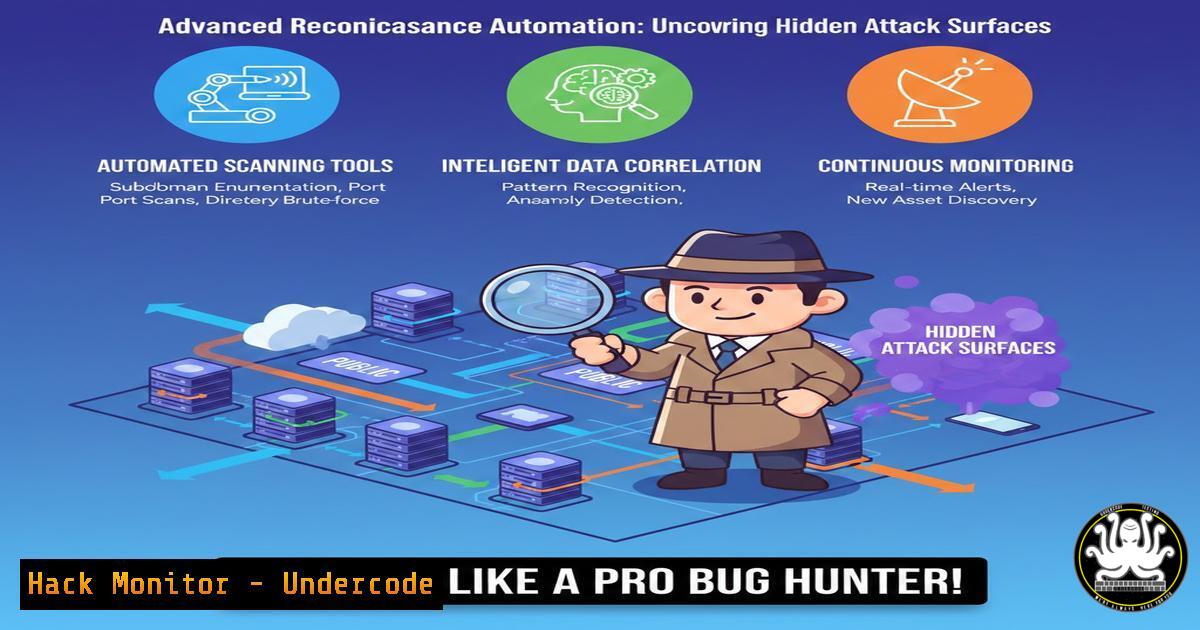
Modern bug bounty hunting and penetration testing demand more than surface-level scanning. Advanced reconnaissance—specifically leveraging historical URL data, parameter fuzzing, and JavaScript endpoint analysis—can expose forgotten APIs, development servers, and vulnerable parameters. This article dissects real-world recon methodologies inspired by Aya Ayman’s “Recon Like a Hunter Part 3” and provides executable commands, automation scripts, and mitigation strategies for defenders.
Learning Objectives:
- Master Wayback Machine, Gau, and Katana for historical asset discovery
- Automate parameter analysis and XSS/SSRF vulnerability triage
- Implement defensive controls to block recon techniques against your own infrastructure
You Should Know:
1. Historical URL Analysis with Waybackurls and Gau
Extended from Aya’s approach: attackers don’t scan what’s live—they mine what’s dead. Old JavaScript files often contain hardcoded API keys; deprecated endpoints may lack authentication.
Step‑by‑step guide – Mining historical endpoints:
 Install tools (Linux)
go install github.com/tomnomnom/waybackurls@latest
go install github.com/lc/gau/v2/cmd/gau@latest

Fetch URLs for target domain
echo "target.com" | waybackurls | tee wayback.txt
echo "target.com" | gau --subs | tee gau.txt

Merge, sort, and filter for interesting extensions
cat wayback.txt gau.txt | sort -u | grep -E ".js$|.yaml$|.env$|.json$|.asp$|.php\?|action=" > interesting_paths.txt

Extract parameters for fuzzing
cat interesting_paths.txt | grep -E "\?.=" | qsreplace > param_list.txt
What this does: Collects every publicly archived URL, extracts parameters, and prepares a wordlist for injection testing.
2. JavaScript Endpoint Extraction and Secret Leakage
Developers often stash API endpoints and keys in client‑side JS. Tools like `LinkFinder` and `SecretFinder` automate this.
Step‑by‑step guide – Extracting endpoints and secrets:
 Clone and run LinkFinder
git clone https://github.com/GerbenJavado/LinkFinder.git
cd LinkFinder && pip install -r requirements.txt
python linkfinder.py -i https://target.com/script.js -o cli

Automate across all discovered JS files
cat wayback.txt | grep ".js$" | httpx -silent | while read js; do
python ~/tools/LinkFinder/linkfinder.py -i $js -o cli >> js_endpoints.txt
done

Hunt for hardcoded keys
cat js_endpoints.txt | grep -E "api[_-]?key|secret|aws|token" | sort -u
Windows equivalent (PowerShell):
 Download JS and regex for secrets
Invoke-WebRequest -Uri "https://target.com/app.js" -OutFile app.js
Select-String -Path app.js -Pattern "(?i)(api.?key|secret|token)['""]?\s[:=]\s['""][a-zA-Z0-9_-]{16,}"
Defensive tip: Implement a Content Security Policy (CSP) and use Subresource Integrity (SRI) to prevent malicious JS injection, but understand this does not block endpoint enumeration—that requires server‑side authentication on all endpoints.
3. Parameter Discovery and Fuzzing for Hidden Inputs
Real bugs hide in parameters not linked anywhere. Use `ParamSpider` and `ffuf` to brute‑force parameter names.
Step‑by‑step guide – Parameter fuzzing:
 Install ParamSpider
git clone https://github.com/devanshbatham/ParamSpider
cd ParamSpider && pip install -r requirements.txt
python paramspider.py --domain target.com --exclude woff,css,png --output params.txt

Fuzz for reflected XSS with custom wordlist
ffuf -u https://target.com/page?FUZZ=test -w params.txt -fs 1234

Automate parameter value injection with qsreplace
cat params.txt | qsreplace "alert(1)" | while read url; do
curl -s -L $url | grep -q "alert(1)" && echo "[!] XSS: $url"
done
API security correlation: This same technique exposes GraphQL introspection queries or debug parameters (?debug=1). Mitigation: Disable introspection in production and strip debug parameters via WAF rules.
4. Cloud Bucket Enumeration via Historical Data
S3 buckets, Azure blobs, and Google cloud storage URLs often appear in old Wayback snapshots.
Step‑by‑step guide – Bucket discovery and permission testing:
 Extract potential bucket names
cat wayback.txt | grep -E "s3.amazonaws.com|storage.googleapis.com|blob.core.windows.net" | cut -d '/' -f 3-5 | sort -u

Use s3scanner to check bucket permissions
git clone https://github.com/sa7mon/S3Scanner.git
cd S3Scanner && pip install -r requirements.txt
python s3scanner.py --bucket-file buckets.txt --dump
Defense: Block public `ListBucket` access and use bucket policies that require signed URLs. Run `aws s3api put-public-access-block` to enforce account‑wide restrictions.
5. Automated Recon Pipeline with Bash and Interlace
Professional hunters don’t run tools one‑by‑one. They chain them.
Step‑by‑step guide – Build a modular recon pipeline:
!/bin/bash
 hunter.sh - Automated recon for bug bounty
domain=$1
mkdir -p $domain && cd $domain

Subdomain enumeration
subfinder -d $domain -silent | anew subs.txt
assetfinder -subs-only $domain | anew subs.txt

Historical URLs for all subdomains
cat subs.txt | gau --subs | anew all_urls.txt
cat subs.txt | waybackurls | anew all_urls.txt

Filter live hosts
cat all_urls.txt | unfurl -u domains | httpx -silent -status-code -title -tech-detect -o live_hosts.txt

Endpoint extraction from JS
cat all_urls.txt | grep ".js$" | httpx -silent -content-type | grep "application/javascript" | cut -d ' ' -f1 > js_files.txt
python ~/tools/LinkFinder/linkfinder.py -i js_files.txt -o cli >> endpoints_raw.txt

Parameterized endpoints
cat all_urls.txt | grep "=" | qsreplace | anew params.txt
echo "[+] Recon complete for $domain"
Run with ./hunter.sh target.com. This script collects thousands of endpoints in minutes.
6. Mitigation Strategies for Blue Teams
Defenders must understand these techniques to protect their own assets.
Step‑by‑step guide – Blocking historical recon:
- robots.txt and noarchive: Prevent search engines from archiving sensitive paths.
User-agent:
Disallow: /admin/
Disallow: /private/
Noarchive: /api/
- WAF rules: Detect and block automated parameter fuzzing.
Nginx example: block requests with high query parameter count if ($args ~ "(\?|\&)(\w+=){20,}") { return 403; } - Remove unused DNS records: Deprecated subdomains often remain resolvable—delete them.
PowerShell – bulk delete Azure DNS records
Remove-AzDnsRecordSet -Name "old-dev" -RecordType A -ZoneName "target.com" -ResourceGroupName "RG"
What Undercode Say:
Key Takeaway 1: Reconnaissance is not passive—it is aggressive memory mining. Wayback, Gau, and JS scraping turn deleted code into active exploits.
Key Takeaway 2: Defenders cannot rely on obscurity. Historical archives mean code is permanent. The only defense is strict authentication and least privilege on every endpoint, regardless of age.
Analysis:
The methodology shared in “Recon Like a Hunter” shifts bug hunting from brute‑force directory busting to intelligence‑driven asset discovery. It mirrors how nation‑state actors profile targets. Organizations often secure their main site but leave staging, old APIs, and third‑party integrations exposed—precisely what these tools surface. The offensive community has commoditized what was once manual OSINT; now a single bash script can enumerate what took hours a year ago. For defenders, this means continuous monitoring of DNS history and certificate transparency logs is no longer optional—it is core hygiene. Moreover, the fusion of URL parameter mining with automated injection testing (XSS, SSRF) turns each discovered endpoint into a potential entry point. The gap between recon and exploitation is closing fast.
Prediction:
Within 12 months, AI‑driven recon agents will autonomously correlate archived URLs with live responses, predict parameter names based on application frameworks, and prioritize injection points without human interaction. Bug bounty platforms will need to implement “anti‑recon” watermarks for authorized testers, and WAF vendors will release models specifically trained to detect historical‑pattern attacks. The era of manual parameter guessing is ending; the era of predictive, automated recon is here.
▶️ Related Video (80% Match):
🎯Let’s Practice For Free:
IT/Security Reporter URL:
Reported By: Https: – Hackers Feeds
Extra Hub: Undercode MoN
Basic Verification: Pass ✅


