
Listen to this Post
Introduction:
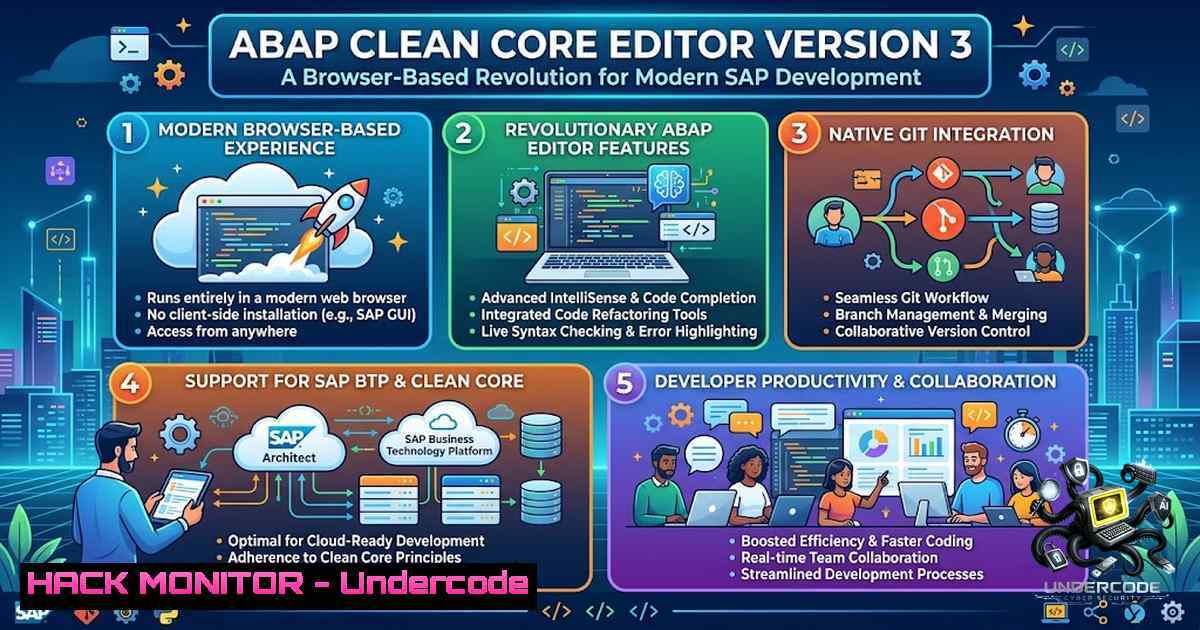
The SAP ecosystem is undergoing a fundamental transformation with the Clean Core paradigm, a strategic initiative that classifies development objects based on cloud readiness and upgrade stability — Level A being the best (cloud-ready) and Level D representing legacy “dirty” code that requires modernization. As organizations accelerate their S/4HANA migrations, developers increasingly need lightweight, accessible tools that bridge traditional SAP GUI workflows with modern browser-based development environments. The release of ABAP Editor Lite Version 3 — a browser-based IDE featuring multi-tab document management, real-time SAP connectivity, syntax highlighting, and SE11/SE38 integrations — represents a significant step toward democratizing ABAP development outside the constraints of the traditional SAP GUI.
Learning Objectives & Secrets:
- Objective 1: Master Browser-Based ABAP Development — Learn to leverage multi-tab document management, syntax highlighting, and real-time execution to accelerate ABAP prototyping and testing without launching the full SAP GUI. The key is understanding how the editor abstracts SAP’s RFC (Remote Function Call) layer to provide responsive feedback.
-
Objective 2 Secret Tip: Leverage SE11 and SE38 Patterns for Rapid Prototyping — The editor’s built-in SE11 Table Inspector and Query Generator allow instant data dictionary exploration, while the SE38 Pattern Generator creates reusable code templates. Secret: Use the pattern generator to dynamically populate user-specific placeholders — create a pattern with `&USERID&` and the editor will substitute the current SAP logon ID automatically.
-
Objective 3 Secret Tip: Code Outline Navigation for Large Programs — The Symbol Navigator provides a Quick Outline view (accessible via Ctrl+O in most ABAP IDEs) that displays the complete structure of classes, interfaces, and programs. Secret: Use the outline to jump directly to method implementations — selecting any element in the outline navigates instantly to the corresponding source code position, making code reviews and debugging of large legacy programs significantly faster.
You Should Know:
- Configuring Secure SAP RFC Connections for Browser-Based Editors
The ABAP Editor Lite connects to SAP systems via RFC (Remote Function Call) or HTTP-based APIs. To establish a secure connection, you must configure both the SAP backend and the editor’s connection parameters.
Step‑by‑step guide for setting up a secure RFC connection:
Step 1: Create an RFC destination in SAP transaction SM59.
– Navigate to SM59 → Create → RFC destination (type “TCP/IP” or “HTTP Connection to ABAP System”).
– Specify the target host, system number, and instance ID.
– Under the “Security” tab, enable Secure Network Communications (SNC) using SAP’s Common Crypto Library or a third-party product for encryption.
Step 2: Create a dedicated RFC-enabled user with minimal privileges.
– Use transaction SU01 to create a user (e.g., ZRFC_USER).
– Assign only the roles required for read/execute operations (e.g., `SAP_ALL` is not recommended — use `S_RFC` authorization object with specific function group restrictions).
– Generate a secure password (minimum 15 characters, mix of uppercase, lowercase, numbers, and special characters).
Step 3: Whitelist the editor’s IP address in the SAP system.
– Use transaction SM30 to maintain table `SMLG` (Logon Group) or implement IP filtering via firewall rules on the SAP application server.
– For cloud environments, restrict access using security groups or network ACLs.
Step 4: Test the connection using SAP’s `RFC_PING` function module.
CALL FUNCTION 'RFC_PING'
DESTINATION 'Z_ABAP_EDITOR'
EXCEPTIONS
COMMUNICATION_FAILURE = 1
SYSTEM_FAILURE = 2.
If the function returns successfully, the connection is operational.
2. ABAP Syntax Highlighter and Real-Time Code Execution
The editor provides instant syntax validation and code execution against a live SAP system. This feature is invaluable for testing snippets before deploying them to production.
Step‑by‑step guide for using real‑time execution:
Step 1: Write or paste ABAP code into the editor.
Example: A simple program to fetch table data:
REPORT Z_TEST_EXECUTION.
DATA: lt_mara TYPE TABLE OF mara,
ls_mara TYPE mara.
SELECT  FROM mara INTO TABLE lt_mara UP TO 10 ROWS.
LOOP AT lt_mara INTO ls_mara.
WRITE: / ls_mara-matnr, ls_mara-mtart.
ENDLOOP.
Step 2: Click “Execute” or “Run” — the editor sends the code via RFC to the SAP system for compilation and execution.
Step 3: Review the output in the editor’s console panel.
The results appear as a formatted ALV (ABAP List Viewer) grid or plain text output.
Step 4: Use the editor’s Snippet Manager to save frequently used code blocks.
Organize snippets by category (e.g., “Data Retrieval,” “ALV Reports,” “BAPI Calls”) for rapid reuse.
Limitation to note: Selection-screen parameters (PARAMETERS and SELECT-OPTIONS) do not render in the browser interface. Workaround: Define default values directly in the code or use a wrapper program that accepts parameters via a custom interface.
3. SAP SE11 Table Inspector & Query Generator
The editor integrates with SAP’s Data Dictionary (SE11) to allow table inspection and query generation without launching SAP GUI.
Step‑by‑step guide for using the Table Inspector:
Step 1: Enter a table name (e.g., MARA, VBAK, LFA1) into the Table Inspector field.
Step 2: The editor retrieves and displays:
- Table fields with data element names, types, and lengths.
- Primary and secondary indexes.
- Foreign key relationships.
Step 3: Use the Query Generator to build a SELECT statement visually.
– Check the fields you want to retrieve.
– Apply filters using the condition builder (e.g., MATNR EQ 'ABC123').
– Click “Generate” — the editor produces a complete ABAP `SELECT` statement.
Step 4: Execute the generated query directly or copy it into your development program.
Pro Tip: Use function module `DDIF_FIELDINFO_GET` to programmatically retrieve table metadata:
CALL FUNCTION 'DDIF_FIELDINFO_GET'
EXPORTING
tabname = 'MARA'
TABLES
dfies_tab = lt_dfies
EXCEPTIONS
not_found = 1
OTHERS = 2.
This returns a complete field list with technical attributes — perfect for dynamic reporting.
4. SE38 Pattern Generator for Code Standardization
The SE38 Pattern Generator creates reusable code templates that enforce coding standards across teams.
Step‑by‑step guide for creating and using patterns:
Step 1: In the editor, navigate to Utilities → More Utilities → Edit Pattern → Create Pattern.
Step 2: Define the pattern template.
Example: A pattern for BAPI call with error handling:
CALL FUNCTION 'BAPI_'
EXPORTING
iv_param1 = &PARAM1&
IMPORTING
ev_result = &RESULT&
TABLES
return = lt_return.

IF lt_return[] IS NOT INITIAL.
LOOP AT lt_return INTO ls_return WHERE type CA 'EAX'.
WRITE: / 'Error:', ls_return-message.
ENDLOOP.
ENDIF.
Step 3: Save the pattern with a meaningful name (e.g., Z_BAPI_CALL).
Step 4: Insert the pattern into any program by clicking the Pattern button and selecting your saved template.
Step 5: The editor substitutes placeholders (&PARAM1&, &RESULT&) with actual values you provide.
Standardization benefit: Patterns ensure all team members use the same error handling, logging, and commit logic, reducing bugs and improving maintainability.
5. Custom Snippet Manager and Code Reuse
The Snippet Manager allows developers to store and retrieve frequently used code blocks, similar to “live templates” in IntelliJ or VS Code.
Step‑by‑step guide for using the Snippet Manager:
Step 1: Select a block of code in the editor.
Step 2: Right-click and choose “Save as Snippet” or use the Snippet Manager panel.
Step 3: Assign a name, description, and category tags (e.g., ALV_GRID, FILE_DOWNLOAD, EMAIL_SEND).
Step 4: To insert a snippet, type the snippet name and press `Ctrl+Space` (or the editor’s autocomplete trigger).
Step 5: For dynamic snippets, use placeholders like `$DATE$` (current date), `$USER$` (current user), or custom variables that prompt for input.
Example snippet — a reusable ALV grid with standard toolbar:
CALL FUNCTION 'REUSE_ALV_GRID_DISPLAY'
EXPORTING
i_callback_program = sy-repid
i_structure_name = '&STRUCTURE&'
TABLES
t_outtab = &ITAB&
EXCEPTIONS
program_error = 1
OTHERS = 2.
This saves 15–20 lines of boilerplate code per report.
- Hardening the VPS Hosting the Editor Against Attacks
The developer explicitly warns against DDoS or hacking attempts on the low-cost VPS hosting the editor. For any publicly exposed SAP-facing tool, security must be prioritized.
Step‑by‑step guide for VPS hardening:
Step 1: Restrict network access using firewall rules.
- Linux (iptables/nftables): Allow only ports 443 (HTTPS) and 22 (SSH) from trusted IP ranges.
sudo iptables -A INPUT -p tcp --dport 443 -s <TRUSTED_IP> -j ACCEPT
sudo iptables -A INPUT -p tcp --dport 22 -s <ADMIN_IP> -j ACCEPT
sudo iptables -A INPUT -j DROP
- Windows (Netsh):
netsh advfirewall firewall add rule name="Allow HTTPS" protocol=TCP dir=in localport=443 action=allow remoteip=<TRUSTED_IP>
Step 2: Implement rate limiting to prevent DDoS.
- Using Nginx: Add `limit_req_zone` and `limit_conn` directives.
limit_req_zone $binary_remote_addr zone=abap_api:10m rate=10r/s;
location / {
limit_req zone=abap_api burst=20 nodelay;
proxy_pass http://localhost:3000;
}
Step 3: Enable HTTPS with TLS 1.3 only.
- Use Let’s Encrypt or a commercial certificate.
- Disable weak ciphers:
ssl_ciphers ECDHE-ECDSA-AES128-GCM-SHA256:ECDHE-RSA-AES128-GCM-SHA256.
Step 4: Apply OS-level security measures.
- Linux: Enable AppArmor/SELinux, configure fail2ban for SSH, remove unnecessary packages, enforce strong password policies, and enable audit logging.
- Windows: Enable Windows Defender, configure advanced audit policies, and apply the latest security patches.
Step 5: Secure the SAP RFC credentials.
- Store credentials using environment variables or a secrets manager — never hard-code them in the application.
- Rotate passwords monthly and use multi-factor authentication for administrative access.
7. API Security for SAP Interfaces
The editor connects to SAP via interfaces that may expose APIs. Securing these APIs is critical.
Step‑by‑step guide for API security:
Step 1: Use OAuth 2.0 with mTLS for API authentication.
– Configure the SAP system as an OAuth 2.0 resource server.
– Issue client credentials with scoped permissions (read-only vs. read-write).
Step 2: Implement IP whitelisting and rate limiting at the API gateway level.
Step 3: Validate all incoming payloads against a strict schema.
– Reject requests with unexpected fields or data types.
– Sanitize inputs to prevent ABAP injection attacks.
Step 4: Enable comprehensive API logging and monitoring.
- Log all requests with timestamps, client IPs, and user IDs.
- Integrate with a SIEM solution for anomaly detection.
Step 5: Regularly audit API access patterns.
- Use SAP’s built-in audit log (transaction
SM19/SM20) to track RFC calls and authorization failures. - Review logs weekly for suspicious activity (e.g., multiple failed logins, unusual execution patterns).
What Undercode Say:
- Key Takeaway 1: The ABAP Clean Core movement is not just about code classification — it’s about empowering developers with modern tools that reduce friction. Browser-based IDEs like ABAP Editor Lite V3 lower the barrier to entry for new developers and accelerate prototyping for experienced ones, all while maintaining compatibility with SAP’s evolving architecture.
-
Key Takeaway 2: Security must be a first-class concern for any tool that connects to SAP systems, regardless of how “low-cost” the hosting environment is. The developer’s playful warning about DDoS attempts underscores a serious reality — publicly exposed SAP interfaces are prime targets for credential theft, data exfiltration, and denial-of-service attacks. Implementing defense-in-depth (firewalls, rate limiting, mTLS, and least-privilege access) is non-1egotiable.
Analysis: The release of ABAP Editor Lite V3 reflects a broader trend in the SAP ecosystem: the gradual shift from heavyweight, desktop-based SAP GUI to lightweight, browser-based IDEs. This democratization of ABAP development is essential for attracting new talent and enabling rapid iteration. However, the convenience of browser-based access introduces new attack surfaces — misconfigured RFC connections, exposed credentials, and insufficient rate limiting can lead to catastrophic breaches. Organizations must balance developer productivity with robust security controls, treating every SAP-facing tool as a potential entry point for adversaries. The Clean Core initiative provides the architectural foundation; security provides the operational safeguard. Together, they enable the autonomous enterprise that SAP envisions.
Prediction:
- +1 The proliferation of browser-based ABAP IDEs will accelerate S/4HANA adoption by reducing the learning curve for new developers and enabling remote, collaborative development workflows.
-
-1 Without mandatory security hardening requirements, publicly exposed ABAP editors will become a primary attack vector for ransomware groups targeting SAP systems, leading to a wave of breaches in 2027.
-
+1 AI-powered code assistance (similar to GitHub Copilot) will be integrated into these editors by 2027, enabling natural-language ABAP generation and automated unit testing.
-
-1 The fragmentation of development tools (SAP GUI, Eclipse, VS Code, browser-based editors) will create inconsistent security postures, with some tools receiving patches faster than others, leaving gaps for attackers to exploit.
-
+1 The Clean Core classification system will mature into an automated compliance framework that integrates with these editors, flagging “Level D” legacy patterns in real-time and suggesting modern alternatives.
▶️ Related Video (82% Match):
https://www.youtube.com/watch?v=69RcsHAm8RY
🎯Let’s Practice For Free:
🎓 Live Courses & Certifications:
Join Undercode Academy for Verified Certifications
🚀 Request a Custom Project:
Secure, high-velocity infrastructure and disruptive technological engineering. Contact our engineering team for high-tier development and proprietary systems:
[email protected]
💎 Smart Architecture | 🛡️ Secure by Design | ⭐ Trusted by Thousands
IT/Security Reporter URL:
Reported By: https://lnkd.in/p/eE-6Px2S – Hackers Feeds
Extra Hub: Undercode MoN
Basic Verification: Pass ✅


