Listen to this Post
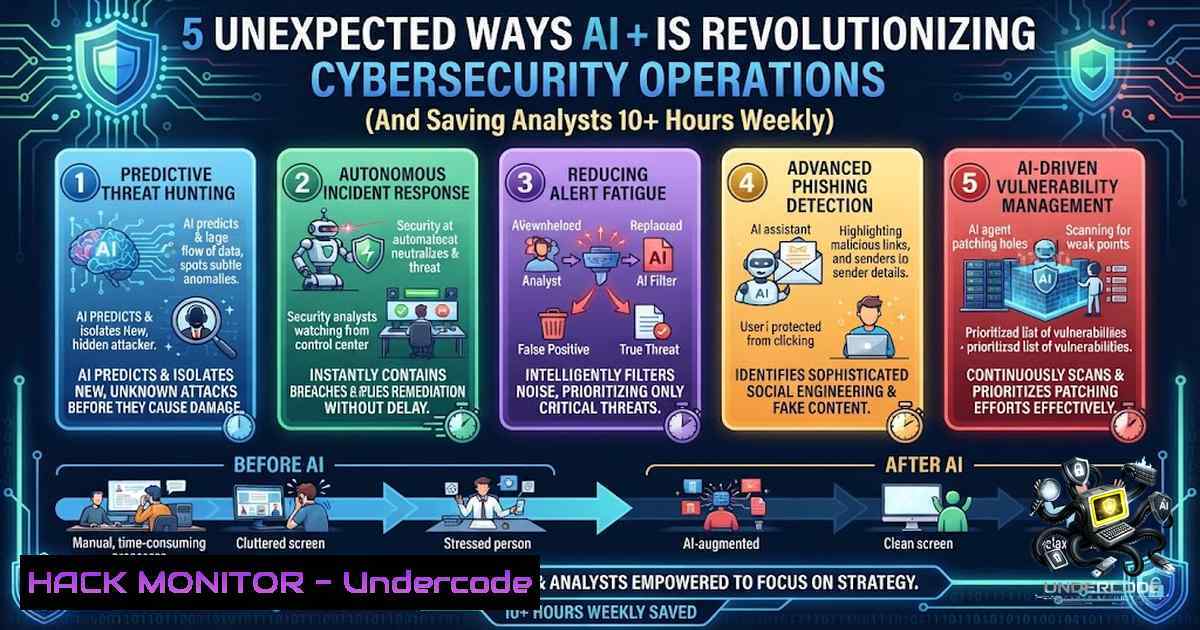
Introduction:
Artificial Intelligence is rapidly transforming the cybersecurity landscape, shifting from a futuristic concept to an essential tool for threat detection and response. While many professionals focus on AI’s ability to generate phishing lures or write code, its most profound impact lies in automating the tedious, time-consuming tasks that drain analyst productivity. This article explores five unconventional yet highly effective methods for leveraging AI to enhance security operations, streamline threat hunting, and fortify your organization’s defenses.
Learning Objectives:
- Understand how to utilize AI for preprocessing and prioritizing security logs and alerts.
- Learn to automate the creation of complex detection rules and YARA signatures.
- Master the use of AI for rapid threat intelligence summarization and report generation.
- Discover how to generate tailored training materials and phishing simulations.
- Develop skills in using AI for incident response playbook generation and documentation.
You Should Know:
1. Automated Threat Intelligence Summarization & Enrichment
Staying ahead of threat actors requires digesting an immense volume of threat intelligence feeds, blog posts, and advisories daily. AI can streamline this by summarizing long technical reports into concise, actionable bullet points, saving security teams significant time while ensuring key IoCs are not missed.
Step‑by‑step guide to automating threat intel:
- Select an AI Tool: Choose between hosted solutions (ChatGPT, Claude) or local models (Ollama with Llama 3). For sensitive data, a local model is recommended.
- Craft a Summarization Develop a standardized prompt to ensure consistent results. For example:
> “You are a cybersecurity analyst. Summarize the following security advisory. Extract the CVE numbers, affected software, the type of vulnerability, known indicators of compromise (IoCs) like IPs and hashes, and recommended mitigation steps. Format the output as a bulleted list.” - Automate the Workflow: Use scripting to pipe RSS feeds or saved articles into the AI. For Linux, you can use `curl` to fetch content and `jq` to parse it.
Linux Command (Fetching data): `curl -s https://feeds.feedburner.com/securityweek | grep -oP ‘(?<=).?(?= )’`
4. Enrich Alert Data: When an alert is generated in your SIEM, trigger a script to send the raw event log to the AI, asking it to provide context, assess the risk level, and suggest the next steps. - Store Outputs: Log the summarized data into a searchable database or your SIEM for future reference.
Code Example: Simple Log Enrichment Script (Python)
import requests
import json

def enrich_log(log_entry):
prompt = f"Analyze this security log for malicious activity and suggest 3 immediate actions: {log_entry}"
 Example using a local Ollama instance
response = requests.post('http://localhost:11434/api/generate',
json={"model": "llama3", "prompt": prompt})
return response.json()['response']

if <strong>name</strong> == "<strong>main</strong>":
sample_log = "Failed login attempt on admin account from IP 5.5.5.5"
recommendation = enrich_log(sample_log)
print(f"AI Suggestion: {recommendation}")
2. Streamlining Detection Engineering (YARA & Sigma Rules)
Writing detection rules is a skill that requires deep knowledge of both the threat and the data source. AI can act as a co-pilot, generating initial drafts of YARA rules or Sigma queries based on a simple description of the malicious activity, allowing engineers to focus on fine-tuning and validation.
Step‑by‑step guide to generating detection rules:
- Define the Threat: Clearly describe the threat behavior (e.g., “A PowerShell script that downloads a file from a remote server and executes it, using obfuscation techniques”).
- Prompt the AI: Ask the AI to generate a YARA rule and a corresponding Sigma rule.
> “Write a YARA rule to detect a PowerShell script that contains base64 encoding and attempts to connect to a non-standard port. Additionally, provide the Sigma rule for this behavior on Windows event logs.” - Review and Test: In a sandbox environment, test the generated rules against known good and malicious samples to ensure a high true positive rate and low false positive rate.
- Refine the Output: Modify the AI’s prompt to add or remove specific conditions. For example:
> “Refine the previous YARA rule to include a condition for the string ‘Invoke-Expression’ and the number of bytes in the file being between 1000 and 5000.” - Document and Deploy: Once validated, add the detection rule to your security tools (e.g., TheHive, MISP, EDR). Use the AI to generate documentation explaining the rule’s purpose.
Example YARA Rule Output:
rule SuspiciousPowerShell_Base64_NonStdPort {
meta:
description = "Detects suspicious PowerShell with base64 and non-standard port"
author = "AI Assistant"
date = "2024-10-27"
strings:
$ps = "powershell" nocase
$base64 = /[A-Za-z0-9+\/]{20,}={0,2}/
$net = "System.Net.Sockets.TcpClient" nocase
$port = /:\d{4,5}/
condition:
$ps and $base64 and $net and $port
}
3. AI-Powered Incident Response Playbook Creation
Building comprehensive incident response playbooks from scratch is a monumental task. AI can rapidly generate draft playbooks tailored to your specific technology stack and business requirements. This creates a solid foundation that can be reviewed and customized, drastically reducing preparation time.
Step‑by‑step guide to building your playbook:
- Identify the Scenario: Specify the type of incident (e.g., Ransomware Attack, Insider Threat, Cloud Account Compromise).
- Provide Context: Provide the AI with information about your environment (e.g., “We use AWS, have Windows servers, and use SentinelOne as our EDR”).
- Generate the Draft: Prompt the AI to generate a step-by-step response plan.
> “Create an incident response playbook for a ransomware attack in an AWS environment. The playbook must include steps for detection, containment, eradication, recovery, and communication. Reference specific AWS services like S3 and EC2.” - Customize & Review: The AI-generated playbook is a draft. Review it with your team, adding specific internal contact details, tool configuration steps, and legal/HR guidelines.
- Update and Maintain: When your infrastructure changes, re-prompt the AI with the updated context to quickly update the playbook.
Windows Command for Ransomware Response (Containment):
 Example command to check for suspicious processes during an incident
Get-Process | Where-Object { $_.Path -like "C:\Users\AppData\Local\Temp\" } | Stop-Process -Force

To isolate a potentially infected machine from the domain (Run with Domain Admin)
Set-ADComputer -Identity "COMPUTER_NAME" -Enabled $false
4. Creating Tailored Security Training & Phishing Simulations
Security awareness training is critical but often generic. AI can generate highly specific training modules and realistic phishing simulation emails tailored to the latest threats and the target’s role, making training more effective and engaging for employees.
Step‑by‑step guide to generating training content:
- Choose a Topic: Select a security topic (e.g., “Deepfake Phishing,” “MFA Fatigue Attacks”).
- Target an Audience: Specify the role (e.g., “Executives,” “IT Admins,” “Finance Department”).
- Generate Training Content: Prompt the AI to create an outline, a slide deck, or a full script.
> “Create a 15-minute training script for finance department employees on the dangers of Business Email Compromise (BEC) and spear phishing.” - Create Phishing Emails: Generate a realistic phishing email template to test employee vigilance.
> “Write a convincing phishing email that appears to come from a CEO requesting an urgent wire transfer, using a sense of urgency and referencing a fake acquisition.” - Evaluate and Iterate: Use the output to run your simulation. Review click rates and incorporate common mistakes into the next training module.
5. Simplifying Cloud Security Posture Management (CSPM) Audits
Cloud security audits involve analyzing complex configuration files (like Terraform or CloudFormation), IAM policies, and compliance reports. AI can ingest this infrastructure-as-code and identify misconfigurations, policy over-privileges, and compliance violations in plain English, making audits far more efficient.
Step‑by‑step guide to auditing IaC with AI:
- Gather Your Configuration: Collect your Terraform `.tf` files, AWS CloudFormation JSON/YAML templates, or IAM policy JSON documents.
- Prepare the Input: Copy and paste the text of your configuration into your AI interface. Ensure you have removed any sensitive data like access keys or passwords.
- Prompt for Analysis: Ask the AI to act as a cloud security engineer.
> “Act as an AWS Security Expert. Review this IAM policy. Identify any overly permissive actions (like ), potential for privilege escalation, and suggest least-privilege revisions.” - Implement Recommendations: Based on the AI’s analysis, revise your IaC files.
- Generate the Report: Ask the AI to compile its analysis into a formal audit report for management, highlighting critical issues and their business impact.
What Undercode Say:
- Key Takeaway 1: AI is a powerful force multiplier, but it is not a replacement for human expertise. Analysts must validate and refine all AI-generated output to prevent the spread of inaccuracies or weak security controls.
- Key Takeaway 2: The most effective use of AI is to eliminate the “grunt work” of cybersecurity—summarization, drafting, and triage—allowing professionals to focus on complex problem-solving, strategic planning, and deep investigations that require critical thinking.
Prediction:
- +1: AI will evolve from a co-pilot to an autonomous agent capable of self-healing networks, automatically patching vulnerabilities and adjusting firewall rules in response to real-time threats, drastically reducing the mean time to remediate (MTTR).
- +1: The democratization of advanced threat hunting tools via AI will empower smaller teams to defend against sophisticated nation-state level attacks, leveling the playing field in cybersecurity.
- -1: The ease of using AI to generate malicious code, deepfakes, and automated attack campaigns will lead to an unprecedented volume and sophistication of social engineering and zero-day exploits, challenging traditional defense mechanisms.
- -1: Over-reliance on AI for security operations could lead to a “black box” phenomenon where teams lose their analytical skills, making them vulnerable when the AI fails or is poisoned by adversarial input.
▶️ Related Video (80% Match):
🎯Let’s Practice For Free:
🎓 Live Courses & Certifications:
Join Undercode Academy for Verified Certifications
🚀 Request a Custom Project:
Secure, high-velocity infrastructure and disruptive technological engineering. Contact our engineering team for high-tier development and proprietary systems:
[email protected]
💎 Smart Architecture | 🛡️ Secure by Design | ⭐ Trusted by Thousands
IT/Security Reporter URL:
Reported By: Leonard Lambert – Hackers Feeds
Extra Hub: Undercode MoN
Basic Verification: Pass ✅


