
Listen to this Post
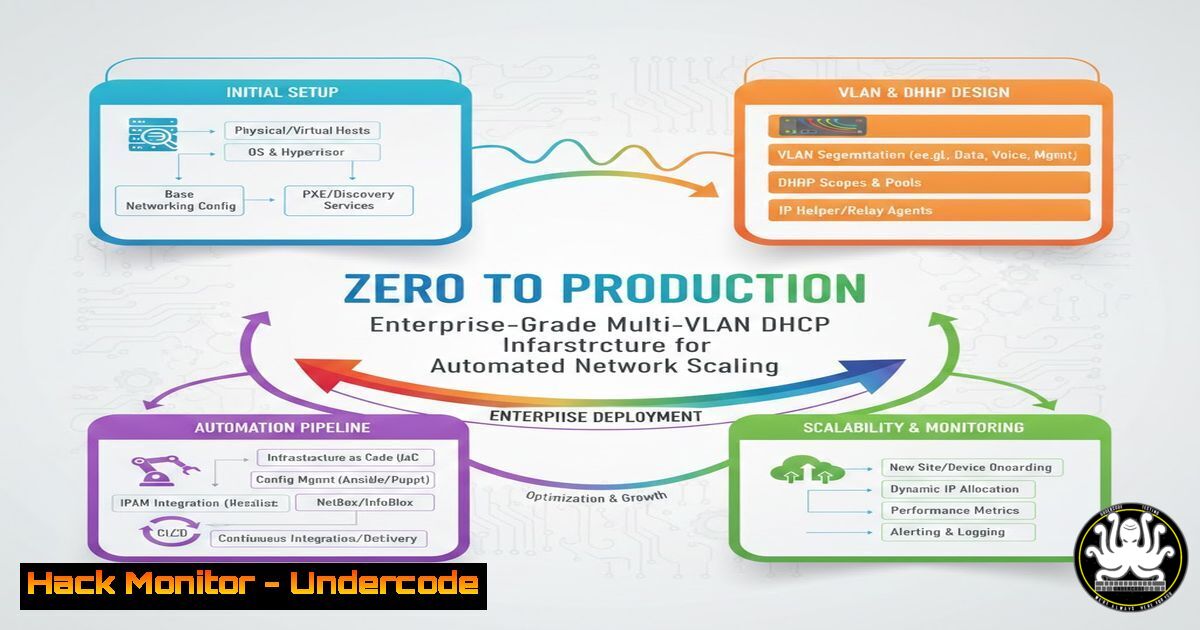
Introduction:
In modern enterprise environments, manually assigning IP addresses is not only inefficient but a critical operational risk. The Dynamic Host Configuration Protocol (DHCP) serves as the backbone of network automation, ensuring that when a new employee connects a device, they receive a correct IP, subnet mask, gateway, and DNS settings instantly. This article breaks down a hands-on project to deploy a secure, multi-VLAN DHCP solution using Cisco IOS, integrating concepts that are directly transferable to cloud networking and DevSecOps pipelines.
Learning Objectives:
- Understand the architecture of DHCP in a segmented (VLAN) enterprise network.
- Configure a Cisco router as a DHCP server with address exclusions and options.
- Implement DHCP Relay (ip helper-address) to forward broadcast requests across VLANs.
- Troubleshoot common DHCP failures using CLI tools on Windows and Linux.
- Map on-premises DHCP concepts to AWS VPC networking for hybrid cloud designs.
You Should Know:
1. Foundational DHCP Server Configuration on Cisco IOS
To begin, we must define the scope of IP addresses that the server will manage. On a Cisco router or Layer 3 switch, we enter global configuration mode and create a DHCP pool for a specific subnet.
Step‑by‑step guide:
conf t
ip dhcp pool VLAN10_USERS
network 192.168.10.0 255.255.255.0
default-router 192.168.10.1
dns-server 8.8.8.8 4.4.4.4
lease 7
This configuration assigns IPs from the 192.168.10.0/24 range, sets the default gateway, and provides DNS servers. However, we must also exclude static addresses (like servers or network equipment) from being leased:
ip dhcp excluded-address 192.168.10.1 192.168.10.10
What this does: It ensures that the router (gateway) and any statically assigned devices do not receive dynamic addresses, preventing IP conflicts.
2. Scaling Across VLANs: The IP Helper-Address
In a multi-VLAN environment, DHCP broadcasts (discover messages) cannot cross Layer 3 boundaries. To solve this, we configure DHCP Relay on the VLAN interfaces themselves.
Step‑by‑step guide:
On the interface corresponding to each VLAN (e.g., VLAN 20), point the broadcast to the centralized DHCP server (which could be the router itself or a dedicated server).
interface Vlan20
ip address 192.168.20.1 255.255.255.0
ip helper-address 192.168.1.10
no shutdown
Explanation: The `ip helper-address` command converts the broadcast into a unicast directed to the DHCP server (192.168.1.10). It forwards not only DHCP requests but also other UDP services like TFTP and DNS by default. This is critical for allowing clients in VLAN 20 to receive IPs from a server located in a different subnet.
3. Client-Side Verification and Troubleshooting
Once the server and relay are configured, we must validate that clients are receiving the correct parameters. This involves command-line verification from both the client OS and the network device.
Step‑by‑step guide (Client Side):
- Windows: Open Command Prompt.
ipconfig /release
ipconfig /renew
ipconfig /all | findstr "DHCP Default Gateway"
- Linux (DHCP client):
sudo dhclient -r  Release current lease
sudo dhclient  Obtain new lease
ip addr show  Verify assigned IP
On the Cisco Router (DHCP Server):
show ip dhcp binding // Shows all active leases
show ip dhcp conflict // Displays any address conflicts detected
debug ip dhcp server events // Real-time troubleshooting (use with caution in production)
Explanation: These commands verify that the server is leasing addresses and that no duplicate IPs exist. If clients fail to obtain an IP, checking the `helper-address` configuration and ensuring routing between subnets exists is the first step.
4. Cloud Relevance: Translating DHCP to AWS VPC
The project highlights how on-premises concepts map directly to cloud networking. In Amazon Web Services (AWS), a VPC acts as your logical data center. By default, it provides a DHCP option set.
Step‑by‑step guide (AWS Console):
1. Navigate to VPC → DHCP option sets.
- Create a new option set specifying your domain name and DNS servers (e.g., Custom DNS for security).
3. Associate this set with your VPC.
Linux/CloudShell Verification:
 Launch an EC2 instance in a private subnet and check its configuration
ip route show
cat /etc/resolv.conf  Should reflect the custom DHCP options
Analysis: Just as with on-premises, EC2 instances automatically receive IPs from the VPC subnet range. Understanding DHCP relay helps when designing hybrid networks where on-premises DHCP servers must serve cloud instances via VPN or Direct Connect (using DHCP relay agents in the cloud).
5. Hardening and Security Considerations
A misconfigured DHCP server is a vector for attacks like DHCP starvation or rogue server attacks. Implementing DHCP Snooping on Cisco switches mitigates these risks.
Step‑by‑step guide (Switch Configuration):
ip dhcp snooping
ip dhcp snooping vlan 10,20,30
interface GigabitEthernet0/1
ip dhcp snooping trust // Port connected to the legitimate DHCP server
interface GigabitEthernet0/2
ip dhcp snooping limit rate 10 // Rate-limit DHCP requests on untrusted ports
Explanation: DHCP Snooping filters untrusted DHCP messages. Ports facing clients are untrusted by default; only the port facing the DHCP server is trusted. This prevents rogue DHCP server attacks and limits the rate of requests to mitigate starvation attacks.
6. Automation and Infrastructure as Code (IaC)
Modern network engineering leverages automation. The configurations above can be codified using Ansible or Terraform.
Example Ansible Playbook Snippet for Cisco DHCP:
- name: Configure DHCP pools
cisco.ios.ios_config:
lines:
- ip dhcp pool ANSIBLE_POOL
- network 192.168.50.0 255.255.255.0
- default-router 192.168.50.1
- dns-server 8.8.8.8
parents: ip dhcp pool ANSIBLE_POOL
Linux Command to run Ansible:
ansible-playbook -i inventory.ini dhcp_config.yml
Analysis: Automating network configuration reduces human error and ensures consistency across hundreds of devices, aligning with DevOps principles.
What Undercode Say:
- Key Takeaway 1: DHCP is not just a convenience; it is a fundamental security and automation control. Properly configured DHCP with relay and snooping ensures network integrity and operational velocity.
- Key Takeaway 2: The skills learned in Cisco-based DHCP configuration are directly applicable to cloud environments like AWS. Understanding the underlying protocols (BOOTP/DHCP) and relay mechanisms is essential for hybrid network architects.
- Analysis: This project demonstrates that mastering legacy protocols is still vital in the age of cloud and SDN. The ability to troubleshoot a client not getting an IP—whether it’s a physical laptop or a cloud VM—remains a core competency. By combining CLI verification, security features (DHCP snooping), and Infrastructure as Code, engineers bridge the gap between traditional networking and modern automation, ensuring both agility and security in the enterprise.
Prediction:
As networks become more dynamic with micro-segmentation and ephemeral containers, DHCP will evolve into a more API-driven service. We will see a shift from hardware appliances to software-defined DHCP controllers integrated with identity services. The future lies in policies that assign IP addresses based on user identity and device posture rather than just the physical port they connect to, making the integration between DHCP, 802.1X, and cloud identity providers seamless and automated.
🎯Let’s Practice For Free:
IT/Security Reporter URL:
Reported By: Thomas Ebelle – Hackers Feeds
Extra Hub: Undercode MoN
Basic Verification: Pass ✅


