Listen to this Post
Introduction:
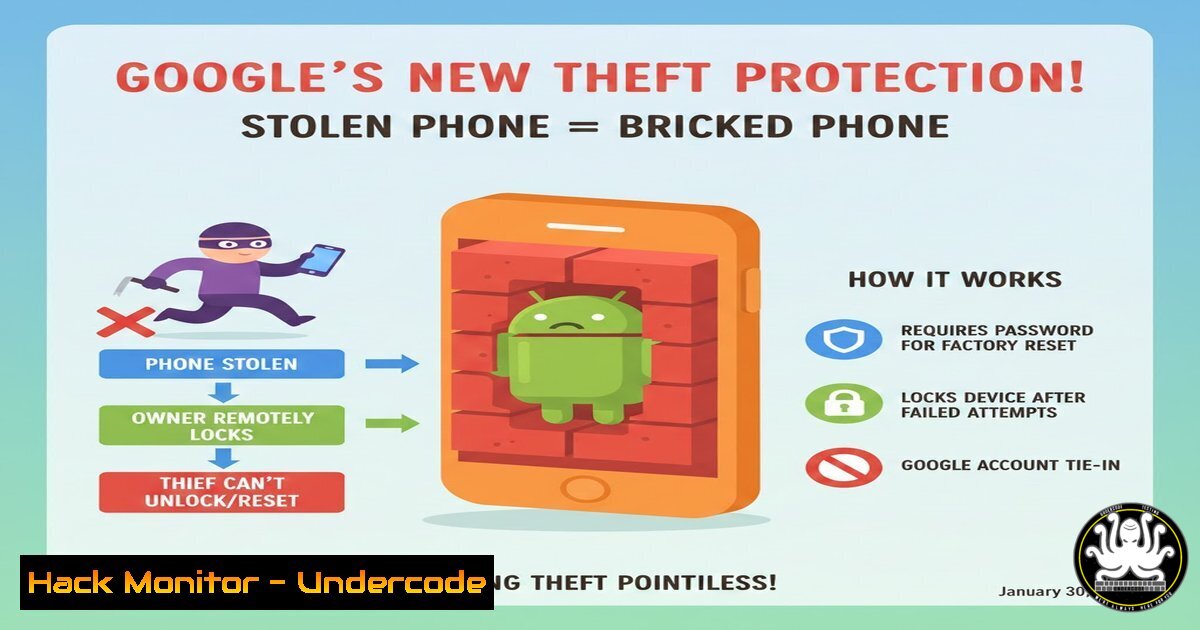
Google has escalated the war against smartphone theft with the introduction of Android Theft Protection, a multi-layered security framework designed to render stolen devices inoperable and data inaccessible. This move directly targets the rising trend of “shoulder surfing” PIN theft followed by immediate device resets, fundamentally changing the post-theft security landscape for billions of Android users. By integrating on-device AI, stringent biometric checks, and remote-hardening features, this system aims to transform a stolen phone from a valuable commodity into a useless brick.
Learning Objectives:
- Understand the core technical mechanisms of Android Theft Protection, including “Theft Detection Lock” and “Remote Lock.”
- Learn how to manually enable and verify the feature’s status on your Android device.
- Explore advanced ADB commands for remote security management and the underlying biometric security hardening.
- Analyze the potential vulnerability shift and future implications for mobile device security.
You Should Know:
1. Enabling and Verifying Android Theft Protection
This is not a single setting but a suite of features primarily housed within the `Security & privacy` settings. Google is rolling this out via Google Play Services, meaning it’s a server-side update independent of full OS upgrades.
Step‑by‑step guide:
1. Navigate to your device’s Settings app.
2. Scroll to and select Security & privacy.
- Look for a section titled Device lock or More security settings.
- Inside, find and tap on Android Theft Protection.
- You should see a toggle for “Theft Detection Lock” and options for “Remote Lock.” Ensure these are enabled.
- To verify the protective layers are active, you can attempt an incorrect biometric (fingerprint/face) five times. You should receive a notification that device locking is engaged, requiring your primary PIN or password to proceed—a key deterrent against biometric coercion.
-
The Technical Pillars: Theft Detection Lock & Remote Lock
The system operates on two fundamental technical pillars that leverage both on-device sensors and cloud connectivity.
Step‑by‑step guide explaining what this does:
Theft Detection Lock: This uses on-device AI to analyze sensor data (accelerometer, gyroscope, proximity). If it detects a sequence of movements consistent with a snatch-and-run (e.g., sudden vertical acceleration, lack of proximity to the body, followed by frantic horizontal movement), it will automatically lock the device. Once triggered, it mandates the primary PIN/password, disabling convenient unlocks like fingerprints or trusted locations.
Remote Lock: This is your last-resort cloud command. If your device is stolen and has any form of connectivity (Wi-Fi or mobile data), you can execute this from Google’s Find My Device web interface. It performs a “secure lock,” which not only locks the screen but also disables USB debugging and ADB (Android Debug Bridge) functionality to prevent forensic data pulls via a connected computer.
3. Manual Remote Security Hardening via ADB (Advanced)
For security professionals or advanced users, understanding the underlying ADB commands that features like Remote Lock emulate is crucial for security validation and scripting.
Step‑by‑step guide (Requires USB Debugging enabled before theft and a connected computer):
This simulates a high-security lock state from a command line.
1. Connect your Android device to a trusted computer via USB.
2. Open a terminal (Linux/macOS) or Command Prompt/PowerShell (Windows).
3. Ensure ADB is installed and your device is recognized: `adb devices`
4. Execute the command to lock the device and require the primary credential:
adb shell cmd lock_settings set-force-verify true
5. To immediately lock the screen, you can also use:
adb shell input keyevent KEYCODE_POWER
Note: After Remote Lock is triggered, these ADB channels are intentionally severed by the OS, rendering these commands useless to a thief—a critical security mitigation.
4. Biometric Security Hardening Post-Theft
A core innovation is the automatic downgrade of authentication methods after a theft is suspected.
Step‑by‑step guide explaining what this does:
- Under normal conditions, the device allows “convenience” unlocks: biometrics (fingerprint/face) or smart lock (trusted place/device).
- Upon triggering Theft Detection Lock or Remote Lock, the system’s
Keymaster/Gatekeeperhardware-backed security modules enforce a “strong authentication required” flag. - This flag programmatically disables all biometric and context-aware unlock methods, falling back exclusively to the Primary PIN/Password/Pattern, which is secured by the device’s Trusted Execution Environment (TEE).
- This process can be conceptually verified by checking the security requirements (though not the toggle itself) via ADB when the device is in a normal state: `adb shell dumpsys lock_settings` | grep `”strength”` or
"quality".
5. The “Factory Reset Protection Plus” Mechanism
Even if a thief performs a hardware-force reset (e.g., via recovery mode), the new system integrates more deeply with Google’s Factory Reset Protection (FRP).
Step‑by‑step guide explaining what this does:
- After a forced reset, the device boots to the initial setup screen.
- It will demand the Google Account credentials (email/password) last used on the device—this is standard FRP.
- The enhanced layer, triggered if Remote Lock was used, may delay or impose additional verification steps before allowing the FRP challenge to proceed, such as requiring a time delay or secondary account verification.
- This creates a significant time barrier, as the thief cannot proceed to the FRP login prompt immediately, demotivating the theft-for-resale business model.
6. Vulnerability Shift & Potential Exploit Vectors
Every new system introduces potential new attack surfaces. Security researchers must now look elsewhere.
Analysis and hypothetical step‑by‑step for researchers:
- Attack Surface Shift: Focus moves from post-theft software exploitation to pre-theft social engineering (stealing the PIN via observation) or zero-day exploits in the theft-detection AI model (spoofing sensor data).
- Potential Research Vector: Could one use a motorized rig to simulate “normal” walking sensor data after a theft to avoid triggering the AI? This would involve crafting precise `gyroscope` and `accelerometer` input feeds, potentially via a compromised app with `SENSORS` permission or a custom ROM.
- Exploitation of Delay: The time-delay in enhanced FRP might be targeted. Research would focus on the `SetupWizard` app and its communication with `Google Play Services` to see if there’s a race condition or local cache exploit to bypass the waiting period.
-
For IT Admins: Enforcing Policy via Google Workspace
Organizations can ensure all managed corporate devices have this protection enforced.
Step‑by‑step guide:
1. Log in to the Google Admin console.
- Navigate to Devices > Mobile & endpoints > Settings.
- Under Android settings, select Device management and then Security settings.
- Look for policies related to “Threat detection” and “Remote lock requirements.” As Google formalizes the API, options to mandate enrollment in Theft Protection will appear here.
- You can currently enforce strong password policies and mandatory remote lock capability, which are prerequisites for the feature: Set “Password required” to `Yes` and configure minimum complexity.
What Undercode Say:
- Key Takeaway 1: Google has successfully moved the post-theft battleground from data encryption—which was already strong—to device usability itself. By making the hardware inert without the primary credential, they attack the thief’s profit motive directly.
- Key Takeaway 2: This creates a layered time-defense model. Each barrier—Theft Detection Lock, Remote Lock disabling ADB, enhanced FRP delays—adds minutes or hours of useless effort for the thief, exponentially increasing their risk and decreasing the device’s black-market value.
Analysis: This isn’t just a feature update; it’s a strategic re-architecture of Android’s threat model. The integration of on-device AI for behavioral threat detection marks a significant shift towards proactive, contextual security. However, it also centralizes critical security logic within Google Play Services, making that component a high-value target for advanced persistent threats (APTs). Future attacks may focus on impersonating or disabling this service. Furthermore, the ethical and privacy implications of continuous movement and behavior analysis, even if processed locally, will require transparent documentation from Google. For the cybersecurity community, this means pentesting methodologies must evolve to include physical sensor spoofing and manipulation of AI-driven security classifiers.
Prediction:
The success of Android Theft Protection will catalyze an industry-wide shift towards “self-bricking” hardware and AI-driven behavioral security. Within two years, we predict similar, perhaps more aggressive, features will become standard in laptops, tablets, and IoT devices. This will force thieves toward more sophisticated pre-theft attacks, such as Bluetooth/Wi-Fi based exploits to disable security features before the physical theft occurs. Consequently, the next frontier in mobile security will be hardening the wireless attack surface and securing the low-level sensor firmware from manipulation, leading to a new generation of hardware-rooted trust for peripheral integrity.
▶️ Related Video (78% Match):
🎯Let’s Practice For Free:
IT/Security Reporter URL:
Reported By: Divya Kumari – Hackers Feeds
Extra Hub: Undercode MoN
Basic Verification: Pass ✅


