Listen to this Post
Introduction:
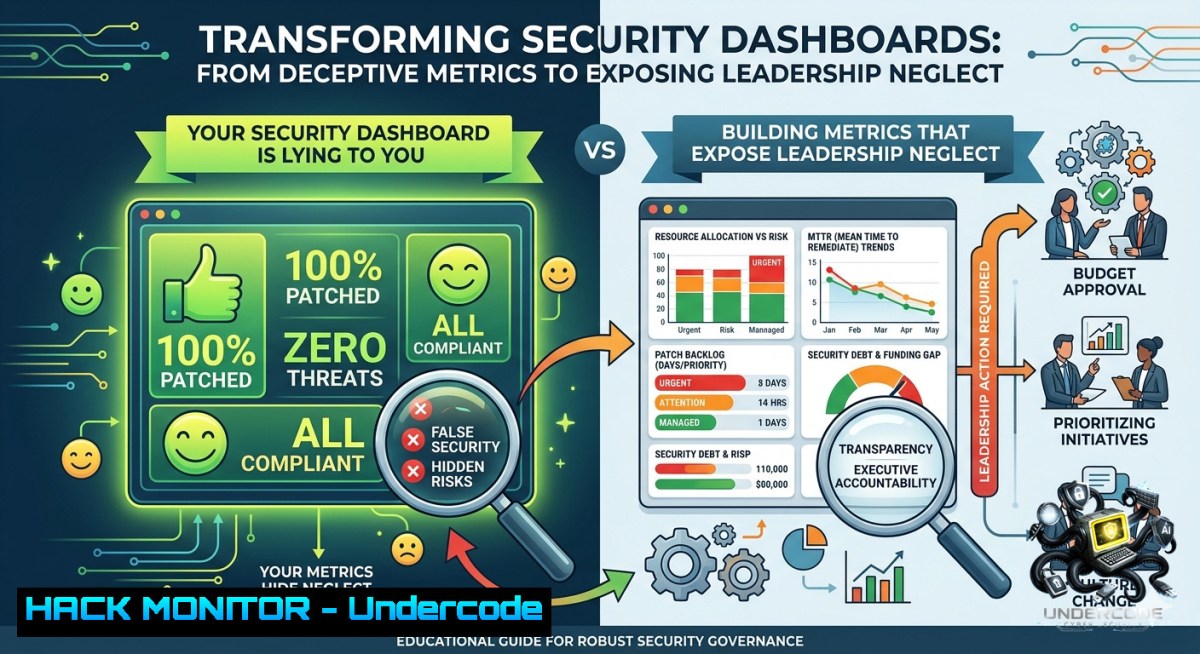
Cybersecurity leaders often mistake visibility for accountability—they build dashboards full of colorful heat maps and executive summaries, yet the data rarely challenges decision‑makers. True transparency doesn’t just list vulnerabilities; it reveals patterns of repeated risk acceptance, underfunded controls, and “temporary exceptions” that become permanent architecture. This article transforms Joshua Copeland’s hard‑hitting insights into a technical blueprint for metrics that make leadership uncomfortable enough to act differently.
Learning Objectives:
– Build automated dashboards that flag risks accepted for three or more consecutive quarters, separating real risk management from repeated neglect.
– Implement infrastructure‑as‑code (IaC) scanning to detect and report “temporary exceptions” that have silently become production architecture.
– Create API‑driven accountability workflows that require leadership sign‑off on any re‑accepted risk, with full audit trails.
You Should Know:
1. Exposing Repeated Risk Acceptances from Your Risk Register
Most organizations track risk acceptances in spreadsheets or GRC tools, but rarely do they automatically flag the same risk accepted quarter after quarter. The following Python script and Linux command parse a risk register (CSV/JSON) and output a “neglect score” – the number of consecutive periods a risk has been accepted without remediation.
Step‑by‑step guide:
1. Export your risk register as a CSV with columns: `risk_id`, `acceptance_date`, `status`, `control_funding`.
2. Use the Python script below to group by `risk_id` and count consecutive quarters with `status = accepted`.
3. Integrate the output into your security dashboard (e.g., PowerBI, Grafana) using the provided JSON endpoint.
Linux / Python command:
python3 -c "
import pandas as pd
df = pd.read_csv('risk_register.csv')
df['acceptance_date'] = pd.to_datetime(df['acceptance_date'])
df['quarter'] = df['acceptance_date'].dt.to_period('Q')
neglect = df[df['status']=='accepted'].groupby(['risk_id', 'quarter']).size().groupby('risk_id').cumcount()+1
print(neglect[neglect>=6])  6 quarters = 1.5 years
"
Windows PowerShell alternative:
Import-Csv risk_register.csv | Group-Object risk_id | ForEach-Object {
$accepted = $_.Group | Where-Object status -eq 'accepted' | Sort-Object acceptance_date
$quarters = $accepted | ForEach-Object { [bash]::Floor((([bash]$_.acceptance_date).Month - 1)/3) + 1}
$consecutive = 1; for($i=1;$i -lt $quarters.Count;$i++){if($quarters[$i] -eq $quarters[$i-1]+1){$consecutive++}else{break}}
if($consecutive -ge 6){[bash]@{RiskID=$_.Name; NeglectQuarters=$consecutive}}
}
2. From “Temporary Exception” to Architecture Drift – Automated Detection
When a developer requests a firewall exception “for two weeks” and it remains for two years, that exception has become architecture. Using infrastructure‑as‑code (Terraform, CloudFormation) and security scanners like Checkov or cf_nag, you can detect deviations from your baseline security policies.
Step‑by‑step guide:
1. Store your approved security baselines as IaC modules (e.g., `security_baseline/`).
2. Run `terraform plan -out=tfplan` and convert to JSON.
3. Use `jq` to compare current resources against allowed security groups, IAM policies, and network rules.
4. Flag any resource that has a `lifecycle` tag with `exception_expiry` older than 30 days.
Linux commands:
 Extract all security group rules that are not in baseline
terraform show -json tfplan | jq '.resource_changes[] | select(.type=="aws_security_group_rule") | .change.after' > current_rules.json
 Compare with approved baseline (approved_rules.json)
jq --slurpfile baseline approved_rules.json '.[] | select(. as $rule | any($baseline[]; . == $rule) | not)' current_rules.json
Tool configuration (Checkov custom policy):
 checkov/custom_policies/check_no_expired_exceptions.yaml
metadata:
name: "Check for expired security exceptions"
id: "CKV_CUSTOM_1"
definition:
cond_type: attribute
resource_types:
- aws_security_group_rule
attribute: description
operator: not_matches
value: ".expires:[0-9]{4}-[0-9]{2}-[0-9]{2}."
3. The Accountability API – Forcing Leadership Sign‑Off on Re‑accepted Risks
Transparency without teeth is just noise. Build a simple webhook that intercepts any risk re‑acceptance request, checks the neglect counter from Section 1, and if the risk has been accepted for 3+ quarters, automatically escalates to a leadership approval workflow.
Step‑by‑step guide:
1. Deploy a Flask API endpoint that receives risk acceptance requests from your GRC tool.
2. Query your neglect database (or risk register) for the risk ID.
3. If neglect_quarters >= 3, call your ITSM tool (Jira/ServiceNow) to create a “Leadership Approval” ticket.
4. Log every approval or override to an immutable audit log (AWS CloudTrail / Azure Monitor).
Python Flask endpoint:
from flask import Flask, request, jsonify
import sqlite3, requests

app = Flask(__name__)

@app.route('/api/risk/accept', methods=['POST'])
def accept_risk():
data = request.json
risk_id = data['risk_id']
conn = sqlite3.connect('risk_neglect.db')
c = conn.cursor()
c.execute("SELECT neglect_quarters FROM neglect WHERE risk_id=?", (risk_id,))
row = c.fetchone()
if row and row[bash] >= 3:
 Create ticket in Jira
jira_payload = {
"fields": {
"project": {"key": "SEC"},
"summary": f"Leadership approval required for risk {risk_id} (neglected {row[bash]} quarters)",
"issuetype": {"name": "Task"}
}
}
requests.post("https://your-jira/rest/api/2/issue", auth=("user", "token"), json=jira_payload)
return jsonify({"status": "escalated", "message": "Requires leadership sign-off"}), 403
else:
 Normal acceptance
return jsonify({"status": "accepted"}), 200
4. Forensic Transparency – Linux & Windows Commands to Track Who Accepted What
Blame‑free cultures are great, but accountability requires knowing who signed off on a risk and when. Use operating system auditing and version control to build an immutable history of risk acceptance decisions.
Linux (auditd) – track changes to risk register file:
sudo auditctl -w /var/security/risk_register.csv -p wa -k risk_acceptance
sudo ausearch -k risk_acceptance --format text | grep "accepted"
Windows (Event Viewer & PowerShell) – track who modified risk files on a file share:
 Enable file audit on the risk share
icacls \\fileserver\security$\risk_register.csv /grant "Domain Admins:(F)" /audit
 Query security log for file write events (Event ID 4663)
Get-WinEvent -FilterHashtable @{LogName='Security'; ID=4663} | Where-Object {$_.Message -like "risk_register.csv"} | Select-Object TimeCreated, @{n='User';e={$_.Properties[bash].Value}}
5. From “Vibes” to Verifiable Metrics – Weekly Automated Report with NVD Data
Most security dashboards show internal findings only. To truly expose neglect, compare your risk acceptance trends against external threat intelligence (e.g., CISA known exploited vulnerabilities, EPSS scores). The following script pulls real‑time CVE data and calculates how many of your accepted risks are now actively exploited.
Step‑by‑step guide:
1. Export your accepted risks with associated CVE IDs.
2. Query the NVD API for each CVE’s exploit maturity and EPSS score.
3. Generate a weekly report that highlights “accepted risks that became critical exploits” – and email it to the CISO and board.
Linux bash script using `curl` and `jq`:
!/bin/bash
 Fetch EPSS score for a CVE
CVE_ID="CVE-2024-1234"
curl -s "https://api.first.org/data/v1/epss?cve=${CVE_ID}" | jq '.data[bash].epss'
 Check if CVE is in CISA KEV catalog
curl -s "https://www.cisa.gov/sites/default/files/feeds/known_exploited_vulnerabilities.json" | jq --arg cve "$CVE_ID" '.vulnerabilities[] | select(.cveID==$cve) | .dateAdded'
Windows PowerShell (using Invoke-RestMethod):
$cveId = "CVE-2024-1234"
$kev = Invoke-RestMethod -Uri "https://www.cisa.gov/sites/default/files/feeds/known_exploited_vulnerabilities.json"
$kev.vulnerabilities | Where-Object cveID -eq $cveId | Select-Object dateAdded, knownRansomwareCampaignUse
6. Cloud Hardening Metrics – Exposing Tolerated Non‑Compliance
In cloud environments, “accepted risks” often manifest as resources that violate CIS benchmarks or organization policies but are whitelisted “temporarily.” Use AWS Config advanced queries, Azure Policy compliance snapshots, or GCP Security Command Center to report which teams have the most tolerated violations.
AWS Config SQL query (via CLI):
aws configservice select-aggregate-resource-config \
--expression "SELECT resourceId, resourceType, complianceType WHERE complianceType = 'NON_COMPLIANT' AND accountId = '123456789012'"
--configuration-aggregator-1ame my-aggregator
Azure Policy – list all exemptions older than 90 days:
Get-AzPolicyExemption | Where-Object {$_.Properties.ExpiresOn -lt (Get-Date).AddDays(-90)} | Select-Object Name, Scope, PolicyAssignmentName
GCP – find projects with security marks ignored for >6 months (using gcloud and bq):
gcloud asset search-all-resources --asset-types="securitycenter.googleapis.com/SecurityMarks" --query="labels.exception_expired=true"
7. Mitigating the Neglect Cycle – Automated Nudge for Underfunded Controls
When a control (e.g., EDR, WAF, backup) is underfunded for multiple quarters, most dashboards just show a yellow icon. Instead, build an automated “nudger” that compares control budget against industry benchmarks (e.g., from Gartner, or using AWS Trusted Advisor) and creates a Jira ticket with a required response from the budget owner.
Step‑by‑step guide:
1. Store control funding data in a table: `control_id`, `annual_budget`, `recommended_budget`.
2. Run a weekly cron job that calculates `(recommended_budget – actual_budget)`.
3. If gap > 20% for two consecutive quarters, automatically create a P2 ticket assigned to the VP of that business unit.
Sample PostgreSQL query for gap detection:
SELECT control_id, actual_budget, recommended_budget,
(recommended_budget - actual_budget) / recommended_budget  100 AS gap_pct,
COUNT(DISTINCT quarter) AS quarters_underfunded
FROM control_funding
GROUP BY control_id
HAVING AVG(gap_pct) > 20 AND COUNT(DISTINCT quarter) >= 2;
Linux cron + curl to create Jira ticket:
0 9 1 /usr/bin/psql -d security -c "COPY (SELECT FROM underfunded_controls) TO STDOUT CSV" | curl -X POST -H "Content-Type: application/json" -d "@-" https://your-jira/rest/api/2/issue
What Undercode Say:
– Key Takeaway 1: Transparency in cybersecurity is not about better visuals – it’s about removing the hiding places where repeated neglect is rebranded as “roadmap items.” Metrics that only scrutinize the security team are incomplete; the real test is whether they make leadership uncomfortable enough to reallocate budgets.
– Key Takeaway 2: The most dangerous accepted risk is the one that becomes invisible through “temporary exceptions” and “needs more context” delays. Automated tools that flag consecutive‑quarter acceptances, expired exception tags, and underfunded controls turn vague discomfort into verifiable evidence of leadership patterns.
Prediction:
– -1 Most organizations will continue to prefer “vibes over metrics” until a material breach directly tied to a repeatedly accepted risk forces board‑level intervention – leading to a regulatory push for mandatory risk‑acceptance expiration dates (similar to TLS certificates).
– +1 Forward‑thinking security teams will start “dashboarding upwards,” using the techniques above (IaC drift detection, neglect scoring, leadership approval APIs) to transform their CISO from the org’s scapegoat into its most trusted data‑driven strategist, eventually shifting security budgets from reactive controls to proactive accountability systems.
▶️ Related Video (72% Match):
🎯Let’s Practice For Free:
🎓 Live Courses & Certifications:
[Join Undercode Academy for Verified Certifications](https://undercode.co.uk/certifications/)
🚀 Request a Custom Project:
Secure, high-velocity infrastructure and disruptive technological engineering. Contact our engineering team for high-tier development and proprietary systems:
[[email protected]](mailto:[email protected])
💎 Smart Architecture | 🛡️ Secure by Design | ⭐ Trusted by Thousands
IT/Security Reporter URL:
Reported By: [Joshuacopeland Unpopularopinion](https://www.linkedin.com/posts/joshuacopeland_unpopularopinion-accountability-unpopularopinionguy-share-7469757135451734017-bMNv/) – Hackers Feeds
Extra Hub: Undercode MoN
Basic Verification: Pass ✅
🔐JOIN OUR CYBER WORLD [ CVE News • HackMonitor • UndercodeNews ]
[💬 Whatsapp](https://undercode.help/whatsapp) | [💬 Telegram](https://t.me/UndercodeCommunity)
📢 Follow UndercodeTesting & Stay Tuned:
[𝕏 formerly Twitter 🐦](https://x.com/undercodeupdate) | [@ Threads](https://www.threads.net/@undercodetesting) | [🔗 Linkedin](https://www.linkedin.com/company/undercodetesting/) | [🦋BlueSky](https://bsky.app/profile/undercode.bsky.social)


