Listen to this Post
Introduction:
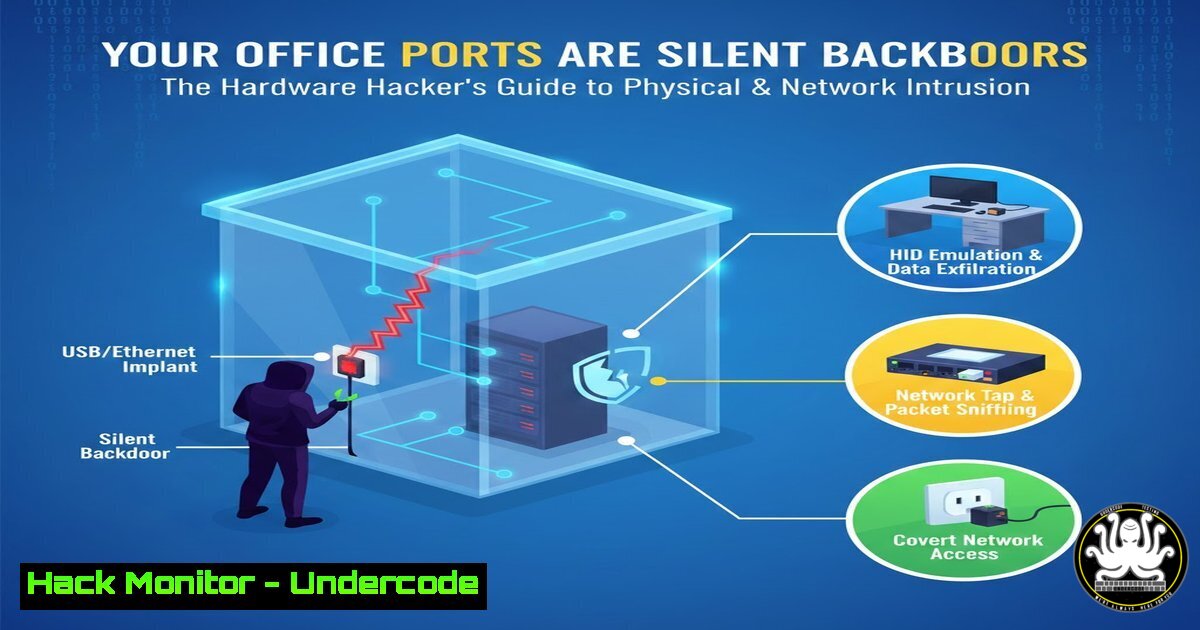
In the digital age, cybersecurity focus often lands on firewalls, encryption, and zero-day exploits, overlooking the most fundamental layer: physical hardware interfaces. Every port on a computer—from USB and Ethernet to legacy serial connectors—represents a potential attack vector for data exfiltration, unauthorized access, or malware injection. Understanding these common connectors through a security lens is the first critical step in building a comprehensive defense-in-depth strategy that protects not just your data, but the physical devices it resides on.
Learning Objectives:
- Identify the top security risks associated with common hardware ports (USB, Ethernet, Thunderbolt, etc.).
- Implement technical controls to harden physical interfaces against unauthorized access and malicious devices.
- Develop monitoring and response protocols for detecting hardware-based intrusion attempts.
You Should Know:
- The USB Attack Surface: From Data Stealing to Keystroke Injection
The ubiquitous USB port is a primary vector for physical attacks. Malicious devices like USB Rubber Duckies or Bash Bunny can emulate keyboards (HID attacks) to execute pre-programmed command sequences in seconds, establishing backdoors or extracting data. “Juice Jacking” attacks via public charging ports can compromise devices through malicious data pins.
Step‑by‑step guide:
Risk: Unauthorized data transfer and HID spoofing.
Mitigation for Windows:
- Use Group Policy to disable autorun: `gpedit.msc` > Computer Configuration > Administrative Templates > Windows Components > AutoPlay Policies > “Turn off AutoPlay” -> Enabled for all drives.
- Restrict USB access via Device Installation Restrictions in Group Policy or use third-party endpoint protection.
Mitigation for Linux:
- Disable USB storage kernel module temporarily: `sudo modprobe -r usb_storage`
2. Blacklist the module permanently: `echo ‘blacklist usb_storage’ | sudo tee /etc/modprobe.d/blacklist-usb-storage.conf`
3. Use `udev` rules to block specific vendor/product IDs. -
Network Jacks (Ethernet/RJ-45): The Gateway to Network-Based Exploitation
A live Ethernet port is a direct bridge to your internal network. An attacker with physical access can plug in a rogue device—a laptop or a malicious appliance like a LAN Turtle—to conduct ARP spoofing, network sniffing, or to gain an initial foothold.
Step‑by‑step guide:
Risk: Unauthorized network access, MITM attacks, network reconnaissance.
Hardening Steps:
- Implement 802.1X Network Access Control (NAC): Requires authentication before granting network access. On a Windows Server with NPS, configure policies to authenticate connecting machines.
- Port Security on Network Switches: Configure switch ports to allow only specific MAC addresses.
Example on a Cisco switch (CLI)
configure terminal
interface gigabitethernet0/1
switchport mode access
switchport port-security
switchport port-security maximum 1
switchport port-security violation shutdown
switchport port-security mac-address sticky
- Segment Networks: Place physical ports in public areas on a isolated VLAN with strict firewall rules.
3. Thunderbolt & USB-C: The DMA Danger Zone
Thunderbolt and some USB-C ports support Direct Memory Access (DMA). This allows connected peripherals to read/write system memory directly, bypassing the CPU and OS security. Tools like PCILeech can exploit this to dump memory contents, including encryption keys.
Step‑by‑step guide:
Risk: DMA attacks leading to memory scraping and credential theft.
Mitigation:
- Enable Kernel DMA Protection (Windows 10/11): Requires UEFI firmware support. Check in Windows Security > Device Security > “Core isolation details.”
- Use IOMMU (Linux): Enable Input-Output Memory Management Unit to isolate DMA.
Check if enabled: `dmesg | grep -E “DMAR|IOMMU”`
Enable via kernel boot parameters in/etc/default/grub: `iommu=on amd_iommu=on` or `intel_iommu=on`
3. Physically Disable Ports: In high-security environments, use epoxy glue or specialized port locks.
4. Legacy Ports (Serial, PS/2): The Forgotten Backdoor
Serial (RS-232/DB9) and PS/2 ports are not vulnerable to DMA, but they are often overlooked. Serial ports provide direct console access to networking and industrial hardware, while PS/2 keyboards can be intercepted. These ports are rarely monitored by modern security software.
Step‑by‑step guide:
Risk: Direct console access, hardware-level keyloggers.
Hardening:
- Disable in BIOS/UEFI: Physically enter BIOS and disable unused legacy ports.
- Secure Serial Console Access: For critical equipment (routers, switches), ensure serial console access is protected with strong passwords and, ideally, disconnected when not in use by admins.
- Physical Inspection: Regularly check for unauthorized devices attached to these ports, as they may be passive keyloggers.
-
External Media & Card Readers: The Stealthy Data Exfil Path
SD card slots and eSATA ports provide alternative routes for data theft or malware introduction. An attacker can quickly insert a card containing malware or use it to copy sensitive files.
Step‑by‑step guide:
Risk: Data exfiltration, malware delivery.
Mitigation:
- Use Device Control Software: Enterprise-grade solutions can whitelist specific external media devices.
- Apply Restrictive Filesystem Permissions: Limit user privileges to reduce impact.
- Windows BitLocker/File Auditing: Encrypt drives and enable detailed audit policies for removable storage access (
Advanced Audit Policy > Object Access). - Linux `auditd` Rules: Log all access to SD card reader device files.
Find device: ls -la /dev/sd
Add audit rule: sudo auditctl -w /dev/sdb -p rwxa -k external_media_access
What Undercode Say:
- Key Takeaway 1: Physical Access is Root Access, Redefined. The old adage remains true, but the vectors have multiplied. Modern hardware interfaces like Thunderbolt exploit low-level system architectures (DMA), making software-only defenses insufficient. Security must encompass BIOS/UEFI settings, hardware disabling, and physical port locks.
- Key Takeaway 2: Defense Requires a Layered, Physical-Digital Strategy. Effective protection blends IT policy (Group Policy, NAC), OS/kernel-level hardening (IOMMU, module blacklisting), and physical security measures (port locks, tamper-evident seals). Monitoring must extend to kernel logs (
dmesg,auditd) and switch port status for unauthorized physical activity.
Prediction:
The convergence of AI and hardware-based attacks will define the next frontier. We predict a rise in “smart” malicious peripherals equipped with on-device AI that can dynamically adapt their attack payload based on the detected host OS, network environment, and security posture in real-time. Furthermore, AI-powered network monitoring will become essential to detect the subtle, anomalous network patterns generated by these hardware implants. Supply chain attacks targeting device firmware for common port controllers (USB, Thunderbolt) will also increase, making hardware provenance and firmware validation critical components of enterprise procurement and security lifecycle management. The line between hardware and software security will dissolve entirely, necessitating a unified “Cyber-Physical” security role.
▶️ Related Video (78% Match):
🎯Let’s Practice For Free:
IT/Security Reporter URL:
Reported By: Amrit Anand – Hackers Feeds
Extra Hub: Undercode MoN
Basic Verification: Pass ✅


