Listen to this Post
Introduction:
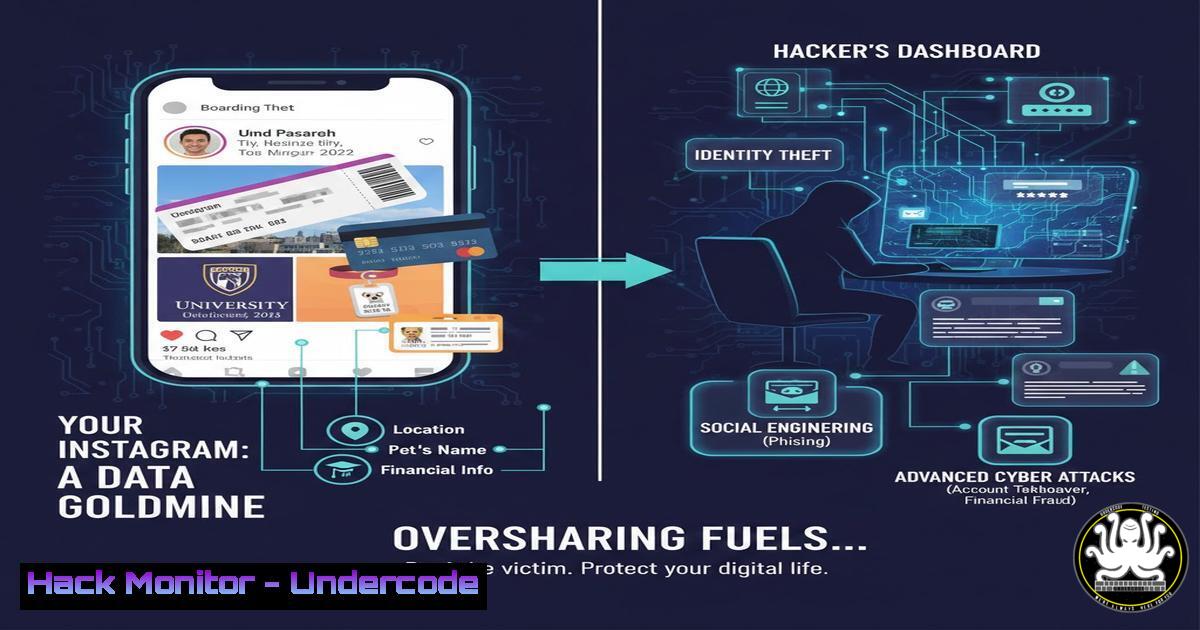
In the modern threat landscape, the most critical vulnerability is often not a misconfigured firewall or an unpatched server—it’s the individual’s online behavior. Cybersecurity has expanded beyond technical controls to encompass human factors, where social media profiles serve as rich, self-updating databases for malicious actors. This article deconstructs how seemingly harmless posts are weaponized for sophisticated attacks, providing a technical blueprint for personal and organizational defense.
Learning Objectives:
- Understand how Open-Source Intelligence (OSINT) is gathered from social platforms to fuel targeted attacks.
- Implement technical and behavioral controls to minimize your digital footprint and associated risks.
- Recognize the direct link between personal oversharing and enterprise-level security breaches.
You Should Know:
- The OSINT Engine: How Hackers Automate Your Data Harvest
What you share becomes fuel for automated Open-Source Intelligence (OSINT) collection. Attackers use tools to scrape, correlate, and analyze public data, turning your birthday, workplace, and hobbies into a targeted attack plan.
Step‑by‑step guide explaining what this does and how to use it.
Reconnaissance Phase (The Attacker’s View):
- Tool: `theHarvester` or
Maltego. These are standard OSINT frameworks. - Command Example (Linux): `theHarvester -d “company.com” -b linkedin,google`
What this does: This command scrapes publicly available employee names and positions from LinkedIn and Google, associated with a target company. - Cross-referencing: Usernames from your Instagram or X (Twitter) (
@tony_tech) are searched on GitHub (`git clone https://github.com/sherlock-project/sherlock.git`) to find potential code leaks or configuration files containing secrets. - Geolocation Risk: A photo with geotag (EXIF data) pinpoints your home. Use `exiftool` to check and remove this data:
exiftool -geotag= image.jpg.
Defensive Actions:
Audit Yourself: Regularly Google your name, email, and usernames. Use `whois` on your own domain: whois yourwebsite.com.
Scrub EXIF Data Automatically: Configure your smartphone camera to NOT save location data. For existing photos, use bulk tools like `exiftool -all= .jpg` on a directory.
- From “Check-In” to Checkmate: Real-Time Location as a Physical & Digital Threat
Posting travel plans or a workplace check-in signals physical absence, enabling both digital account takeover and physical intrusion like burglary or corporate espionage.
Step‑by‑step guide explaining what this does and how to use it.
The Attack Scenario: An attacker sees a “Headed to Hawaii for 2 weeks!” post from an IT admin.
1. They initiate a password reset on the admin’s email or corporate SSO, knowing the response will be delayed.
2. They use previously gathered personal details (pet’s name, mother’s maiden name from older posts) to answer security questions.
3. With compromised email, they perform internal phishing or reset passwords for critical systems (AWS, Azure admin portals).
Defensive Protocol:
Policy: Implement a strict “post-travel” only rule. Share photos after returning.
Technical Control: Enable Multi-Factor Authentication (MFA) on all accounts, using an authenticator app (e.g., Google Authenticator, Microsoft Authenticator) NOT SMS, which can be SIM-swapped.
Command (for tech users): Use a password manager (e.g., Bitwarden) and audit for reused passwords: `bw list items –search | grep “password”` (requires Bitwarden CLI setup).
- The Insider Threat You Created: Weaponizing Work Information
Photos of your badge, computer screen with code, internal dashboards, or even a team email thread are goldmines for crafting believable phishing campaigns and social engineering.
Step‑by‑step guide explaining what this does and how to use it.
How It’s Exploited:
- An attacker enhances a posted image of an employee badge to create a fake duplicate.
- They use names and project details from a team photo caption to craft a spear-phishing email: “Hi Team, following up on the ‘Project Phoenix’ dashboard John posted about. Please review the updated specs here: [malicious link].”
- They identify software (e.g., Jira, Jenkins on a screen) and search for unpatched public vulnerabilities (CVE) for that specific version.
Defensive Hardening:
Corporate Policy: Enforce clear desk and screen policies. Use privacy screens.
Technical Training: Conduct internal phishing simulations with tools like GoPhish.
Digital Hygiene: Blur or cover all sensitive details in images using tools like `gimp` or online editors before any screenshot is considered for sharing.
- Privacy Settings Are Your First Firewall: A Configuration Guide
Default privacy settings are designed for data aggregation, not protection. Manual, granular configuration is non-negotiable.
Step‑by‑step guide explaining what this does and how to use it.
LinkedIn:
Go to Settings & Privacy > Visibility > Profile viewing options. Select “Private mode”.
Under Data privacy, turn off “Share career updates with network”.
Facebook/Instagram:
Set profile to Private. Review “Active Status” and “Story” sharing settings.
Limit old posts via Privacy > Limit Past Posts.
Audit App Permissions: Remove unused third-party apps that have access to your profile data.
Windows 10/11 Telemetry Reduction:
Go to Settings > Privacy & security > Diagnostics & feedback. Set to “Required diagnostic data”.
Review General settings, turning off advertising ID and tracking.
Linux (Ubuntu) Telemetry: Disable canonical’s data collection: sudo apt purge ubuntu-report popularity-contest.
- Simulating the Attack: A Safe OSINT Lab for Defense
To truly understand the risk, you must ethically simulate the attacker’s process on your own data.
Step‑by‑step guide explaining what this does and how to use it.
1. Set Up a Lab Environment: Use a virtual machine (VirtualBox/VMware).
2. Use OSINT Tools on Yourself:
`sherlock`: Find your usernames across platforms.
whois: Query registration details of any domain you own.
Google Dorking: Use search operators like `”your.name” site:linkedin.com` or "[email protected]" filetype:pdf.
3. Analyze Findings: Create a report detailing what you found, where it was found, and the potential attack use case (e.g., password reset question answer).
4. Remediate: Use the findings to systematically remove information, tighten privacy settings, and delete old, unused accounts.
What Undercode Say:
- The Human Layer is the New Perimeter: The most sophisticated firewall is rendered useless by a single post revealing a travel schedule or internal tool. Security awareness must evolve to include social media hygiene as a core component, on par with password management.
- Data Aggregation is the Silent Killer: A single piece of data is often low-risk. The profound danger lies in the automated correlation of data points across years and platforms—birthday + pet name + mother’s maiden name + workplace = a complete identity takeover toolkit. Defenders must think in terms of their aggregate digital footprint, not individual posts.
Prediction:
The convergence of AI and OSINT will catalyze the next wave of hyper-automated social engineering attacks. Machine learning models will soon continuously monitor target profiles, identifying behavioral patterns (posting times, emotional sentiment, network changes) to predict the optimal moment for attack—such as launching a spear-phishing campaign immediately after a user posts about a stressful work project. Deepfake audio, trained on snippets from social media videos, will be used for vishing (voice phishing) calls to colleagues or financial institutions. The defense will shift towards AI-powered privacy guardians that automatically warn users in real-time before they post high-risk content and continuously scan for data leaks across the clear, deep, and dark web, making digital footprint management a proactive, technology-driven discipline.
▶️ Related Video (74% Match):
🎯Let’s Practice For Free:
IT/Security Reporter URL:
Reported By: Tolulopemichael Not – Hackers Feeds
Extra Hub: Undercode MoN
Basic Verification: Pass ✅


