Listen to this Post
Introduction:
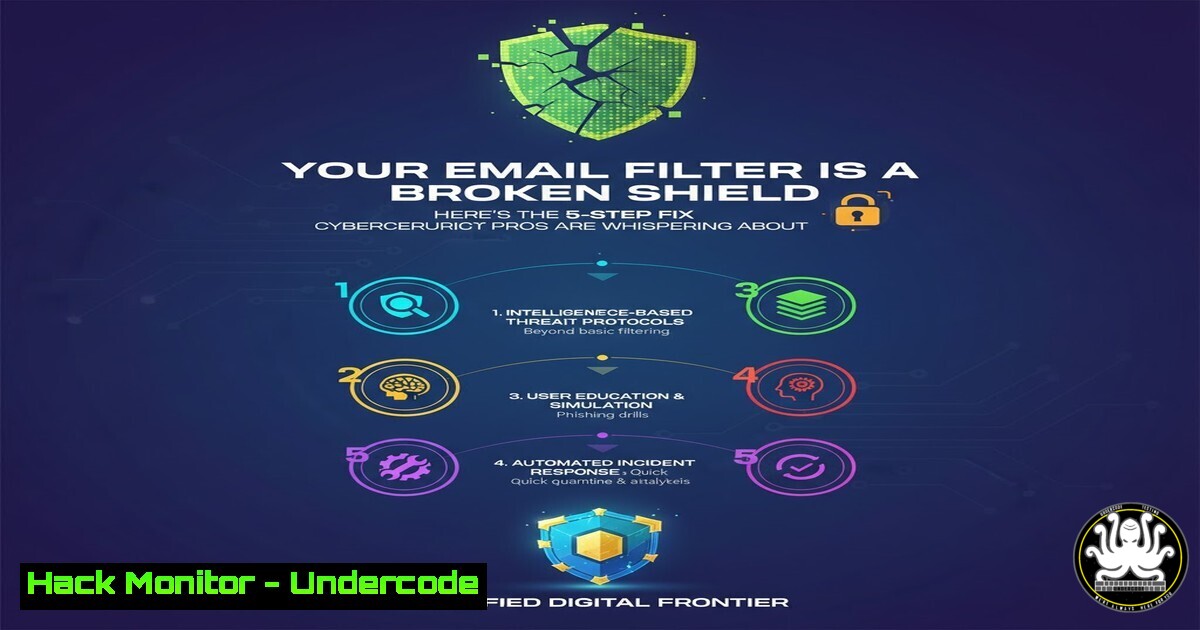
Email filters serve as the critical first line of defense in modern cybersecurity, yet their default configurations are often riddled with gaps that sophisticated threat actors readily exploit. A robust email security posture extends beyond initial setup, requiring continuous refinement and team-wide vigilance to effectively block phishing, malware, and business email compromise attempts. This guide provides a systematic roadmap to transform your passive filter into a dynamic, intelligent shield.
Learning Objectives:
- Master the configuration of advanced transport rules to block malicious payloads and impersonation attempts.
- Implement and validate core email authentication protocols (SPF, DKIM, DMARC) to prevent domain spoofing.
- Develop a routine process for analyzing filter logs and refining rules based on emerging threats.
You Should Know:
1. Configure Advanced Transport Rules for Executive Protection
Most basic filters miss targeted CEO fraud and domain impersonation. Advanced transport rules can analyze sender behavior and email metadata for early warning signs.
Step‑by‑step guide explaining what this does and how to use it.
In Microsoft 365 Exchange Online PowerShell, create a rule that flags external emails pretending to be internal executives:
New-TransportRule -Name "CEO Impersonation Block" -FromScope "NotInOrganization" -SentTo @("[email protected]", "[email protected]") -SubjectMatchesPatterns "urgent", "wire transfer", "confidential" -SetSCL 9 -RejectMessageReasonText "Potential executive impersonation blocked."
This command creates a rule that quarantines emails from outside the organization sent to key executives containing high-priority keywords, marking them with the highest spam confidence level (SCL 9).
2. Harden Email Authentication with DMARC Enforcement
Without strict DMARC policy, attackers can freely spoof your domain. SPF and DKIM provide components, but DMARC policies tell receiving servers how to handle failures.
Step‑by‑step guide explaining what this does and how to use it.
First, create your SPF record in DNS to authorize legitimate sending IPs:
v=spf1 ip4:192.0.2.0/24 include:spf.protection.outlook.com -all
Then implement a DMARC record with reporting to monitor and eventually enforce policy:
_dmarc.yourdomain.com. IN TXT "v=DMARC1; p=quarantine; rua=mailto:[email protected]; pct=100; adkim=s; aspf=s"
The `p=quarantine` policy directs receiving servers to isolate emails that fail authentication checks, while `rua` enables aggregate reporting for monitoring spoofing attempts.
- Block Dangerous Attachment Types with File Extension Analysis
Many filters focus solely on signature-based malware detection but miss weaponized documents exploiting macros and scripts. Proactively blocking executable attachments prevents initial compromise.
Step‑by‑step guide explaining what this does and how to use it.
In Exchange Admin Center, create a mail flow rule blocking dangerous extensions:
New-TransportRule -Name "Block Dangerous Attachments" -AttachmentExtensionMatchesWords @("exe", "scr", "ps1", "js", "vbs", "bat", "cmd", "msi") -DeleteMessage $true
This rule automatically deletes emails containing attachments with these extensions. For Gmail Administrators, implement this via Google Admin console under Apps > Google Workspace > Gmail > Spam, Phishing and Malware > Blocked Attachments.
4. Implement Banner Notifications for External Emails
Social engineering attacks rely on context confusion. Clearly marking external emails helps users maintain appropriate skepticism toward unexpected requests.
Step‑by‑step guide explaining what this does and how to use it.
For Office 365, apply an external banner via Exchange transport rule:
New-TransportRule -Name "External Email Warning" -FromScope "NotInOrganization" -ApplyHtmlDisclaimerLocation "Prepend" -ApplyHtmlDisclaimerText "

<div style='background-color: fff3cd; border: 1px solid ffeaa7; padding: 10px; margin: 10px; border-radius: 5px;'><strong>CAUTION:</strong> This email originated from outside your organization. Do not click links or open attachments unless you recognize the sender and know the content is safe.</div>

"
This prepends a visible yellow banner to all external emails, providing users with immediate context about the email’s origin.
5. Establish Regular Filter Log Analysis and Tuning
Static filter configurations degrade over time as attackers adapt. Regular review of quarantine logs and message traces identifies emerging patterns and false positives.
Step‑by‑step guide explaining what this does and how to use it.
Schedule a weekly PowerShell script to extract filter statistics:
Get-QuarantineMessage -StartDate (Get-Date).AddDays(-7) -EndDate (Get-Date) | Group-Object -Property SCL | Select-Object Name, Count
Analyze which spam confidence levels are catching messages and adjust rules accordingly. For false negatives (missed threats), create new rules targeting the observed patterns. For false positives (legitimate emails blocked), create safe sender entries or adjust SCL thresholds.
6. Deploy Sandboxing for Advanced Threat Protection
Signature-based detection misses zero-day and polymorphic malware. Sandboxing analyzes suspicious attachments in isolated environments to detect novel threats.
Step‑by‑step guide explaining what this does and how to use it.
While enterprise solutions like Microsoft Defender for Office 365 provide integrated sandboxing, you can enhance protection with mail flow rules that route suspicious files for analysis. Configure Safe Attachments in Microsoft 365 Security Center:
Set-SafeAttachmentPolicy -Identity "Standard Policy" -Enable $true -Action DynamicDelivery
This policy holds suspicious attachments until sandbox analysis completes, preventing zero-day malware from reaching user inboxes.
7. Conduct Phishing Simulation and Security Awareness Training
Technical controls alone cannot stop determined social engineers. Regular simulated phishing tests build user resilience and identify knowledge gaps.
Step‑by‑step guide explaining what this does and how to use it.
Implement a monthly phishing simulation program using platforms like KnowBe4 or Microsoft Attack Simulator. Start with basic credential harvesting campaigns and gradually introduce more sophisticated business email compromise scenarios. Track click-through rates by department and provide immediate feedback to users who engage with simulated threats. Combine this with 5-minute micro-training sessions focused on recent real-world attack patterns.
What Undercode Say:
- Layered Filtering Beats Silver Bullets: No single rule or protocol provides complete protection. The power comes from stacking mutually reinforcing controls—technical rules, authentication protocols, and user awareness.
- Visibility Drives Improvement: Without consistent log analysis and reporting, your filter configuration becomes increasingly misaligned with the actual threat landscape. Measurement enables refinement.
The cybersecurity community consistently underestimates the configurability of native email filtering systems. While organizations chase expensive third-party solutions, they often leave basic, powerful controls unoptimized. The most significant gap isn’t technical capability but procedural consistency—establishing and maintaining the discipline of regular review and incremental improvement. This approach creates a security posture that adapts as threats evolve, rather than providing a static, initially-effective configuration that rapidly decays in effectiveness against novel attack vectors.
Prediction:
Within two years, AI-powered email attacks will dynamically adapt to bypass static filter rules in real-time, making continuous filter tuning and behavioral analysis mandatory rather than optional. Basic protocol-based authentication will become the absolute minimum standard, while machine learning algorithms that analyze writing style, relationship patterns, and communication context will form the next frontier of email defense. Organizations that fail to implement adaptive, multi-layered filtering with regular human oversight will experience a 300% increase in successful business email compromise attacks as AI lowers the barrier for sophisticated, personalized phishing at scale.
🎯Let’s Practice For Free:
IT/Security Reporter URL:
Reported By: Inga Stirbytecybersecurityleader – Hackers Feeds
Extra Hub: Undercode MoN
Basic Verification: Pass ✅


