Listen to this Post
Introduction:
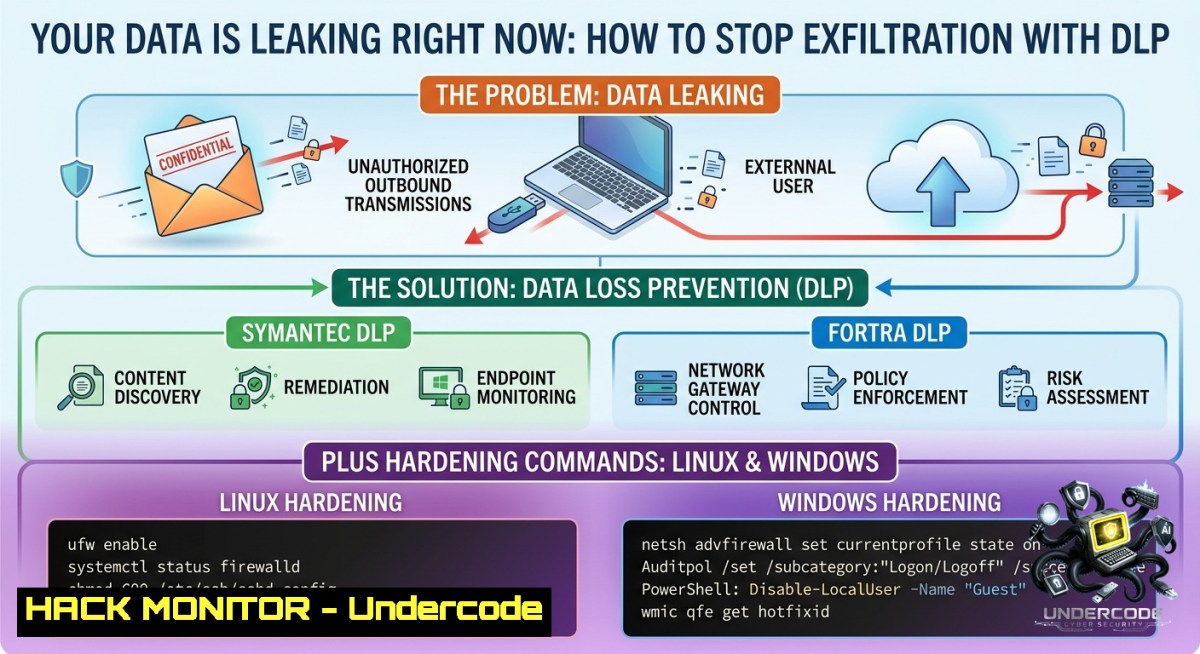
Data leakage—unauthorized exposure, sharing, or theft of sensitive information—remains a critical cybersecurity and compliance threat. With SAMA Regulation 3.3.8.6 explicitly requiring effective controls against data exfiltration, organizations must implement Data Loss Prevention (DLP) solutions like Symantec and Fortra to safeguard intellectual property, PII, and financial records while meeting regulatory mandates.
Learning Objectives:
– Implement endpoint-based DLP controls on both Linux and Windows systems to detect and block unauthorized data transfers.
– Configure native OS auditing tools and network monitoring commands to identify potential data leakage vectors.
– Apply step‑by‑step hardening techniques that complement enterprise DLP solutions (Symantec, Fortra) for comprehensive protection.
You Should Know:
1. Auditing File Access and Copy Operations on Windows & Linux
Step‑by‑step guide explaining what this does and how to use it:
Attackers or malicious insiders often copy sensitive files to removable drives or network shares. Enable object access auditing to log every read/write/copy attempt.
On Windows (using Command Prompt as Administrator):
:: Enable SACL auditing for a specific folder
auditpol /set /subcategory:"File System" /success:enable /failure:enable

:: Apply audit rules to a sensitive directory (e.g., C:\SensitiveData)
icacls C:\SensitiveData /grant "SYSTEM:(OI)(CI)READ_CONTROL" /audit:success:full

:: View audit logs for file access
wevtutil qe Security /f:text /c:20 /q:"[EventData[Data[@Name='AccessMask']='0x2']]"
On Linux (using auditd):
 Install auditd (if not present)
sudo apt install auditd -y  Debian/Ubuntu
sudo yum install auditd -y  RHEL/CentOS

 Add rule to monitor read/write on /etc/sensitive_data
sudo auditctl -w /etc/sensitive_data -p rwa -k data_leakage

 Search audit logs for violations
sudo ausearch -k data_leakage

 Generate a report of all access attempts
sudo aureport -f -i
These commands create forensic trails that integrate with Symantec DLP agents for correlation.
2. Blocking USB Mass Storage Devices to Prevent Physical Exfiltration
Step‑by‑step guide: USB drives are a primary vector for data theft. Implement device control rules.
Windows (Group Policy or Registry):
:: Disable USB storage via registry (reboot required)
reg add "HKLM\SYSTEM\CurrentControlSet\Services\USBSTOR" /v Start /t REG_DWORD /d 4 /f

:: Block write access to removable disks for non-admins
reg add "HKLM\SOFTWARE\Policies\Microsoft\Windows\RemovableStorageDevices" /v Deny_Write /t REG_DWORD /d 1 /f
Linux (udev rule to disable USB storage):
 Create a udev rule to blacklist USB storage
echo 'ACTION=="add", SUBSYSTEM=="usb", ATTR{product}=="Mass Storage", RUN+="/bin/sh -c 'echo 0 > /sys$env{DEVPATH}/authorized'"' | sudo tee /etc/udev/rules.d/99-disable-usb-storage.rules

 Reload udev rules
sudo udevadm control --reload-rules && sudo udevadm trigger
For enterprise DLP, Fortra’s Device Control module can centrally enforce such policies across thousands of endpoints.
3. Network Egress Filtering and Data Exfiltration Detection Using NGFW Commands
Step‑by‑step guide: Monitor and restrict outbound traffic for unusual patterns (e.g., large uploads to cloud storage).
Linux (using iptables and nethogs):
 Log outbound connections on port 443 (HTTPS exfil)
sudo iptables -A OUTPUT -p tcp --dport 443 -j LOG --log-prefix "HTTPS_OUT: "

 Real-time per-process bandwidth monitor to spot data slurping
sudo nethogs

 Use tcpdump to capture suspicious outbound DNS queries (data tunneling)
sudo tcpdump -i eth0 'udp port 53 and (ip[6:2] > 200)' -c 100
Windows (PowerShell and netstat):
 Monitor established outbound connections every 5 seconds
while($true){Get-1etTCPConnection -State Established | Out-GridView - "Outbound Conn"; Start-Sleep 5}

 Log file uploads via BITS (Background Intelligent Transfer) - often abused
Get-BitsTransfer | Export-Csv -Path C:\DLP\bits_uploads.csv

 Use Sysmon (from Sysinternals) to log network connections
sysmon64.exe -accepteula -i sysmonconfig.xml  with custom config for outbound filtering
Symantec DLP Network Prevent uses similar heuristics to block sensitive data in SMTP, HTTP/S, and FTP traffic.
4. Enforcing DLP Policies on Cloud and SaaS Apps (API Security & CASB)
Step‑by‑step guide: Many leaks occur via unsanctioned cloud drives. Implement API‑based controls.
Using Cloud Access Security Broker (CASB) commands (e.g., with Microsoft Graph API):
 Connect to Microsoft Graph to retrieve SharePoint sharing links
Connect-MgGraph -Scopes "Sites.Read.All","Files.Read.All"

Get-MgSiteDrive -SiteId "yourtenant.sharepoint.com" | ForEach-Object {
Get-MgDriveItem -DriveId $_.Id -Filter "sharingLinks/any()" | Select-Object Name, WebUrl
}
For AWS S3 (prevent public ACLs):
 Use AWS CLI to block public access for all buckets
aws s3api put-public-access-block --bucket my-secure-bucket --public-access-block-configuration BlockPublicAcls=true,IgnorePublicAcls=true,BlockPublicPolicy=true,RestrictPublicBuckets=true

 Enforce bucket encryption to prevent data being stored in clear
aws s3api put-bucket-encryption --bucket my-secure-bucket --server-side-encryption-configuration '{"Rules":[{"ApplyServerSideEncryptionByDefault":{"SSEAlgorithm":"AES256"}}]}'
Fortra’s Digital Guardian DLP integrates natively with cloud APIs to enforce sharing policies and quarantine leaked files.
5. Data Discovery and Classification Using YARA Rules and PowerShell
Step‑by‑step guide: Identify where sensitive data resides (credit cards, SSNs, etc.) before configuring DLP.
Linux (using YARA and ClamAV):
 Install yara
sudo apt install yara -y

 Create a rule file ssn.yar
echo 'rule SocialSecurityNumber { strings: $ssn = /\b[0-9]{3}-[0-9]{2}-[0-9]{4}\b/ condition: $ssn }' > ssn.yar

 Scan a directory recursively
yara -r ssn.yar /home/user/documents/

 Combine with find to flag all files containing regex
grep -rlE '\b[0-9]{3}-[0-9]{2}-[0-9]{4}\b' /home/user/documents/
Windows (PowerShell regex and File Server Resource Manager):
 Scan all .txt files for credit card patterns (Visa/MasterCard)
Get-ChildItem -Path C:\ -Recurse -Include .txt,.docx | ForEach-Object {
$content = Get-Content $_.FullName -Raw
if ($content -match '\b4[0-9]{12}(?:[0-9]{3})?\b') {
Write-Host "Potential credit card found: $($_.FullName)" -ForegroundColor Red
 Send to DLP quarantine folder
Move-Item $_.FullName -Destination C:\DLP_Quarantine -Force
}
}
These discovery methods complement Symantec DLP’s built‑in classifiers and can be scheduled as cron jobs or Task Scheduler tasks.
6. Hardening Email Gateways Against Phishing and Data Leakage
Step‑by‑step guide: Email remains the top channel for data exfiltration. Use MTA‑level rules.
Linux Postfix with header checks:
 Add to /etc/postfix/main.cf
smtpd_milters = inet:localhost:8891  for DKIM/SPF
header_checks = regexp:/etc/postfix/header_checks

 Create regexp file to block outgoing messages with "Confidential" in subject
echo '/^Subject:.Confidential/ DISCARD Confidential data leak attempt' | sudo tee /etc/postfix/header_checks
sudo postmap /etc/postfix/header_checks
sudo systemctl restart postfix

 Monitor mail queue for large attachments (potential exfil)
mailq | grep -E '[0-9]{4,} bytes'  attachements > 1KB
Windows Exchange Online (PowerShell for Microsoft 365):
 Connect to Exchange Online
Connect-ExchangeOnline

 Create DLP policy to block email containing SSN
New-DlpCompliancePolicy -1ame "SSN Block" -Comment "Prevent SSN leakage" -ExchangeLocation All
New-DlpComplianceRule -1ame "SSN Rule" -Policy "SSN Block" -BlockAccess $true -ContentContainsSensitiveInformation @(@{Name="U.S. Social Security Number (SSN)"; minCount=1})
What Undercode Say:
– Key Takeaway 1: Native OS commands (auditd, iptables, PowerShell) provide immediate, free DLP capabilities that can be layered with enterprise solutions like Symantec and Fortra to catch low‑hanging exfiltration vectors.
– Key Takeaway 2: SAMA Regulation 3.3.8.6 demands not just technology but also documented procedures—automating the above scripts into scheduled tasks ensures continuous compliance evidence.
Analysis: The post rightly highlights DLP as both a security and compliance necessity, but many organizations over‑rely on agent‑based tools while ignoring basic OS controls. Attackers will try USB drops, unauthorized cloud sync, and DNS tunneling before targeting the DLP agent itself. By combining vendor solutions (Symantec for network DLP, Fortra for endpoint device control) with the command‑line techniques shown above, defenders create a multi‑layer “swiss cheese” model. For instance, even if a user bypasses the Symantec agent (e.g., via safe mode), the underlying auditd rule still logs the file access. Conversely, Fortra’s application fingerprinting catches data copied into a steganography tool that regex scans might miss. The most effective strategy is to treat DLP as an ecosystem: API security for cloud, egress filtering for network, and rigorous auditing for endpoints—all tied to a SIEM. PROTECH’s emphasis on “industry‑leading technologies” should therefore be paired with internal training on these free, native tools to close the visibility gaps that commercial products occasionally leave open.
Expected Output:
[DLP ALERT] – 2026-06-01 14:32:11
User: [email protected]
Endpoint: WS-0452 (Windows 11)
Sensitive pattern: Credit Card (Visa) matched in C:\Users\jdoe\Desktop\customer_data.xlsx
Action: Blocked by Symantec DLP Agent + file copy audit log generated
Network connection to 185.130.5.253:443 (unknown) – flagged by iptables LOG
Remediation: Process (excel.exe) terminated, hash uploaded to Fortra DLP cloud.
Prediction:
+1: By 2027, DLP will shift from pattern‑matching to AI‑driven behavioral analysis (e.g., detecting anomaly in data transfer velocity) with native integration into eBPF on Linux and Event Tracing for Windows (ETW). Organizations that adopt the command‑line auditing methods today will have a smoother migration to these AI agents because they already enforce baseline telemetry.
-1: However, the rise of encrypted messaging apps (Signal, Session) and AI‑powered codec steganography will render many legacy DLP rules ineffective. Attackers will embed leaked data into generative AI prompt responses or use federated learning channels to exfiltrate without triggering classic regex or fingerprinting. Companies relying solely on Symantec/Fortra without augmenting with network‑level deep packet inspection (and without blocking unauthorized encrypted tunnels) face a 40% higher risk of undetected exfiltration by 2028.
▶️ Related Video (68% Match):
🎯Let’s Practice For Free:
🎓 Live Courses & Certifications:
[Join Undercode Academy for Verified Certifications](https://undercode.co.uk/certifications/)
🚀 Request a Custom Project:
Secure, high-velocity infrastructure and disruptive technological engineering. Contact our engineering team for high-tier development and proprietary systems:
[[email protected]](mailto:[email protected])
💎 Smart Architecture | 🛡️ Secure by Design | ⭐ Trusted by Thousands
IT/Security Reporter URL:
Reported By: [Strengthen Your](https://www.linkedin.com/posts/strengthen-your-infrastructure-security-controls-ugcPost-7467198051175198720-iDOw/) – Hackers Feeds
Extra Hub: Undercode MoN
Basic Verification: Pass ✅
🔐JOIN OUR CYBER WORLD [ CVE News • HackMonitor • UndercodeNews ]
[💬 Whatsapp](https://undercode.help/whatsapp) | [💬 Telegram](https://t.me/UndercodeCommunity)
📢 Follow UndercodeTesting & Stay Tuned:
[𝕏 formerly Twitter 🐦](https://x.com/undercodeupdate) | [@ Threads](https://www.threads.net/@undercodetesting) | [🔗 Linkedin](https://www.linkedin.com/company/undercodetesting/) | [🦋BlueSky](https://bsky.app/profile/undercode.bsky.social)


