
Listen to this Post
Introduction:
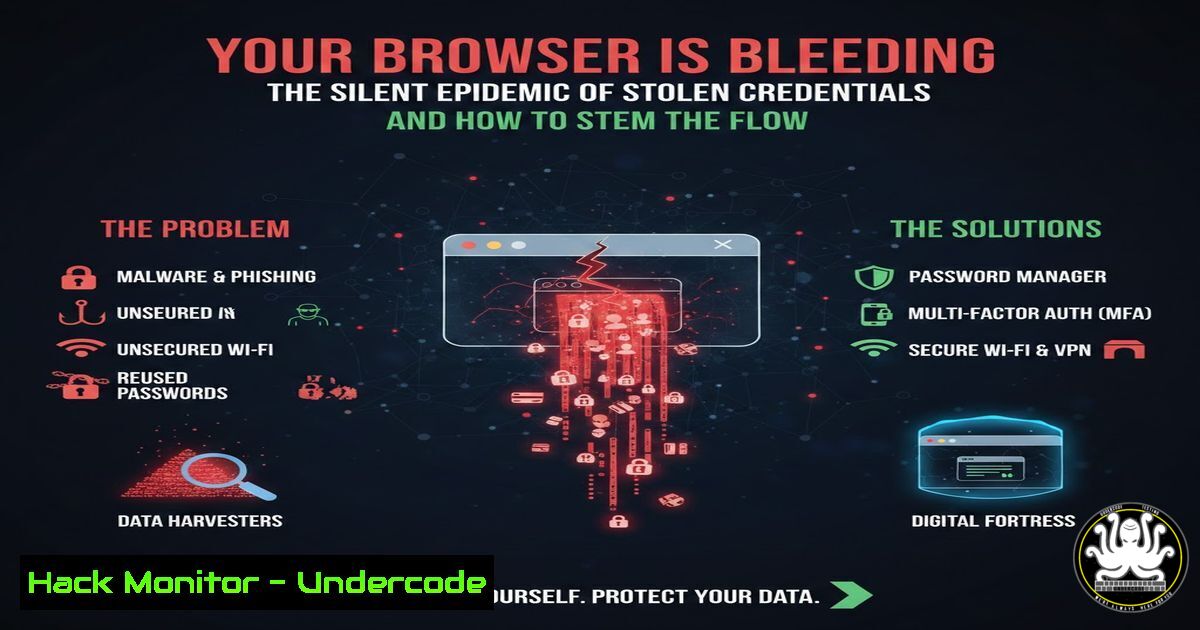
The casual comment on a LinkedIn post, “vendors continue to be problematic,” underscores a pervasive and often underestimated enterprise threat: the systemic theft of browser-stored credentials. Beyond isolated password leaks, this represents a fundamental compromise of the workstation, where autofill data, session cookies, and cached logins become a treasure trove for attackers. This article deconstructs the lifecycle of browser credential theft, from initial infection and data exfiltration to actor exploitation and organizational mitigation, providing a technical playbook for defense.
Learning Objectives:
- Understand the methods and tools used to steal credentials from major browsers (Chrome, Edge, Firefox).
- Learn how to forensically analyze potential credential exposure on your systems.
- Implement hardening measures to protect browsers, secure authentication, and mitigate supply-chain risks.
You Should Know:
1. The Anatomy of a Browser Credential Heist
Browser credential theft is rarely a sophisticated, targeted attack. It is often automated, following a common pattern: initial access via phishing or a compromised vendor application, execution of a lightweight info-stealer malware (like RedLine or Raccoon), and exfiltration of browser data to a command-and-control server.
Step‑by‑step guide explaining what this does and how to use it.
- Infection Vector: An employee downloads a trojanized software installer, perhaps from a compromised vendor site or a third-party download portal, as hinted at in the social media discussion.
- Malware Execution: The installer drops an info-stealer payload. These tools systematically locate and decrypt browser login data files.
3. Data Harvesting: The malware targets specific files:
Linux/Chrome: `~/.config/google-chrome/Default/Login Data`
Windows/Chrome: `%LocalAppData%\Google\Chrome\User Data\Default\Login Data`
Windows/Edge: `%LocalAppData%\Microsoft\Edge\User Data\Default\Login Data`
Firefox (All OS): `%AppData%\Mozilla\Firefox\Profiles\
.default\logins.json` and `key4.db`</h2>

<ol>
<li>Exfiltration: The harvested data (decrypted using the OS's cryptographic API) is sent to the attacker's server, where it is packaged and sold on dark web forums.</li>
</ol>

<h2 style="color: yellow;">2. Immediate Triage: Have Your Credentials Been Exposed?</h2>

Upon suspicion of a compromise, immediate triage is critical. Use command-line tools to check for anomalies and known indicators.

Step‑by‑step guide explaining what this does and how to use it.

<ol>
<li>Check for Unauthorized Processes: On a potentially compromised system, look for known info-stealer processes.</li>
</ol>

<h2 style="color: yellow;"> Linux: `ps aux | grep -E '(redline|raccoon|vidar|azoru)'`</h2>

Windows (PowerShell): `Get-Process | Where-Object {$_.ProcessName -match "RedLine|Raccoon"}`


<h2 style="color: yellow;">2. Review Network Connections: Identify suspicious outbound calls.</h2>

<h2 style="color: yellow;"> Linux: `sudo netstat -tunap | grep ESTABLISHED`</h2>

<h2 style="color: yellow;"> Windows: `netstat -ano | findstr ESTABLISHED`</h2>

<ol>
<li>Validate Browser Integrity: Check for unexpected extensions or profile modifications.</li>
</ol>

<h2 style="color: yellow;"> Chrome/Edge: Navigate to `chrome://extensions` or `edge://extensions`</h2>

Via PowerShell (Windows): List Chrome extensions: `Get-ChildItem "C:\Users\\AppData\Local\Google\Chrome\User Data\Default\Extensions" -Directory`


<h2 style="color: yellow;">3. Hardening the Browser: Beyond Strong Passwords</h2>

Passwords are not enough. Harden the browser environment itself to raise the cost of exploitation.

Step‑by‑step guide explaining what this does and how to use it.

<ol>
<li>Enforce Master Password in Firefox: Firefox is unique in allowing a primary password to encrypt stored logins. Enable it in <code>Settings > Privacy & Security > Logins and Passwords</code>.</li>
<li>Disable Browser Password Saving Policy: For enterprise environments, use Group Policy or MDM to disable the feature.
Chrome/Edge GPO: Configure `Computer Configuration > Administrative Templates > Google > Google Chrome > Password manager and protection > Enable saving passwords to the password manager` to Disabled.</li>
<li>Regularly Clear Cookies and Site Data: Implement a policy to clear this data upon browser exit for non-critical services to limit session hijacking.</li>
</ol>

<h2 style="color: yellow;"> Chrome CLI (Linux/macOS): `google-chrome --clear-ssl-host-certs --disable-features=AutofillServerCommunication`</h2>

<h2 style="color: yellow;">4. The Critical Pivot: Mandating Multi-Factor Authentication (MFA)</h2>

Stolen passwords become obsolete with robust MFA. This is the single most effective mitigation.

Step‑by‑step guide explaining what this does and how to use it.

<ol>
<li>Enforce Phishing-Resistant MFA: Move beyond SMS. Mandate FIDO2/WebAuthn security keys (YubiKey) or certificate-based authentication for all critical systems (VPN, Cloud Consoles, Email).</li>
<li>Leverage Conditional Access Policies: In Azure AD/Entra ID or similar, create policies that require MFA from non-compliant devices or unfamiliar locations.</li>
<li>Simulate Attack to Drive Adoption: Use controlled phishing campaigns that harvest credentials but are blocked by MFA to demonstrate its value to users.</li>
</ol>

<h2 style="color: yellow;">5. Addressing the Vendor Supply-Chain Weakness</h2>

The original post's context points to vendor software as a potential threat vector. This requires proactive vendor risk management.

Step‑by‑step guide explaining what this does and how to use it.

<ol>
<li>Implement Application Allowlisting: Use tools like AppLocker (Windows) or an EDR/AV solution to restrict executable execution to signed, approved paths only.
Windows AppLocker (PowerShell): `Get-AppLockerPolicy -Effective -Xml > current_policy.xml`
2. Sandbox and Isolate: Run vendor applications in isolated containers or virtualized environments where possible to limit host system access.</li>
<li>Vendor Security Questionnaire: Integrate key questions into procurement: "How are your application installers signed and verified?" "What data does your application access on the local file system?"</li>
</ol>

<h2 style="color: yellow;">6. Proactive Hunting with Threat Intelligence</h2>

Shift from reactive to proactive by leveraging intelligence on stolen credentials.

Step‑by‑step guide explaining what this does and how to use it.

<ol>
<li>Monitor for Corporate Credentials: Use services like HaveIBeenPwned for Organizations or deploy internal tools that scan breach databases for your company's domain.</li>
<li>Analyze Stolen Data Format: Understand what you're looking for. Info-stealer logs are often structured. A simple Python script can parse company email patterns from a sample dump:
[bash]
import re
with open('stolen_data.txt', 'r') as f:
data = f.read()
company_emails = re.findall(r'[\w.-]+@yourcompany.com', data)
print(f"Found {len(company_emails)} compromised company emails.")
7. Building a Resilient Incident Response Playbook
Have a dedicated playbook for “Credential Theft via Info-Stealer.”
Step‑by‑step guide explaining what this does and how to use it.
- Containment: Immediately isolate the affected endpoint from the network.
- Credential Rotation: Force password resets for all credentials found on the machine, starting with high-privilege accounts (email, VPN, admin).
- Forensic Image: Capture a forensic image of the disk for later analysis, focusing on browser artifact timelines (
$MFTanalysis on Windows). - Eradication & Recovery: Perform a complete wipe and reinstall of the OS on the affected endpoint. Merely removing malware is insufficient.
What Undercode Say:
- The Browser is the New Perimeter Endpoint: The primary attack surface has shifted from the network boundary to the individual’s browser, a rich repository of authenticated sessions and credentials. Securing it is as critical as securing a server.
- Vendor Trust is a Calculated Risk: The offhand comment about “problematic vendors” is a stark reminder that software supply chains are a top-tier attack vector. Technical procurement must include security validation, not just feature checks.
Analysis: The original social media post, while brief, taps into the fatigue of fighting persistent, commodity-grade attacks. The technical reality is that defending against credential theft is a layered process, combining endpoint hardening, aggressive authentication policies, and threat intelligence. It’s a battle fought not with silver bullets but with consistent hygiene, robust architectural controls (like MFA), and an assumption that some credentials will be stolen—making rapid detection and response paramount.
Prediction:
The future of this threat landscape will be defined by the integration of AI at scale. Attackers will leverage AI to automatically filter and prioritize stolen credentials, identifying high-value targets in real-time and launching sophisticated, automated follow-on attacks within minutes of exfiltration. Conversely, defensive AI will become essential for behavioral analysis on endpoints to detect the subtle, non-signature-based activity of next-generation info-stealers and for automating the massive credential rotation and system isolation required during large-scale breaches. The cycle of steal-and-exploit will accelerate dramatically.
▶️ Related Video (76% Match):
🎯Let’s Practice For Free:
IT/Security Reporter URL:
Reported By: Britton White – Hackers Feeds
Extra Hub: Undercode MoN
Basic Verification: Pass ✅


