Listen to this Post
Introduction:
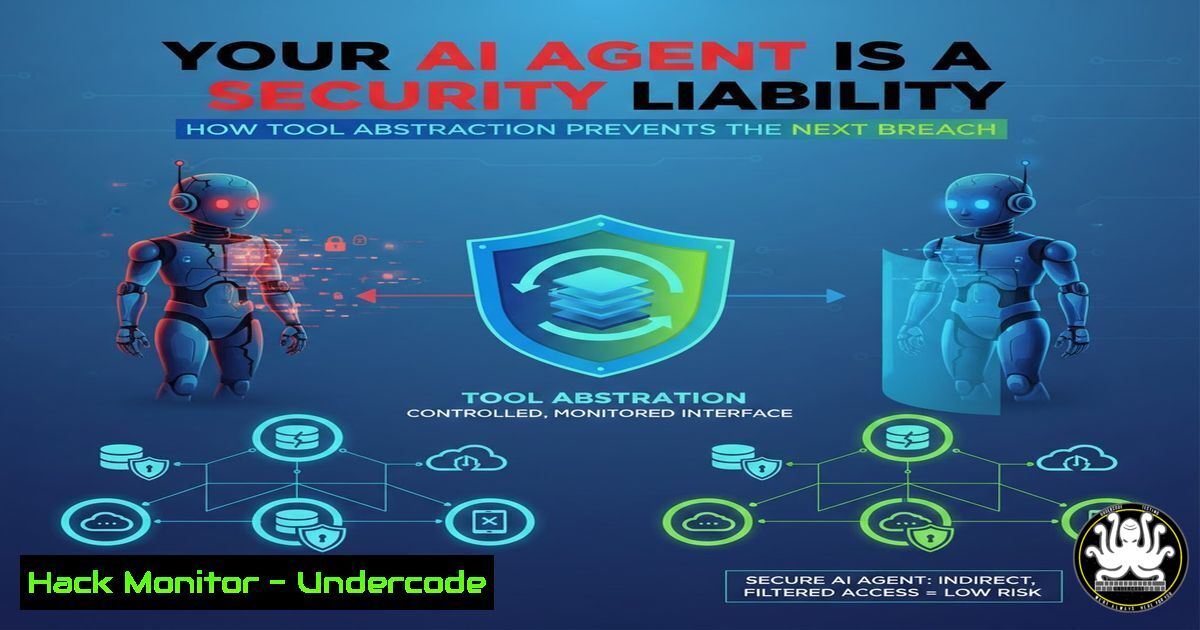
The paradigm of AI agent development is shifting from monolithic, all-knowing systems to modular architectures where agents declare intent and specialized tools execute actions. This abstraction isn’t just about clean code—it’s a critical cybersecurity and operational necessity. By insulating the agent from direct handling of sensitive protocols like OAuth, HTTP headers, and error parsing, developers create a hardened security layer that limits attack surfaces, enforces governance, and enables scalable, maintainable systems. This approach, termed Agentic-Oriented Development (AOD), redefines secure AI integration.
Learning Objectives:
- Understand why tool abstraction is a non-negotiable security control in agentic AI.
- Learn to implement the Model Context Protocol (MCP) as a standardized framework for secure tool integration.
- Apply the VOICE principles to design tools that minimize risk and maximize governance.
You Should Know:
- The Fatal Flaw: Agents with Excessive System Privileges
An AI agent directly manipulating HTTP headers or managing OAuth tokens possesses dangerous levels of system privilege. This creates a single point of failure where a compromised or hallucinating agent can exfiltrate tokens, inject malicious headers, or bypass authentication. The solution is abstraction: the agent states a goal (“get user profile”), and a dedicated, permission-bound tool executes the specific, secure API call.
Step-by-Step Guide: Implementing a Secure HTTP Tool Abstraction
Instead of giving an agent raw `curl` access, you wrap it in a tool with strict input validation and output filtering.
1. Define the Tool Schema: Clearly specify allowed parameters (e.g., url, method=GET). Disallow custom header injection by the agent.
 Example Pydantic model for a safe HTTP tool
from pydantic import BaseModel, HttpUrl
from enum import Enum

class HTTPMethod(str, Enum):
GET = "GET"
POST = "POST"

class SecureHTTPRequest(BaseModel):
url: HttpUrl
method: HTTPMethod = HTTPMethod.GET
 Notice: NO 'headers' field exposed to the agent.
2. Implement the Tool Logic: The tool, not the agent, adds necessary, validated headers (like API keys from a secure vault).
import requests
from my_secrets import get_api_key

def secure_http_client(request: SecureHTTPRequest):
"""Tool function that the agent calls."""
headers = {
'Authorization': f'Bearer {get_api_key()}',  Agent never sees this
'User-Agent': 'SecureAgentTool/1.0'
}
response = requests.get(request.url, headers=headers)
return response.json()  Optionally sanitize response here
3. Deploy with Restricted Permissions: Run the tool process under a dedicated service account with minimal network and filesystem permissions.
 Linux: Create and use a limited user
sudo useradd -r -s /bin/false agent_tool_runner
sudo -u agent_tool_runner python3 run_agent_tools.py
- MCP: The Standardized Security Layer for AI Tools
The Model Context Protocol (MCP) is emerging as the “REST API moment” for AI agents. It provides a standardized, transport-agnostic way for agents to discover and use tools securely, similar to how REST APIs standardized web communication. MCP servers host tools, and clients (agents) connect to them, enabling centralized security auditing and policy enforcement.
Step-by-Step Guide: Setting Up a Basic MCP Server for a Secure Tool
1. Initialize an MCP Server: Create a new server that will expose a safe “filesystem read” tool.
 Initialize a new Node.js project for the MCP server
npm init -y
npm install @modelcontextprotocol/sdk
2. Code the Server with Security Controls: Implement a tool that restricts file access to a specific directory.
// server.js
const { Server } = require("@modelcontextprotocol/sdk");
const fs = require('fs').promises;
const path = require('path');

const server = new Server({
name: "secured-fs-server",
version: "1.0.0",
}, {
capabilities: { tools: {} }
});

const ALLOWED_DIR = '/var/lib/agent/data';

server.setRequestHandler("tools/call", async (request) => {
if (request.params.name === "read_file") {
const filePath = path.join(ALLOWED_DIR, request.params.arguments.path);
// Prevent directory traversal attacks
if (!filePath.startsWith(ALLOWED_DIR)) {
throw new Error("Access denied.");
}
const content = await fs.readFile(filePath, 'utf-8');
return { content: [{ type: "text", text: content }] };
}
});
await server.connect();
3. Connect Your Agent: Configure your AI agent (e.g., Claude, via an MCP client) to connect to this server. The agent now has controlled, auditable file access.
- The VOICE Principles: Designing Tools for Security and Scale
Effective tool design follows the VOICE principles: Verified, Orthogonal, Idempotent, Context-Scoped, and Explicit. These are essential for security.
– Verified & Explicit: Tools must validate all inputs (Verified) and have absolutely clear, narrow purposes (Explicit). A “send_email” tool should not also be able to read the inbox.
– Context-Scoped: Tools should only have access to the context they need. A database tool should receive a specific query, not a raw database connection string.
Step-by-Step Guide: Creating an Idempotent and Verified Database Tool
Idempotency (safe repetition) is crucial for reliability and security.
1. Design for Idempotency: For a “create_user_record” tool, check for existence first.
-- Tool's internal SQL logic
INSERT INTO users (user_id, email)
SELECT :user_id, :email
WHERE NOT EXISTS (SELECT 1 FROM users WHERE user_id = :user_id);
2. Enforce Verification with Parameterized Queries: This prevents SQL injection by ensuring the agent provides data, not executable code.
 Python tool using parameterized queries
def db_create_user(user_id: str, email: str):
 Verification: Validate email format
if not re.match(r"[^@]+@[^@]+.[^@]+", email):
raise ValueError("Invalid email format.")
 Safe execution
cursor.execute(
"INSERT INTO users (user_id, email) VALUES (%s, %s) ON CONFLICT (user_id) DO NOTHING;",
(user_id, email)
)
4. Tool Permissions as Your Primary Governance Framework
Treat tool access as a privilege matrix. Not every agent needs every tool. Governance is enforced at the tool orchestration layer, not within the agent’s prompt.
Step-by-Step Guide: Implementing a Simple Tool Permission Layer
- Define a Permission Matrix: A simple YAML or database table mapping agents/roles to allowed tools.
permissions.yaml
agent_roles:
support_agent:
allowed_tools: ["query_knowledge_base", "create_support_ticket"]
data_analyst_agent:
allowed_tools: ["run_sql_query_limited", "generate_chart"]
NOT: "delete_database_table"
- Create a Tool Gateway: A middleware function that checks permissions before executing a tool call.
from functools import wraps</li> </ol> PERMISSION_MATRIX = load_permissions_yaml() def require_permission(tool_name): def decorator(func): @wraps(func) def wrapper(agent_id, args, kwargs): agent_role = get_role(agent_id) if tool_name not in PERMISSION_MATRIX[bash]: raise PermissionError(f"Agent {agent_id} not allowed to use {tool_name}") return func(args, kwargs) return wrapper return decorator @require_permission("delete_database_table") def delete_table(table_name): This will only run if the calling agent has the right role pass- From Theory to Practice: Hardening a Windows-based AI Tool Environment
Security principles apply across operating systems. On Windows, leverage managed service accounts and Group Policy.
Step-by-Step Guide: Securing a Python Tool Runner on Windows
1. Create a Managed Service Account: This is more secure than a standard user account for services.PowerShell (Admin) Create a Group Managed Service Account (gMSA) - requires Active Directory New-ADServiceAccount -Name SVC-AgentTools -DNSHostName agenttools.domain.local -PrincipalsAllowedToRetrieveManagedPassword "AGENT-SERVER$"
2. Configure Tool Execution Policy: Restrict the scripting environment.
 Set ExecutionPolicy for the service account scope
Set-ExecutionPolicy -ExecutionPolicy RemoteSigned -Scope LocalMachine -Force
3. Run the Tool Service under the gMSA: The tool process now has constrained, auditable privileges without password management overhead.
What Undercode Say:
- Security Through Obscurity is Dead, Security Through Abstraction is Vital. The primary security benefit of tool abstraction is the principle of least privilege. An agent that can only request a pre-defined “action” through a tool cannot pivot to a dangerous “sudo” command or raw SQL injection. The breach surface shrinks dramatically.
- Governance Shifts Left to the Architecture. When tools are the methods, security and compliance rules are baked into the system’s wiring—via MCP permissions, tool input validation, and OAuth token handling within the tool layer. This makes audits clearer and policy enforcement automated, moving governance from an afterthought to a foundational component.
Prediction:
Within two years, major enterprise AI security incidents will predominantly stem from poorly abstracted agentic systems—where agents had direct, ungoverned access to core systems. Conversely, organizations that adopt tool-abstraction frameworks like MCP with rigorous permission models will experience fewer AI-related breaches and will scale their AI operations securely. This architectural shift will become a baseline requirement in regulatory frameworks and cybersecurity insurance policies for AI implementation, cementing tool abstraction not as a best practice, but as a critical control in the AI security stack.
▶️ Related Video (80% Match):
🎯Let’s Practice For Free:
IT/Security Reporter URL:
Reported By: Davidmatousek Your – Hackers Feeds
Extra Hub: Undercode MoN
Basic Verification: Pass ✅🔐JOIN OUR CYBER WORLD [ CVE News • HackMonitor • UndercodeNews ]
📢 Follow UndercodeTesting & Stay Tuned:
- From Theory to Practice: Hardening a Windows-based AI Tool Environment


