Listen to this Post
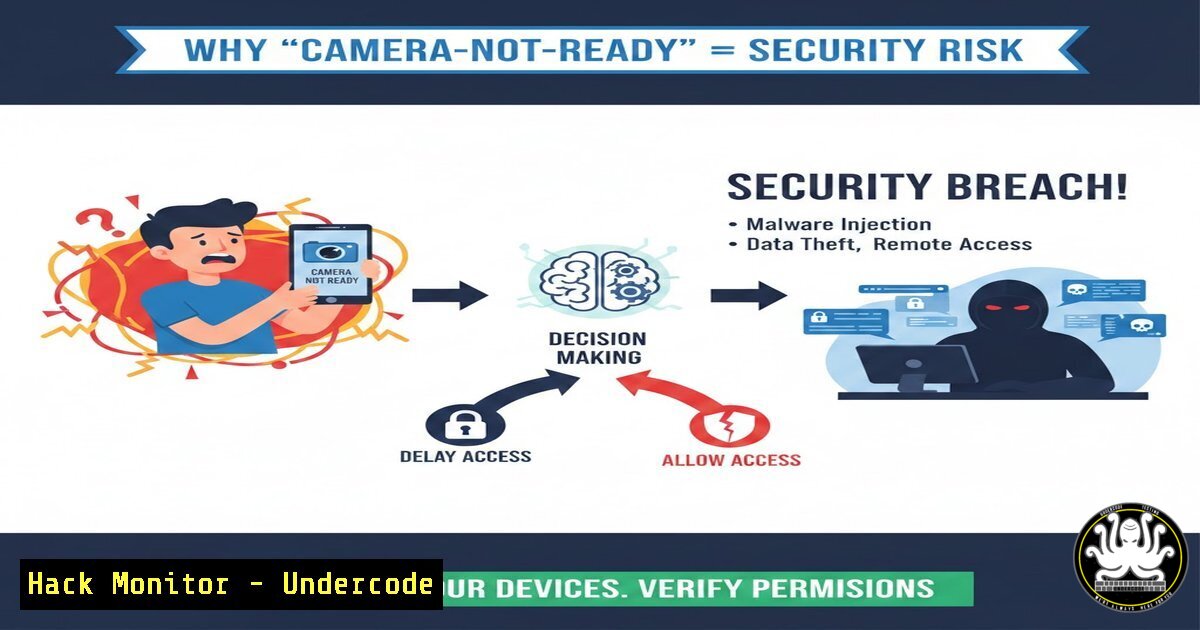
Introduction:
A humorous LinkedIn post about employees dodging video calls has gone viral, highlighting a modern workplace reality. However, beneath the surface of this meme lies a critical cybersecurity concern: the proliferation of unsecured, always-on cameras in hybrid work environments. As employees use personal devices and home networks, the attack surface expands, turning a simple “camera not ready” joke into a potential entry point for adversaries seeking to exploit video conferencing infrastructure and endpoint vulnerabilities.
Learning Objectives:
- Understand the technical vulnerabilities in common video conferencing setups and personal endpoint cameras.
- Learn to identify and mitigate risks associated with unpatched webcam drivers and software.
- Acquire hands-on skills to audit, harden, and monitor camera permissions across Windows and Linux systems.
You Should Know:
- The Anatomy of a Webcam Exploit: From Meme to Malware
The “camera not ready” joke often masks a more sinister reality: an attacker can remotely activate a camera without the LED indicator. This is achieved through malware that exploits vulnerable kernel-mode drivers (like the one in some older HP laptops) or by injecting code into the video stream process. For instance, the Invisi-Sight malware family targets DirectShow filters on Windows, allowing attackers to bypass the standard “camera in use” notification by interacting with the camera hardware at a lower level than the operating system’s API. -
Auditing Connected Cameras on Linux (The Defensive View)
To ensure no unauthorized device is lurking, start with a hardware audit. On Linux, the Video4Linux (V4L) framework is the primary interface.
Command: `lsusb | grep -i camera` (Lists USB devices, filtering for cameras)
Command: `v4l2-ctl –list-devices` (Lists all video capture devices)
If a suspicious device appears, check its kernel driver:
Command: `udevadm info -a -n /dev/video0 | grep -i “driver”`
To immediately disable a compromised camera module, you can blacklist the kernel driver:
Command: `echo “blacklist uvcvideo” | sudo tee -a /etc/modprobe.d/blacklist.conf && sudo update-initramfs -u`
Note: This permanently disables most common USB webcams until the entry is removed.
- Windows Camera Permission Hardening via Registry and GPO
On Windows, applications request access through the OS. However, advanced threats can manipulate registry keys to re-enable permissions after a user has disabled them. To properly lock this down:
– Via Command Line (Registry Edit): To disable all cameras system-wide (useful for VDI environments):
Command: `reg add “HKLM\SOFTWARE\Microsoft\Windows\CurrentVersion\CapabilityAccessManager\ConsentStore\webcam” /v “Value” /t REG_SZ /d “Deny” /f`
– Via PowerShell (Audit): To see which apps have used the camera recently:
PowerShell: `Get-WinEvent -FilterHashtable @{LogName=”Microsoft-Windows-Shell-Core/Operational”; ID=28006} | Format-Table -Property TimeCreated, Message -AutoSize`
4. Step‑by‑Step Guide: Simulating a Credential Harvesting Attack via Fake Camera Driver
Disclaimer: For educational and defensive purposes only. Only test on systems you own.
Understanding the attack helps in building defenses. Attackers often deploy a fake “camera driver” update that is actually a info-stealer.
1. The Setup: An attacker sets up a rogue Wi-Fi hotspot named “Conference_Room_Guest.”
2. The Lure: A user connects, and a browser push notification claims “Critical Camera Firmware Update Required.”
3. The Execution (Victim’s Machine): If the user downloads the “.exe” (Windows) or a deb package (Linux), the malware installs.
4. Detection via Netstat: After infection, the malware calls home. On the victim machine, run:
Command (Windows): `netstat -ano | findstr “ESTABLISHED”` and look for connections to suspicious IPs on non-standard ports (e.g., 4444, 1337).
Command (Linux): `ss -tunap | grep ESTABLISHED`
Use `tasklist | findstr
5. Exploiting and Hardening Video Conferencing APIs
The humor in the original post relies on the “Boss” asking for cameras on. In a real attack, the conference platform itself can be the vector. For example, insecure Zoom or Teams API tokens stored in memory can be dumped.
– The Attack (Memory Dump): If an attacker gains local access, they can use tools like Mimikatz or ProcDump to scrape memory for OAuth tokens.
– The Mitigation (Windows): Enable Credential Guard and Exploit Guard to isolate secrets.
PowerShell: `Add-MpPreference -AttackSurfaceReductionRules_Ids “56a863a9-875e-4185-98a7-b882c64b5ce5” -AttackSurfaceReductionRules_Actions Enabled`
(This specific ASR rule prevents Office apps from creating child processes, a common way to launch credential dumpers).
6. Command-Line Forensics: Checking for Silent Video Recording
If a machine is compromised, the attacker may be recording video and saving it locally before exfiltration.
– Linux: Search for large video files created recently.
Command: `find /home -type f -name “.avi” -o -name “.mp4” -mtime -1 -ls`
– Windows: Use `dir` to check for hidden streams (Alternate Data Streams) where video chunks might be hidden.
Command: `dir /r C:\Users\[bash]\Videos\` (This reveals ADS streams like video.mp4:stream2).
7. Cloud Misconfigurations: The “Camera Roll” Leak
Often, the content from cameras is auto-uploaded to cloud storage (Google Photos, iCloud, OneDrive). A misconfigured S3 bucket or shared link can expose sensitive video.
– Testing for Exposure: Use tools like `awscli` to check for public bucket permissions.
Command: `aws s3api get-bucket-acl –bucket [target-bucket-name] –no-sign-request`
If this returns a list of grants including “AllUsers” or “AuthenticatedUsers,” the bucket is leaking data.
What Undercode Say:
- Key Takeaway 1: The “human element” of camera shyness is a minor issue compared to the technical reality that webcams are fundamentally vulnerable endpoints, often running on kernels with known exploits.
- Key Takeaway 2: Defense requires a layered approach: physical covers are good, but registry hardening, strict Group Policies, and network-level monitoring for C2 (Command & Control) traffic from exfiltration tools are essential.
The viral meme serves as a perfect allegory for the cybersecurity industry’s current state: we are laughing at the surface-level inconvenience while ignoring the foundational insecurity of the devices we use. We must shift focus from managing employee behavior to hardening the technology that enables the breach.
Prediction:
Within the next 18 months, we will see a major corporate data breach originating from a compromised webcam driver that was exploited during a hybrid meeting. This will force regulatory bodies to mandate “hardware kill switches” (physical shutter/ disconnect) for all enterprise-procured laptops, moving security from software policy to physical design.
▶️ Related Video (88% Match):
🎯Let’s Practice For Free:
IT/Security Reporter URL:
Reported By: Https: – Hackers Feeds
Extra Hub: Undercode MoN
Basic Verification: Pass ✅


