Listen to this Post
Introduction:
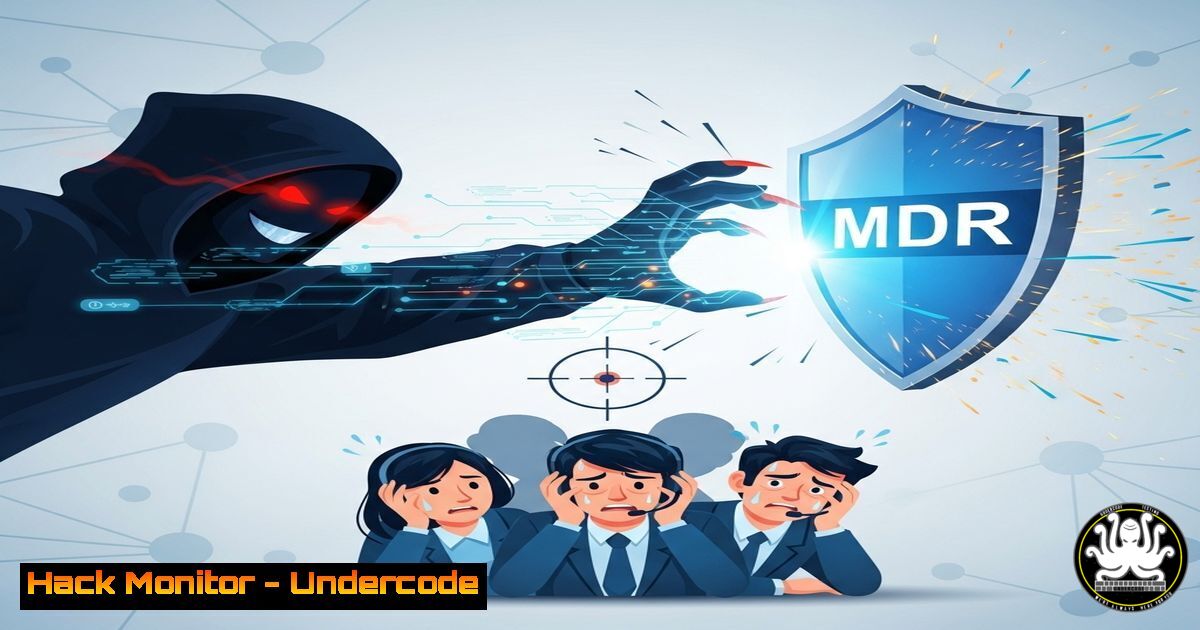
Mid-market companies with lean IT teams are disproportionately targeted by cybercriminals due to their valuable data and often insufficient 24/7 security monitoring. Managed Detection and Response (MDR) services provide the critical around-the-clock vigilance, expert analysis, and immediate incident response capabilities that these organizations lack in-house, transforming their security posture from reactive to resilient.
Learning Objectives:
- Understand the critical security gaps inherent in lean IT operations.
- Learn the key technical capabilities a robust MDR provider delivers.
- Gain practical, actionable commands for initial threat detection and response that complement MDR services.
You Should Know:
1. Network Connection Interrogation with `netstat`
A sudden spike in unknown outbound connections can be the first sign of data exfiltration. This command provides a real-time snapshot.
netstat -tulnap
 -t: TCP ports | -u: UDP ports | -l: listening ports | -n: show numerical addresses | -a: all sockets | -p: show process ID/name
Step-by-step guide: Run this command on critical servers (e.g., database, file servers). Focus on `ESTABLISHED` connections under the ‘State’ column. Investigate any unknown IP addresses, especially those on common exfiltration ports (e.g., 443, 53, 8080). The `-p` flag is crucial as it identifies the process responsible for the connection.
2. Process Discovery and Analysis with `ps`
Identify malicious processes that may be masquerading as legitimate system services.
ps aux --sort=-%mem | head -20
 a: show processes for all users | u: user-friendly format | x: include processes without a TTY
Step-by-step guide: This command lists the top 20 processes by memory usage. Look for processes with unusual names, high resource consumption from an unfamiliar user, or short, random-looking process names—common indicators of crypto-mining malware or ransomware activity.
3. Hunting for Persistence: Autoruns in Windows
Attackers ensure they maintain access by installing persistence mechanisms. The Autoruns tool from Sysinternals is the definitive utility for this.
.\Autoruns64.exe -accepteula -a -c -h -s -v
Step-by-step guide: Download Autoruns from Microsoft Sysinternals. Run the command with these switches to comprehensively check all auto-starting locations (-a), hide signed Microsoft entries (-c), and save output to a file (-h). Pay close attention to entries under ‘Logon’, ‘Scheduled Tasks’, and ‘Services’ that have missing digital signatures or suspicious file paths.
4. Windows Event Log Analysis for Failed Logins
A barrage of failed login attempts often precedes a brute-force attack or lateral movement.
Get-WinEvent -FilterHashtable @{LogName='Security'; ID=4625} -MaxEvents 20 | Format-List -Property
Step-by-step guide: This PowerShell command retrieves the last 20 failed login events (Event ID 4625) from the Security log. Analyze the ‘Caller Process Name’ (should be `lsass.exe` for network logins) and the ‘Source Network Address’ to identify the attacking IP, which can then be blocked at the firewall.
5. File Integrity Monitoring with `sha256sum`
MDR providers use FIM to detect unauthorized changes. You can create a baseline of critical files for manual verification.
sha256sum /etc/passwd /etc/shadow /bin/ls /bin/ps > /root/system_baseline.sha256
 Later, verify integrity:
sha256sum -c /root/system_baseline.sha256
Step-by-step guide: Generate a cryptographic hash baseline of critical system files immediately after a clean build or known-good state. Store the output file securely (e.g., offline, write-protected media). Regularly run the verification command. Any output showing “FAILED” indicates a potentially compromised file that must be investigated.
6. Interrogating Open Files with `lsof`
Identify which processes have which files open, crucial for spotting ransomware encryption in progress or unauthorized access to sensitive data.
lsof +L1  List all open files that have been deleted (a common attacker tactic)
lsof -i :443  List all processes using HTTPS port 443
Step-by-step guide: The first command reveals processes holding open files that have been marked deleted on disk, a technique used to hide malware or clean up logs. The second command audits all processes using a specific network port, helping to identify unauthorized services.
7. Leveraging CloudTrail for AWS API Anomaly Detection
MDR for cloud environments monitors management plane API calls for signs of compromise.
aws cloudtrail lookup-events --lookup-attributes AttributeKey=EventName,AttributeValue=ConsoleLogin --start-time 2023-10-27T00:00:00Z --max-items 10
Step-by-step guide: This AWS CLI command checks the last 10 console login events. An MDR service would automate this, looking for logins from unfamiliar IP geolocations, at unusual times, or followed by high-risk actions like changing security groups or creating new IAM users, which could indicate account takeover.
What Undercode Say:
- MDR is Not a Luxury, It’s a Force Multiplier. For lean teams, hiring a full SOC is financially impossible. MDR provides enterprise-grade security intelligence and manpower at a fractional cost, acting as a direct force multiplier for your existing team.
- Preparation Beats Panic. The frantic CEO call in the source text is the antithesis of a prepared response. MDR provides the playbook, tools, and experts before the incident happens, turning a potential disaster into a managed event.
The shift towards MDR is a fundamental recognition that the battlefield of cybersecurity has changed. It’s no longer about building an impenetrable perimeter—that’s a fantasy. It’s about assuming breach and having the expertise and vigilance to detect and eject adversaries faster than they can cause damage. For the mid-market, this isn’t a choice; it’s a strategic imperative for survival. MDR democratizes access to top-tier security talent, leveling the playing field against well-resourced threat actors.
Prediction:
The sophistication and frequency of attacks targeting the mid-market will only intensify, driven by automation and the monetization of ransomware-as-a-service. Companies relying solely on lean, internal IT teams without 24/7 expert MDR support will face exponentially higher recovery costs, reputational damage, and regulatory fines. Within five years, MDR adoption will transition from a strategic advantage to a baseline requirement for cyber insurance and business partnerships, as the industry acknowledges that continuous, expert monitoring is the only effective defense against the modern threat landscape.
🎯Let’s Practice For Free:
IT/Security Reporter URL:
Reported By: Vimesh Avlani – Hackers Feeds
Extra Hub: Undercode MoN
Basic Verification: Pass ✅


