
Listen to this Post
Introduction:
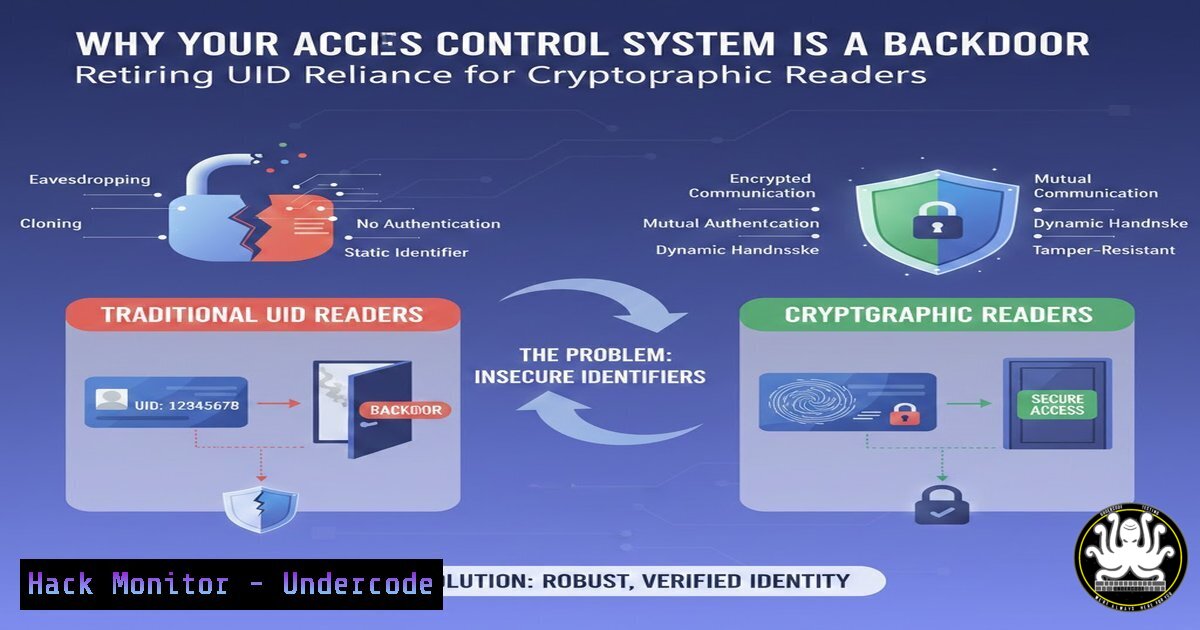
For decades, physical access control has leaned on a brittle assumption—that a credential’s Unique Identifier (UID) cannot be forged. Modern attack tools can clone a 125 kHz UID in under five seconds, turning proximity cards into master keys for any adversary with $300 of hardware. Cryptographic readers replace this static handshake with dynamic mutual authentication, rendering sniffed data useless for replay and eliminating the single point of failure that has silently compromised enterprise perimeters.
Learning Objectives:
- Identify and demonstrate the practical exploitation vectors of legacy UID‑based access control systems.
- Implement cryptographic authentication, secure enrolment, and encrypted communication between reader and controller.
- Harden the full stack—from RFID air interface to cloud API—using verified Linux/Windows commands and industry benchmarks.
You Should Know:
1. Cloning UID Credentials with Proxmark3 (Linux)
Legacy 125 kHz Low‑Frequency (LF) cards transmit only a static serial number. An attacker can read this UID at range and write it to a writable blank card or emulator.
Step‑by‑step guide:
- Install Proxmark3 client on Kali Linux:
sudo apt update && sudo apt install proxmark3
- Attach Proxmark3 and verify device:
proxmark3 /dev/ttyACM0
- In the client, detect the LF tag:
lf search
- Read and save the UID:
lf em4x em410xread
- Clone to a T5577 blank card:
lf em4x em410xwrite --id <extracted_uid> --card T5577
What it does: Extracts the card’s facility code and card number, then writes the identical UID to a blank. The door interprets the clone as the original, granting entry.
2. Hardening Reader–Controller Communication with TLS (Linux/Windows)
Most IP‑enabled readers ship with plaintext or proprietary encryption. Attackers who ARP‑spoof or physically tap the cable can replay commands.
Step‑by‑step guide (using OpenSSL):
- Generate a CA and server certificate for the controller:
openssl req -new -x509 -days 365 -nodes -out controller.crt -keyout controller.key
- Configure the reader (example for HID Signo) via its web interface or API to enforce TLS 1.2+ and pin the controller certificate.
- On Windows, use `certlm.msc` to import the CA certificate into the Trusted Root store.
- Test with OpenSSL s_client:
openssl s_client -connect controller_ip:443 -showcerts
- Ensure no fallback to SSLv3 or TLS 1.0 by disabling weak protocols in the reader firmware.
3. Network Segmentation for Access Control VLANs (Cisco/Linux)
Access control panels are often placed on the same subnet as workstations, exposing them to broadcast storms and lateral movement from infected PCs.
Step‑by‑step guide (Cisco IOS):
- Create VLAN 50 for access control:
conf t
vlan 50
name Access_Control
exit
- Assign switch ports:
interface GigabitEthernet0/1
switchport mode access
switchport access vlan 50
- Apply ACL to block all traffic except to the management server:
ip access-list extended ACL_AC
permit tcp host reader_ip host mgmt_server eq 443
deny ip any any
Linux iptables alternative:
iptables -A FORWARD -i eth0 -o eth1 -s reader_subnet -d mgmt_server -p tcp --dport 443 -j ACCEPT
iptables -A FORWARD -i eth0 -o eth1 -s reader_subnet -j DROP
4. Implementing Mutual Authentication with OSDP (Secure Channel)
Wiegand is a 40‑year‑old electrical interface that sends data in the clear. OSDP with Secure Channel (SC) provides AES‑128 encryption and bidirectional authentication.
Configuration example (Lenel OnGuard or similar):
- Enable OSDP on the reader (dip switch or command).
- In the panel software, set the communication profile to “OSDP – Secure Channel”.
- Install the Base Station Key into the reader via the configuration card or software tool.
- Verify encrypted communication by capturing packets with Wireshark and filtering
osdp; payloads should appear as random ciphertext.
5. Cloud API Hardening for Remote Access Management
Modern readers synchronise with cloud portals. Weak API endpoints can allow credential enumeration or token hijacking.
Step‑by‑step guide (API security testing with cURL):
- Test for rate limiting:
for i in {1..100}; do curl -X POST https://api.accesscloud.com/v1/auth \
-H "Content-Type: application/json" \
-d '{"card":"12345","pin":"0000"}'; done
If no 429 Too Many Requests appears, the endpoint is vulnerable to brute‑force.
- Implement OAuth2 with PKCE; store secrets in Azure Key Vault or AWS Secrets Manager.
- Enforce certificate‑based mTLS between the on‑premises bridge and the cloud:
curl --cert client.crt --key client.key https://api.accesscloud.com/v1/status
6. Physical Pentesting: Relay Attack with HackRF (Linux)
Cryptographic readers defeat simple cloning, but relay attacks extend the range of a legitimate card. The following demonstrates the principle for authorised testing only.
Step‑by‑step:
- Install GNU Radio and HackRF tools:
sudo apt install gnuradio hackrf
- Capture the reader’s challenge:
hackrf_transfer -r challenge.iq -f 13.56M -s 2000000 -n 20000000
- Use a second HackRF to replay the modulated signal near the reader.
Mitigation: Cryptographic readers that implement distance bounding (e.g., based on round‑trip time) can detect relay attempts; ensure firmware supports ISO/IEC 14443-4 with active authentication.
7. Auditing Access Logs with ELK Stack (Linux)
Anomalous access patterns—such as the same badge used at two far‑apart doors within seconds—indicate credential sharing or cloning.
Step‑by‑step:
- Install Elasticsearch, Logstash, Kibana.
- Configure Logstash to ingest syslog from access control panels:
input { syslog { port => 5514 type => "access_control" } } - Create a Kibana dashboard with visualisations:
- “Badge ID by reader location”
- “Timeline of events per badge”
- Alert on “same badge, different door, <30 sec interval”
- Use ElastAlert to send Slack alerts on threshold breaches.
What Undercode Say:
- Key Takeaway 1: UID‑only authentication is an existential risk. Organisations still deploying 125 kHz proximity cards are effectively pinning open their server rooms—attackers have commoditised cloning and the cost is trivial.
- Key Takeaway 2: Cryptography alone is insufficient if the network and API layers remain flat and untrusted. Defence in depth must span the credential, the air interface, the physical cable, the IP network, and the cloud control plane.
- Analysis: The access control industry has historically lagged IT security by a decade. The shift to OSDP, TLS‑enabled readers, and zero‑trust architectures is not optional; it is the only way to close the gap between physical and logical security. Manufacturers who continue to sell Wiegand‑only readers without upgrade paths will soon find themselves excluded from enterprise procurement shortlists. Security teams must treat door controllers as critical infrastructure—scan them for vulnerabilities, patch their firmware, and segment them as aggressively as they segment SCADA networks.
Prediction:
By 2026, the majority of physical access control compromises will originate not from lost badges, but from API vulnerabilities in cloud‑based reader management platforms. Attackers will pivot from cloning cards to compromising the enrolment servers themselves, pushing cryptographic keys to unauthorised readers. This will drive the adoption of hardware security modules (HSMs) inside access control appliances and mandate continuous compliance frameworks such as SOC 2 Type II for physical security vendors. The physical access system is no longer a stand‑alone island; it has become an integral part of the corporate attack surface.
▶️ Related Video (80% Match):
🎯Let’s Practice For Free:
IT/Security Reporter URL:
Reported By: Markus Hautala – Hackers Feeds
Extra Hub: Undercode MoN
Basic Verification: Pass ✅


