Listen to this Post
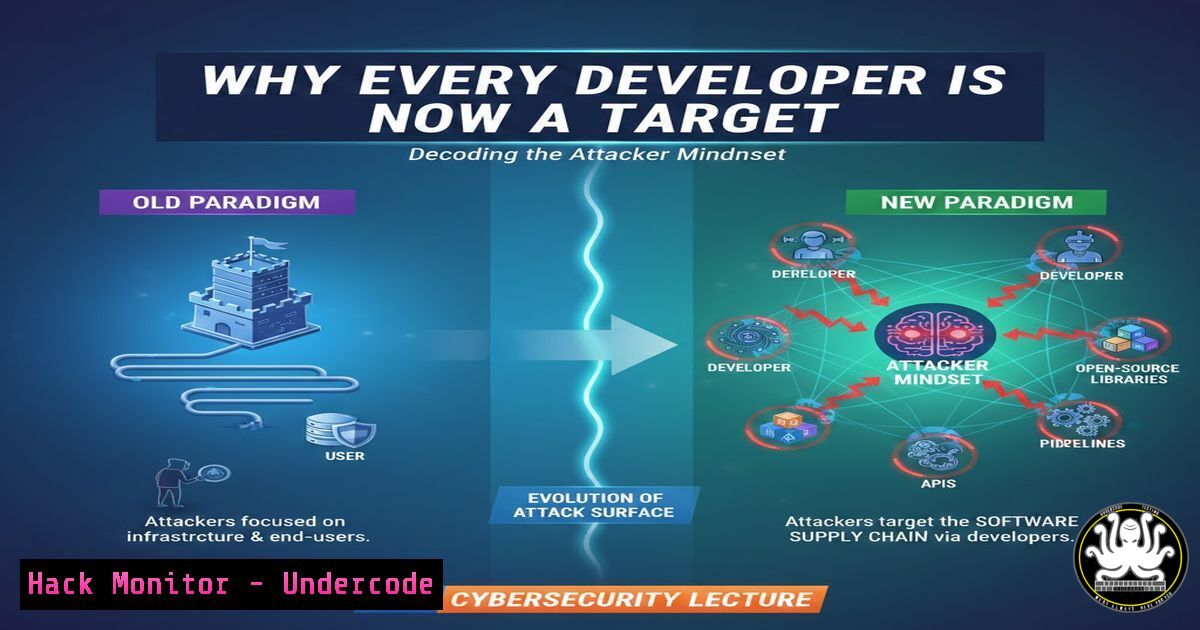
Introduction:
As software becomes the backbone of global infrastructure, the line between IT and OT (Operational Technology) has blurred, creating a lucrative attack surface for adversaries. A recent expert lecture delivered on March 5, 2026, emphasized that modern developers can no longer afford to focus solely on functionality; they must adopt the mindset of an attacker to build truly resilient systems. This article dissects the core lessons from that session, providing a technical roadmap for integrating security into the development lifecycle, from code commit to cloud deployment.
Learning Objectives:
- Understand the psychological drivers behind why adversaries target specific business systems and how to map these threats to your code.
- Implement practical DevSecOps controls, including CI/CD pipeline security hooks and Infrastructure as Code (IaC) scanning.
- Analyze the emerging threat landscape of AI supply chain attacks and learn how to harden machine learning models against adversarial manipulation.
You Should Know:
- Adopting the Attacker Mindset: Reconnaissance and Vulnerability Mapping
To defend a system, you must first think like the person trying to break it. Adversaries don’t see features; they see assets and entry points. In the context of the lecture, this means moving beyond theoretical risks and actively mapping your application’s attack surface.
What this means for developers: You need to perform the same reconnaissance an attacker would, but to patch the holes. This involves understanding your dependencies and exposed services.
Step‑by‑step guide: Basic External Recon for Your Own App
1. Discover Exposed Endpoints: Use tools like `nmap` to see what ports are open on your staging environment. Run:
nmap -sV -p- staging.yourdomain.com
This scans all ports (-p-) and attempts to detect service versions (-sV). If you see a database port (e.g., 3306 MySQL) exposed to the public internet, that is a critical finding.
2. Check for Information Disclosure: Use `curl` to examine server headers and response bodies for sensitive data. A common mistake is exposing verbose error messages.
curl -I https://staging.yourdomain.com
Look for headers like `X-Powered-By: PHP/7.4.33` which tells an attacker your exact stack version, allowing them to search for known exploits.
3. Dependency Scanning: Attackers often exploit known vulnerabilities in third-party libraries. Use `npm audit` (for JavaScript) or `pip-audit` (for Python) to generate a report of known vulnerabilities in your supply chain.
 For Node.js projects
npm audit --production

For Python projects
pip-audit
2. Embedding Security in the Development Lifecycle (DevSecOps)
The lecture highlighted the criticality of “rigorous testing before production deployment.” This is the essence of DevSecOps—shifting security left. Instead of waiting for a penetration test at the end, security checks are automated within the CI/CD pipeline.
Step‑by‑step guide: Implementing a Pre-Commit Security Hook
Prevent secrets (API keys, passwords) from ever reaching your repository.
1. Install `truffleHog` or git-secrets: These tools scan your commits for high-entropy strings that look like passwords.
 On Linux/macOS
brew install git-secrets  or use pip for truffleHog
2. Set Up a Git Hook: Navigate to your project’s `.git/hooks/` directory and create a file named pre-commit.
3. Add the Scanning Logic:
!/bin/sh
 .git/hooks/pre-commit

echo "Running secret scan..."
 Scan all staged files for AWS keys or general secrets
git secrets --scan --cached
if [ $? -ne 0 ]; then
echo "Error: Potential secret found in commit. Aborting commit."
exit 1
fi
4. Make it Executable:
chmod +x .git/hooks/pre-commit
Now, any attempt to commit a file containing a pattern resembling an AWS key or password will be blocked automatically.
3. AI Security: Hardening the Pipeline
With the rise of AI-generated code and AI-powered features, the lecture addressed “emerging considerations in AI security.” Attackers are no longer just attacking the application; they are attacking the model itself. This can occur through prompt injection or by poisoning the training data.
Step‑by‑step guide: Validating AI-Generated Code
If you use AI assistants (like Copilot or ChatGPT) to generate code, you must treat it as a junior developer—review everything.
1. Implement a Validation Checklist:
- Hardcoded Secrets: Did the AI generate a connection string with a fake password? Ensure you aren’t accidentally committing a placeholder that becomes real.
BAD: AI might generate this
db = pymongo.connect("mongodb://admin:Password123!@localhost:27017/")

GOOD: Enforce environment variable usage
db = pymongo.connect(os.getenv("MONGO_URI"))
-
Scan for Insecure Functions: AI often reverts to outdated or insecure methods. Use `grep` or a linter to flag dangerous functions.
Find dangerous Python functions grep -r "eval(|exec(|pickle.loads(" ./src/ Find SQL injection vulnerabilities (string concatenation) grep -r "cursor.execute(f\"" ./src/ - Model Hardening: If you are deploying an API that uses a Large Language Model (LLM), implement input validation to prevent prompt injection. Use a library like `rebuff` to detect and block injection attempts before they reach your model.
Example pseudocode for API endpoint
from rebuff import Rebuff</li>
</ol>

<p>rb = Rebuff()
user_input = request.body["query"]

Check if the input is attempting prompt injection
if rb.detect_injection(user_input):
return "Invalid request detected.", 400
else:
 Proceed to call your LLM
response = call_llm(user_input)
4. Cloud Hardening: Infrastructure as Code (IaC) Security
The lecture mentioned the importance of “governance” and testing. In cloud environments, this translates to scanning your Terraform or CloudFormation scripts before they spin up vulnerable resources.
Step‑by‑step guide: Scanning Terraform for Misconfigurations
- Install Checkov: A static analysis tool for IaC.
pip install checkov
2. Write a Simple Terraform Script (main.tf):
resource "aws_s3_bucket" "example" {
bucket = "my-secure-bucket"
acl = "public-read"  <-- This is a huge vulnerability
}

resource "aws_security_group" "allow_ssh" {
name = "allow_ssh"
description = "Allow SSH inbound"

ingress {
from_port = 22
to_port = 22
protocol = "tcp"
cidr_blocks = ["0.0.0.0/0"]  <-- Allows SSH from anywhere (bad)
}
}
3. Run the Scan:
checkov -f main.tf
Checkov will output a failure, explaining that `acl = “public-read”` exposes your data and that security groups should not allow SSH from
0.0.0.0/0. This check happens in your CI pipeline, preventing the insecure infrastructure from ever being deployed.What Undercode Say:
- Security is a Code Quality Issue: The lecture reinforced that vulnerabilities like SQL injection or exposed S3 buckets are not just “ops problems”; they are bugs in the requirements and code, and must be treated with the same severity as functional bugs. The “shift left” movement is about making the developer the first line of defense.
- The Human Element is Key: Despite all the tools (nmap, Checkov, git-secrets), the session highlighted that building a “cyber aware workforce” is paramount. Automation catches known patterns, but understanding the attacker mindset allows developers to anticipate novel attack vectors, especially in emerging fields like AI where the threat landscape evolves daily.
Prediction:
As AI agents begin writing more production code, we will see a sharp rise in “supply chain complexity” attacks. The next major breach will not come from a traditional software bug, but from an AI model that was tricked into revealing its training data or from a malicious package that the AI was socially engineered into recommending. Consequently, the role of the developer will bifurcate: “AI Wranglers” who focus on model security and prompt hardening, and “Infrastructure Defenders” who secure the pipelines that deploy the AI. The lecture’s emphasis on governance and rigorous testing will become the standard for certifying AI-generated code as safe for production.
▶️ Related Video (76% Match):
🎯Let’s Practice For Free:
IT/Security Reporter URL:
Reported By: Piyush Patel – Hackers Feeds
Extra Hub: Undercode MoN
Basic Verification: Pass ✅🔐JOIN OUR CYBER WORLD [ CVE News • HackMonitor • UndercodeNews ]
📢 Follow UndercodeTesting & Stay Tuned:
- Install Checkov: A static analysis tool for IaC.


