Listen to this Post
Introduction:
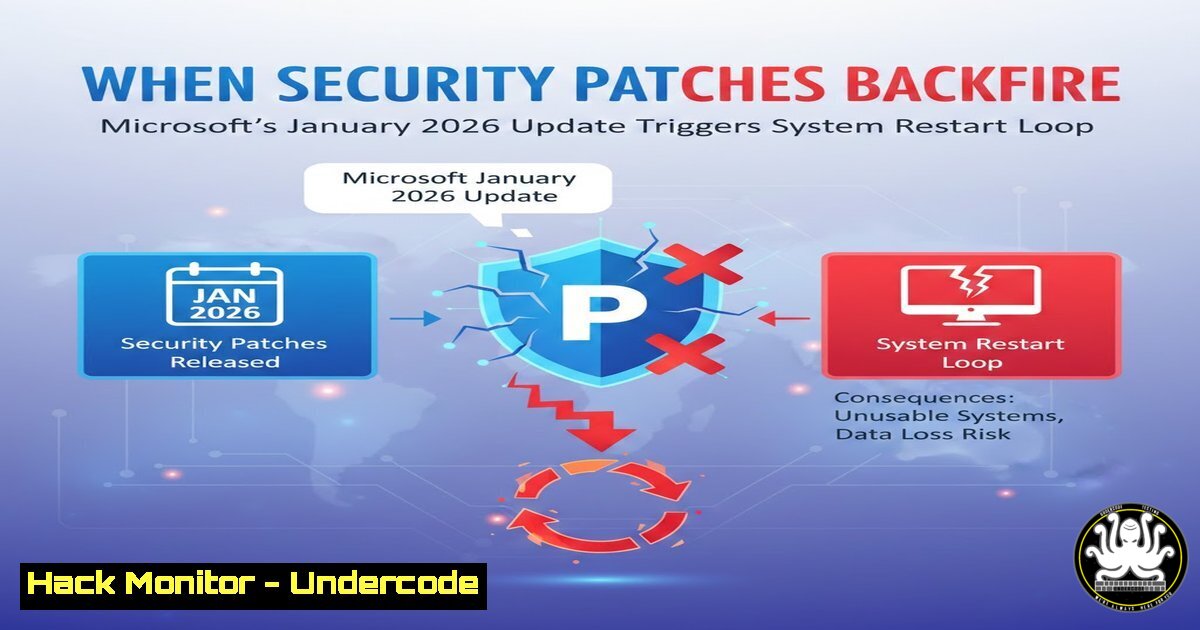
A critical flaw in Microsoft’s January 2026 security updates for Windows 10 and Windows 11 is causing widespread disruption. The bug, which particularly affects systems with advanced security features like Secure Launch and Virtual Secure Mode (VSM) enabled, prevents proper shutdown or hibernation, forcing affected PCs into an unintended restart cycle. This incident exposes critical vulnerabilities not in the operating system’s code, but in the very processes designed to protect it, raising severe questions about patch management reliability in enterprise environments.
Learning Objectives:
- Understand the technical root cause of the Windows shutdown bug and its specific interaction with Secure Launch and Virtual Secure Mode (VSM).
- Implement immediate workarounds and commands to regain control over system power states.
- Develop a strategic framework for testing and deploying critical security updates to prevent similar operational disruptions.
- Learn system hardening commands to audit and manage security feature states.
- Analyze the long-term implications for trust in automated patch management and enterprise cybersecurity posture.
You Should Know:
- The Technical Breakdown: How a Security Update Breaks a Core Function
The core malfunction stems from the January 2026 cumulative updates (KB505XXXX for Windows 11, KB505XXXX for Windows 10). These updates contained modifications to the Windows kernel and security subsystems that manage the system’s transition into low-power states (S4 hibernation) and off states (S5 shutdown).
The conflict is most acute on devices with firmware-based security features enabled:
Secure Launch (formerly DRTM – Dynamic Root of Trust for Measurement): This feature, part of Device Guard, uses the Trusted Platform Module (TPM) and specific CPU instructions (like Intel’s TXT or AMD’s SVM) to establish a trusted, isolated environment for the Windows Defender hypervisor during boot. The flawed update disrupts the handshake between the firmware, hypervisor, and OS when initiating a power-down sequence.
Virtual Secure Mode (VSM): This hypervisor-isolated container runs critical security processes. The bug appears to prevent VSM from gracefully quiescing its processes, causing the Windows Kernel to interpret the failure as a system error and trigger an automatic recovery restart.
Step-by-Step Guide: Diagnose If Your System is Vulnerable
To check if your system has the vulnerable configurations, use these commands in an Administrator Command Prompt or PowerShell:
 Check if Secure Launch (DRTM) is enabled
powershell "Confirm-SecureBootUEFI"
manage-bde -status c: | findstr /I "Hardware Encryption"
A return of `True` for Secure Boot and identification of hardware encryption suggests a compatible, potentially vulnerable state.
 Check for Virtualization-Based Security (VBS) and VSM status
msinfo32.exe
Navigate to System Summary and look for entries:
Virtualization-based security: Running
Device Guard Security Services Running: Hypervisor enforced Code Integrity
 Check the specific installed update (Windows 10 example)
wmic qfe list brief | find "KB505"
2. Immediate Workarounds: Regaining Control of Your System
While Microsoft develops a permanent fix, administrators must use documented workarounds. The standard shutdown GUI and `Start` menu option are unreliable; command-line control is essential.
Step-by-Step Guide: Forced Shutdown and Hibernate Workarounds
Use these commands from an elevated (Run as Administrator) terminal:
 1. The Primary Workaround: Forced Immediate Shutdown
shutdown /s /f /t 0
`/s`: Shutdown.
/f: Force running applications to close without warning. This will cause unsaved data loss.
`/t 0`: Zero-second delay.
 2. Alternative: Hibernate (if enabled) - Often Works Where Shutdown Fails
powercfg /hibernate on  Ensures hibernate is enabled
shutdown /h /f
 3. Emergency Local or Remote Restart (if system is unresponsive to GUI)
shutdown /r /f /t 0
 Remote shutdown of another affected workstation (requires admin rights on target)
shutdown /r /f /m \[bash] /t 0
3. Enterprise Mitigation: Group Policy and Update Management
For IT departments, the strategic response is as important as the tactical workaround. The goal is to prevent the bug’s spread and manage affected systems at scale.
Step-by-Step Guide: Deploying a Temporary Block via Group Policy
1. Open the Group Policy Management Console (GPMC.MSC) on your domain controller.
2. Navigate to the OU containing affected workstations. Create or edit a Group Policy Object (GPO).
3. Go to Computer Configuration > Policies > Administrative Templates > Windows Components > Windows Update > Windows Update for Business.
4. Enable the policy: “Select when Preview Builds and Feature Updates are received” or “Select when Quality Updates are received.”
5. Set a deferral period of 30-45 days for quality updates. This gives Microsoft time to issue and test a revised patch.
6. Simultaneously, use the policy under Computer Configuration > Preferences > Control Panel Settings > Scheduled Tasks to create a task that runs the `shutdown /s /f /t 0` command daily during off-hours for affected machines, ensuring they power down completely.
4. System Hardening: Auditing and Controlling Security Features
This incident demonstrates that advanced security features are not “set and forget.” Proactive management is required.
Step-by-Step Guide: Auditing and Configuring VSM and Secure Launch
 Audit the current VBS/VSM configuration comprehensively
powershell "Get-ComputerInfo -Property "HyperVRequirement""
powershell "Get-CimInstance -ClassName Win32_DeviceGuard -Namespace root\Microsoft\Windows\DeviceGuard"
 Temporarily DISABLE VBS/VSM (A LAST RESORT for critical stability)
 This requires a reboot and significantly reduces security posture.
 1. Create a backup of the current configuration:
reg export "HKLM\SYSTEM\CurrentControlSet\Control\DeviceGuard" C:\backup\DeviceGuard.reg
 2. Disable via Registry (Windows 11/10):
reg add "HKLM\SYSTEM\CurrentControlSet\Control\DeviceGuard" /v "EnableVirtualizationBasedSecurity" /t REG_DWORD /d 0 /f
 3. Disable via BCDEdit (reboot required):
bcdedit /set {current} hypervisorlaunchtype off
Warning: Disabling these features leaves the system more vulnerable to kernel-level attacks. Re-enable them immediately after a permanent fix is applied and tested.
- The Root Cause Analysis: A Failure in Change Management
The technical bug is a symptom of a larger process failure. For a security patch—especially one touching core kernel and hypervisor functions—to cause such a fundamental break, indicates a potential gap in Microsoft’s update validation pipeline, specifically in testing against hardened, enterprise-grade configurations.
Step‑by‑step guide: Building a Resilient Internal Testing Pipeline
Enterprise IT teams cannot rely solely on vendor testing. You must build a layered defense:
1. Create a Dedicated Test Ring: Maintain a physical and virtual lab that mirrors your most secure production configurations (Secure Launch, VSM, BitLocker, specific drivers).
2. Automate Pre- and Post-Update State Checks: Use PowerShell scripts to inventory system state before and after patch application.
 Sample script snippet to log pre-update state
$LogFile = "C:\Logs\PatchPreCheck.log"
"Date: $(Get-Date)" | Out-File $LogFile
"SecureBoot: $(Confirm-SecureBootUEFI)" | Out-File $LogFile -Append
systeminfo | Select-String "Hyper-V" | Out-File $LogFile -Append
3. Test Core Workflows: As part of your test cycle, script a series of shutdowns, restarts, and hibernations after applying any patch.
4. Implement phased rollouts: Deploy to 1% of pilot users, then 10%, then broadly, with clear rollback plans at each stage.
What Undercode Say:
- Security is a Trade-off, Not an Absolute: The January 2026 incident is a canonical case study in security’s paradox. The very features designed to create an impenetrable runtime environment (Secure Launch, VSM) became the vector for a debilitating operational failure. This forces a recalculation of risk: is the theoretical threat of a sophisticated kernel attack more or less likely than the guaranteed downtime of a broken patch? Enterprise security policies must evolve from mandating every available control to conducting rigorous resilience testing of those controls under update stress.
- The Erosion of Trust in Automated Patching: This bug strikes at the heart of modern IT’s foundation—trust in automated security updates. When “Patch Tuesday” transforms into “Downtime Wednesday,” it incentivizes dangerous behavior: delay, avoidance, or outright disabling of updates. The long-term damage to collective security posture is immense. Microsoft and other vendors must respond not just with fixes, but with unprecedented transparency about their testing matrices and rollback capabilities to rebuild this critical trust.
Prediction:
The fallout from the January 2026 Windows shutdown bug will accelerate three major trends in enterprise IT and cybersecurity. First, we will see a significant rise in the adoption of third-party patch management and validation platforms that offer independent testing, virtual patching, and more granular deployment control, reducing reliance on vendor update channels. Second, regulatory and insurance frameworks will begin to incorporate software supply chain resilience requirements, mandating that organizations demonstrate robust internal testing and rollback procedures for critical updates, not just their application. Finally, this event will serve as a catalyst for the development of more decoupled, containerized security architectures, where critical security functions can be updated independently of the core OS kernel, minimizing the blast radius of future faulty patches and reshaping endpoint security design for the next decade.
▶️ Related Video (84% Match):
🎯Let’s Practice For Free:
IT/Security Reporter URL:
Reported By: Mouhammad El – Hackers Feeds
Extra Hub: Undercode MoN
Basic Verification: Pass ✅


