
Listen to this Post
Introduction:
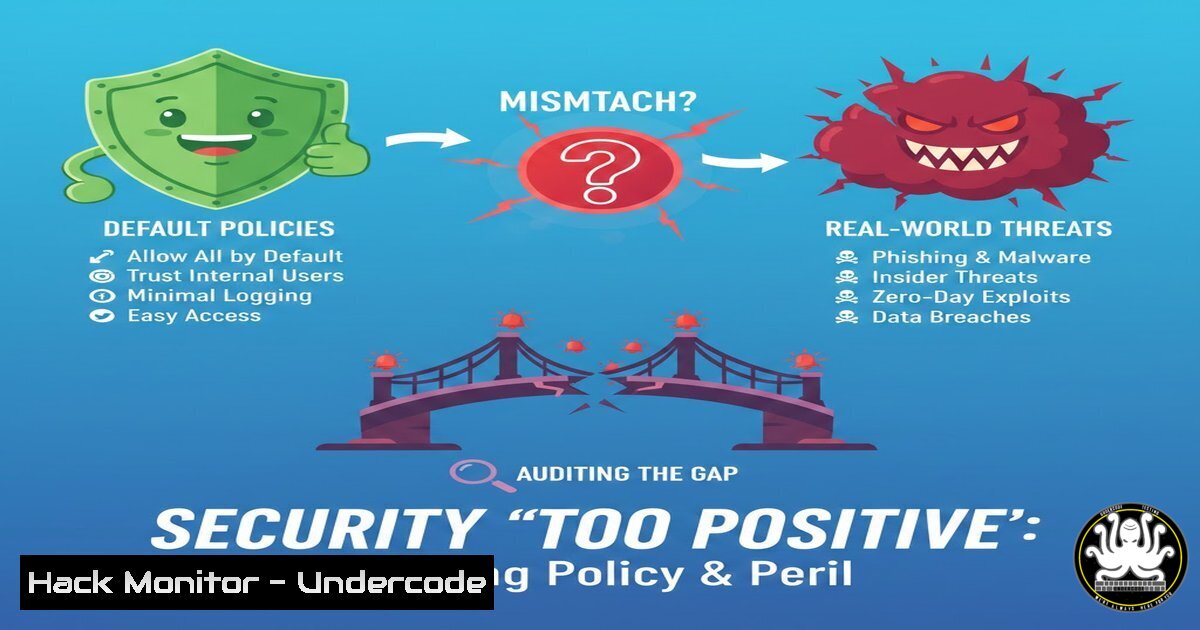
Rejection feedback in a job interview—being labelled “too positive” for a dour manager—serves as an unexpected metaphor for one of cybersecurity’s most persistent failures: deploying default configurations without auditing whether they fit the environment. Just as Alan Wilson learned that his energy was not welcomed in every room, security tools and policies often fail because they are not calibrated for the specific threat landscape, operational culture, or infrastructure stack they are meant to protect. This article extracts technical lessons from that mismatch, providing commands, hardening steps, and exploitation scenarios that demonstrate why “one-size-fits-all” security is as ineffective as forcing positivity into a room that rejects it.
Learning Objectives:
- Identify and remediate common misconfigurations that arise from deploying default security settings without contextual adaptation.
- Execute Linux and Windows commands to audit policies, discover exposed services, and harden systems based on actual usage patterns.
- Apply API security testing and cloud hardening techniques that reflect the principle: security must be tailored, not tolerated.
1. Auditing Default Credentials and Unchanged Configurations
What this is:
The cybersecurity equivalent of showing up with unchecked enthusiasm—default credentials and out‑of‑the‑box settings. Attackers scan for these “too positive” welcomes constantly.
Linux verification:
 Find all users with default or empty passwords
sudo grep '^[^:]:[^!]' /etc/shadow | awk -F: '$2 == "" || $2 == "!" {print $1}'
 List services listening on all interfaces (potential exposure)
sudo netstat -tulpn | grep LISTEN
Windows verification (PowerShell):
 Check for disabled password expiry on user accounts
Get-LocalUser | Where-Object {$<em>.PasswordExpires -eq $null -and $</em>.Enabled -eq $true}
 Identify default administrative shares that might be unintentionally exposed
Get-SmbShare | Where-Object {$_.Special -eq $false}
Step‑by‑step remediation:
- Run the above commands immediately after any OS or application deployment.
- For any discovered default credentials, rotate passwords and enforce complexity via `chage -M 90
` (Linux) or `Set-LocalUser -PasswordNeverExpires $false` (Windows). - Disable unused services and bind required services only to necessary interfaces (e.g., `127.0.0.1` instead of
0.0.0.0). -
Policy Drift Detection: When “Dour” Settings Clash with Operational Reality
What this is:
The hiring manager’s dour disposition represents an overly restrictive security policy that denies legitimate activity. This section detects where Group Policy or security baselines are too aggressive, causing shadow IT or alert fatigue.
Linux:
 Audit sudoers for overly broad permissions that users exploit because policy is too rigid
sudo grep -r 'NOPASSWD' /etc/sudoers
 Check for disabled but necessary services (e.g., SSH key forwarding blocked)
sshd -T | grep -E "allow|deny"
Windows (Group Policy analysis):
 Export all security policies and compare against a baseline
secedit /export /cfg secpolicy.inf
 Identify user rights assignments that may be too restrictive
Get-WmiObject -Namespace root\rsop\computer -Class RSOP_UserPrivilegeRight
Step‑by‑step calibration:
- Interview system owners about workflows that fail due to security controls.
- Use the exported policy to create exceptions for validated business processes.
- Implement Application Control (e.g., AppLocker) with auditing only before switching to enforced mode—measure actual impact.
-
API Security: The “Tolerated” Endpoint That Becomes an Attack Vector
What this is:
APIs that are tolerated but not actively secured mirror the feeling of being “tolerated” in a role. They lack authentication, rate limiting, or input validation.
Testing for exposure:
 Discover openAPI endpoints using common paths
curl -k https://target.com/swagger/v1/swagger.json -o swagger.json
curl -k https://target.com/api-docs
 Test for missing authentication using a crafted request
curl -X GET https://target.com/api/users -H "Content-Type: application/json"
Hardening:
- Implement OAuth2 or API keys; never rely on IP whitelisting alone.
2. Rate limiting with Nginx:
limit_req_zone $binary_remote_addr zone=api:10m rate=10r/s;
location /api/ {
limit_req zone=api burst=20 nodelay;
}
3. Use `zap-api-scan.py` from OWASP ZAP to automate security testing in CI/CD.
4. Cloud Hardening: Discernment in IAM Roles
What this is:
Just as Alan chose rooms that welcomed his energy, cloud IAM policies must grant only the permissions actually needed—not the default “positive” wide‑open roles.
AWS example (audit over‑permissive roles):
 List roles and their attached policies
aws iam list-roles --query "Roles[].[RoleName, Arn]" --output table
aws iam list-attached-role-policies --role-name <RoleName>
 Identify unused roles (30+ days)
aws iam get-role --role-name <RoleName> --query 'Role.RoleLastUsed'
Azure example:
 Get custom roles with wildcard actions
Get-AzRoleDefinition | Where-Object {$_.Actions -like "/"} | Select Name, Actions
Step‑by‑step least privilege:
- Remove wildcard (“) actions from all custom roles.
- Use AWS Access Advisor or Azure AD Privileged Identity Management to right‑size permissions based on actual usage.
- Enforce `Condition` blocks that restrict access to specific networks or MFA status.
-
Vulnerability Exploitation: The “Too Positive” Plugin That Never Got Patched
What this is:
Unpatched software that “seems to work fine” is like an employee whose positivity masks a lack of technical update—until it’s exploited.
Linux enumeration (discover outdated packages):
 Debian/Ubuntu
apt list --upgradable
 RHEL/CentOS
yum check-update
 Kernel version and exploit suggester
uname -r
./linux-exploit-suggester.sh
Windows enumeration:
 Get installed hotfixes
Get-HotFix | Sort-Object InstalledOn
 Check for missing patches via Microsoft Update Catalog or WMI
Get-WmiObject -Class Win32_QuickFixEngineering
Mitigation:
- Automate patching with `unattended-upgrades` (Linux) or WSUS/SCCM (Windows).
- For legacy systems that cannot be patched, deploy virtual patching via WAF or IDS/IPS signatures.
- Prioritise patches using CVSS scores and exploit maturity (e.g., CISA KEV catalog).
-
Training Courses: Building a “Security Culture” That Fits, Not Just Exists
What this is:
Generic security awareness training is the “too positive” feedback of cybersecurity education—it lands poorly because it isn’t tailored. Based on the article’s theme, organisations should extract training needs from actual incidents.
Extracting training needs from logs:
 Analyse failed SSH logins to detect credential reuse attempts
grep "Failed password" /var/log/auth.log | awk '{print $1,$2,$3,$9,$11}' | sort | uniq -c | sort -nr | head -20
Windows (failed RDP events):
 Event ID 4625 = failed logon
Get-WinEvent -FilterHashtable @{LogName='Security'; ID=4625} -MaxEvents 100 | Select TimeCreated, Message
Building a custom training module:
- Identify the top three attack types that reach employee endpoints (phishing, credential stuffing, USB drops).
- Create micro‑simulations that mirror those exact tactics, not generic “be careful” messages.
- Measure click rates and credential submission rates before/after training to validate effectiveness.
What Undercode Say:
Key Takeaway 1:
Default configurations and generic security policies are the equivalent of being “for everyone”—they satisfy no real threat model and often create friction that drives users to bypass controls. Tailoring security through continuous auditing and feedback loops is the only way to achieve both protection and usability.
Key Takeaway 2:
The feedback “too positive” was actually a rejection of misalignment. In cybersecurity, this translates to misalignment between assumed threats and actual attacks. Organisations must move from compliance‑driven checklists to evidence‑based hardening—using logs, attacker techniques, and business workflow analysis to decide what security looks like in that specific room.
Analysis:
Alan’s realisation—that he cannot be for everyone—parallels the evolution from signature‑based antivirus to behaviour‑based detection. Legacy tools tried to block everything; modern EDR learns what “normal” looks like and alerts on deviations. This philosophy must extend to IAM, cloud configuration, and patching. Tools like OpenSCAP, AWS Config, and Microsoft Defender for Cloud now offer custom baselines, not just CIS benchmarks. The future belongs to security that asks, “What belongs here?” rather than “What is forbidden everywhere?” Just as Alan found environments where his energy was welcomed, security controls must find environments where their restrictions are understood and accepted. That is the difference between security that is merely installed and security that is integrated.
Prediction:
The next three years will see the decline of “universal” security frameworks in favour of context‑aware, AI‑driven policy engines that adapt to organisational culture and individual user behaviour. Just as the hiring manager’s honesty helped Alan find his fit, organisations that audit why controls fail—not just whether they are present—will outperform those that rigidly enforce standardised rules. Security will shift from a series of rejections to a series of targeted acceptances, mirroring Alan’s journey from “not for every room” to “exactly right for this one.”
▶️ Related Video (80% Match):
🎯Let’s Practice For Free:
IT/Security Reporter URL:
Reported By: Alan Wilson – Hackers Feeds
Extra Hub: Undercode MoN
Basic Verification: Pass ✅


