Listen to this Post
Introduction:
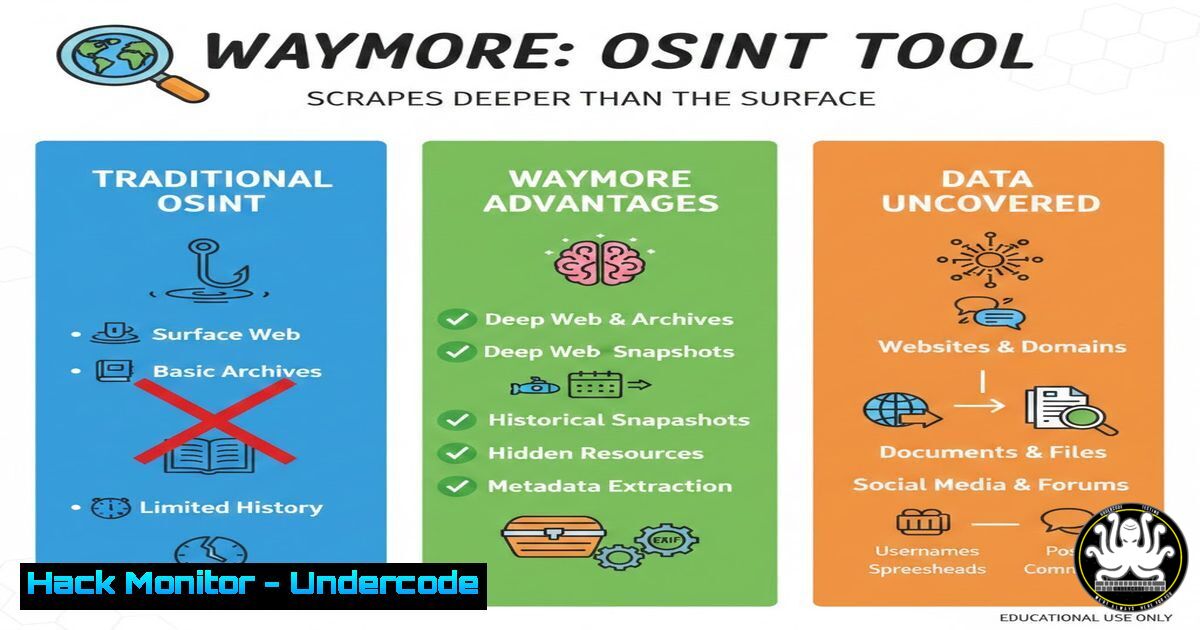
In the arsenal of modern cybersecurity professionals and ethical hackers, Open Source Intelligence (OSINT) gathering is the critical first phase of reconnaissance. A new tool, Waymore, is revolutionizing this process by automating the deep, historical scraping of a target’s web presence from archives like the Wayback Machine, Common Crawl, and VirusTotal. This article dissects Waymore’s capabilities, providing a technical deep-dive into its installation, configuration, and operational use for comprehensive attack surface discovery.
Learning Objectives:
- Understand the core functionality of Waymore as an advanced, automated OSINT URL discovery tool.
- Learn to install, configure, and run Waymore in both simple and advanced modes for targeted reconnaissance.
- Apply extracted intelligence to real-world security assessments, including vulnerability scanning and credential hunting.
You Should Know:
- What is Waymore and Why It’s a Recon Game-Changer
Waymore, developed by XNL-h4ck3r, is a Python tool designed to find way more URLs from a target domain than traditional methods. It automates queries to multiple historical sources, primarily the Wayback Machine (web.archive.org), but also integrates with Common Crawl and VirusTotal’s URL dataset. Unlike manual archive searching, Waymore recursively spiders every discovered page, extracts all links, and outputs clean, unique lists. This is invaluable for discovering forgotten subdomains, retired development endpoints, archived files containing secrets, and parameters ripe for injection testing.
Step-by-Step Guide:
Concept: Automation replaces hours of manual browsing. You provide a domain; Waymore fetches all known URLs, filters them by response code or content type, and organizes the output.
Basic Run: After installation, the simplest command is:
python3 waymore.py -i target.com -mode U
This runs in URL mode (-mode U), fetching URLs for target.com.
2. Installation and Initial Configuration on Linux
A proper setup ensures all dependencies are met. It’s recommended to use a virtual environment.
Step-by-Step Guide:
- Clone the repository from GitHub: `git clone https://github.com/xnl-h4ck3r/waymore.git`
2. Navigate into the directory: `cd waymore`
- (Recommended) Create and activate a Python virtual environment:
python3 -m venv venv
source venv/bin/activate
- Install the required dependencies: `pip install -r requirements.txt`
5. Verify installation: `python3 waymore.py -h` to view the help menu.
3. Mastering Modes and Filters for Precision Intelligence
Waymore operates in two primary modes and offers powerful filtering.
Step-by-Step Guide:
URL Mode (-mode U): The default. It finds all URLs. Use it for broad discovery.
Content Mode (-mode C): This mode not only finds URLs but also downloads the content (HTML, JS, text) of those pages from the archives. This is critical for offline analysis, such as grepping for API keys, tokens, or sensitive comments.
python3 waymore.py -i target.com -mode C -oD /path/to/downloads
Filtering: Use `-f` to filter responses. E.g., `-f 200` only outputs URLs that returned a 200 OK status. Use `-fc` to filter by content type, e.g., -fc text/html.
- Integrating with External Tools for an Automated Pipeline
The true power of Waymore is realized when its output feeds into other security tools, creating a reconnaissance pipeline.
Step-by-Step Guide:
- Run Waymore to get a URL list: `python3 waymore.py -i target.com -mode U -oU /path/to/urls.txt`
2. Feed URLs to a parameter discovery tool like Arjun or ParamSpider to find injection points:cat /path/to/urls.txt | python3 arjun.py -oT target_params.txt
- Feed URLs to a vulnerability scanner like Nuclei:
cat /path/to/urls.txt | nuclei -t /nuclei-templates/ -o target_nuclei_scan.txt
- Use the content mode output to hunt for secrets with tools like `grep` or
gf:cd /path/to/downloaded_content grep -r "api_key" --include=".js" --include=".txt" .
-
Advanced Usage: Configuring API Keys and Rate Limit Management
To leverage VirusTotal and avoid rate limits on the Wayback Machine, configure API keys.
Step-by-Step Guide:
1. Obtain a (free) VirusTotal API key.
2. In the Waymore directory, edit `config.yml`:
virustotal:
api-key: 'YOUR_VIRUSTOTAL_API_KEY'
3. For the Wayback Machine, consider using the `-l` (limit) and `-w` (wait) options to polite crawling and avoid IP blocking:
python3 waymore.py -i target.com -l 5 -w 2
This limits to 5 URLs/second and waits 2 seconds between Wayback CDX API requests.
- From Recon to Real-World Exploitation: A Practical Scenario
Imagine discovering an archived `/wp-admin/install.php` page for a currently live WordPress site. This could indicate a previous installation where credentials were set.
Step-by-Step Guide:
- Waymore finds: `https://target.com/dev/old_wp/wp-admin/install.php` (archived).
- Use `curl` or `waybackurls` to fetch the archived page’s content, looking for default database credentials or setup clues.
- Check if the main site uses WordPress. If so, attempt to brute-force the `wp-login.php` page with discovered usernames or common defaults.
- This chain turns historical data (an archived dev site) into a potential attack vector against the current production environment.
7. Defensive Mitigations: How to Protect Your Organization
Understanding offensive tools is key to defense. Organizations must manage their digital footprint.
Step-by-Step Guide:
Inventory & Takedown: Regularly use tools like Waymore on your own domains. Discover and formally request the removal of sensitive archived content from the Wayback Machine via their `robots.txt` or removal request process.
Robots.txt Controls: Ensure your `robots.txt` disallows crawling of sensitive paths. Note: Archives may ignore this, but it’s a first layer.
Active Monitoring: Deploy Web Application Firewalls (WAFs) and Security Information and Event Management (SIEM) systems configured to alert on access attempts to known-retired paths or parameters discovered by tools like Waymore.
What Undercode Say:
Automation is Force Multiplier: Waymore exemplifies how automating tedious OSINT processes uncovers a target’s hidden, historical attack surface, which is often richer than its current, hardened front.
The Past is a Blueprint: Archived and forgotten content frequently provides the missing pieces—subdomains, parameters, and even credentials—that bridge the gap between reconnaissance and successful exploitation.
Prediction:
Tools like Waymore signify a shift towards intelligent, aggregated reconnaissance automation. We will see increased integration of AI to categorize and prioritize discovered endpoints by potential vulnerability score. Defensively, this will push the development of automated “digital footprint scrubbing” services and more adversarial use of `robots.txt` and archive removal APIs. The cat-and-mouse game will move from live infrastructure to the historical record, making comprehensive archive management a new mandatory layer in enterprise security posture.
▶️ Related Video (76% Match):
🎯Let’s Practice For Free:
IT/Security Reporter URL:
Reported By: 0xfrost Waymore – Hackers Feeds
Extra Hub: Undercode MoN
Basic Verification: Pass ✅


