Listen to this Post
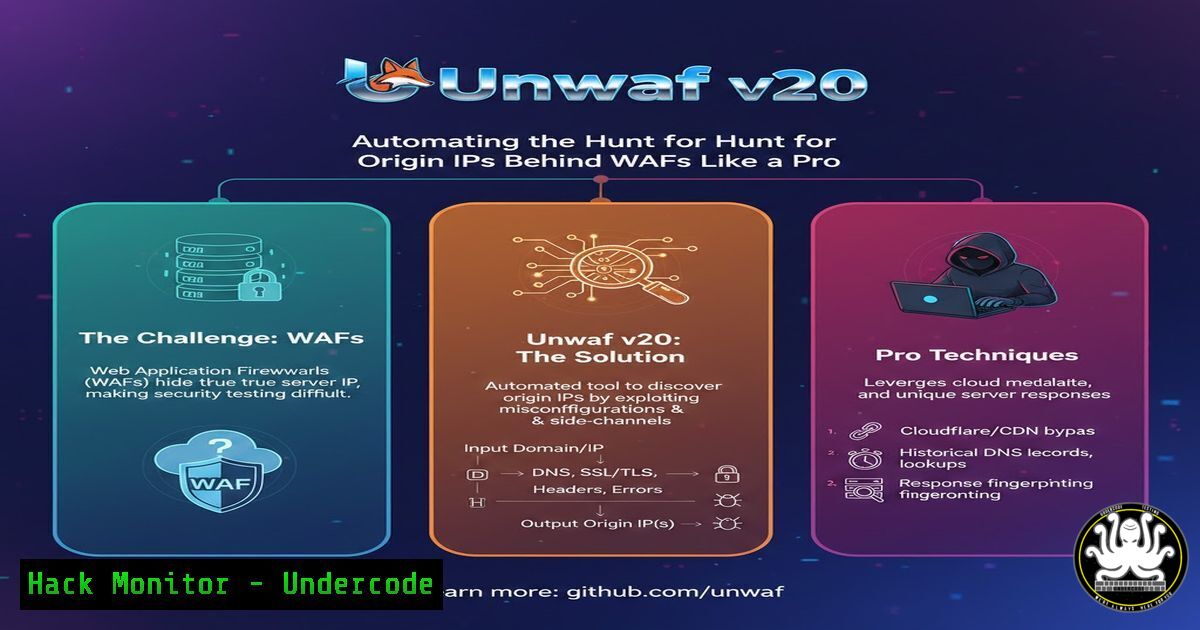
Introduction:
In the cat-and-mouse game of web application security, a Web Application Firewall (WAF) is the primary line of defense, filtering malicious traffic and shielding the origin server. However, the entire defense crumbles if an attacker can discover the server’s real IP address, bypassing the WAF entirely. What was once a tedious process of manual DNS interrogation and subdomain guessing has now been weaponized. Unwaf v2.0 automates this discovery, turning a tedious manual task into a swift, multi-vector reconnaissance operation that every penetration tester and bug bounty hunter should have in their arsenal.
Learning Objectives:
- Understand the passive techniques used to uncover origin IPs hidden behind WAFs.
- Learn to deploy and utilize Unwaf v2.0 for automated WAF bypass reconnaissance.
- Identify and implement critical defense mechanisms to prevent origin IP exposure.
You Should Know:
1. DNS Record Analysis: SPF and MX
The first step in Unwaf’s automated discovery leverages DNS records that are often misconfigured. SPF (Sender Policy Framework) records list all servers authorized to send email for a domain. Administrators sometimes accidentally include the direct IP address of the origin server here. Similarly, MX (Mail Exchange) records, excluding those pointing to major providers like Google or Microsoft, can reveal internal mail server IPs that might be hosted on the same origin infrastructure.
Step‑by‑step guide to manual verification:
- Query SPF Records: Open a terminal and use the `dig` command to fetch TXT records, where SPF records are stored.
dig TXT example.com | grep "v=spf1"
Look for “ip4:” entries. An entry like `ip4:203.0.113.5` directly exposes an IP address.
- Analyze MX Records: Use `dig` to find mail servers.
dig MX example.com
If the response includes a custom hostname like
mail.example.com, resolve that hostname to its IP.dig A mail.example.com
This IP is a prime candidate for the origin server.
2. Subdomain Guessing and Certificate Transparency
Organizations often create specific subdomains for development, staging, or administrative panels (e.g., origin.example.com, cpanel.example.com, dev.example.com) that may point directly to the origin IP, bypassing the WAF configured for the main domain. Furthermore, Certificate Transparency (CT) logs are public records of every SSL/TLS certificate issued. These logs are a goldmine, as they list all subdomains included in a certificate.
Step‑by‑step guide to harvesting subdomains:
- Automated Brute-forcing: Tools like `ffuf` or `gobuster` can brute-force common subdomains.
Example using ffuf
ffuf -w /path/to/subdomain-wordlist.txt -u https://example.com -H "Host: FUZZ.example.com" -fs <filter_size>
Note any subdomains that resolve to IP addresses different from the WAF-protected main domain.
- Querying CT Logs via CLI: Use `curl` to query the crt.sh database.
curl -s "https://crt.sh/?q=%.example.com&output=json" | jq -r '.[].name_value' | sort -u
This command returns a unique list of subdomains associated with
example.com. Manually resolve these using `dig` to find the IP addresses.
3. Historical DNS Data and Censys Integration
IP addresses change over time. A server might have been moved behind a WAF recently, but its old IP address is still cached by historical DNS databases like ViewDNS or SecurityTrails. Additionally, Censys continuously scans the entire IPv4 address space and stores certificate data. If your origin server ever presented a certificate for your domain directly (before the WAF was implemented), Censys will have a record of that IP.
Step‑by‑step guide to checking historical data:
- Using SecurityTrails API (Manual): While Unwaf automates this, you can manually query the API.
curl --request GET --url "https://api.securitytrails.com/v1/history/example.com/dns/a" --header "APIKEY: YOUR_API_KEY"
This returns a JSON list of all historical A records for the domain.
- Simulating Censys Search: Unwaf searches Censys for certificates matching your target domain. You can replicate this search on the Censys website or via their API, looking for IP addresses that host a certificate with your target domain in the Common Name or Subject Alternative Name (SAN) fields.
4. WAF Fingerprinting and Confirmation
Once Unwaf collects potential IP addresses, it doesn’t just stop there. It performs WAF fingerprinting to confirm its findings. If a discovered IP address responds to HTTP/HTTPS requests but does not show the headers or behavior of the known WAF (e.g., `CF-Ray` for Cloudflare), it is highly likely to be the unprotected origin server.
Step‑by‑step guide to manual fingerprinting:
- Check Response Headers: Use `curl` to connect directly to a suspected origin IP, using the domain name in the `Host` header.
curl -I http://203.0.113.5 -H "Host: www.example.com"
2. Analyze the Output:
- If the server is behind Cloudflare, you will likely see `CF-Ray` and `CF-Cache-Status` headers.
- If you connect to the origin IP and do not see these headers, but the site loads correctly, you have successfully bypassed the WAF. The output might show headers like `Server: nginx` or
X-Powered-By: PHP/7.4, which are often hidden or altered by a WAF.
5. Defense in Depth: Mitigating the Bypass
As highlighted by security professional Abdi D., simply finding a new IP isn’t enough if you don’t lock it down. Two critical measures can render Unwaf’s discoveries useless.
Step‑by‑step guide to implementing key defenses:
1. Authenticated Origin Pulls (Cloudflare Example):
- In your Cloudflare dashboard, navigate to SSL/TLS > Origin Server.
- Enable “Authenticated Origin Pulls.” This generates a certificate installed on your origin server.
- Configure your origin server (e.g., Nginx, Apache) to only accept connections presenting a client certificate that matches Cloudflare’s.
- Nginx Configuration Snippet:
location / {
proxy_pass https://your_backend;
proxy_ssl_verify on;
proxy_ssl_trusted_certificate /path/to/cloudflare_origin_ca.pem;
proxy_ssl_verify_depth 2;
}
2. IP Rotation and Abandonment:
- When decommissioning a server or changing IPs, do not just release the IP back to the pool. Ensure the old IP is completely abandoned and no longer routes traffic to your services.
- In cloud environments (AWS, GCP, Azure), terminate the old instance or network interface and assign a new, unused public IP to your load balancer or gateway. This removes the historical DNS records from being a viable attack vector.
What Undercode Say:
- Passive Recon is King: Unwaf v2.0 demonstrates that the most effective WAF bypasses don’t rely on complex exploits, but on the passive, intelligent correlation of publicly available data like DNS records, CT logs, and historical databases.
- Defense is Not Optional: Relying solely on a WAF for security is a dangerous fallacy. Implementing “Authenticated Origin Pulls” ensures that even if the IP is discovered, the origin server remains inaccessible to direct traffic, adding a critical layer of zero-trust security.
- Automation Democratizes Hacking: Tools like Unwaf lower the barrier to entry for sophisticated recon techniques. For defenders, this means the “security through obscurity” of an origin IP is completely dead. Proactive discovery and elimination of one’s own leaked IPs must become a standard part of the security hygiene process.
Prediction:
As automated recon tools like Unwaf become standard in every pentester’s toolkit, we will see a significant shift in web application defense. The concept of a “perimeter” will further erode, forcing a move towards “Identity-First” security models. Expect WAF providers to double down on features like Authenticated Origin Pulls and integrate automated, continuous scanning for customer origin IP leaks as a paid service, turning the attacker’s primary tool into a defender’s monitoring alert.
▶️ Related Video (82% Match):
🎯Let’s Practice For Free:
IT/Security Reporter URL:
Reported By: Martinmarting Finding – Hackers Feeds
Extra Hub: Undercode MoN
Basic Verification: Pass ✅


