Listen to this Post
Introduction:
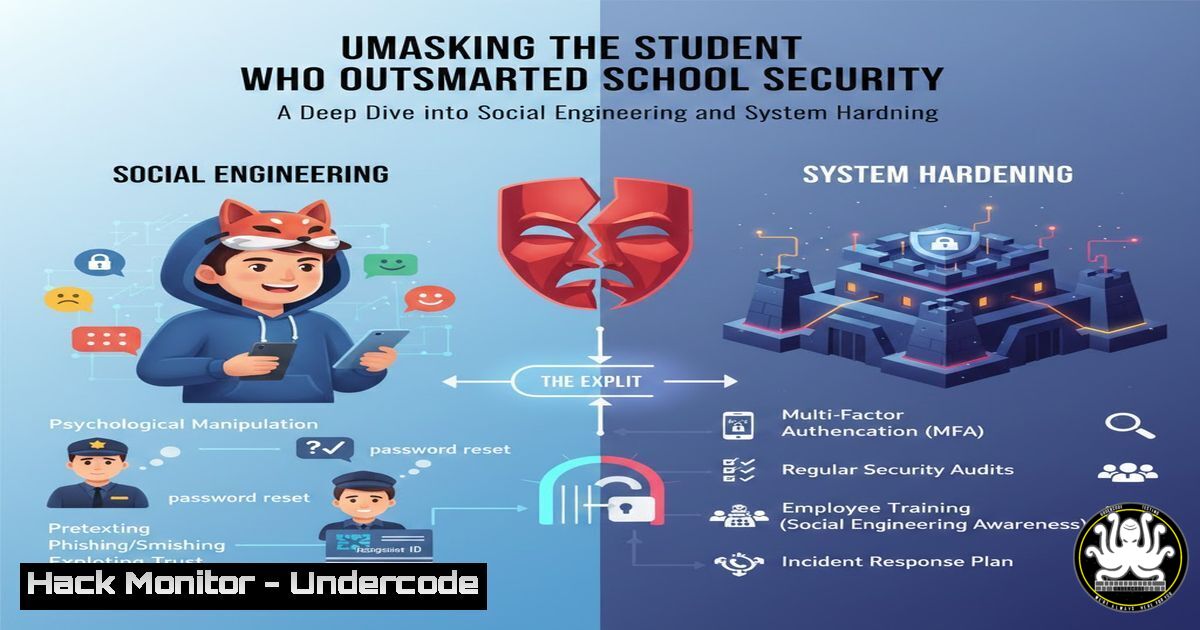
A recent post by Shadman Bashir highlights a student’s successful bypass of his school’s cybersecurity defenses, a stark reminder that the most sophisticated technical safeguards can be undermined by human factors. This incident serves as a critical case study in social engineering, physical security lapses, and the absolute necessity of defense-in-depth strategies. We will deconstruct the likely methods used and provide a actionable guide for organizations to fortify their perimeters against such intrusions.
Learning Objectives:
- Understand the principles of social engineering and physical security bypasses.
- Learn how to audit and harden Windows and network configurations against unauthorized local access.
- Implement monitoring and logging to detect and respond to internal security events.
You Should Know:
- The Art of the Con: Deconstructing Social Engineering Attacks
Social engineering is the psychological manipulation of people into performing actions or divulging confidential information. In a school or corporate environment, this often takes the form of tailgating (following an authorized person through a secure door), impersonating IT staff, or posing as a vendor.
Step‑by‑step guide explaining what this does and how to use it.
Phase 1: Reconnaissance. The attacker gathers information. This could be as simple as observing which teachers are lax about their door security or what time the IT team takes lunch.
Phase 2: Pretexting. The attacker develops a believable scenario. “I’m from the tech company here to service the projector,” or “I forgot my keycard, can you let me in?”
Phase 3: The Approach. The attacker executes the plan, relying on confidence and the target’s natural desire to be helpful.
Mitigation Strategy:
Mandatory Security Training: Conduct regular training that teaches staff to challenge unfamiliar individuals without a badge.
Strict Access Procedures: Enforce a “no tailgating” policy. Every individual must badge in independently.
Verification Protocols: Implement a process for verifying the identity of unscheduled vendors or repair personnel.
- Exploiting Physical Access: From a Keyboard to Domain Compromise
Once an attacker has physical access to a machine, the game changes dramatically. A common vector is the exploitation of local administrator privileges or unpatched vulnerabilities on the workstation itself.
Step‑by‑step guide explaining what this does and how to use it.
A likely technique involves creating a new local user account and adding it to the local administrators group.
On Windows (Command Prompt):
 Create a new hidden local user
net user /add SecretAdminUser MySuperStrongPassword! /comment:"Service Account" /fullname:"Service Account"

Add the user to the local administrators group
net localgroup administrators SecretAdminUser /add
On Windows (PowerShell):
 Create a new local user
New-LocalUser -Name "ShadowAccount" -Password (ConvertTo-SecureString "AnotherStrongP@ssw0rd!" -AsPlainText -Force) -Description "Temp Admin"

Add to administrators group
Add-LocalGroupMember -Group "Administrators" -Member "ShadowAccount"
Mitigation Strategy:
Principle of Least Privilege: Standard users should not have local admin rights. This prevents them from installing software or making system-level changes.
Application Whitelisting: Use tools like Windows Defender Application Control to only allow authorized executables to run.
Credential Guard: Enable this Windows feature to protect NTLM password hashes and Kerberos tickets from theft.
3. Network Reconnaissance from the Inside
With local admin access, the attacker can begin to map the internal network to find valuable targets like file servers, domain controllers, or other workstations.
Step‑by‑step guide explaining what this does and how to use it.
Using Built-in Windows Tools:
 Discover other machines on the network
net view

View network shares on a specific computer (e.g., a file server)
net view \FILESERVER01

Display the IP configuration of the current machine to identify the subnet
ipconfig
Using a Tool like Nmap (if installed):
 Basic ping scan to discover live hosts
nmap -sn 192.168.1.0/24

Scan a specific host for open ports and services
nmap -sV -sC 192.168.1.10
Mitigation Strategy:
Network Segmentation: Divide the network into segments (e.g., staff, students, servers). Use firewalls to control traffic between segments. Student workstations should not be able to directly access critical administrative servers.
Monitoring and Logging: Deploy a SIEM (Security Information and Event Management) system to collect and analyze logs for suspicious network scanning activity.
4. Hardening Windows Against Local Privilege Escalation
Preventing a standard user from gaining administrative privileges is a cornerstone of internal security.
Step‑by‑step guide explaining what this does and how to use it.
Configure Local Security Policy (secpol.msc):
Navigate to `Security Settings` -> `Local Policies` -> Security Options.
Ensure `Accounts: Limit local account use of blank passwords to console logon only` is Enabled.
Set `Interactive logon: Message title/text` to display a warning against unauthorized use.
PowerShell for Hardening:
 Disable the default 'Administrator' account
Disable-LocalUser -Name "Administrator"

Ensure the Guest account is disabled
Disable-LocalUser -Name "Guest"

Get a list of all users in the Administrators group
Get-LocalGroupMember -Group "Administrators"
LAPS (Local Administrator Password Solution): Implement Microsoft LAPS, which manages a unique, complex password for the local administrator account on each machine, preventing lateral movement using a single shared password.
5. Implementing Robust Audit Policies
You cannot defend against what you cannot see. Comprehensive logging is essential for detecting and investigating incidents.
Step‑by‑step guide explaining what this does and how to use it.
Enable Audit Policies via Group Policy (gpedit.msc):
Navigate to `Computer Configuration` -> `Windows Settings` -> `Security Settings` -> `Advanced Audit Policy Configuration` -> Audit Policies.
Enable auditing for:
`Audit Logon` (Success and Failure)
`Audit Account Management` (Success and Failure)
`Audit Process Creation` (Success)
`Audit Policy Change` (Success and Failure)
Reviewing Events in Event Viewer (eventvwr.msc):
Look for Event ID 4720 (A user account was created) in the `Security` log.
Look for Event ID 4732 (A member was added to a security-enabled local group) to detect users being added to the Administrators group.
Centralized Logging: Forward Windows events to a central SIEM or log server where they can be correlated and analyzed, preventing an attacker from deleting local logs to cover their tracks.
What Undercode Say:
- The human element is, and will always be, the most vulnerable link in the security chain. Technical controls are meaningless if an attacker can simply walk through the front door.
- Defense-in-depth is not a cliché; it is a necessity. Layers of security—physical, technical, and administrative—must work in concert to protect an environment.
This incident is a powerful, real-world example of a breach that likely required zero-days or advanced malware. It was a failure of process and awareness. The student’s actions, while a clear policy violation, exposed critical weaknesses that a truly malicious actor would exploit with far more damaging consequences. The focus should not be solely on punishing the individual, but on using this as a catalyst for a thorough security review, patching the procedural holes that were so easily manipulated. Proactive hardening and continuous training are the only effective countermeasures.
Prediction:
The future of such “low-tech” hacks will converge with high-tech AI tools. We predict a rise in AI-powered social engineering, where deepfake audio or video will be used to impersonate executives or IT staff over the phone or in video calls, making pretexting far more convincing. Furthermore, automated tools will soon be able to perform the network reconnaissance and privilege escalation steps outlined above in minutes, not hours, drastically reducing the time from initial access to full domain compromise. Organizations that fail to adapt their human-centric security protocols will be disproportionately targeted and compromised.
🎯Let’s Practice For Free:
IT/Security Reporter URL:
Reported By: Shadman Bashir – Hackers Feeds
Extra Hub: Undercode MoN
Basic Verification: Pass ✅


