Listen to this Post
Introduction:
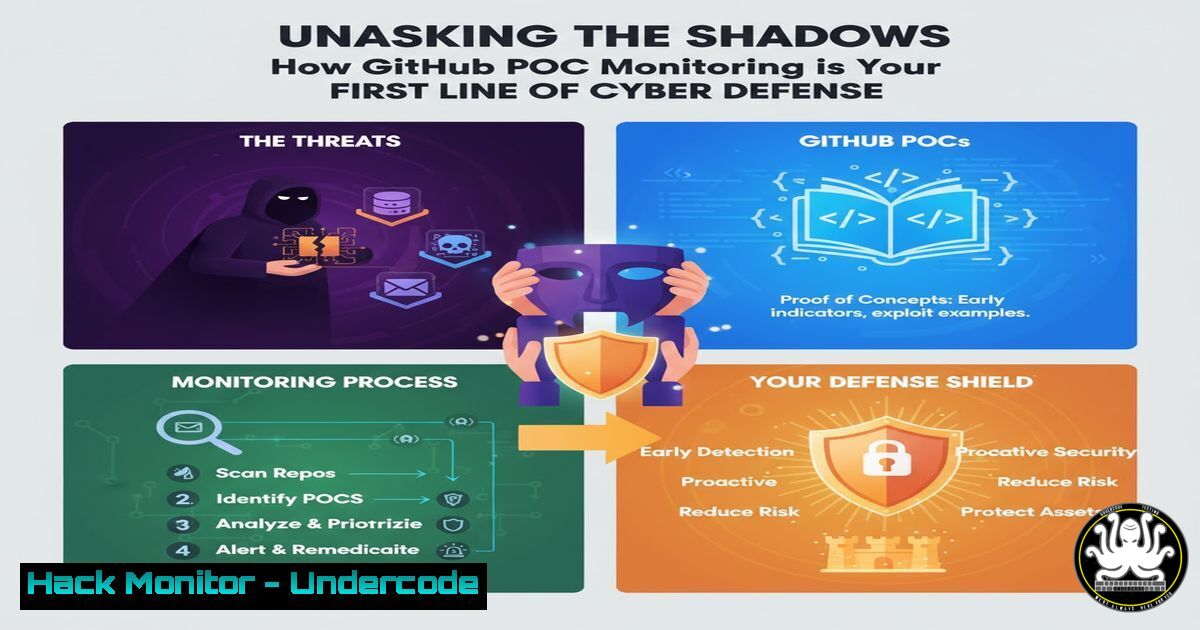
In the relentless arms race of cybersecurity, proof-of-concept (POC) exploits published on platforms like GitHub represent a critical inflection point. They are both a warning siren for defenders and a weaponization guide for attackers. Proactive monitoring of these repositories is no longer a niche skill but a fundamental component of modern threat intelligence and vulnerability management, allowing security teams to transition from a reactive to a predictive posture.
Learning Objectives:
- Understand the critical role of GitHub POC monitoring in a proactive cybersecurity strategy.
- Learn to utilize essential OS and command-line tools for threat intelligence gathering and analysis.
- Develop a practical workflow for validating, testing, and mitigating vulnerabilities publicized through POCs.
You Should Know:
1. The GitHub CLI for Efficient POC Discovery
Verified Command:
 Install GitHub CLI
 Ubuntu/Debian
sudo apt-key adv --keyserver keyserver.ubuntu.com --recv-key C99B11DEB97541F0
sudo apt-add-repository https://cli.github.com/packages
sudo apt update && sudo apt install gh

Authenticate and search for recent POCs related to a CVE
gh auth login
gh search repos "CVE-2025-10041 proof of concept" --limit=10 --sort=updated
Step-by-step guide:
The GitHub CLI (gh) is an indispensable tool for security researchers. After installation, authenticating with `gh auth login` allows you to interact with the GitHub API with a high rate limit. The `gh search repos` command lets you programmatically query for repositories containing specific keywords, such as a CVE identifier and “proof of concept.” Using `–sort=updated` ensures you see the most recently active repositories first, which is crucial for timely intelligence. This method is far more efficient and scriptable than manual browsing.
- Leveraging `grep` and `curl` for CVE Detail Aggregation
Verified Command:
 Using curl to fetch CVE details from a public API and grepping for key information
curl -s "https://cve.circl.lu/api/cve/CVE-2021-24762" | grep -E '"summary"|"cvss"|"references"'
Step-by-step guide:
This command pipeline demonstrates a quick method for aggregating CVE details. `curl -s` fetches data silently from a public CVE database API (like CIRCL). The output, typically in JSON format, is then piped to `grep -E` which uses extended regular expressions to filter for only the most critical lines: the vulnerability summary, its CVSS score, and any reference links. This allows you to quickly assess the severity and basic details of a CVE mentioned in a POC post without leaving your terminal.
3. Isolated Analysis with Python Virtual Environments
Verified Command:
 Creating an isolated Python environment to safely run a POC script
cd /path/to/poc_repo_clone
python3 -m venv poc_analysis_env
source poc_analysis_env/bin/activate
pip install -r requirements.txt  Install only the necessary dependencies
python poc_script.py --target http://your-test-victim.local
deactivate  Exit the environment after analysis
Step-by-step guide:
Running unknown POC code on your host machine is extremely risky. Python’s built-in `venv` module allows you to create an isolated virtual environment. By activating this environment (source .../activate), any Python packages installed via `pip` are confined to this environment, preventing conflicts with your system packages and containing potential malware. After your analysis is complete, the `deactivate` command exits the environment, leaving your host system clean.
4. Network Traffic Analysis with `tcpdump`
Verified Command:
 Capture network traffic during POC execution to analyze its behavior
sudo tcpdump -i any -w poc_capture.pcap host <TEST_VICTIM_IP>
 ...Run the POC exploit...
 Stop tcpdump with Ctrl+C, then analyze the capture with Wireshark or tshark
tshark -r poc_capture.pcap -Y "http or tcp.port==445" -V
Step-by-step guide:
To understand what a POC exploit is actually doing, you must observe its network activity. `tcpdump` is a powerful command-line packet analyzer. The command `sudo tcpdump -i any -w poc_capture.pcap host
` starts a capture on any interface, filtering for traffic to/from your test victim's IP, and writes the raw packets to a file. After running the POC, you can analyze this `.pcap` file. Using `tshark` (the CLI version of Wireshark) with a display filter (<code>-Y</code>) allows you to inspect specific protocols like HTTP or SMB, revealing the exploit's communication patterns and payloads.

<h2 style="color: yellow;">5. Windows PowerShell for Local Privilege Escalation Checks</h2>

<h2 style="color: yellow;">Verified Command:</h2>

[bash]
 PowerShell command to check system info and hotfixes (useful for identifying missing patches referenced in a POC)
Get-WmiObject -Class Win32_OperatingSystem | Select-Object Caption, Version
Get-HotFix | Sort-Object InstalledOn -Descending | Select-Object -First 10
 Check for weak service permissions (a common privilege escalation vector)
Get-CimInstance -ClassName Win32_Service | Where-Object {$_.StartName -eq "LocalSystem"} | Select-Object Name, DisplayName, State, PathName
Step-by-step guide:
Many POCs exploit misconfigurations or unpatched vulnerabilities. These PowerShell commands help you profile a Windows system from a defensive standpoint. `Get-WmiObject` and `Get-HotFix` provide crucial information about the OS version and installed patches, which you can cross-reference with the CVE details. The second command queries all services running under the powerful `LocalSystem` account and displays their executable paths, which can help identify services vulnerable to hijacking through insecure file permissions—a common finding in privilege escalation POCs.
6. Containerized Exploit Testing with Docker
Verified Command:
 Quickly spin up a vulnerable application version in Docker for safe POC testing
 First, search Docker Hub for a relevant image
docker search "vulnerable wordpress"
 Pull and run a specific tagged image
docker run -d -p 8080:80 --name wordpress_test vulnerables/web-dvwp
 Your test application is now running in an isolated container on localhost:8080
Step-by-step guide:
Using Docker to create disposable, isolated test environments is a best practice for security testing. Instead of configuring a complex virtual machine, you can often find pre-built “vulnerable” images on Docker Hub. The `docker run` command downloads (if not present) and starts the image in a detached (-d) container, mapping its internal port 80 to your host’s port 8080. This provides a safe, self-contained sandbox to execute the POC against. Once testing is complete, you can stop and remove the container entirely with docker rm -f wordpress_test, leaving no trace on your system.
7. System Hardening with `auditd` for Linux Monitoring
Verified Command:
 Configure auditd to monitor critical files for unauthorized changes, a common post-exploitation activity.
sudo apt install auditd
sudo auditctl -w /etc/passwd -p wa -k identity_file_change
sudo auditctl -w /etc/shadow -p wa -k identity_file_change
sudo auditctl -w /bin/ -p wa -k bin_directory_change
 View the logs using ausearch
ausearch -k identity_file_change | aureport -f -i
Step-by-step guide:
The Linux Audit Daemon (auditd) provides deep system monitoring capabilities. After installation, the `auditctl` command is used to add watch rules (-w) on critical files and directories. The `-p wa` specifies we are watching for write or attribute change events. The `-k` flag attaches a key to the rule for easy log searching. This configuration would alert you if an attacker (or a POC) attempted to modify user accounts in `/etc/passwd` or /etc/shadow, or plant a backdoor in /bin/. The `ausearch` and `aureport` commands are then used to generate a human-readable report of these specific events.
What Undercode Say:
- The Democratization of Cyber Threats: The public availability of POCs has fundamentally lowered the barrier to entry for cyber attacks, enabling script-kiddies to execute sophisticated assaults that were once the domain of nation-states.
- The Double-Edged Sword of Transparency: While POCs empower attackers, they are an even more powerful tool for defenders, providing the blueprint needed to build and test defenses before widespread exploitation occurs.
The era of “security through obscurity” is definitively over. The practice of monitoring GitHub POCs is not about fostering paranoia, but about embracing operational awareness. It transforms the security lifecycle, forcing a shift from patching published CVEs to actively understanding and anticipating attack methodologies. The commands and techniques outlined provide a foundational toolkit for this essential practice. By integrating this intelligence into patch management, SIEM alerting, and penetration testing regimens, organizations can move from being perpetual victims to informed, resilient adversaries against the constant barrage of cyber threats.
Prediction:
The automation of POC discovery, analysis, and mitigation will become deeply integrated into DevOps pipelines, giving rise to “Cyber-Immune Systems” that can autonomously patch vulnerabilities or deploy virtual patches within minutes of a POC’s publication, rendering many automated attacks obsolete before they even begin.
🎯Let’s Practice For Free:
IT/Security Reporter URL:
Reported By: Nohackme Poc – Hackers Feeds
Extra Hub: Undercode MoN
Basic Verification: Pass ✅


