Listen to this Post
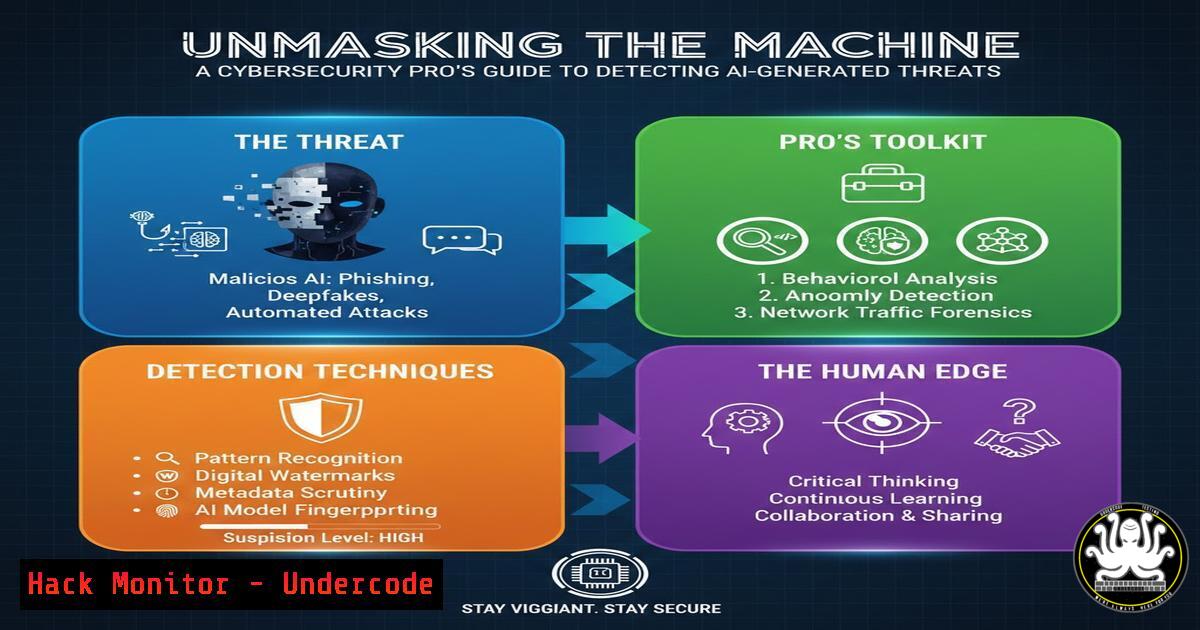
Introduction:
The proliferation of AI-generated text is no longer just a content creation challenge; it’s a pressing cybersecurity threat. From sophisticated phishing emails and disinformation campaigns to fraudulent support chats and fake documentation, adversaries are leveraging large language models (LLMs) to scale their attacks with unprecedented realism. This article translates Wikipedia’s heuristic approach to spotting AI writing into a practical defensive toolkit for IT and security professionals.
Learning Objectives:
- Identify the key linguistic hallmarks of AI-generated text, moving beyond simplistic word-spotting.
- Integrate AI detection methodologies into security protocols for email filtering, threat intelligence, and incident analysis.
- Apply technical tools and command-line utilities to automate the analysis of suspicious text content.
You Should Know:
1. The Hallmarks of Artificial Substance
AI models are trained to produce coherent, authoritative, and inoffensive text. This often results in writing that is overly formal, emotionally flat, and heavy on summarizing importance without delivering concrete details. The Wikipedia guide highlights phrases like “a pivotal moment,” “underscoring the significance,” and “reflecting the continued relevance” as red flags. These are present participle constructions that signal the AI is “thinking” about the topic’s meta-significance rather than stating a hard fact.
Step‑by‑step guide explaining what this does and how to use it.
Step 1: Analyze for “Importance Inflation.” Scan the text for excessive declarations of why a subject is important. Legitimate human communication, especially in technical fields, tends to demonstrate importance through examples and data, not just declare it.
Step 2: Check for Emotional Temperature. AI text is notoriously neutral. A highly charged situation (e.g., a security breach alert, an urgent request) described in calm, academic language is a major warning sign.
Step 3: Look for the “Summary Lead.” AI often starts with a broad, summarizing sentence, whereas humans might start with a specific event or question.
2. Technical Analysis: Leveraging Detection APIs
While heuristics are useful, scalable security operations require automation. Several APIs can analyze text to provide a probability score of AI generation. These tools are not infallible but serve as a powerful triage mechanism.
Step‑by‑step guide explaining what this does and how to use it.
Step 1: Acquire an API Key. Sign up for a service like OpenAI’s AI Text Classifier (when available) or a third-party alternative like Originality.ai. Obtain your API key and note the endpoint URL.
Step 2: Craft a cURL Request. You can quickly test a text string from the command line. This is ideal for analyzing phishing email bodies extracted during an investigation.
 Example using a generic AI detection API
curl -X POST "https://api.detection-service.com/v1/check" \
-H "Authorization: Bearer YOUR_API_KEY" \
-H "Content-Type: application/json" \
-d '{"text": "The targeted phishing campaign represents a pivotal moment in the evolution of cyber threats, underscoring the critical significance of multi-factor authentication..."}'
Step 3: Parse the Response. The API will typically return a JSON object with a classification ("AI"/"Human") and a confidence score. Integrate this check into your security information and event management (SIEM) system’s alerting pipeline for automated analysis of inbound communications.
3. Integrating Detection with Email Security Gateways
Phishing remains the primary vector for AI-generated threats. Configuring your email security tools to flag messages with high AI-probability scores adds a crucial layer of defense.
Step‑by‑step guide explaining what this does and how to use it.
Step 1: Header Analysis. Use a mail flow rule (in Exchange Online/Microsoft 365) or a custom filter in your gateway to check headers. If you use an API to add an `X-AI-Probability` header, you can filter on it.
Step 2: Microsoft 365 Mail Flow Rule Example. This rule quarantines messages flagged by a prior process as likely AI-generated.
 Conceptual PowerShell for creating a Transport Rule (execute in Exchange Online PowerShell)
New-TransportRule -Name "Quarantine-High-Probability-AI-Phishing" `
-HeaderContainsMessageHeader "X-AI-Probability" `
-HeaderContainsWords "high" `
-SetSCL 9 `  Sets Spam Confidence Level to highest
-Quarantine $true
Step 3: Content Filtering. Augment your existing anti-spam policies with keywords inspired by the Wikipedia guide, such as “delves into,” “broader movement,” or “underscoring the significance,” but use these with low weight to avoid false positives.
4. OSINT and Threat Intelligence Correlation
AI is used to generate convincing fake news and disinformation to manipulate markets or public opinion. Security teams can use detection heuristics to assess the credibility of sources during an incident.
Step‑by‑step guide explaining what this does and how to use it.
Step 1: Collect Data. Use command-line tools like `curl` or `wget` to pull text from a suspect URL or social media post.
 Download the main content from a blog post (simplified)
curl -s "https://suspect-news-blog.com/fake-report" | grep -A 100 -B 10 "pivotal moment" > suspect_text.txt
Step 2: Manual Heuristic Review. Open the saved file and perform the analysis from Section 1. Is the language overly generic? Does it lack specific, verifiable details?
Step 3: Cross-Reference. Use tools like `whois` and `nslookup` to check the domain’s age and registration details. A new domain publishing “authoritative” analysis is a huge red flag.
whois suspect-news-blog.com | grep -i "creation date"
nslookup suspect-news-blog.com
5. Hardening Internal Communication Platforms
Adversaries may use AI to generate legitimate-looking messages on compromised internal platforms like Slack or Microsoft Teams to spread malware or conduct insider fraud.
Step‑by‑step guide explaining what this does and how to use it.
Step 1: Develop a Training Module. Use the hallmarks of AI writing to create a 10-minute security awareness training module. Focus on teaching employees to spot the “vague importance” and “emotional flatness” of AI-generated internal messages.
Step 2: Implement Chatbot Verification. For high-value actions initiated via chat (e.g., “Hi IT, please reset the password for account X”), establish a secondary, out-of-band verification process that cannot be easily simulated by a text-based AI.
Step 3: Log and Monitor. Ensure all actions within collaboration platforms are logged to your SIEM. Unusual patterns, like a single user sending a high volume of requests with similarly worded, formal phrasing, could indicate a compromised account being used by an automated AI script.
What Undercode Say:
- The battlefield of social engineering has shifted from poor grammar to perfected prose. Defenders must now analyze writing style with the same rigor they analyze malware signatures.
- AI detection is an arms race. The heuristics that work today will be obsolete tomorrow, requiring continuous learning and adaptation of both human intuition and automated tools.
The guide from Wikipedia provides a critical foundation for moving beyond a reactive posture. By understanding the fundamental “voice” of the machine, cybersecurity teams can build more resilient human and technical systems. This is not just about catching plagiarism; it’s about defending against a new class of scalable, persuasive, and automated social engineering attacks. The reliance on structural and contextual markers, rather than a list of banned words, is the only sustainable path forward. As AI models grow more sophisticated, our defensive analysis must delve deeper into intent, consistency, and the subtle tells of synthetic reasoning.
Prediction:
Within two years, AI-generated social engineering will become so pervasive that “stylometric analysis”—the statistical measurement of writing style—will become a standard feature in enterprise email security gateways and Identity Threat Detection and Response (ITDR) platforms. This will force AI model developers to introduce subtle, detectable “watermarks” at the behest of governments and industry bodies, creating a new layer of regulatory compliance for AI-as-a-Service platforms. The failure to integrate these capabilities will render traditional, signature-based phishing defenses almost entirely obsolete.
🎯Let’s Practice For Free:
IT/Security Reporter URL:
Reported By: Michael Tchuindjang – Hackers Feeds
Extra Hub: Undercode MoN
Basic Verification: Pass ✅


