Listen to this Post
Introduction:
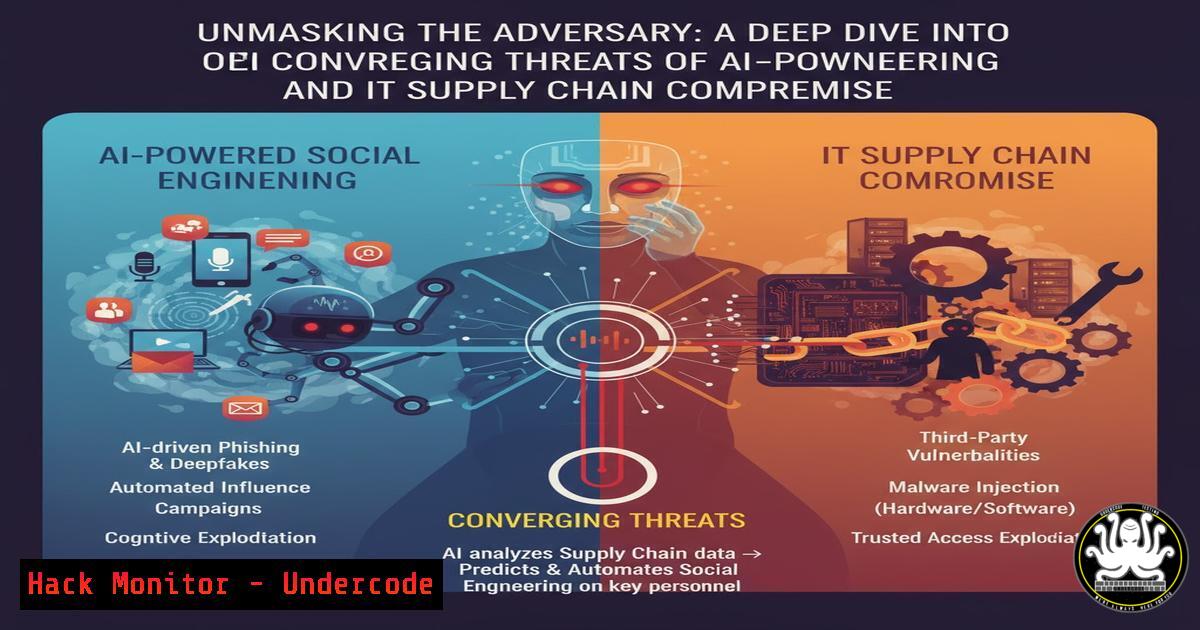
The cybersecurity landscape is witnessing a dangerous convergence of sophisticated social engineering tactics and IT supply chain attacks. Adversaries are no longer relying on a single vector; instead, they are blending AI-powered impersonation with the compromise of trusted third-party service providers to create highly convincing and devastatingly effective campaigns. This article deconstructs this modern threat, providing the technical knowledge and actionable commands to defend your enterprise.
Learning Objectives:
- Understand the technical mechanics of AI-powered voice phishing (vishing) and business email compromise (BEC).
- Learn to implement defensive measures for Microsoft 365/Azure AD and harden against supply chain attacks.
- Master forensic techniques to identify indicators of compromise (IoCs) across endpoints and cloud environments.
You Should Know:
1. The Anatomy of a Modern Vishing Campaign
The initial attack vector is increasingly a vishing call, potentially utilizing AI-generated voice cloning to sound incredibly authentic. The caller, posing as IT support, directs the target to a phishing portal that mimics the corporate login page. Once credentials are harvested, the adversary gains a foothold. This is not a smash-and-grab; it’s the beginning of a persistent intrusion.
`Linux Command (for analyzing phishing domains with whois):`
`whois malicious-domain.com | grep -E “Registrar|Creation Date|Updated Date|Name Server”`
`Step-by-step guide:`
- When a phishing URL is reported, immediately use `whois` to query the domain registration information.
- The `grep` command filters the output for key fields: the
Registrar, `Creation Date` (often very recent in attacks), andName Servers. - A recently created domain with a privacy-protected registrar is a strong IoC. Use this data to quickly update blocklists on firewalls and web proxies.
2. Initial Access and Tenant Reconnaissance
With stolen credentials, the attacker logs into the target’s Microsoft 365 environment. Their first objective is reconnaissance using built-in tools to avoid detection. They will map the tenant structure, identify high-value targets (like executives and finance staff), and enumerate security controls.
`PowerShell Command (Microsoft Graph PowerShell – simulating attacker reconnaissance):`
`Get-MgUser -Top 1000 | Select-Object DisplayName, UserPrincipalName, Mail | Export-Csv -Path C:\temp\user_list.csv -NoTypeInformation`
`Step-by-step guide:`
- An attacker with compromised credentials would use the Microsoft Graph API (or PowerShell module) to interact with the tenant.
- This command,
Get-MgUser, lists the first 1000 users in the directory, selecting their display name, UPN, and email address. - The output is exported to a CSV file for offline analysis, allowing the attacker to build a target list for the next phase of the attack.
3. Weaponizing Trusted IT Providers
This is the critical escalation. The attacker pivots from a compromised user account to targeting a trusted third-party IT management tool, such as ConnectWise ScreenConnect or NinjaRMM. By compromising an IT provider’s own tooling, they gain god-like access to all the provider’s clients.
`Windows Command (to check for running RMM agent processes):`
`Get-WmiObject -Class Win32_Process | Where-Object {$_.Name -like “screenconnect” -or $_.Name -like “ninja” -or $_.Name -like “splashtop”} | Select-Object ProcessId, Name, CommandLine`
`Step-by-step guide:`
- This WMI query lists all running processes and filters for common RMM (Remote Monitoring and Management) software binaries.
- Knowing which RMM agents are installed is crucial for inventory and monitoring. An unexpected process or a connection from an unrecognized IP address could indicate a supply chain compromise.
- Regularly audit these processes and establish network traffic baselines for their communications.
4. Establishing Persistence via Service Creation
Once access is gained through the RMM, the attacker must establish a persistent foothold independent of the compromised vendor’s infrastructure. A common method is creating a new, hidden Windows service.
`Windows Command (Attacker – creating a persistent service):`
`sc.exe create “WindowsUpdateClient” binPath= “C:\Windows\Temp\malware.exe” start= auto obj= “LocalSystem”`
`sc.exe start “WindowsUpdateClient”`
`Step-by-step guide:`
- The `sc create` command creates a new service named “WindowsUpdateClient” designed to blend in.
- The `binPath=` parameter points to the payload, often staged in a temp directory.
3. `start= auto` ensures the service starts automatically on boot, and `obj= “LocalSystem”` gives it the highest privileges.
4. `sc start` immediately launches the service. Defenders should regularly audit services with `sc query state= all` and look for misspellings or unusual image paths.
5. Cloud Application Consent Grant Attacks
Parallel to endpoint persistence, attackers exploit Azure AD’s application consent model. They trick users or admins into granting permissions to a malicious Azure application, giving the attacker direct access to mail, files, and user data.
`PowerShell Command (Defensive – to audit OAuth applications):`
`Get-MgOauth2PermissionGrant | ForEach-Object { Get-MgServicePrincipal -ServicePrincipalId $_.ClientId } | Select-Object DisplayName, AppId, PublisherName`
`Step-by-step guide:`
- This PowerShell command uses the `Get-MgOauth2PermissionGrant` cmdlet to list all OAuth2 permission grants in the tenant.
- It then fetches the details of each application (
ServicePrincipal) that has been granted permissions. - Regularly review this list for applications with suspicious names, unknown publishers, or excessive permissions (like
Mail.Read,Sites.FullControl.All). Revoke any that are not legitimate.
6. Lateral Movement with PsExec
With persistence established, the attacker moves laterally. A classic tool, PsExec, is still highly effective when an environment lacks application allow-listing or advanced endpoint detection.
`Windows Command (Attacker – lateral movement with PsExec):`
`PsExec.exe -s -i \\TARGET-PC cmd.exe`
`Step-by-step guide:`
- The `-s` switch runs the process as the NT AUTHORITY\SYSTEM account, the highest privilege level on a Windows system.
- The `-i` switch runs the program interactively, so if the target is logged in, the attacker may see the desktop.
3. `\\TARGET-PC` is the hostname of the computer to compromise, and `cmd.exe` is the process to launch. - Defenders should monitor for `PsExec.exe` or `PSEXESVC.exe` in process executions and network shares, and implement tools like Microsoft LAPS to prevent pass-the-hash attacks that facilitate this movement.
7. Forensic Triage with PowerShell
When an incident is suspected, rapid triage is key. PowerShell can be used to quickly gather a wealth of data from a potentially compromised host.
`PowerShell Command (Defensive – system triage script):`
`Get-WinEvent -FilterHashtable @{LogName=’Security’; ID=4624,4625; StartTime=(Get-Date).AddHours(-24)} | Export-Csv C:\forensics\logons.csv`
`Get-WinEvent -FilterHashtable @{LogName=’Microsoft-Windows-PowerShell/Operational’; StartTime=(Get-Date).AddHours(-24)} | Export-Csv C:\forensics\ps_logs.csv`
`net session | Export-Csv C:\forensics\net_sessions.csv`
`Step-by-step guide:`
- The first command extracts successful (4624) and failed (4625) logon events from the last 24 hours for analysis.
- The second command pulls all PowerShell operational logs, which are critical for detecting malicious scripts.
- The `net session` command lists active SMB sessions to the computer, which can reveal lateral movement.
- Export all data to a central forensics directory for analysis in a SIEM or by an incident responder.
What Undercode Say:
- The line between social engineering and technical exploitation has been erased. A single vishing call can now be the catalyst for a full-scale supply chain breach.
- Defensive silos are a liability. Security teams must integrate identity (M365/Azure AD), endpoint (EDR), and third-party risk management into a unified defense posture.
- The assumption that “trusted” IT tools are inherently secure is a critical flaw. Their access must be monitored and segmented with the same rigor as any other high-value asset.
The modern attack chain is a hybrid, leveraging human weakness at scale via AI and then pivoting to exploit the implicit trust we place in our digital partners. Defending against this requires a paradigm shift from protecting a perimeter to managing a dynamic web of identity, access, and trust. Focusing solely on technical controls like MFA is insufficient; continuous user training, strict enforcement of the principle of least privilege on all systems (including vendor tools), and aggressive threat hunting for the IoCs outlined above are non-negotiable. The adversary’s playbook has evolved, and ours must too.
Prediction:
The convergence of AI-powered social engineering and IT supply chain attacks will become the dominant breach methodology for the next five years. We will see a rise in “Access-as-a-Service” (AaaS) markets in the criminal underground, where initial access brokers specialize in compromising MSPs and reselling that access to ransomware groups. This will lead to more frequent, larger-scale, and more disruptive multi-tenant outages. In response, insurance providers will mandate stricter security controls for MSPs, and regulatory bodies will introduce new frameworks specifically targeting third-party cyber risk management. The very business model of outsourced IT support will be forced to adapt under the weight of these systemic threats.
🎯Let’s Practice For Free:
IT/Security Reporter URL:
Reported By: Michael Mcquade – Hackers Feeds
Extra Hub: Undercode MoN
Basic Verification: Pass ✅


