Listen to this Post
Introduction:
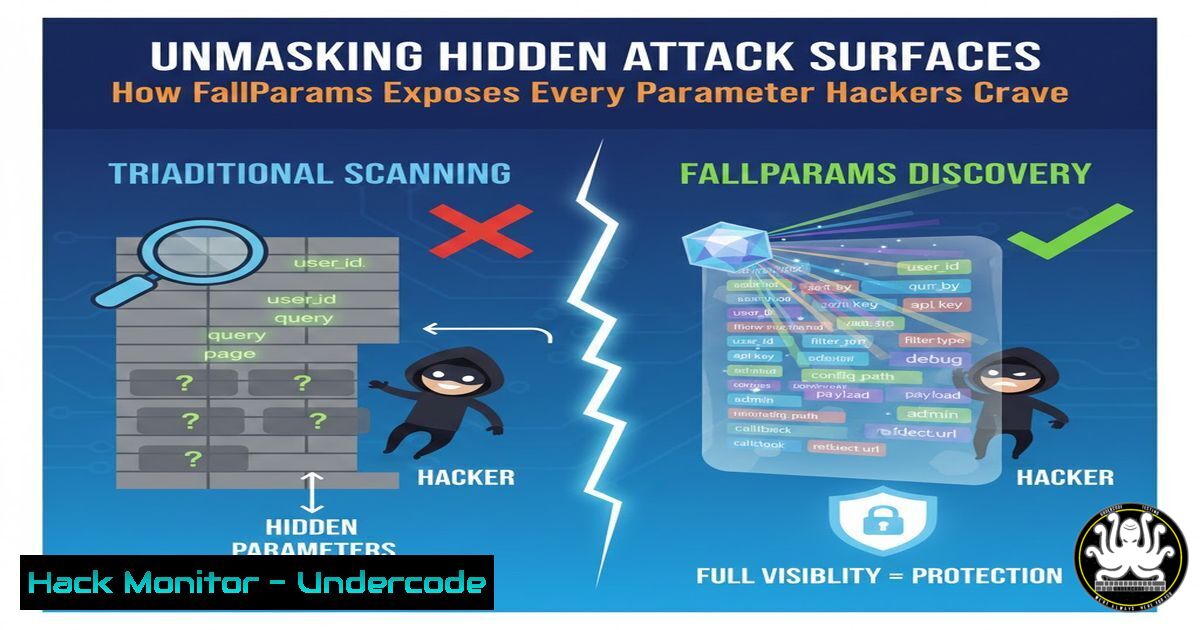
In the relentless cat-and-mouse game of cybersecurity, web application parameters represent a critical and often overlooked attack surface. Parameters passed in URLs, POST data, and headers are the primary vectors for attacks like SQL Injection, Cross-Site Scripting (XSS), and Server-Side Request Forgery (SSRF). FallParams emerges as a powerful, open-source tool designed to automate the discovery of these hidden parameters, shifting the advantage from offensive hunters to defensive developers and security professionals by illuminating the very paths attackers seek to exploit.
Learning Objectives:
- Understand the critical security implications of hidden and undocumented web application parameters.
- Learn to install, configure, and effectively utilize the FallParams tool for comprehensive parameter discovery.
- Develop a defensive strategy to audit, monitor, and secure exposed parameters against common web vulnerabilities.
You Should Know:
1. The Parameter Problem: Your Web’s Secret Doors
Web applications communicate with servers using parameters. Common ones like `?id=123` or `&search=query` are visible, but many are hidden in JavaScript, API endpoints, or form data. Attackers systematically probe for these undocumented parameters because they are often less secure, lacking proper input validation and sanitization. Finding a parameter like `?debug=true` or `&admin_access=1` can be a golden ticket for a threat actor. FallParams automates this discovery process, but for ethical purposes, allowing security teams to find and lock these “secret doors” before malicious actors do.
Step‑by‑step guide explaining what this does and how to use it.
The Concept: Manual parameter discovery is tedious and incomplete. FallParams uses a combination of parsing and brute-forcing with a massive, built-in wordlist to uncover parameters that are not linked from the main application flow.
Why It Matters: Every undiscovered parameter is a potential vulnerability. Proactive discovery is a cornerstone of modern penetration testing and bug bounty hunting.
2. Getting Started: Installing FallParams on Your System
FallParams is written in Go, making it a single-binary tool that is easy to install and run on any major platform. The installation is straightforward, requiring no complex dependencies or configurations.
Step‑by‑step guide explaining what this does and how to use it.
Step 1: Install Go. Ensure you have the Go runtime installed. On Linux, you can typically use your package manager.
`sudo apt update && sudo apt install golang-go` For Debian/Ubuntu
Step 2: Install FallParams. Use the Go toolchain to download and install the tool directly from its GitHub repository.
`go install github.com/assetnote/fallparams@latest`
Step 3: Verify Installation. Navigate to your Go bin directory and run the tool to confirm it’s working.
`cd ~/go/bin`
`./fallparams -h`
This will display the help menu, confirming a successful installation.
3. Basic Operational Commands: Crawling a Target
The fundamental use of FallParams involves pointing it at a target URL. The tool will then begin crawling the site and brute-forcing parameters against the discovered endpoints.
Step‑by‑step guide explaining what this does and how to use it.
Step 1: Run a Basic Crawl. The simplest command starts the discovery process against a single domain.
`./fallparams -u https://example.com`
Step 2: Interpret the Output. FallParams will output discovered parameters in a structured format (e.g., JSONL by default), showing the URL, parameter name, and the method used to find it (e.g., “parser” or “brute”).
Example Output Line:
`{“host”:”https://example.com”,”path”:”/search”,”param”:”redirect_to”,”type”:”brute”}`
Step 3: Save Your Results. Always redirect output to a file for later analysis.
`./fallparams -u https://example.com > example_params.jsonl`
4. Advanced Tactics: Maximizing Discovery with Proxies and Concurrency
To perform deeper security assessments, you can integrate FallParams with other tools and fine-tune its performance to be more thorough and efficient.
Step‑by‑step guide explaining what this does and how to use it.
Step 1: Use with a Passive Proxy. Route FallParams’ traffic through a proxy like OWASP ZAP or Burp Suite to log all requests and responses for manual inspection and further testing.
`./fallparams -u https://example.com -p http://127.0.0.1:8080`
Step 2: Increase Threads for Speed. Use the `-t` flag to increase concurrency and speed up the scan on powerful machines. Use with caution to avoid overloading the target server.
`./fallparams -u https://example.com -t 50`
Step 3: Pipe URLs from Other Tools. Combine FallParams with subdomain enumeration tools for a full-scope assessment.
`subfinder -d example.com -silent | httpx -silent | ./fallparams`
5. From Discovery to Defense: Analyzing and Securing Found Parameters
Discovering parameters is only the first step. The critical phase is analyzing them for potential vulnerabilities and implementing defensive controls.
Step‑by‑step guide explaining what this does and how to use it.
Step 1: Triage the Results. Manually review the list of discovered parameters. Look for high-risk keywords: admin, debug, cmd, exec, file, redirect, url, auth, key, password.
Step 2: Test for Vulnerabilities. Use the discovered parameters as inputs for further testing with tools like sqlmap or manual payloads.
Example SQL Injection Test with `curl`:
`curl “https://example.com/search?user_id=1′”`
Observe the response for SQL errors, which indicate a potential vulnerability.
Step 3: Implement Server-Side Controls.
- Input Validation: Whitelist allowed characters and data types for every parameter.
- Output Encoding: Encode data before rendering it in the browser to prevent XSS.
- Web Application Firewall (WAF): Deploy a WAF to block common attack patterns against parameters.
- Integrating into a Security Pipeline: Continuous Parameter Monitoring
Security is not a one-time event. Integrating parameter discovery into your CI/CD pipeline ensures new “secret doors” are not introduced with code changes.
Step‑by‑step guide explaining what this does and how to use it.
Step 1: Automate Scans. Schedule regular FallParams scans in a staging environment using a cron job or a CI/CD platform like Jenkins or GitLab CI.
Example Cron Job (runs weekly):
`0 2 0 /home/user/go/bin/fallparams -u https://staging.example.com > /var/log/fallparams_scan.log`
Step 2: Diff Results. Compare the results of subsequent scans to identify newly introduced parameters. Simple command-line tools can achieve this.
`diff scan_last_week.jsonl scan_this_week.jsonl`
Step 3: Create Alerting. If the diff reveals new, high-risk parameters, automatically create a ticket in your bug-tracking system (e.g., Jira) for the development team to review and secure.
What Undercode Say:
- Proactive Discovery is Non-Negotiable. Waiting for a hacker or a scanner to find your hidden parameters is a catastrophic strategy. Tools like FallParams democratize the ability to perform offensive security research defensively, allowing every organization to see their application through an attacker’s eyes.
- The Tool is a Starting Point, Not a Solution. FallParams generates a list of potential weaknesses; it does not fix them. The real work begins with the tedious but critical process of triage, testing, and remediation. A parameter without proper validation is a vulnerability waiting to be exploited.
The emergence and popularity of specialized tools like FallParams signal a maturation in application security. We are moving beyond just scanning for known vulnerabilities in known endpoints and towards a model of comprehensive attack surface management. This tool highlights a critical gap in many DevSecOps workflows: the lack of automated, continuous discovery of application logic and inputs. As applications grow more complex with JavaScript-heavy SPAs and microservices, the number of hidden parameters will explode. The future of web app security lies in tools that can intelligently map this logic and in development practices that treat every input, documented or not, as a potential threat. Organizations that fail to integrate this level of discovery into their lifecycle will find themselves constantly reacting to breaches that stem from endpoints they never knew existed.
Prediction:
The automation of application logic and parameter discovery, as exemplified by FallParams, will become a standard component of SAST and DAST tools within the next two years. This will force a paradigm shift in secure development, where “security by obscurity” for application endpoints will be completely invalidated. Development teams will need to adopt “parameter-aware” coding practices and documentation, and security testing will increasingly focus on fuzzing every discovered input point with AI-generated payloads, making comprehensive, automated parameter discovery the first and most critical step in modern web application penetration testing.
🎯Let’s Practice For Free:
IT/Security Reporter URL:
Reported By: Abhirup Konwar – Hackers Feeds
Extra Hub: Undercode MoN
Basic Verification: Pass ✅


