
Listen to this Post
Introduction:
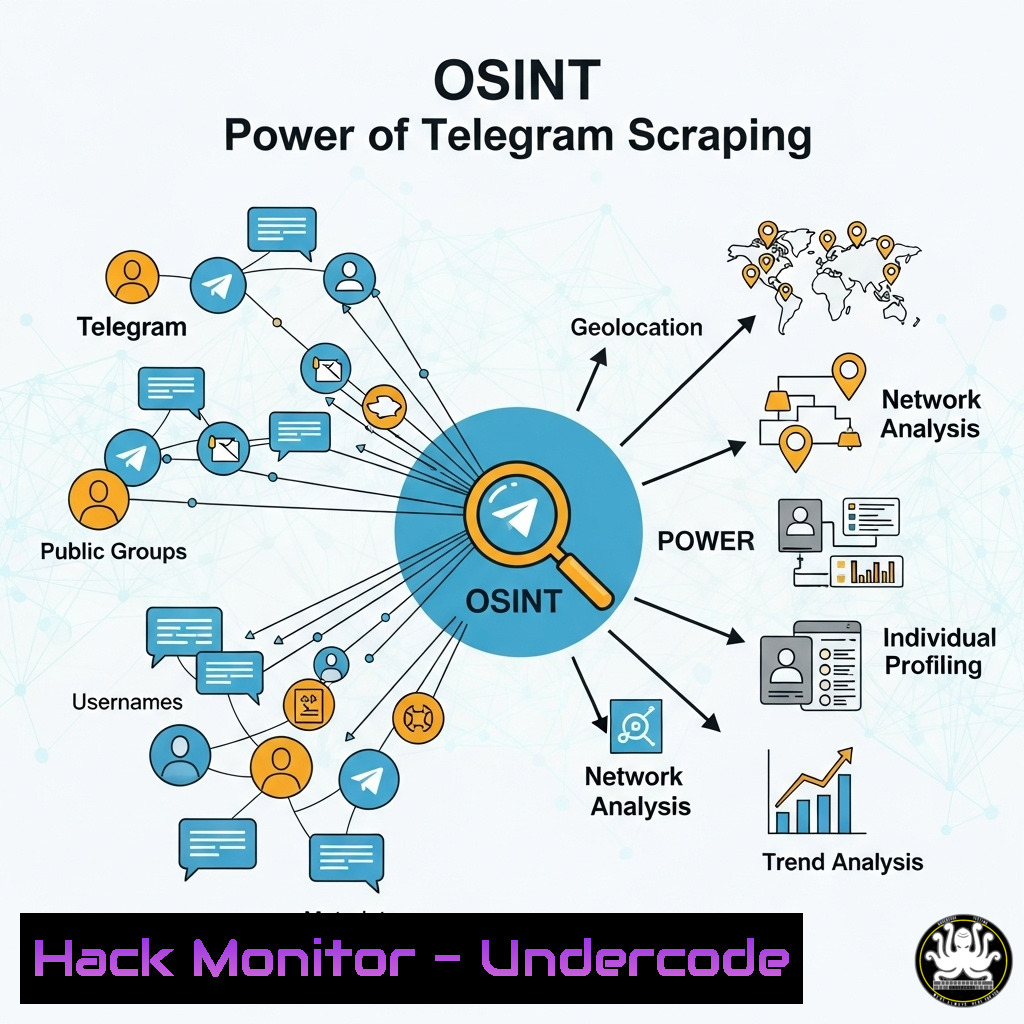
Open-Source Intelligence (OSINT) gathering from messaging platforms like Telegram has become a critical skill for cybersecurity professionals, from threat hunters tracking threat actor communications to penetration testers conducting reconnaissance. The `telegram-scraper` tool, built on Python’s Telethon library, automates and supercharges this data collection process, enabling the continuous harvesting of messages and media from public channels. This capability provides a legitimate and powerful window into the often-opaque digital environments where critical information is shared.
Learning Objectives:
- Understand the core components required to configure and operate the `telegram-scraper` tool for OSINT purposes.
- Master the command-line execution and argument structure to customize scraping sessions for different intelligence requirements.
- Implement operational security (OpSec) best practices to maintain anonymity and avoid detection or banning while scraping.
You Should Know:
1. Acquiring Your Telegram API Credentials
Before any code can run, you must legally obtain API credentials from Telegram itself. This is a prerequisite for the Telethon library to authenticate your session.
 This is not a terminal command but a required step.
1. Visit https://my.telegram.org/auth and log in with your Telegram account.
2. Go to "API Development Tools".
3. Fill out the form to create a new application.
4. Note your `api_id` and <code>api_hash</code>; these are secrets and must be protected.
This process grants your script official permission to interact with Telegram’s API under a controlled set of rules. Treat your `api_hash` like a password, as it can be used to impersonate your account if leaked.
2. Setting Up a Secure Python Virtual Environment
Isolating your project dependencies prevents version conflicts with other Python projects and is a foundational security practice.
Linux/macOS:
python3 -m venv telegram-scraper-env
source telegram-scraper-env/bin/activate
pip install telethon requests python-dotenv
Windows (PowerShell):
python -m venv telegram-scraper-env
.\telegram-scraper-env\Scripts\Activate.ps1
pip install telethon requests python-dotenv
A virtual environment ensures that the specific versions of `telethon` and other libraries required by the scraper do not interfere with your system-wide Python packages. The `python-dotenv` library is crucial for securely managing your API credentials.
3. Cloning and Exploring the Scraper Repository
The first actual terminal command is to obtain the tool from GitHub and examine its structure.
git clone https://github.com/robertaitch/telegram-scraper.git
cd telegram-scraper
ls -la
The `git clone` command downloads the entire repository, including the Python script, README, and any other assets. The `ls -la` command lists all files, allowing you to verify the contents (e.g., scraper.py, requirements.txt) and check for any potentially malicious code—a vital step before running any third-party script.
4. Securely Storing API Credentials with Environment Variables
Hardcoding credentials in scripts is a severe security risk. Using environment variables is a safer alternative.
Linux/macOS:
echo "API_ID=your_api_id_here" > .env
echo "API_HASH=your_api_hash_here" >> .env
Windows (PowerShell):
echo "API_ID=your_api_id_here" > .env
echo "API_HASH=your_api_hash_here" >> .env
This creates a `.env` file that the script can read. You must then add `.env` to your `.gitignore` file to prevent accidentally committing your secrets to a public repository. The script would use the `python-dotenv` library to load these values securely.
- Executing a Basic Scrape of a Target Channel
The core function of the tool is to connect to a channel and begin downloading messages.
python scraper.py -a [bash] -c [bash] -t [bash] -l 100
`-a`: Your API ID.
`-c`: Your API Hash.
`-t`: The target channel’s username (e.g., `@osint_examples`).
-l: The limit of messages to scrape (e.g., 100).
This command initiates a session, connects to the specified channel, and downloads the 100 most recent messages. The output is typically saved to a JSON or CSV file for later analysis, providing a structured dataset of timestamps, user IDs, and message content.
6. Downloading Media for Forensic Analysis
Many channels share images, documents, and videos that contain valuable metadata.
python scraper.py -a [bash] -c [bash] -t [bash] -m -o ./media_dump/
`-m`: The flag to enable media downloading.
`-o`: The output directory for downloaded files.
This command instructs the scraper to not only collect messages but also download every piece of media found. The `-o` flag organizes files into a specified directory, preventing clutter. This media can be analyzed for EXIF data, hashed for threat intelligence platforms like VirusTotal, or archived as evidence.
7. Running a Continuous, Real-Time Monitoring Scrape
For ongoing threat intelligence, running the scraper in continuous mode is essential.
python scraper.py -a [bash] -c [bash] -t [bash] --continuous --interval 300
`–continuous`: Runs the scraper in a loop.
--interval 300: Sets the wait time between checks to 300 seconds (5 minutes).
This transforms the tool from a one-time snapshot into a persistent monitoring solution. It will periodically check the channel for new messages and media, appending them to the output files. This is critical for tracking evolving threats and campaigns in real-time.
What Undercode Say:
- The ethical and legal line for this tool is its thinnest feature. Using it against channels without explicit permission for malicious purposes is illegal. Always operate within the bounds of authorized penetration tests or threat intelligence research.
- Operational Security (OpSec) is non-negotiable. Use a dedicated burner account and phone number for registration, and consider routing traffic through a VPN or proxy to obscure your origin IP from Telegram’s logs. The tool is powerful, but it also leaves a detectable footprint.
Analysis: The `telegram-scraper` represents the democratization of advanced OSINT capabilities. While previously the domain of well-funded teams, this tool allows individual analysts and smaller security firms to conduct large-scale, automated intelligence gathering. However, this power is a double-edged sword. The same functionality is weaponized by threat actors for reconnaissance and social engineering campaigns. The cybersecurity community must therefore not only learn to use these tools effectively for defense but also understand their mechanics to better defend against them. The key differentiator will never be the tool itself, but the intent, authorization, and OpSec discipline of the operator.
Prediction:
The accessibility of tools like `telegram-scraper` will accelerate an arms race in automated social media and messaging platform intelligence gathering. We predict a near-term future where:
1. Defensive AI Integration: Defensive security platforms will increasingly integrate AI to automatically scrape and analyze threat actor channels, using natural language processing to predict data breach dumps or imminent attacks, shifting from reactive to proactive threat hunting.
2. Platform Countermeasures: Telegram and similar platforms will respond with more sophisticated anti-automation and anti-scraping measures, such as advanced CAPTCHAs, behavioral analysis to detect bot-like activity, and rate-limiting that is invisible to the user, making tools like this more complex to run undetected.
3. Attacker Evolution: Threat actors will adopt these same tools for automated target profiling, creating a cycle where both defenders and attackers are using identical open-source tools to hunt each other, making the ethical and authorized use of such tools the paramount concern for professionals.
🎯Let’s Practice For Free:
IT/Security Reporter URL:
Reported By: Florian Hansemann – Hackers Feeds
Extra Hub: Undercode MoN
Basic Verification: Pass ✅


