Listen to this Post
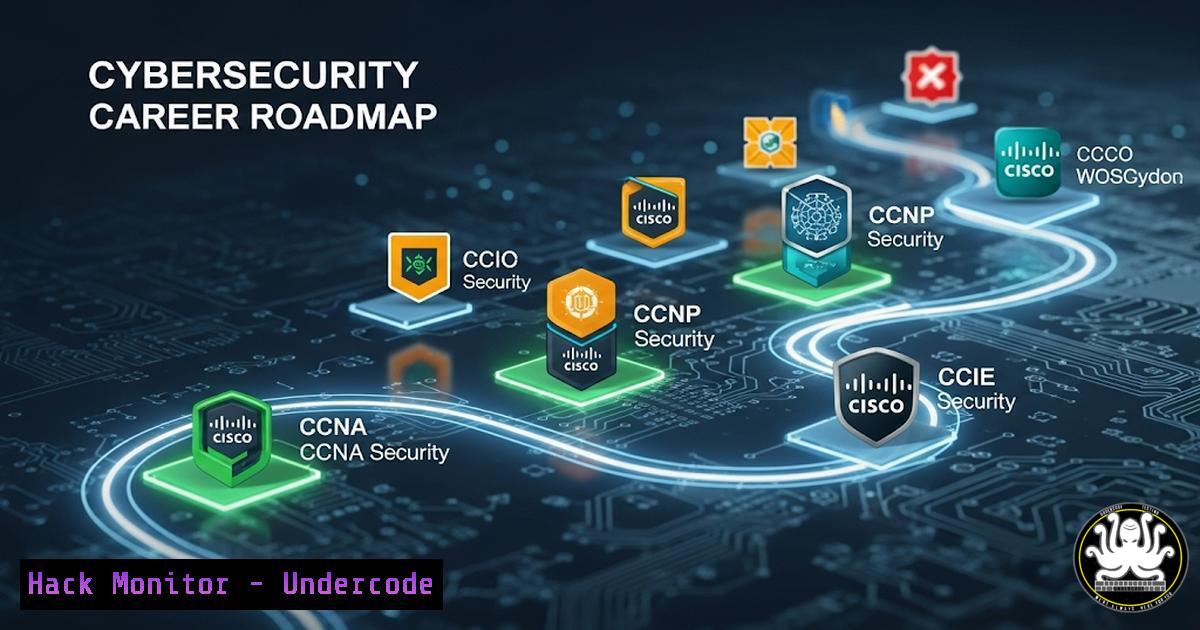
Introduction:
Cisco’s Networking Academy has launched a suite of free, self-paced cybersecurity courses designed to equip IT professionals with in-demand skills. These courses, which offer official digital badges upon completion, provide critical hands-on experience through virtual labs, covering everything from fundamental concepts to advanced network defense tactics.
Learning Objectives:
- Understand the core curriculum and practical labs offered in four key Cisco cybersecurity courses.
- Learn how to leverage these free resources to build a verifiable skillset and enhance a professional profile.
- Gain actionable command-line and security tool knowledge directly applicable to roles in SecOps, administration, and architecture.
You Should Know:
1. Navigating the Cisco Networking Academy Platform
Before diving into the technical content, accessing the courses is the first step. The provided links lead to the Cisco Skills for All platform.
- Course 1: Introduction to Cybersecurity: https://lnkd.in/dNXkbmqG
- Course 2: Cyber Threat Management: https://lnkd.in/drwa6TrJ
- Course 3: Endpoint Security: https://lnkd.in/d6rHRAG4
- Course 4: Network Defense: https://lnkd.in/dX_KBqsD
Step-by-step guide: Navigate to any of the URLs using a modern web browser. Create a free Cisco account if you do not already have one. Once logged in, you can enroll in the courses immediately. The platform is self-paced, allowing you to start, stop, and resume your progress across devices. Completion of each course grants a shareable digital badge that can be added to your LinkedIn profile and digital resume.
2. Fundamental Network Reconnaissance with `ping` and `nslookup`
The “Introduction to Cybersecurity” course covers basic network principles. Two essential commands for any security practitioner are `ping` (ICMP echo request) and `nslookup` (DNS query).
Verified Commands:
– `ping
– `nslookup
– `dig
Step-by-step guide: The `ping` command is used to test reachability to a host. Open a command prompt (Windows) or terminal (Linux). Type ping www.cisco.com. The output shows reply times and confirms connectivity. `nslookup` queries Domain Name System (DNS) servers to translate domain names to IP addresses. Type `nslookup www.cisco.com` to retrieve its IP address(es). This is a fundamental step in threat intelligence and initial reconnaissance.
3. Analyzing Network Connections with `netstat` and `ss`
Understanding active network connections is crucial for endpoint security, a key focus of the 31-lab course.
Verified Commands:
– `netstat -ano` (Windows: displays all connections and listening ports, with the process ID)
– `ss -tuln` (Linux: displays all listening TCP and UDP ports)
– `netstat -tuln` (Linux, older distros)
Step-by-step guide: On a Windows system, open Command Prompt as Administrator. Running `netstat -ano` lists all active connections. The `-a` shows all, `-n` displays addresses numerically, and `-o` shows the associated Process ID (PID). You can cross-reference the PID in Task Manager to identify potential malicious software. On Linux, `ss -tuln` provides a modern, faster snapshot of all listening ports, critical for identifying unauthorized services.
4. Incident Response: Process Investigation and Management
The “Cyber Threat Management” course delves into security monitoring and response. Identifying and managing running processes is a core skill.
Verified Commands:
– `Get-Process | Where-Object {$_.CPU -gt 50}` (PowerShell: finds processes using >50% CPU)
– `ps aux –sort=-%cpu | head -10` (Linux: shows top 10 processes by CPU usage)
– `taskkill /PID
Step-by-step guide: During an incident, high CPU usage can indicate malware or exploitation. In Windows PowerShell, the `Get-Process` cmdlet piped into the `Where-Object` filter helps pinpoint resource-hogging processes. On a Linux system, the `ps aux` command lists all running processes, and `–sort=-%cpu` sorts them in descending order by CPU usage. If a malicious process is identified, use its PID with the `taskkill` (Windows) or `kill -9
5. Firewall Rule Management with `netsh` and `ufw`
“Network Defense” heavily emphasizes access control. Configuring host-based firewalls is a first line of defense.
Verified Commands:
– `netsh advfirewall firewall add rule name=”Block Port 1234″ dir=in action=block protocol=TCP localport=1234` (Windows)
– `sudo ufw deny from 192.168.1.100` (Linux/Ubuntu: blocks an IP address)
– `sudo ufw enable` (Linux/Ubuntu: enables the Uncomplicated Firewall)
Step-by-step guide: To block a specific inbound port on Windows, open an Administrator Command Prompt. The `netsh advfirewall` command adds a new rule named “Block Port 1234” that blocks TCP traffic on port 1234. On Ubuntu Linux, the simpler `ufw` tool can be used to block all traffic from a specific suspect IP address. After adding rules, always ensure the firewall is enabled with sudo ufw enable.
6. Packet Analysis with Wireshark and `tcpdump`
The numerous labs across these courses will involve analyzing network traffic, a skill central to threat management.
Verified Commands:
– `tcpdump -i eth0 -w capture.pcap` (Linux: captures packets on interface eth0 to a file)
– `tcpdump -r capture.pcap ‘tcp port 80’` (Reads the file and filters for HTTP traffic)
– (Wireshark GUI filter: http.request.method == GET)
Step-by-step guide: `tcpdump` is the command-line packet analyzer. Start a capture on your primary interface (often `eth0` or wlan0) and write it to a `capture.pcap` file. After reproducing network activity, stop the capture. You can then read the file and apply filters, such as `tcp port 80` for web traffic. For deeper analysis, open the `.pcap` file in Wireshark and use its powerful GUI filters to isolate specific protocols or commands.
7. System Hardening: Auditing with `auditpol` and `grep`
Endpoint security involves configuring systems to log crucial events for auditing and forensics.
Verified Commands:
– `auditpol /get /category:` (Windows: displays current audit policy)
– `sudo grep “FAILED LOGIN” /var/log/auth.log` (Linux: searches for failed login attempts)
– `auditpol /set /subcategory:”Process Creation” /success:enable` (Windows: enables auditing for process creation)
Step-by-step guide: On Windows, use `auditpol` to view and configure what events are audited. Enabling auditing for “Process Creation” is vital for tracking which programs are executed on a system. The resulting logs are viewed in the Event Viewer. On Linux, security logs are typically in `/var/log/auth.log` or /var/log/secure. Using `grep` to search for “FAILED LOGIN” helps identify brute-force attacks against the system, a key part of the security monitoring covered in the courses.
What Undercode Say:
- The value of these courses is not just theoretical; the integrated virtual labs provide a sandboxed environment to practice the exact commands and procedures outlined above.
- Earning the digital badges creates a public, verifiable record of skill acquisition, which is more credible to employers than simply listing a skill on a resume.
Analysis: Cisco’s move to offer these courses for free is a strategic effort to address the global cybersecurity skills gap by significantly lowering the barrier to entry. It effectively functions as a gateway drug into their ecosystem, potentially leading learners to pursue paid certifications like the CCNA Security or CyberOps Associate. For the individual, this represents a zero-cost opportunity to gain practical, vendor-specific skills that are highly valued in the job market, particularly for entry-level SecOps and network defense roles.
Prediction:
This initiative will rapidly onboard hundreds of thousands of new learners into the cybersecurity field, increasing the overall talent pool. However, it will also raise the baseline expectation for entry-level candidates, making these practical, hands-on skills a new prerequisite. In the long term, we can expect other major tech vendors (e.g., Palo Alto, Microsoft, Amazon) to respond with similar free, badge-oriented training programs, further democratizing access to cybersecurity education and fundamentally shifting how talent is cultivated and validated in the industry.
🎯Let’s Practice For Free:
IT/Security Reporter URL:
Reported By: Ouardi Mohamed – Hackers Feeds
Extra Hub: Undercode MoN
Basic Verification: Pass ✅


