Listen to this Post
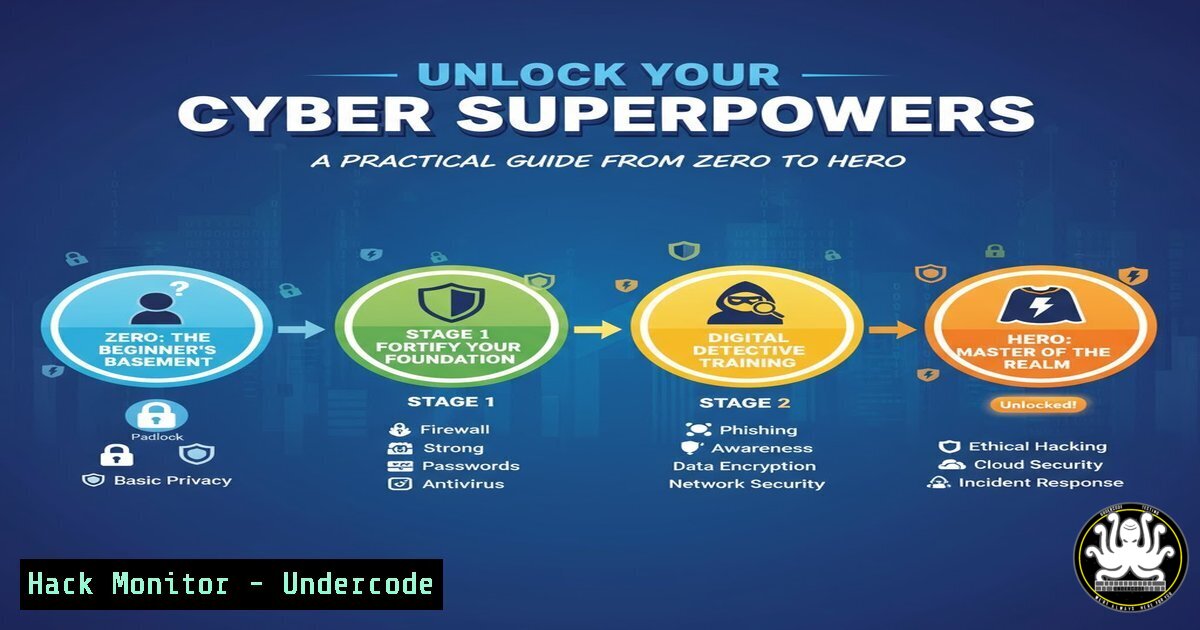
Introduction:
The journey from cybersecurity novice to seasoned professional requires mastering a core set of practical skills. This guide distills the expertise highlighted at leading industry conferences into actionable commands and techniques across critical domains like penetration testing, API security, and cloud hardening, providing a roadmap for your own transformation.
Learning Objectives:
- Master fundamental command-line tools for reconnaissance and vulnerability assessment.
- Understand and apply techniques for securing modern web APIs and cloud environments.
- Develop a practical workflow for penetration testing, from initial scanning to exploitation.
You Should Know:
1. Network Reconnaissance with Nmap
Nmap is the industry standard for network discovery and security auditing. It is used to identify live hosts, open ports, and running services on a target network.
Command List:
– `nmap -sS -sV -O 192.168.1.0/24`
– `nmap –script vuln 10.0.0.5`
– `nmap -p 80,443,22,3389 target.com`
– `nmap -A -T4 192.168.1.1`
– `nmap -sU -p 53,67,68 192.168.1.1`
Step-by-step guide:
First, perform a basic TCP SYN scan (-sS) to discover live hosts without completing a full TCP connection, making it stealthy. Combine this with version detection (-sV) and OS fingerprinting (-O) to gather detailed information about the target. For a more aggressive scan that includes script scanning and traceroute, use the `-A` flag. Always remember to only scan networks you own or have explicit permission to test.
2. Vulnerability Scanning with Nessus
Nessus is a comprehensive vulnerability scanner that identifies software flaws, missing patches, and misconfigurations. It provides detailed risk assessments and remediation guidance.
Command List:
– `/opt/nessus/sbin/nessuscli update –all`
– `systemctl start nessusd`
– (Web Interface) Creating a new “Basic Network Scan” policy.
– (Web Interface) Configuring scan credentials for authenticated scanning.
– (Web Interface) Exporting scan report in .nessus or PDF format.
Step-by-step guide:
After installation, start the Nessus daemon service. Access the web interface (typically https://localhost:8834) and create a new scan policy. Define your target IP range or subnet. For the most accurate results, configure credentials for the target systems to allow for authenticated scans, which uncover significantly more vulnerabilities than unauthenticated scans. Schedule or launch the scan and review the generated report, prioritizing “Critical” and “High” severity findings.
3. Web Application Reconnaissance
Understanding a web application’s structure is the first step in testing its security. These tools help map the attack surface.
Command List:
– `gobuster dir -u https://target.com -w /usr/share/wordlists/dirb/common.txt`
– `subfinder -d target.com`
– `ffuf -u https://target.com/FUZZ -w wordlist.txt`
– `nikto -h https://target.com`
– `whatweb https://target.com`
Step-by-step guide:
Begin by using `subfinder` to enumerate subdomains associated with your target. Then, use a tool like `gobuster` or `ffuf` to brute-force directories and files on the main application and discovered subdomains. This reveals hidden administrative panels, backup files, and API endpoints. Concurrently, run `nikto` to perform a wide range of generic web server tests for known vulnerabilities and misconfigurations.
4. API Security Testing with OWASP ZAP
APIs are a primary attack vector. The OWASP ZAP (Zed Attack Proxy) is a powerful tool for finding vulnerabilities in web applications and APIs.
Command List:
docker run -v $(pwd):/zap/wrk/:rw -t owasp/zap2docker-stable zap-baseline.py -t https://api.target.com/v1`
- `zap-cli quick-scan --self-contained --start-options '-config api.disablekey=true' http://localhost:8080`
- (GUI) Manually exploring the API by proxying traffic through ZAP.
- (GUI) Importing an OpenAPI/Swagger definition file for automated scanning.Step-by-step guide:
For a quick assessment, use the ZAP Docker container to run a baseline scan against your target API endpoint. For a more thorough test, launch the ZAP desktop client and configure your browser or API client (like Postman) to use ZAP as a local proxy (e.g., 127.0.0.1:8080). As you navigate the API, ZAP passively analyzes all traffic. You can then actively scan the discovered endpoints to test for vulnerabilities like SQL Injection, Broken Object Level Authorization, and Excessive Data Exposure.
5. Cloud Infrastructure Hardening (AWS)
Misconfigured cloud services are a leading cause of data breaches. These AWS CLI commands help audit and secure your environment.
Command List:
- `aws iam get-account-authorization-details
– `aws s3api list-buckets –query “Buckets[].Name”`
– `aws ec2 describe-security-groups –group-ids sg-xxxxxx`
– `aws configservice describe-config-rules`
– `aws cloudtrail lookup-events –lookup-attributes AttributeKey=EventName,AttributeValue=ConsoleLogin`
Step-by-step guide:
Regularly audit your IAM policies to enforce the principle of least privilege using the `get-account-authorization-details` command. Check all S3 buckets for public read/write permissions and ensure they are not accessible to the world. Review Security Group rules to confirm they do not allow overly permissive ingress, such as `0.0.0.0/0` on sensitive ports like SSH (22) or RDP (3389). Enable AWS Config and CloudTrail for continuous monitoring and auditing of your resource configurations and API activity.
6. Privilege Escalation Techniques (Linux)
Once initial access is gained, attackers seek higher privileges. Understanding these techniques is crucial for both red and blue teams.
Command List:
– `sudo -l`
– `find / -perm -u=s -type f 2>/dev/null`
– `getcap -r / 2>/dev/null`
– `linpeas.sh` (External Script)
– `uname -a`
Step-by-step guide:
After gaining a shell, the first command to run is `sudo -l` to list the commands the current user is allowed to run with elevated privileges. Look for any that can be exploited (e.g., vi, nmap, find). Next, search for SUID binaries with the `find` command; these execute with the owner’s privileges and can be a path to root. Also, check for files with capabilities using getcap. Automated scripts like LinPEAS can comprehensively identify multiple privilege escalation vectors.
7. Exploiting and Mitigating SQL Injection
SQL Injection remains a top web vulnerability. This demonstrates a basic attack and its corresponding mitigation.
Command List (Exploitation with sqlmap):
– `sqlmap -u “https://target.com/page?id=1” –dbs`
– `sqlmap -u “https://target.com/page?id=1” -D database_name –tables`
– `sqlmap -u “https://target.com/page?id=1” -D database_name -T users –dump`
Code Snippet (Mitigation – Parameterized Query in Python):
 Vulnerable
query = "SELECT  FROM users WHERE id = " + user_input
cursor.execute(query)

Secure
query = "SELECT  FROM users WHERE id = %s"
cursor.execute(query, (user_input,))
Step-by-step guide:
Using sqlmap, start by testing a parameter (like id=1) to detect injection. If found, enumerate the databases (--dbs), then the tables within a specific database, and finally dump the data from a table. The defense is straightforward: never concatenate user input directly into a query. Instead, use prepared statements with parameterized queries, as shown in the code snippet. This ensures the database treats user input as data, not executable SQL code.
What Undercode Say:
- The barrier to entry in cybersecurity is lowering not due to simpler concepts, but because of the proliferation of powerful, automated tools that abstract away complex manual processes. The real skill is evolving from a tool runner to a critical thinker who understands the underlying principles.
- The convergence of cloud, AI, and API technologies is creating a new, more complex attack surface. Future professionals must be polymaths, comfortable with infrastructure as code, machine learning model security, and the nuances of distributed system communication.
The modern “cyber hero” is defined less by encyclopedic knowledge of commands and more by a systematic, automated, and analytical approach to security. The tools showcased here are force multipliers, but they are useless without the foundational knowledge of networking, operating systems, and software development that allows a professional to interpret results, chain together discrete vulnerabilities into a critical breach, and ultimately design resilient systems. The future lies in integrating these security practices seamlessly into the DevOps lifecycle (DevSecOps) and developing defensive strategies that can adapt as quickly as the offensive tools evolve.
Prediction:
The automation of offensive security tools, combined with AI-powered vulnerability discovery and exploitation, will drastically shorten the time between vulnerability disclosure and widespread weaponization. This will place immense pressure on defense teams, forcing a industry-wide shift towards proactive, intelligence-driven security postures and greater reliance on AI-augmented defense systems to keep pace with the evolving threat landscape. The skills gap will widen for those who only know how to run tools, but immense opportunities will emerge for those who can architect and manage these intelligent, autonomous defense systems.
🎯Let’s Practice For Free:
IT/Security Reporter URL:
Reported By: Somtochukwu Okoma – Hackers Feeds
Extra Hub: Undercode MoN
Basic Verification: Pass ✅


