Listen to this Post
Introduction:
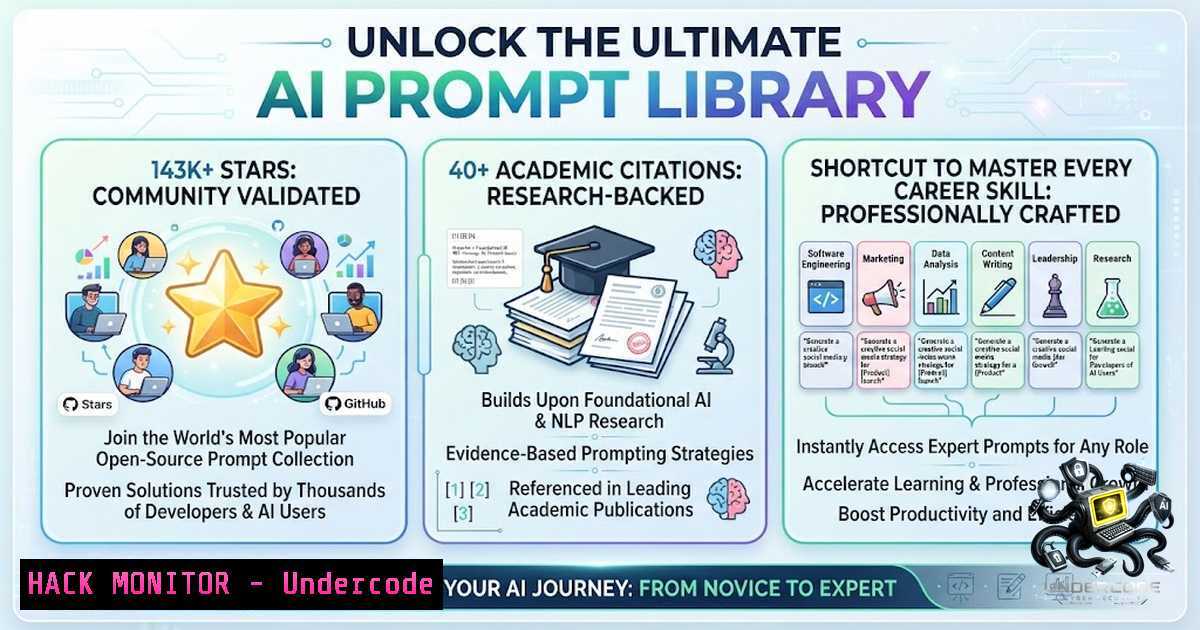
The gap between a generic AI response and a genuinely useful one often comes down to a single variable: the prompt. With the explosion of large language models (LLMs) like ChatGPT, Claude, and Gemini, the ability to craft precise, context-rich prompts has become a cornerstone of modern productivity. The `prompts.chat` repository—formerly known as Awesome ChatGPT Prompts—has emerged as the world’s largest open-source prompt library, boasting over 143,000 GitHub stars and citations from Harvard and Columbia. This collection is not just a list of queries; it is a structured shortcut that transforms AI from a raw text generator into a specialized coach, analyst, and engineer, ready to tackle everything from cybersecurity audits to startup ideation.
Learning Objectives:
- Understand the architecture and scope of the `prompts.chat` library, including its role-specific prompt categories.
- Learn to implement advanced prompting techniques such as chain-of-thought reasoning and few-shot learning using the integrated interactive book.
- Acquire the skills to self-host the entire prompt library for organizational privacy, complete with custom branding and authentication.
You Should Know:
1. The Prompt Library Ecosystem: What’s Inside?
The repository is a meticulously curated collection of prompt examples designed for modern AI assistants. It moves beyond simple Q&A by offering specialized “personas” that turn the AI into a domain expert. The library includes over a hundred prompts, with categories covering:
– Technical & Development: Python Tutor, Data Analyst, Cybersecurity Analyst, and SEO Specialist.
– Career & Coaching: Career Coach, Interview Coach, Resume Editor, and Life Coach.
– Business & Strategy: Marketing Strategist, Product Manager, Financial Advisor, and Startup Idea Generator.
– Creative & Lifestyle: UX Designer, Language Teacher, Nutritionist, and Fitness Coach.
This structure allows users to instantly switch contexts. For example, the “Cybersecurity Analyst” prompt transforms the AI into a virtual penetration tester, while the “Resume Editor” optimizes your CV for applicant tracking systems. The library is accessible via a web interface at `prompts.chat` or as raw data in CSV and Markdown formats, making it easy to integrate into existing workflows.
- From Zero to Prompt Engineer: Using the Interactive Book
Understanding how to prompt is more important than having a list of prompts. The project includes a free, interactive guide with over 25 chapters that cover the spectrum of prompt engineering. This guide is essential for moving from basic queries to advanced techniques.
Step‑by‑step guide to using the interactive book:
- Step 1: Navigate to the book’s landing page via the repository link (
fka.gumroad.com/l/art-of-chatgpt-prompting). - Step 2: Start with the fundamentals: Learn how to structure prompts with clear roles, instructions, and constraints.
- Step 3: Progress to intermediate techniques like few-shot learning, where you provide examples within the prompt to guide the AI’s output format.
- Step 4: Master chain-of-thought reasoning, a method that encourages the AI to break down complex problems step-by-step, reducing hallucinations and improving logic.
- Step 5: Apply these techniques to the specific prompts in the library, customizing them for your unique data or requirements.
This resource is invaluable for IT professionals looking to automate reporting, security analysts needing to parse logs, or developers integrating AI into their CI/CD pipelines.
3. Self-Hosting for Privacy and Customization
For organizations handling sensitive data, sending proprietary information to public AI endpoints is a security risk. The `prompts.chat` project offers a complete self-hosting solution, allowing you to deploy your own private prompt library with custom branding, themes, and authentication. This is crucial for compliance with data privacy regulations like GDPR or HIPAA.
Step‑by‑step guide to self-hosting:
- Step 1 (Prerequisites): Ensure you have Node.js (version 16 or later) and npm installed on your system. Verify with:
- Linux/macOS: `node –version && npm –version`
– Windows: Open Command Prompt or PowerShell and run `node –version && npm –version`
– Step 2: Use the project’s quick-start command to scaffold a new library instance:npx prompts.chat new my-prompt-library
This command downloads the necessary template and dependencies.
- Step 3: Navigate into the newly created directory:
cd my-prompt-library
- Step 4: Install the remaining dependencies:
npm install
- Step 5: Start the development server to test your instance locally:
npm run dev
The library will typically be available at `http://localhost:3000`.
- Step 6 (Production Deployment): For production, build the static site and deploy it to a web server or a platform like Vercel or Netlify. You can also containerize it using Docker for easier orchestration:
Example Dockerfile structure
FROM node:18-alpine
WORKDIR /app
COPY . .
RUN npm install && npm run build
CMD ["npm", "start"]
- Step 7: Configure authentication by editing the environment variables or configuration files to restrict access to authorized users only.
4. Cybersecurity Applications: Finding Vulnerabilities with AI
The “Cybersecurity Analyst” prompt is a powerful tool for red teams and blue teams alike. It can simulate a penetration testing mindset, helping to identify potential vulnerabilities in code, network configurations, or even social engineering vectors.
Step‑by‑step guide to using the Cybersecurity Analyst prompt:
- Step 1: Access the prompt from the library (e.g., via
prompts.chat/prompts). The core instruction typically asks the AI to act as a senior cybersecurity analyst. - Step 2: Provide it with a specific target. For example, paste a snippet of firewall rules or an application log.
- Step 3: Use a chain-of-thought approach by asking: “Analyze the following code for SQL injection and XSS vulnerabilities. Explain your reasoning step-by-step.”
- Step 4: Request actionable mitigation strategies. For example: “Based on the vulnerabilities found, provide a prioritized list of fixes and the corresponding secure coding practices.”
- Step 5: For API security, you can prompt: “Act as an API security auditor. Review this OpenAPI specification and identify endpoints susceptible to broken object-level authorization (BOLA).”
While the AI cannot execute exploits, it excels at pattern recognition and can quickly highlight risky configurations that might take a human hours to spot.
5. Integrating with APIs and Automation
To maximize efficiency, the prompt library can be integrated into automated workflows. For instance, you can use the “Data Analyst” prompt to process CSV files or the “SEO Specialist” prompt to generate content briefs in bulk.
Step‑by‑step guide for API integration:
- Step 1: Choose a prompt from the library and extract its core system message.
- Step 2: Use the OpenAI, Anthropic, or Gemini API to send this system message along with your user input.
- Step 3: (Linux/macOS) Use `curl` to test the API:
curl https://api.openai.com/v1/chat/completions \ -H "Content-Type: application/json" \ -H "Authorization: Bearer YOUR_API_KEY" \ -d '{ "model": "gpt-4", "messages": [ {"role": "system", "content": "You are a cybersecurity analyst..."}, {"role": "user", "content": "Analyze this log file..."} ] }' - Step 4: (Windows PowerShell) Use
Invoke-RestMethod:$body = @{ model = "gpt-4" messages = @( @{role="system"; content="You are a cybersecurity analyst..."}, @{role="user"; content="Analyze this log file..."} ) } | ConvertTo-Json Invoke-RestMethod -Uri "https://api.openai.com/v1/chat/completions" -Method Post -Headers @{"Authorization"="Bearer YOUR_API_KEY"} -Body $body -ContentType "application/json" - Step 5: Parse the JSON response and feed the output into your ticketing system, SIEM, or data pipeline.
6. Contributing to the Library
The library thrives on community contributions. Adding a new prompt is straightforward and ensures the resource remains current.
Step‑by‑step guide to contributing:
- Step 1: Visit
prompts.chat/prompts/new. - Step 2: Fill in the required fields: a clear title, the act (role), the prompt text, and relevant categories.
- Step 3: Submit the prompt. It will be reviewed and, if approved, automatically synced to the GitHub repository and the Hugging Face dataset.
- Step 4: (Optional) Fork the GitHub repository and submit a pull request if you prefer a code-based contribution.
What Undercode Say:
- Key Takeaway 1: The `prompts.chat` library is more than a collection of text; it is a framework for human-AI interaction that democratizes expertise across dozens of domains, from law to coding.
- Key Takeaway 2: Self-hosting is a critical feature for enterprise adoption, addressing privacy concerns and allowing organizations to fine-tune the library for internal use cases without relying on third-party servers.
Analysis: The library’s exponential growth—143k stars and counting—reflects a fundamental shift in how professionals interact with AI. It validates the idea that the “art of prompting” is a distinct skill set, one that can be taught and standardized. By providing both the prompts and the educational material to use them effectively, this project lowers the barrier to entry for AI, enabling non-programmers to harness complex models. However, the reliance on public AI models for sensitive tasks (like cybersecurity analysis) remains a concern, which the self-hosting option elegantly mitigates. The inclusion of an interactive book also suggests a maturation of the field; we are moving from “prompt hacking” to “prompt engineering” as a recognized discipline.
Prediction:
- +1: The standardization of prompt libraries will accelerate the development of AI-powered vertical SaaS products, where every industry will have a pre-built “analyst” prompt tailored to its specific jargon and workflows.
- +1: Self-hosted prompt libraries will become a standard component of enterprise AI stacks, similar to how vector databases are used today for RAG (Retrieval-Augmented Generation).
- -1: The proliferation of role-specific prompts may lead to a temporary over-reliance on AI, where junior professionals skip foundational learning and instead lean on AI “coaches” without sufficient critical oversight.
- +1: Academic and corporate training programs will increasingly incorporate prompt engineering curricula, with this library serving as the primary textbook.
- +1: The open-source nature of the project will prevent vendor lock-in, ensuring that organizations can switch between AI providers (OpenAI, Anthropic, Meta) without rewriting their entire prompt logic.
▶️ Related Video (70% Match):
🎯Let’s Practice For Free:
🎓 Live Courses & Certifications:
Join Undercode Academy for Verified Certifications
🚀 Request a Custom Project:
Secure, high-velocity infrastructure and disruptive technological engineering. Contact our engineering team for high-tier development and proprietary systems:
[email protected]
💎 Smart Architecture | 🛡️ Secure by Design | ⭐ Trusted by Thousands
IT/Security Reporter URL:
Reported By: Poonam Soni – Hackers Feeds
Extra Hub: Undercode MoN
Basic Verification: Pass ✅


