
Listen to this Post
Introduction:
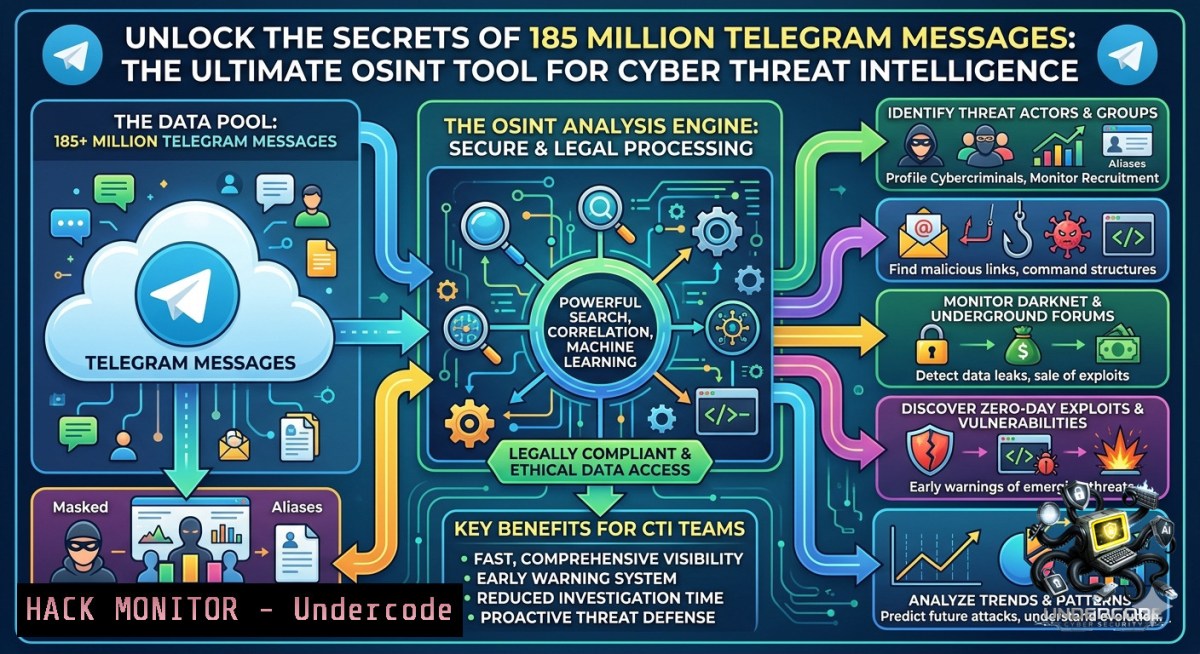
In the rapidly evolving domain of open-source intelligence, Telegram has become a critical nexus for cybercriminal coordination, hacktivist communications, and real-time data leaks. The recent release of the Deaddrop intelligence search platform, offering free access to over 185 million messages from 2 million+ public channels, has transformed how analysts can conduct passive threat reconnaissance, turning vast amounts of unstructured data into actionable intelligence.
Learning Objectives:
- Learn how to leverage the Deaddrop free interface for passive threat monitoring and data breach detection.
- Master advanced keyword search techniques using wildcards and case sensitivity to pinpoint credential leaks and threat actor communications.
- Acquire command-line skills to export, filter, and correlate Telegram-based threat data with your security stack for rapid incident response.
You Should Know:
- Mastering the Deaddrop Free Interface for Passive Threat Reconnaissance
The new Deaddrop web application breaks down the barriers of traditional API key management and coding, providing investigators with a browser-based interface to query historical message data. To begin, navigate to the registration page and create a free account. Once logged in, you are presented with a dashboard where you can initiate keyword searches across the platform’s massive index. While the free tier provides an essential starting point, professionals should note the limitations—such as the 30-day search history and 10 daily search credits—to effectively plan their queries.
Step-by-Step Guide:
- Create an Account: Visit `https://deaddrop.theosintconsultants.com` and sign up for a free account.
- Navigate the Dashboard: After logging in, locate the main search bar on the control panel.
- Plan Your Queries: Remember the daily limit of 10 free searches and the 30-day history constraint for time-sensitive investigations.
2. Employing Search Operators to Pinpoint Credential Leaks
To extract meaningful intelligence from nearly 200 million messages, you must move beyond simple keyword matching. Deaddrop supports exact phrase matching and wildcard operators, enabling you to precisely locate specific threat actor communications or leaked credentials. For instance, when searching for a malicious IP address, enclose it in quotation marks (e.g., "185.142.53.14") to exclude irrelevant results. Wildcards can be used to capture variations of malware family names (e.g., :LokiBot), and case sensitivity should be enabled when searching for API keys where letter case is critical.
Step-by-Step Guide:
- Exact Phrase Search: Use double quotes to find a precise string like `”185.142.53.14″` or
"db_password=example". - Wildcard Search: Append an asterisk to capture multiple variants: `:LokiBot` will return messages containing LokiBot, LokiBots, and LokiBotsV2.
- Case-Sensitive Search: Toggle this option when searching for Bearer tokens, passwords, or API keys (e.g.,
Bearer eyJhbGciOiJIUzI1NiIs).
- Exporting Threat Data for Forensic Correlation (CSV Export)
Gathering intelligence is only half the battle; the real value lies in analysis and correlation. Deaddrop’s CSV export functionality allows you to bring raw Telegram data into tools like Microsoft Excel, Python Pandas, or your Security Information and Event Management (SIEM) platform. This integration is essential for linking threat indicators observed on Telegram with your existing security logs or for further enrichment using other OSINT frameworks. After exporting the CSV, command-line tools can be used to quickly sift through the data.
Step-by-Step Guide for CLI Analysis (Linux/Windows):
- Perform a Search and Export: After a successful search, locate and click the “Export” or “CSV” button on the results page. Download the file.
- Search within the CSV file for other patterns:
– Linux (grep): `cat export.csv | grep “suspicious-domain.com”`
– Windows PowerShell: `Get-Content export.csv | Select-String “suspicious-domain.com”`
3. Extract Unique Usernames or IPs for further analysis: `awk -F ‘,’ ‘{print $3}’ export.csv | sort | uniq > targets.txt`
4. Using Telegram APIs for Automated Message Collection
For advanced investigations, you may need to automate the collection of messages beyond Deaddrop’s search history. The Telethon Python library is a powerful tool for this purpose. You can scrape messages, download media, and export data to JSON or CSV, all while maintaining a low profile. However, always ensure you are in compliance with Telegram’s Terms of Service and relevant privacy laws.
Step-by-Step Guide to Setting Up a Python Scraper:
- Get Your API Credentials: Visit `https://my.telegram.org/auth`, log in with your phone number, and click on “API development tools” to create an application.
2. Clone and Install the Tool:
git clone https://github.com/Nanotwone/msgtele.git
cd msgtele
pip install -r requirements.txt
3. Run the Scraper: Execute `python telegram-scraper.py` and enter your API ID, API Hash, and phone number when prompted. You will receive a verification code on your Telegram app.
5. Hardening Defenses Against Telegram-Based Infostealers
While Telegram is a valuable OSINT source, it is also a common command-and-control channel for infostealers. Recent campaigns have used malicious PowerShell scripts hosted on Pastebin, disguised as Windows updates, to steal Telegram Desktop session data. The script gathers host details, compresses the `tdata` directory, and exfiltrates it via the Telegram Bot API.
Step-by-Step Guide for Mitigation:
- Terminate Suspicious Sessions: Immediately go to Telegram Settings → Privacy and Security → Active Sessions, and select “Terminate All Other Sessions”.
- Review Running Processes: On Windows, use Task Manager (
Ctrl+Shift+Esc) to check for any suspicious `powershell.exe` processes. - Monitor for Anomalous Outbound Connections: Use a firewall or EDR tool to block unauthorized outbound connections from the Telegram Desktop client to unknown IP addresses.
-
Integrating Deaddrop with Professional OSINT Tools and Frameworks
Deaddrop is a powerful standalone tool, but its true potential is unlocked when combined with professional OSINT frameworks like Maltego or Recon-1g. The exported CSV files can serve as a data source for link analysis, helping to map relationships between threat actors, channels, and the infrastructure they use. Furthermore, platforms like OSINTrack.com aggregate hundreds of specialized search engines and tools, providing a unified interface to cross-reference your Telegram findings with data from other sources like Instagram or Pastebin. This multi-source approach is fundamental to a robust threat intelligence operation.
Step-by-Step Guide (Linux CLI Focus):
- Export your Telegram search results as a CSV file.
- Extract unique identifiers (e.g., usernames, IPs) for enrichment:
awk -F ',' '{print $3}' export.csv | sort | uniq > targets.txt - Cross-reference these targets using other OSINT tools: `theharvester -d example.com -b all -f targets.txt`
7. Extracting TTPs with the TGSpyder CLI Tool
For a more structured and deep-dive analysis of a specific channel or group, the TGSpyder command-line tool is invaluable. It allows analysts to scrape member lists, crawl chat messages for `t.me` invite links, and even identify sticker pack creators for possible de-anonymization. TGSpyder exports all findings into CSV files, facilitating organized investigations.
Step-by-Step Guide:
1. Install TGSpyder:
git clone https://github.com/Darksight-Analytics/tgspyder.git
cd tgspyder
pip install -r requirements.txt
pip install -e .
2. Scrape members and messages from a channel:
tgspyder https://t.me/examplegroup --members --chats
3. Extract all `t.me` invite links from a channel’s history:
tgspyder https://t.me/examplegroup --crawl-invites
4. Use with a SOCKS proxy for anonymity (e.g., Tor):
tgspyder --proxy socks5://127.0.0.1:9050 https://t.me/examplegroup --chats
What Undercode Say:
- Key Takeaway 1: The democratization of access to massive Telegram message archives through tools like Deaddrop significantly lowers the barrier to entry for threat intelligence, enabling smaller teams to conduct sophisticated investigations.
- Key Takeaway 2: The true power of OSINT lies in the synthesis of multiple tools and data sources. A single search result from Deaddrop is a starting point; its value is amplified when correlated with data from other platforms within an OSINTrack-style workflow.
The emergence of freely accessible, large-scale Telegram archives like Deaddrop signals a paradigm shift in open-source threat intelligence. This development will likely empower a new wave of independent researchers and smaller security teams to conduct proactive threat hunting that was previously the exclusive domain of well-funded entities. However, this shift also introduces significant ethical and legal challenges, particularly concerning data privacy and compliance with regulations like GDPR, which will force the industry to develop stricter standards for responsible OSINT use. As the bar for entry lowers, the professional bar for ethical and legal compliance will inevitably rise.
Prediction:
- +1 Increased collaboration between independent OSINT researchers, enabled by accessible platforms, will lead to faster identification and public disclosure of emerging ransomware groups and their infrastructure.
- -1 A surge in the malicious use of these same platforms by cybercriminals for widescale victim profiling and targeting is inevitable, eroding the safety of public digital spaces.
- -1 Legal backlashes and account lockouts will increase as Telegram and other platforms aggressively modify their APIs and terms of service to curb automated data scraping from large archives like Deaddrop.
- -1 The normalization of searching through massive message databases will accelerate privacy erosion, normalizing surveillance in the public consciousness and potentially chilling free speech.
- +1 The need for specialized OSINT training and certification will explode, creating a new industry dedicated to the ethical and technical mastery of these powerful, data-rich platforms.
▶️ Related Video (76% Match):
🎯Let’s Practice For Free:
🎓 Live Courses & Certifications:
Join Undercode Academy for Verified Certifications
🚀 Request a Custom Project:
Secure, high-velocity infrastructure and disruptive technological engineering. Contact our engineering team for high-tier development and proprietary systems:
[email protected]
💎 Smart Architecture | 🛡️ Secure by Design | ⭐ Trusted by Thousands
IT/Security Reporter URL:
Reported By: Mariosantella Osint – Hackers Feeds
Extra Hub: Undercode MoN
Basic Verification: Pass ✅


