Listen to this Post
Introduction:
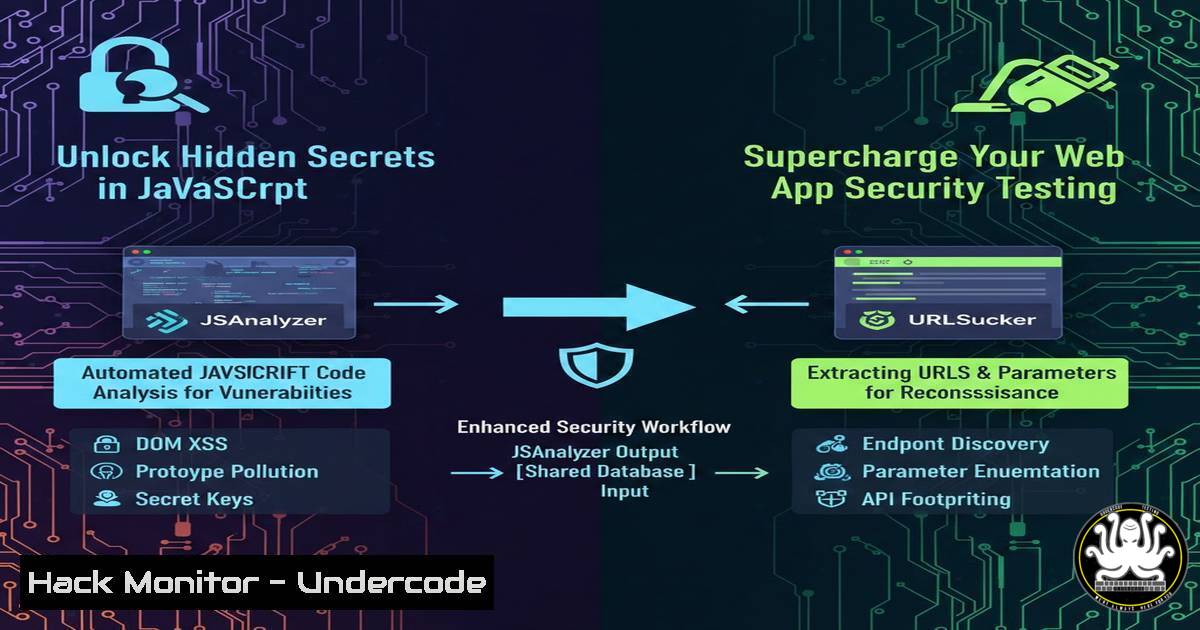
Modern web applications heavily rely on client-side JavaScript, which often inadvertently leaks sensitive information like API endpoints, cloud storage URLs, and even hardcoded credentials. Manual analysis of these files during penetration tests is notoriously time-consuming and error-prone. This article explores JSAnalyzer—a powerful Burp Suite extension for automated JavaScript static analysis—and its complementary tool, URLSucker, detailing how to integrate them into your security workflow to efficiently uncover hidden attack surfaces.
Learning Objectives:
- Understand how to install, configure, and use the JSAnalyzer Burp Suite extension for passive JavaScript analysis.
- Identify the types of sensitive data (endpoints, secrets, files) these tools can extract and learn to interpret the results.
- Develop a methodology for integrating automated JS analysis into web application security assessments and bug bounty hunting.
You Should Know:
1. Tool Overview and Core Philosophy
JSAnalyzer, developed by Jenish Sojitra (@_jensec), is a Python-based Burp Suite extension designed to perform static analysis on JavaScript files intercepted by the proxy. Its core philosophy is “smart filtering”; it aims to reduce noise by excluding non-relevant strings like XML namespaces, module import paths, and internal library code. This ensures that security testers focus on high-value findings such as live API endpoints, authentication paths (/oauth2/token, /admin/login), and secrets. In contrast, URLSucker, mentioned in the community discussion, takes a more aggressive, broad-spectrum approach to URL extraction, making it particularly effective for modern JavaScript frameworks like Next.js or Node.js applications where endpoints might not follow conventional patterns.
2. Installation and Configuration: Getting the Tools Running
A correct setup is crucial for these tools to function within Burp Suite’s ecosystem.
For JSAnalyzer (Jython Environment):
- Prerequisite: Download the standalone Jython JAR file from the official website.
- In Burp Suite, navigate to `Extensions` -> `Extensions-Settings` ->
Python Environment. - Set the path to the downloaded Jython JAR file.
- Go to the `Extensions` tab, click
Installed, thenAdd. - In the dialog, select `Python` as the extension type and browse to the `js_analyzer.py` file from the cloned GitHub repository.
For URLSucker (Montoya API – Java):
- Prerequisite: Ensure you have `make` and a JDK installed on your system.
2. Clone the URLSucker repository from GitHub.
- Navigate to the repository directory in your terminal.
- Run the `make` command. This will compile the project and create a JAR file in the `dist/` folder.
- In Burp Suite, go to `Extensions` ->
Add, browse to the generated `js-urlsucker-montoya.jar` file, and load it. A new “URLSucker” tab will appear.
3. Practical Usage and Workflow Integration
Once installed, the tools work passively and on-demand. For JSAnalyzer, as you browse a target application with Burp Suite proxying your traffic, all JavaScript responses are automatically eligible for analysis. To analyze a specific file:
1. Right-click on a request that returned a JS file in any tab (Proxy > HTTP history, Target > Site map, or Repeater).
2. Select the context menu option “Analyze JS with JS Analyzer”.
3. Switch to the JS Analyzer tab to view the structured results, categorized into Endpoints, URLs, Secrets, and Emails.
You can also send multiple requests from the HTTP history to the analyzer simultaneously. URLSucker operates fully passively, populating its tab automatically as JS files are encountered.
4. Detection Capabilities and Pattern Analysis
The power of JSAnalyzer lies in its curated pattern matching.
Endpoints & Paths: It uses regular expressions to find routes like /api/v1/users, GraphQL endpoints (/graphql), and administrative interfaces.
Secret Scanning: It detects a wide array of credentials based on known patterns:
AWS Keys: `AKIA[0-9A-Z]{16}`
Google API Keys: `AIza[0-9A-Za-z\-_]{35}`
JSON Web Tokens (JWT): `eyJ(.?)\.eyJ(.?)\.(.?)`
Database connection strings: `postgres://`, `mongodb://`
Intelligent Noise Filtering: It deliberately ignores common false positives such as paths from webpack imports (./src/), PDF object streams (/FontDescriptor), and Excel XML structures (xl/worksheets/). URLSucker, with its broader approach, may capture more of these but requires the tester to manually sift through the results for genuine findings.
5. Advanced Integration: The Standalone Engine
Beyond Burp Suite, JSAnalyzer’s core engine can be integrated into custom automation scripts or CI/CD pipelines for proactive source code scanning. The provided Python module allows for easy integration.
Example: Scanning a Directory of JS Files
from js_analyzer_engine import JSAnalyzerEngine
import os

engine = JSAnalyzerEngine()
results_aggregate = {"endpoints": [], "secrets": []}

for root, dirs, files in os.walk("./src"):
for file in files:
if file.endswith(".js"):
path = os.path.join(root, file)
with open(path, 'r') as f:
content = f.read()
results = engine.analyze(content)
results_aggregate["endpoints"].extend(results["endpoints"])
results_aggregate["secrets"].extend(results["secrets"])

Deduplicate and print critical findings
print("Critical Secrets Found:", set([s['value'] for s in results_aggregate["secrets"]]))
This script recursively scans a `src` directory, aggregates all findings, and outputs a deduplicated list of secrets—ideal for internal asset audits.
6. Complementary Tooling: URLSucker’s Aggressive Approach
The community comment by Jacobo Avariento highlights a key point: no single tool is perfect. He notes that JSAnalyzer’s URL search uses hardcoded patterns (like api, rest, amazonaws), which could miss unconventional endpoints. His tool, URLSucker, serves as a perfect complement. It employs a more aggressive regex to suck out any string resembling a URL or path from the JS code. This is especially valuable for applications built with frameworks that generate dynamic, non-standard routing. The professional methodology is to run both tools: use JSAnalyzer for its clean, actionable list of high-confidence secrets and endpoints, and then use URLSucker as a secondary sweep to catch any obscure paths JSAnalyzer’s filters might have excluded.
7. Future-Proofing Your Security Testing Workflow
To stay effective, your analysis toolkit must evolve. Both tools are open-source and encourage community contributions. You can enhance JSAnalyzer by adding new secret patterns to its engine. For instance, if a new SaaS platform uses a recognizable key pattern, you can fork the repository, update the regex patterns in the code, and use your custom version. Similarly, you can modify URLSucker’s filtering logic. Incorporating these tools into a standardized engagement process—where every web app test includes an automated JS analysis phase—ensures consistent and thorough coverage, turning a tedious manual task into a scalable, automated vulnerability discovery channel.
What Undercode Say:
- Precision vs. Breadth: JSAnalyzer prioritizes precision with smart filtering, making it efficient for direct exploitation, while URLSucker favors breadth, ensuring no stone is left unturned. A layered approach using both is optimal.
- Automation is Key: Manual review of JavaScript is no longer feasible. Integrating these passive analyzers into your Burp Suite workflow transforms a blind spot into a continuously monitored attack surface, automatically enriching your target scope with every page visit.
The discussion around these tools underscores a critical evolution in web app security. As applications move more logic and configuration client-side, the “source code” is delivered directly to the user’s browser. Tools like JSAnalyzer and URLSucker formalize the process of auditing this exposed code. The community feedback loop—where one tool’s limitation (hardcoded patterns) is highlighted and an alternative (aggressive extraction) is presented—demonstrates the collaborative strength of the open-source security community. Ultimately, these extensions are force multipliers, allowing a single tester to conduct reconnaissance at machine speed, shifting their focus from finding hidden data to exploiting it.
Prediction:
The automation of client-side code analysis will become deeply integrated into both offensive security tools and defensive DevSecOps pipelines. We will see a shift from standalone browser extensions to real-time, IDE-integrated secret scanners and API path detectors that alert developers as they write code. Furthermore, the techniques pioneered by these tools will be adopted by attackers’ automated reconnaissance bots, making exposed secrets in JavaScript an even higher-risk vulnerability. Proactive, continuous JS scanning will transition from an advanced tester’s tip to a standard organizational security control.
▶️ Related Video (78% Match):
🎯Let’s Practice For Free:
IT/Security Reporter URL:
Reported By: Intigriti Struggling – Hackers Feeds
Extra Hub: Undercode MoN
Basic Verification: Pass ✅


