Listen to this Post
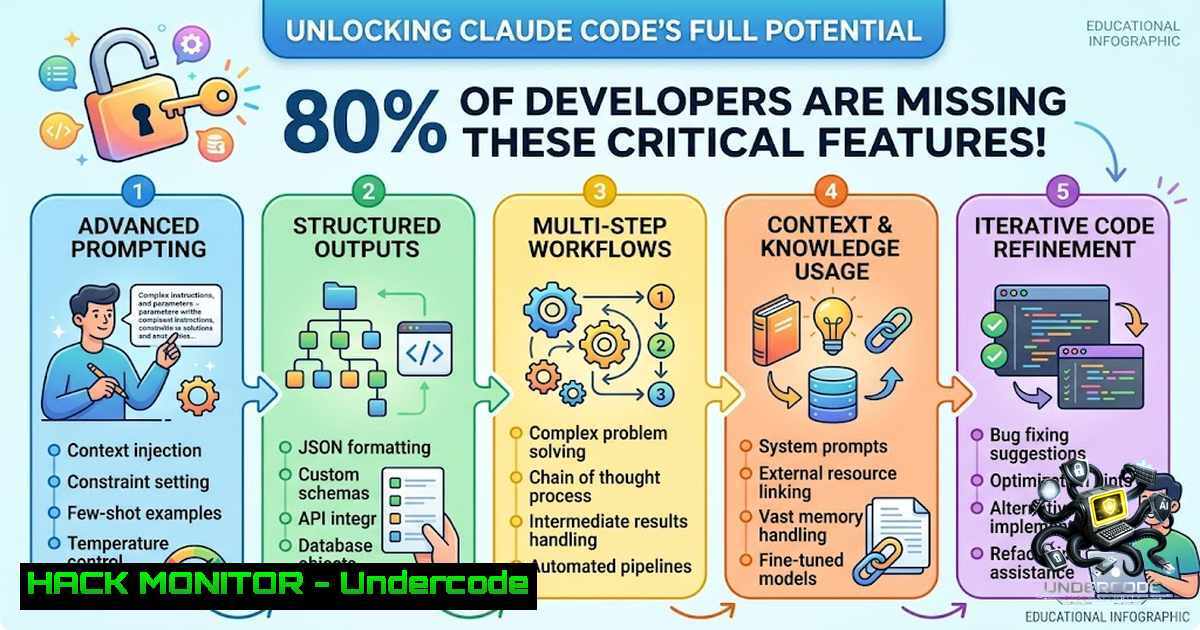
Introduction:
Claude Code is an agentic coding tool that reads your codebase, edits files, runs commands, and integrates with your development tools across terminal, IDE, desktop, and browser environments. While most developers jump straight into prompting—collecting templates and watching tutorials—they overlook the foundational documentation that explains how the system actually works. Understanding Claude Code’s architecture, from its project structure and memory systems to MCP integrations and SDK capabilities, transforms it from a simple chat assistant into a autonomous development partner that can handle multi-file refactors, run background agents, and automate entire workflows.
Learning Objectives:
- Master Claude Code’s project structure and `.claude` directory configuration for team-wide consistency
- Leverage built-in commands to accelerate development workflows and manage context efficiently
- Implement persistent memory using CLAUDE.md files and auto-memory for cross-session learning
- Connect external tools and APIs through the Model Context Protocol (MCP)
- Apply Anthropic’s internal best practices for parallel sessions, verification loops, and cost optimization
- Build custom integrations and automate development tasks using the Agent SDK
- Project Structure: Organizing Your Workspace for AI Collaboration
Claude Code organizes your workspace through a hierarchical configuration system that determines how the agent understands and interacts with your codebase. The foundation is the `.claude` directory, which can exist both at the project level (shared with your team via git) and at the user level (~/.claude for personal configuration that applies across all projects).
At the heart of this structure is the `CLAUDE.md` file—a markdown document placed in your project root that Claude reads at the start of every session. This file establishes coding standards, architecture decisions, preferred libraries, and review checklists. For large codebases or monorepos, a single root-level `CLAUDE.md` becomes either too generic or too bloated. The solution is splitting instructions across per-directory files, allowing Claude to load repository-wide rules plus only the conventions relevant to the code you’re currently working on.
Step-by-Step Setup:
- Initialize the structure: Run `/init` in a Claude Code session to generate a starter `CLAUDE.md` file.
2. Create the `.claude` directory:
mkdir -p .claude
3. Organize rules by file type using `.claude/rules/`:
.claude/
├── CLAUDE.md  Root instructions
├── rules/
│ ├── frontend.md  Frontend-specific rules
│ ├── backend.md  Backend-specific rules
│ └── testing.md  Testing conventions
└── skills/
└── review-pr.md  Custom skills
- Commit project-level configs to git for team sharing; keep personal preferences in
~/.claude/.
2. Commands: Mastering the Built-In Control System
Claude Code includes over 50 built-in commands accessible by typing `/` in any session. These commands provide quick control over models, permissions, context management, and workflow execution. Understanding the command lifecycle transforms how you interact with the agent.
Essential Commands by Workflow Stage:
First Session in a Repository:
– `/init` – Generate a starter `CLAUDE.md`
– `/memory` – Refine memory configuration
– `/mcp` – Set up MCP servers the project needs
– `/permissions` – Define approval rules for file edits and command execution
During a Task:
– `/plan` – Switch to plan mode before large changes (Claude outlines approach before executing)
– `/model` and `/effort` – Adjust which model and reasoning level to use
– `/context` – Display what’s filling the context window
– `/compact` – Summarize conversation to free space
– `/btw` – Add a quick aside that doesn’t enter conversation history
– `/tasks` – List current session’s background work and subagents
– `/background` – Detach session to run as a background agent, freeing your terminal
– `/batch` – Decompose large changes into independent units, each running in its own git worktree
Before Shipping:
– `/diff` – Show what changed
– `/code-review` – Multi-agent review of the diff
– `/security-review` – Scan for security vulnerabilities
– `/code-review ultra` – Run multi-agent review in the cloud
When Something Goes Wrong:
– `/rewind` – Roll code and conversation back to a checkpoint
– `/doctor` – Diagnose and fix installation and configuration issues
– `/debug` – Diagnose runtime issues
Windows PowerShell Example:
 Install Claude Code on Windows
irm https://claude.ai/install.ps1 | iex
 Start a session
claude
 Inside session, type / to see all commands
Linux/WSL Example:
 Install via curl
curl -fsSL https://claude.ai/install.sh | bash
 Start Claude Code in your project
cd your-project
claude
 Use /plan before large changes
/plan "Refactor authentication module"
3. Memory: How Claude Remembers Your Project
Claude Code uses two complementary memory systems that carry knowledge across sessions: `CLAUDE.md` files (instructions you write) and auto-memory (notes Claude writes itself based on your corrections and preferences). Both are loaded at the start of every conversation, but they serve different purposes.
CLAUDE.md Files (You Write):
These are markdown files that give Claude persistent instructions for a project, your personal workflow, or your entire organization. Add to `CLAUDE.md` when:
– Claude makes the same mistake a second time
– A code review catches something Claude should have known
– You type the same correction multiple sessions
– A new teammate would need the same context
Auto-Memory (Claude Writes):
Claude automatically saves learnings like build commands, debugging insights, and preferences without any manual effort. Subagents can also maintain their own auto-memory.
Configuration Hierarchy (Load Order):
- Managed policy (system-wide): `/Library/Application Support/ClaudeCode/CLAUDE.md` (macOS) or `/etc/claude-code/CLAUDE.md` (Linux)
2. User-level: `~/.claude/CLAUDE.md`
3. Project-level: `./CLAUDE.md`
4. Directory-specific: `./subdirectory/CLAUDE.md` (loaded on demand)
Step-by-Step Memory Configuration:
1. Create project memory:
 Create CLAUDE.md in project root
echo " Project Standards" > CLAUDE.md
echo "- Use TypeScript for all new files" >> CLAUDE.md
echo "- Run tests with npm test before committing" >> CLAUDE.md
- Refine with `/memory` command in a Claude session to adjust how memory is applied.
-
Enable auto-memory by letting Claude learn from your corrections naturally—no configuration needed.
-
For large projects, use project rules to scope instructions to specific file types or subdirectories:
.claude/rules/
├── api.md  API development rules
└── database.md  Database conventions
-
MCP Integration: Connecting Claude Code to Your Tools
The Model Context Protocol (MCP) is an open-source standard that connects AI tools to external data sources. With MCP, Claude Code can read design docs in Google Drive, update Jira tickets, pull data from Slack, query PostgreSQL databases, and use custom tooling.
What You Can Do with MCP:
- Implement features from issue trackers: “Add the feature described in JIRA issue ENG-4521 and create a PR on GitHub”
- Analyze monitoring data: “Check Sentry and Statsig for usage of feature ENG-4521”
- Query databases: “Find emails of 10 random users who used feature ENG-4521”
- Integrate designs: “Update our email template based on new Figma designs posted in Slack”
- React to external events: MCP servers can push messages into your session via channels
Step-by-Step MCP Setup:
- Add a remote HTTP server (recommended for cloud-based services):
Connect to Notion
claude mcp add --transport http notion
Connect to GitHub
claude mcp add --transport http github
-
Add a local stdio server for custom tools:
claude mcp add --transport stdio my-tool -- command --arg value
3. Browse reviewed connectors in the Anthropic Directory:
claude mcp add --transport http <directory-connector>
- Build your own MCP server using the official plugin:
In a Claude Code session
/plugin install mcp-server-dev@claude-plugins-official
/reload-plugins
/mcp-server-dev:build-mcp-server
Claude will scaffold a remote HTTP or local stdio server based on your use case.
-
Verify trust before connecting any server—servers that fetch external content can expose you to prompt injection risks.
Security Note: MCP servers run with the permissions of your Claude Code session. Always review server configurations and use the permission-based model—by default, Claude Code is read-only and asks for permission before making modifications or running commands.
5. Best Practices: Anthropic’s Internal Workflows
The Claude Code team at Anthropic has developed proven patterns for maximizing productivity. These practices cover parallel execution, planning, automation, verification, and customization.
Parallel Execution (The Biggest Productivity Unlock):
The single biggest productivity improvement is running 3–5 Claude sessions in parallel, each in its own git worktree. Claude Code has built-in worktree support, enabling you to work on multiple features simultaneously without context switching.
Verification Loops:
Claude stops when the work looks done. Without a check it can run, “looks done” becomes the only signal, making you the verification loop. Give Claude a test suite, build exit code, linter, or browser screenshot to compare—then Claude can iterate until the check passes.
Context Window Management:
Claude’s context window fills up fast, and performance degrades as it fills. A single debugging session might consume tens of thousands of tokens. Track context usage continuously with a custom status line (/statusline).
Step-by-Step Best Practices Implementation:
1. Set up parallel worktrees:
 Create worktrees for parallel sessions
git worktree add ../project-feature-a feature-a
git worktree add ../project-feature-b feature-b
 Run Claude in each worktree simultaneously
cd ../project-feature-a && claude
cd ../project-feature-b && claude
2. Use plan mode for complex tasks:
/plan "Refactor the authentication service to use JWT"
 Claude outlines approach before implementing
3. Provide verification criteria in prompts:
- Before: “implement a function that validates email addresses”
- After: “write a validateEmail function. example test cases: [email protected] is true, invalid is false, [email protected] is false. run the tests after implementing”
4. Address root causes, not symptoms:
- Before: “the build is failing”
- After: “the build fails with this error: [paste error]. fix it and verify the build succeeds. address the root cause, don’t suppress the error”
- Use `@` to reference files directly in prompts: `@path/to/file.ts`
- Use `/rewind` and `/clear` when Claude goes in the wrong direction
6. Agent SDK: Building Custom Integrations
The Agent SDK gives you the same tools, agent loop, and context management that power Claude Code, programmable in Python and TypeScript. Build AI agents that autonomously read files, run commands, search the web, edit code, and more.
Installation & Setup:
TypeScript:
npm init -y
npm pkg set type=module
npm install @anthropic-ai/claude-agent-sdk
npm install --save-dev tsx
Python (uv):
uv add claude-agent-sdk
Python (pip):
pip install claude-agent-sdk
Set API Key:
 macOS/Linux
export ANTHROPIC_API_KEY=sk-ant-xxxxx
 Windows PowerShell
$env:ANTHROPIC_API_KEY = "sk-ant-xxxxx"
Basic Agent Example (Python):
import asyncio
from claude_agent_sdk import query, ClaudeAgentOptions

async def main():
async for message in query(
prompt="Find and fix the bug in auth.py",
options=ClaudeAgentOptions(
allowed_tools=["Read", "Edit", "Bash"]
),
):
print(message)
 Claude reads the file, finds the bug, edits it

asyncio.run(main())
Basic Agent Example (TypeScript):
import { query } from "@anthropic-ai/claude-agent-sdk";

for await (const message of query({
prompt: "Find and fix the bug in auth.ts",
options: {
allowedTools: ["Read", "Edit", "Bash"]
}
})) {
console.log(message);
// Claude reads the file, finds the bug, edits it
}
Third-Party Authentication:
The SDK also supports authentication via:
- Amazon Bedrock: Set `CLAUDE_CODE_USE_BEDROCK=1` and configure AWS credentials
- Google Cloud’s Agent Platform: Set `CLAUDE_CODE_USE_VERTEX=1`
– Microsoft Foundry: Set `CLAUDE_CODE_USE_FOUNDRY=1`For other languages, run the CLI programmatically with the `-p` flag and
--output-format json:claude -p "translate new strings into French" --output-format json
What Undercode Say:
- Documentation over Prompt Libraries: Most developers spend time collecting prompt templates when the real leverage comes from understanding how Claude Code is designed to work. The official documentation explains the system architecture, memory mechanics, and tool integrations that prompt libraries can’t compensate for.
-
Context is King: Claude’s performance degrades as context fills. Managing what goes into the context window—through `CLAUDE.md` files, auto-memory, and the `/compact` command—is more important than crafting the perfect prompt. The most effective users treat context as a finite resource to be optimized.
-
Parallelization Changes Everything: Running 3–5 Claude sessions in parallel git worktrees is the single biggest productivity unlock according to Anthropic’s internal team. This isn’t about working faster—it’s about eliminating context switching and letting multiple agents solve problems simultaneously.
-
Verification Completes the Loop: Without a verification mechanism, you become the QA team. Giving Claude a test suite, linter, or screenshot comparison allows it to iterate autonomously until the check passes—turning a supervised session into one you can walk away from.
-
MCP is the Force Multiplier: Connecting Claude Code to your existing tools—Jira, GitHub, Slack, databases—transforms it from a code assistant into a workflow orchestrator that can implement features from tickets, analyze monitoring data, and react to external events without manual intervention.
-
The SDK Enables True Automation: The Agent SDK isn’t just for building chatbots—it’s for building production agents that run in CI/CD pipelines, handle bulk operations, and automate repetitive development work at scale. The same tools that power Claude Code are now available as a library.
Prediction:
-
+1 The shift from prompt engineering to system understanding will create a new tier of AI-1ative developers who treat AI assistants as extensible platforms rather than chat interfaces. Documentation literacy will become as valuable as coding literacy.
-
+1 MCP will emerge as the de facto standard for AI-tool integration, similar to how REST became the standard for web APIs. Organizations that adopt MCP early will build significant competitive advantages in developer productivity.
-
-1 Teams that continue relying on prompt collections without understanding Claude Code’s architecture will fall behind. The gap between casual users and power users will widen dramatically as agentic workflows become the norm.
-
+1 The Agent SDK will enable a new ecosystem of AI-powered development tools, from automated code review bots to CI/CD agents that fix failing builds without human intervention. This represents a fundamental shift in how software is built and maintained.
-
+1 Background agents and scheduled routines will transform development workflows from reactive to proactive—PR reviews will happen overnight, dependency audits will run weekly, and documentation will sync automatically after merges. The developer’s role will shift from writing code to directing autonomous agents.
▶️ Related Video (82% Match):
https://www.youtube.com/watch?v=2Jg2XT1HUnk
🎯Let’s Practice For Free:
🎓 Live Courses & Certifications:
Join Undercode Academy for Verified Certifications
🚀 Request a Custom Project:
Secure, high-velocity infrastructure and disruptive technological engineering. Contact our engineering team for high-tier development and proprietary systems:
[email protected]
💎 Smart Architecture | 🛡️ Secure by Design | ⭐ Trusted by Thousands
IT/Security Reporter URL:
Reported By: Vikasguptag Youre – Hackers Feeds
Extra Hub: Undercode MoN
Basic Verification: Pass ✅


