
Listen to this Post
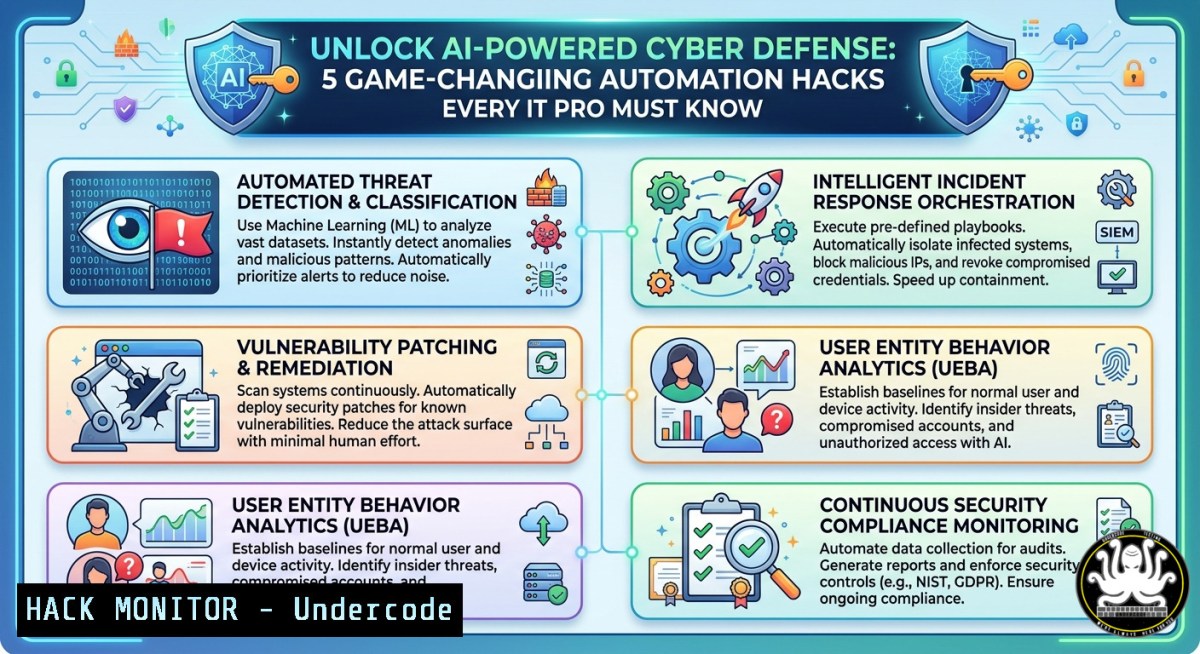
Introduction:
Artificial intelligence is revolutionizing cybersecurity by enabling real-time threat detection, automated incident response, and predictive analytics. As cyberattacks grow in sophistication, integrating AI into security operations centers (SOCs) and IT workflows is no longer optional—it’s a necessity. This article distills actionable AI-driven techniques, from log analysis with machine learning to automated firewall rule tuning, based on emerging best practices shared by industry innovators.
Learning Objectives:
- Implement AI-based anomaly detection for network traffic using open-source tools.
- Automate Windows and Linux security auditing with machine learning classifiers.
- Harden cloud environments via AI-generated IAM policy recommendations.
You Should Know:
1. AI-Enhanced Log Analysis for Threat Hunting
Modern SIEMs generate massive log volumes. Using unsupervised learning (e.g., isolation forests) can identify zero-day attacks without labeled data. Below is a hands-on pipeline using Python and the ELK stack.
Step‑by‑step guide:
- On Linux (Ubuntu 22.04): Install Elasticsearch, Logstash, Kibana (ELK).
sudo apt update && sudo apt install elasticsearch logstash kibana -y
sudo systemctl start elasticsearch
- Ingest Windows Event Logs: Use Winlogbeat on Windows.
Download and install Winlogbeat from Elastic
Invoke-WebRequest -Uri "https://artifacts.elastic.co/downloads/beats/winlogbeat/winlogbeat-8.x-windows-x86_64.zip" -OutFile "winlogbeat.zip"
Expand-Archive .\winlogbeat.zip -DestinationPath C:\ProgramData\
- Train an anomaly detector (Python):
from sklearn.ensemble import IsolationForest import pandas as pd Load parsed logs (e.g., failed logins, process creations) df = pd.read_csv('security_events.csv') model = IsolationForest(contamination=0.01) df['anomaly'] = model.fit_predict(df[['time', 'event_id', 'source_ip']]) anomalies = df[df['anomaly'] == -1] - Automate response: Integrate with TheHive (open-source SOAR) to trigger alerts.
2. Automating Windows Registry Hardening Using AI Classification
Machine learning can prioritize registry vulnerabilities by analyzing exploit databases (CVE). Use a pre-trained Random Forest model to score risky registry keys.
Step‑by‑step guide:
- Extract registry permissions (PowerShell as Admin):
Get-ChildItem -Path HKLM:\SOFTWARE -Recurse | ForEach-Object { $acl = Get-Acl -Path "Microsoft.PowerShell.Core\Registry::$<em>" $acl.Access | Where-Object {$</em>.IdentityReference -eq "Everyone"} } | Export-Csv -Path risky_keys.csv - Apply a lightweight AI model (ML.NET on Windows):
// Using ML.NET Context var context = new MLContext(); var data = context.Data.LoadFromTextFile<RegistryEntry>("risky_keys.csv"); var pipeline = context.Transforms.Concatenate("Features", "PermissionScore", "KeyDepth") .Append(context.BinaryClassification.Trainers.FastTree()); var model = pipeline.Fit(data); var predictions = model.Transform(data); - Remediate high-risk keys:
Remove write access for low-privileged groups
icacls "HKLM\SOFTWARE\VulnerableKey" /deny "Authenticated Users:(W)"
- AI-Driven API Security: Detecting Injection Attacks in Real Time
Use a recurrent neural network (RNN) trained on SQLi and XSS payloads to filter malicious requests. Deploy via NGINX and TensorFlow Serving.
Step‑by‑step guide:
- Train a simple RNN (Python):
from tensorflow.keras.models import Sequential from tensorflow.keras.layers import Embedding, LSTM, Dense model = Sequential([Embedding(10000, 32), LSTM(64), Dense(1, activation='sigmoid')]) model.compile(optimizer='adam', loss='binary_crossentropy') Assume X_train contains tokenized HTTP payloads model.fit(X_train, y_train, epochs=5) model.save('api_threat_model') - Expose model via TensorFlow Serving (Linux):
docker run -p 8501:8501 --model_name=threat_detector --model_base_path=/models tensorflow/serving
- Integrate with NGINX: Write an auth_request endpoint that calls the model before proxying.
location /api {
auth_request /validate;
proxy_pass http://backend;
}
location = /validate {
internal;
proxy_pass http://localhost:8501/v1/models/threat_detector:predict;
}
4. Cloud Hardening with AI-Generated IAM Policies
Leverage large language models (e.g., GPT‑4) to analyze CloudTrail logs and output least-privilege AWS IAM policies.
Step‑by‑step guide:
- Collect CloudTrail events (AWS CLI):
aws cloudtrail lookup-events --lookup-attributes AttributeKey=EventName,AttributeValue=CreateUser --output json > iam_events.json
- Use an LLM API (example using curl):
curl https://api.openai.com/v1/chat/completions -H "Authorization: Bearer $API_KEY" -H "Content-Type: application/json" -d '{ "model": "gpt-4", "messages": [{"role": "user", "content": "From these CloudTrail actions, generate a minimal IAM policy JSON: " + $(cat iam_events.json)}] }' - Apply generated policy:
aws iam put-user-policy --user-name Bob --policy-name MinimizedPolicy --policy-document file://generated_policy.json
5. Vulnerability Exploitation Mitigation Using AI-Based Patch Prioritization
Train a gradient boosting model on CVSS scores, exploit maturity, and asset criticality to rank patches.
Step‑by‑step guide:
- Fetch CVE data (Linux):
curl -s https://nvd.nist.gov/feeds/json/cve/1.1/nvdcve-1.1-recent.json | jq '.CVE_Items[] | {id: .cve.CVE_data_meta.ID, score: .impact.baseMetricV3.cvssV3.baseScore}' - Train XGBoost model:
import xgboost as xgb Features: days since disclosure, exploit count, asset exposure dtrain = xgb.DMatrix(X_train, label=y_train) param = {'max_depth': 5, 'eta': 0.1, 'objective': 'rank:pairwise'} bst = xgb.train(param, dtrain, num_boost_round=100) bst.save_model('patch_priority.json') - Deploy priority list to Ansible for automated patching:
</li>
<li>hosts: all
tasks: </li>
<li>name: Apply critical patches
ansible.builtin.apt:
name: "{{ item }}"
state: latest
loop: "{{ priority_packages }}"
What Undercode Say:
- Key Takeaway 1: AI doesn’t replace human analysts but amplifies their efficiency—automating repetitive log reviews frees teams for strategic threat hunting.
- Key Takeaway 2: Open-source ML libraries (Scikit-learn, TensorFlow) combined with native OS tools (PowerShell, bash) provide enterprise-grade AI security at zero licensing cost.
Prediction: By 2027, AI-driven autonomous SOCs will handle 80% of tier-1 alert triage, shifting human roles to model training and adversarial attack simulation. Organizations failing to integrate AI into their IT hardening workflows will face unmanageable response latencies against polymorphic malware and AI-generated phishing. The winners will be those who start today—even with small-scale anomaly detection on a single log source.
▶️ Related Video (82% Match):
🎯Let’s Practice For Free:
IT/Security Reporter URL:
Reported By: Pascalbornet Ai – Hackers Feeds
Extra Hub: Undercode MoN
Basic Verification: Pass ✅


