Listen to this Post
Introduction:
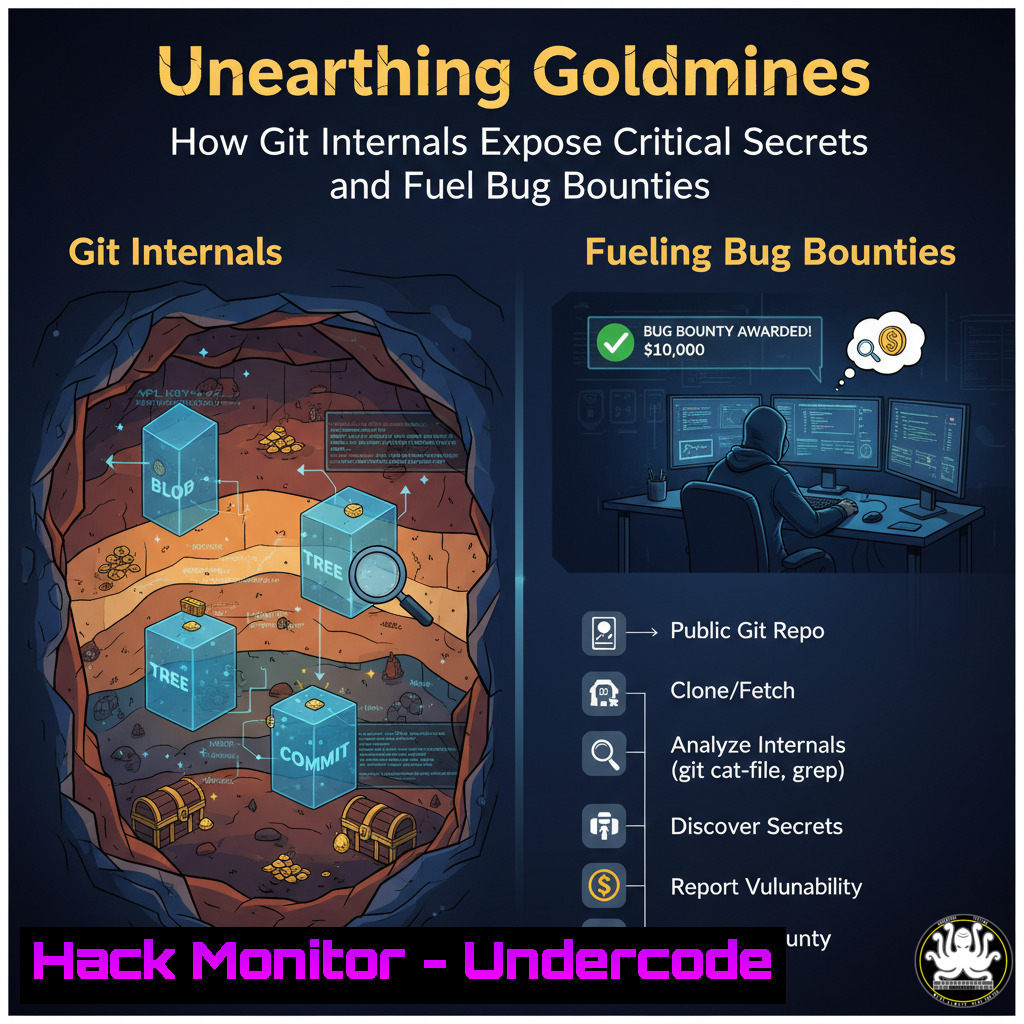
A developer’s simple mistake of committing a sensitive file to a public repository can have catastrophic consequences, even if the file is later deleted. This article delves into the hidden world of Git internals, explaining how features like blobs, trees, and commits permanently archive data, creating a treasure trove for offensive security professionals and bug hunters. We will explore the technical methodologies for weaponizing this knowledge to discover exposed credentials and report critical vulnerabilities.
Learning Objectives:
- Understand the core components of Git internals (blobs, trees, commits) and how they persistently store sensitive data.
- Learn to leverage automated tools and custom scripts to scan vast numbers of repositories for historical secrets.
- Master the integration of Git archaeology with OSINT techniques like GitHub Dorking for maximum bug bounty yield.
You Should Know:
1. The Anatomy of a Git Repository
Understanding the structure of the `.git` directory is the first step to exploiting it. Key objects remain long after files are deleted.
.git/
├── objects/  Contains all content (blobs, trees, commits)
├── refs/  Pointers to commits (branches, tags)
└── HEAD  Reference to the current branch
Step-by-step guide: When a file is committed, Git creates a blob object containing the file’s data, a tree object that tracks the filename and its corresponding blob, and a commit object that points to the tree. Even after a git rm, the commit history retains the blob. Use `git log –all –full-history — “path/to/deleted_file”` to find the commit that deleted a file, then `git checkout COMMIT_HASH^ — “path/to/deleted_file”` to restore it to the state from the commit before it was deleted.
2. Automating Secret Discovery with TruffleHog
TruffleHog is an essential tool for scanning Git history for high-entropy strings and patterns matching API keys, tokens, and passwords.
 Install TruffleHog
pip install truffleHog

Scan a remote repository
trufflehog git https://github.com/example/repo.git --json

Scan a local repository's entire history
trufflehog git file:///path/to/repo/ --since_commit HEAD~1000
Step-by-step guide: This command scans the last 1000 commits of a local repo. The `–json` flag outputs results in a parsable format for integration into automated pipelines. The tool works by decompressing and scanning every blob object in the Git history, making it incredibly effective at finding secrets that are no longer visible in the current codebase.
3. Leveraging GitHub Dorks for Target Acquisition
GitHub’s search syntax (Dorks) is a powerful OSINT tool to find repositories likely to contain secrets.
 Search for files containing "password" in a specific organization
org:google filename:password

Find AWS keys in JavaScript files
filename:.js "AKIA"

Search for commits that mention "key" or "secret"
org:tesla commit message:"key" OR "secret"
Step-by-step guide: Use these search queries in GitHub’s search bar to narrow down thousands of public repositories to a high-value target list. Focus on employee repositories (user:employee_name) within a target organization, as they often have weaker security controls than official organization repos.
- Cloning and Scanning at Scale with a Script
Automation is key to processing thousands of repositories. A Bash script can orchestrate cloning, scanning, and cleanup.!/bin/bash org="target-org" while read repo; do git clone --depth 1 "$repo" ./clones/$repo_name trufflehog git file://./clones/$repo_name --json | jq -c . >> results.json rm -rf ./clones/$repo_name Clean up immediately done < <(gh repo list $org --limit 3000 --json sshUrl -q '.[].sshUrl')
Step-by-step guide: This script uses the GitHub CLI (
gh) to list all repositories for an organization, clones each one shallowly (saving time and space), runs TruffleHog, appends JSON results to a file, and then deletes the clone. Running this on a free cloud shell (e.g., Google Cloud Shell) provides ample resources and a clean IP address.
5. Extracting Data from Raw Git Objects
For manual analysis or custom tooling, you can inspect Git objects directly using low-level commands.
 Find the hash of a deleted file from the log
git log --all --oneline --graph --decorate -- path/to/file

Examine the contents of a specific blob object
git cat-file -p BLOB_HASH

List all objects in the repository (for forensic analysis)
find .git/objects -type f | sed 's/.git\/objects\///;s/\// /'
Step-by-step guide: After identifying a commit of interest from the log, use `git show COMMIT_HASH` to view its contents. To extract a specific blob, note its hash from the tree and use `git cat-file -p BLOB_HASH > restored_file.txt` to write its contents to a new file for analysis.
6. Integrating with CI/CD for Continuous Monitoring
The true power of this technique is realized when it’s integrated into a continuous monitoring pipeline.
 Example GitHub Action workflow
name: Secret Scanner
on: [bash]
jobs:
trufflehog:
runs-on: ubuntu-latest
steps:
- uses: actions/checkout@v3
with: { fetch-depth: 0 }  Full history
- name: TruffleHog Scan
run: |
docker run --rm -v "$(pwd)":/code trufflesecurity/trufflehog git file:///code --only-verified
Step-by-step guide: This workflow checks out the entire repository history and uses the official TruffleHog Docker image to scan it on a schedule. The `–only-verified` flag is critical as it attempts to authenticate found secrets, drastically reducing false positives before a bug report is filed.
7. Mitigation: Purging Secrets from Git History
For developers and organizations, understanding how to properly remove sensitive data is crucial for defense.
 Use the BFG Repo-Cleaner or git filter-repo to purge history
java -jar bfg.jar --delete-files secrets.txt .git
git reflog expire --expire=now --all && git gc --prune=now --aggressive

Recommended: Use pre-commit hooks to prevent secrets
pre-commit install
 .pre-commit-config.yaml
repos:
- repo: https://github.com/pre-commit/pre-commit-hooks
rev: v4.4.0
hooks:
- id: detect-aws-credentials
- id: detect-private-key
Step-by-step guide: The BFG tool is faster and simpler than `git filter-branch` for erasing files from history. After running it, a forceful garbage collection is required to purge the data. However, the only true mitigation is prevention via pre-commit hooks that scan for secrets before they are ever committed.
What Undercode Say:
- The Archive is Permanent. Git is designed never to lose data. This feature for developers is a vulnerability for organizations, creating a perpetual attack surface that must be managed, not ignored.
- Automation is Non-Negotiable. The scale of this problem—thousands of repositories across GitHub and GitLab—demands an automated, scripted approach. Manual hunting is insufficient.
The technique outlined represents a significant shift in bug hunting methodology. It moves from targeting live application vulnerabilities to mining the historical development data itself. This approach is highly lucrative because it exploits a systemic, rather than an application-specific, flaw. The high duplication rate (26 out of 45 bugs) is not a failure but an indicator of a widespread, systemic problem across entire organizations. This method will likely become a standard part of the recon phase for top bug hunters, forcing organizations to implement stricter pre-commit checks and historical secret scanning as a mandatory part of their DevOps lifecycle.
Prediction:
The practice of “Git archaeology” will rapidly evolve from a novel technique to a fundamental reconnaissance skill for red teams and bug bounty hunters. As awareness grows, we predict a short-term surge in reported secrets-related vulnerabilities, forcing major platforms like GitHub and GitLab to develop more aggressive, automated scanning and alerting features for repository history. In the long term, this will lead to the development of new Git protocols or services designed to offer true secret revocation and historical data purging, fundamentally changing how version control manages sensitive data.
🎯Let’s Practice For Free:
IT/Security Reporter URL:
Reported By: https://lnkd.in/p/dp-vFMQH – Hackers Feeds
Extra Hub: Undercode MoN
Basic Verification: Pass ✅


