Listen to this Post
Introduction:
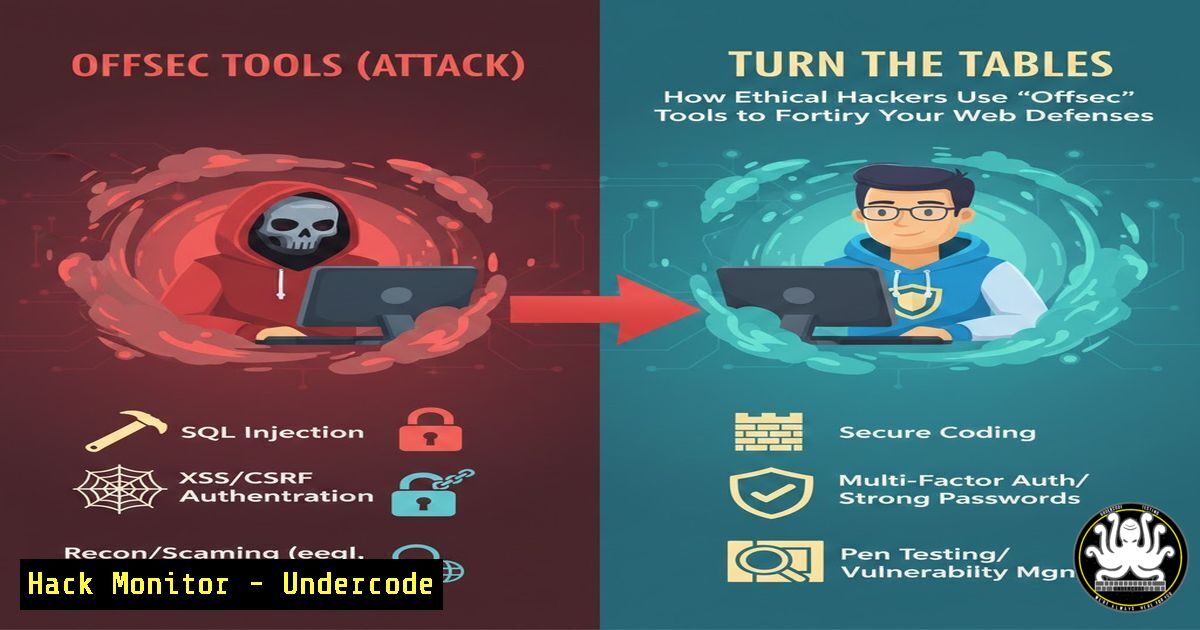
In the relentless arms race of web security, developers often view hacker tools with suspicion, but a paradigm shift is occurring. Offensive Security (“Offsec”) tools, designed to probe and exploit weaknesses, are becoming invaluable for defenders to proactively harden applications. This article explores how one such tool, designed to bypass Content Security Policy (CSP), can be weaponized by developers and security engineers to transform a common vulnerability—misconfigured CSP headers—into an impenetrable defense mechanism.
Learning Objectives:
- Understand the critical role of CSP as a defense against XSS and data injection attacks.
- Learn how to use the CSP Bypass Search tool from an adversarial perspective to audit and validate your own policies.
- Implement concrete, secure configurations and development practices to eliminate common CSP bypass vectors.
You Should Know:
- Content Security Policy (CSP): Your First Line of Defense Against XSS
A Content Security Policy is a critical security header that acts as an allowlist, instructing the browser which sources of scripts, styles, images, and other resources are legitimate for a given webpage. Its primary purpose is to mitigate Cross-Site Scripting (XSS) and data injection attacks by blocking the execution of unauthorized malicious scripts. A well-configured CSP can stop most common XSS payloads dead in their tracks, even if an attacker successfully injects script code into your application’s response.Step-by-Step Guide: Implementing and Testing a Basic CSP
- Craft a Policy: Start with a restrictive policy. For a simple static site, a policy like `Content-Security-Policy: default-src ‘self’; script-src ‘self’;` only allows resources from the site’s own origin.
-
Deploy the Header: Configure your web server to send the CSP HTTP header.
Apache: Add to.htaccess: `Header set Content-Security-Policy “default-src ‘self’;”`
Nginx: Add to server block: `add_header Content-Security-Policy “default-src ‘self’;”;`
Express.js (Node.js): Use the `helmet` middleware: `app.use(helmet.contentSecurityPolicy({ directives: { defaultSrc: [“‘self'”], scriptSrc: [“‘self'”], }, }));`
3. Test in Browser: Open your site’s Developer Tools (F12), navigate to the Console tab. The console will report any CSP violations, showing you which resources were blocked. This is your first test for policy breakage. -
The Adversarial Audit: Using CSP Bypass Search Like an Attacker
The core insight from the source post is that the tool at https://cspbypass.com is not just for attackers. This tool contains a database of known CSP bypass techniques, wildcard misconfigurations, and lax directives that can be exploited. By inputting your own CSP into this tool, you are conducting an adversarial audit, seeing exactly what a skilled attacker would see when probing your defenses. The tool outputs specific payloads and methods that could bypass your current policy.Step-by-Step Guide: Auditing Your Policy with CSP Bypass Search
- Extract Your CSP: Visit your application and use browser DevTools or a command-line tool to capture the full `Content-Security-Policy` header.
Using cURL: `curl -I https://your-application.com | grep -i content-security-policy`
2. Conduct the Audit: Navigate to https://cspbypass.com. Paste the entire CSP header string into the search box. - Analyze the Results: The tool will list potential bypass vectors. Click on any result to copy the specific payload. For example, if your policy has
script-src 'self' https://cdn.example.com`, the tool might highlight that if an attacker can upload a `.js` file tocdn.example.com`, they can execute arbitrary code. - Prioritize Fixes: Treat each result as a critical finding. Bypasses involving
'unsafe-inline', overly permissive wildcards (“), or whitelisted domains hosting user content are high severity.
3. From Vulnerability to Fortification: Hardening Your CSP
Merely having a CSP is not enough. The post’s author emphasizes that a single misconfiguration can render the entire policy useless. Hardening involves moving from a detective control (logging violations) to a preventive one (blocking attacks).
Step-by-Step Guide: Implementing Robust CSP Defenses
- Eliminate
'unsafe-inline': This directive nullifies most of CSP’s XSS protection. To remove it:
Use Nonces: Generate a cryptographically random nonce (number used once) per request and include it in your CSP and script tags.
CSP Header: `script-src ‘nonce-{RANDOM_VALUE}’`
HTML: ``
Use Hashes: Calculate the SHA hash of your trusted inline script blocks and specify them in the policy.
CSP Header: `script-src ‘sha256-{HASH_OF_SCRIPT}’`
- Tighten Source Whitelists: Avoid whitelisting entire domains or using
.domain.com. Specify exact paths where possible (e.g., `https://cdn.example.com/path/to/trusted-scripts/`). - Adopt a Reporting & Monitor Phase: Before enforcing a blocking policy, use `Content-Security-Policy-Report-Only` mode to collect violation reports without blocking resources, allowing you to fine-tune the policy without breaking functionality. Send reports to a URI you monitor.
-
Integrating CSP Testing into the Development Lifecycle (CI/CD)
Security must be “shifted left.” Checking CSP robustness shouldn’t be a yearly pentest activity but an integrated part of the build and deployment process.
Step-by-Step Guide: Automating CSP Validation
- Create a Test Script: Write a script that fetches your application’s CSP header and validates it against a set of security rules (e.g., must not contain
unsafe-inline, must have adefault-src).
Example Python snippet using `requests` and `csp-validator` library:import requests from csp_validator import CSPValidator</li> </ol> <p>response = requests.get('https://your-staging-app.com') csp_header = response.headers.get('Content-Security-Policy') validator = CSPValidator(csp_header) if validator.has_unsafe_inline(): print("FAIL: CSP contains unsafe-inline") exit(1) if not validator.has_default_src(): print("WARN: CSP missing default-src directive") print("CSP Basic Checks Passed")2. Integrate into CI Pipeline: Add this script as a step in your Continuous Integration pipeline (e.g., GitHub Actions, GitLab CI, Jenkins). The build fails if the CSP on the staging environment does not meet the security baseline.
3. Automate Adversarial Testing: For critical applications, consider a pipeline step that programmatically queries tools like CSP Bypass Search’s methodology (or a local database of bypasses) to test your deployed policy, flagging any high-confidence bypasses.5. Beyond CSP: Defense-in-Depth for Modern Web Apps
While CSP is powerful, it is one layer in a defense-in-depth strategy. Modern applications, especially those using APIs and cloud infrastructure, require complementary controls.
Step-by-Step Guide: Implementing Complementary Controls
- Secure Your APIs: Use strict CORS policies. Don’t use `Access-Control-Allow-Origin: ` for authenticated APIs. Validate and sanitize all API inputs.
- Cloud Hardening: Use Web Application Firewalls (WAF) offered by cloud providers (AWS WAF, Azure WAF, Cloud Armor) to filter malicious requests before they reach your app, complementing CSP’s browser-side enforcement.
- Subresource Integrity (SRI): For scripts loaded from CDNs, use the `integrity` attribute. The browser will verify the hash of the fetched script against the one you provide, preventing execution if the CDN is compromised.
HTML: ``
What Undercode Say:
- Key Takeaway 1: The most effective defense is understanding the offense. Tools built for penetration testing provide an unfiltered, adversarial view of your security posture that traditional compliance scanners often miss.
- Key Takeaway 2: Security is not a static configuration but a continuous process of validation. A CSP that was secure last year may be vulnerable today due to new browser features and attack techniques.
The analysis reveals a crucial mindset shift in modern DevSecOps: the boundary between “red team” and “blue team” tools is blurring. The CSP Bypass Search tool exemplifies this. It democratizes advanced offensive security knowledge, allowing developers to preemptively answer the question, “How would a hacker break this?” This proactive, adversarial thinking embedded into the development lifecycle is far more potent than reactive patching. It moves security from being a gate at the end of the pipeline to being an intrinsic property of the code and its configuration.
Prediction:
The methodology showcased here—using offensive tooling for defensive hardening—will become standard practice across the software industry, accelerated by AI. We will see the rise of Security Orchestration, Automation, and Response (SOAR) platforms that integrate tools like CSP Bypass Search directly into CI/CD and runtime protection systems. These AI-augmented systems will not only identify vulnerabilities but also automatically suggest and, in some cases, apply the correct hardened configuration (e.g., generating a secure nonce-based CSP). Furthermore, as web technologies like WebAssembly and advanced APIs evolve, offensive tooling will continuously uncover new bypass vectors, forcing a parallel evolution in defensive configurations. The future belongs to organizations that can systematically and continuously “attack” their own systems faster than real adversaries can.
▶️ Related Video (80% Match):
🎯Let’s Practice For Free:
IT/Security Reporter URL:
Reported By: Aaandrei %F0%9D%90%94%F0%9D%90%AC%F0%9D%90%A2%F0%9D%90%A7%F0%9D%90%A0 – Hackers Feeds
Extra Hub: Undercode MoN
Basic Verification: Pass ✅🔐JOIN OUR CYBER WORLD [ CVE News • HackMonitor • UndercodeNews ]
📢 Follow UndercodeTesting & Stay Tuned:


