Listen to this Post
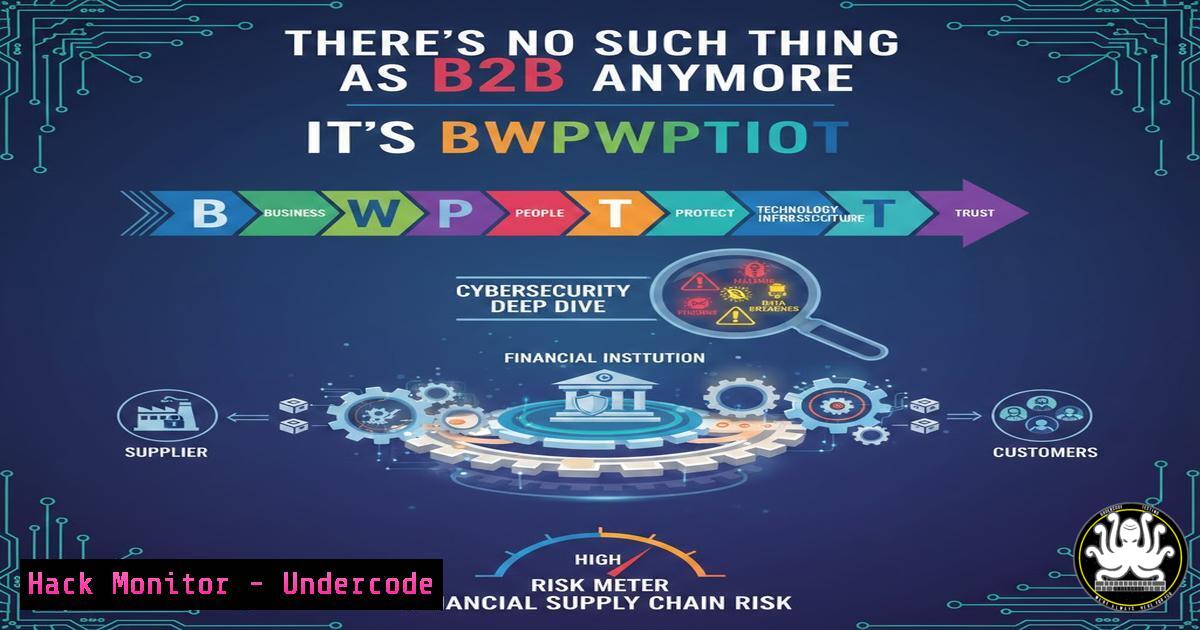
Introduction:
The humorous yet brutally honest take on modern business transactions—”Business With People Who Pay Their Invoices On Time”—highlights a critical vulnerability often overlooked in enterprise security: the Accounts Payable (AP) and financial data pipeline. While the post focuses on cash flow, from a cybersecurity perspective, it exposes the inherent risks in the financial supply chain. Every invoice processed, every payment authenticated, and every vendor relationship managed represents a potential attack vector for Business Email Compromise (BEC), ransomware deployment, and data exfiltration. This article provides a technical blueprint for hardening the financial arteries of an organization, moving beyond simple payment terms to a zero-trust financial operations model.
Learning Objectives:
- Understand the technical architecture required to secure automated payment systems against BEC and invoice fraud.
- Learn to implement host-based and network-level controls to monitor financial data exfiltration attempts.
- Master the configuration of secure APIs for integrating Enterprise Resource Planning (ERP) systems with banking partners.
You Should Know:
- Securing the Accounts Payable (AP) Environment: The New Perimeter
The statement “Describe your relationship with Net 30” is, in the security world, a question about the integrity of the systems that manage those Net 30 terms. Attackers don’t care about payment delays; they care about invoice manipulation. If an AP clerk’s workstation is compromised, the relationship with the vendor is irrelevant—the payment goes to the attacker.
Step‑by‑step guide: Hardening the AP Workstation (Windows Focus)
This guide assumes a Windows environment, which is standard in most finance departments.
1. AppLocker Enforcement: Prevent unauthorized scripts and executables that are often used to scrape browser-stored passwords or inject fraudulent payment requests.
 Run PowerShell as Administrator to create a default AppLocker rule for EXE
Set-AppLockerPolicy -XmlPolicy $env:temp\DefaultEXE.xml -Merge
 Note: You must generate the baseline XML policy via New-AppLockerPolicy -RuleType Publisher,Hash,Path -User Everyone
2. Registry Hardening: Disable macro execution in Microsoft Office, a primary vector for malware delivery.
Windows Registry Editor Version 5.00
[HKEY_CURRENT_USER\Software\Microsoft\Office\16.0\Excel\Security]
"VBAWarnings"=dword:00000002
"AccessVBOM"=dword:00000000
"BlockContentExecutionFromInternet"=dword:00000001
3. Network Isolation (Windows Firewall): The AP workstation should only talk to the ERP server and the print server (for checks). It should not have unfettered internet access.
 Block all outbound except to specific ERP IP
New-NetFirewallRule -DisplayName "Block_AP_Outbound_Internet" -Direction Outbound -Action Block -Protocol TCP -RemoteAddress Any
 Allow only to ERP server (example IP)
New-NetFirewallRule -DisplayName "Allow_AP_to_ERP" -Direction Outbound -Action Allow -Protocol TCP -RemoteAddress 192.168.10.50
- Analyzing Email Headers for BEC (Business Email Compromise)
Before you worry about “Who Pays Their Invoices,” you must verify who sent the invoice. BEC attacks often involve spoofed domains or lookalike domains (e.g., `vendor-supp1y.com` instead ofvendor-supply.com). You must train systems to inspect the source, not just the display name.
Step‑by‑step guide: Linux Command-Line Email Header Analysis
When you receive a suspicious invoice email, save the `.eml` file and analyze it on a Linux analysis machine.
1. Extract the originating IP: This shows you the real server that connected to your mail exchanger.
grep -i "received:" suspicious_invoice.eml | head -1
Expected output: `Received: from mail.vendor.com (198.51.100.10) by mx.google.com…`
- Check SPF (Sender Policy Framework): Verify if the sending server was authorized. Use `dig` to query the domain’s SPF record.
dig TXT vendor-supply.com | grep "v=spf1"
Interpretation: If the IP from step 1 is not listed in the SPF record, the email is likely forged.
3. DMARC Analysis: Check the Authentication-Results header.
grep -i "authentication-results" suspicious_invoice.eml
Look for dmarc=fail. A fail here, combined with a request to change banking details, is a massive red flag.
3. Securing the API Bridge to Financial Institutions
Modern ERPs connect directly to banks via APIs to automate “Pay Your Invoices On Time.” These APIs are gold for attackers. If the API key is exposed, an attacker can initiate payments without ever touching the user interface.
Step‑by‑step guide: API Key and Payload Hardening
This involves configuring the middleware that connects your ERP to the bank’s API.
1. Never hardcode credentials. Use environment variables or a secrets manager like HashiCorp Vault.
 Python example for a secure middleware script
import os
import requests
from vault_client import get_secret

Fetch API key from secure vault, not from the code
api_key = get_secret("bank_api/prod/key")
account_id = os.environ.get("BANK_ACCOUNT_ID")

headers = {
"Authorization": f"Bearer {api_key}",
"Content-Type": "application/json"
}

Define the payment payload
payment_payload = {
"amount": "15000.00",
"currency": "USD",
"beneficiary_account": "123456789",
"approval_signature": generate_hmac_signature(payload_string)  Crucial step
}

def generate_hmac_signature(data):
 Use a shared secret to sign the payload to prevent tampering in transit
secret = get_secret("hmac/shared/secret")
return hmac.new(secret.encode(), data.encode(), hashlib.sha256).hexdigest()
2. IP Whitelisting at the Bank Level: Ensure the bank’s API endpoint is configured to only accept connections from your corporate static IP or VPC endpoint. This is a network-layer control that stops stolen credentials from being used from a residential IP address.
4. Monitoring for Data Exfiltration (The Insider Threat)
The focus on “People Who Pay” implies a relationship. But what if a trusted employee, disgruntled by payment disputes, decides to leak the entire vendor database containing bank details and pricing?
Step‑by‑step guide: Linux Log Monitoring for Data Theft
Monitor for large, unusual outbound data transfers or access to financial folders.
1. Audit File Access (Linux ERP Server): Use `auditd` to monitor sensitive directories.
 Add a watch rule to /finance/data
auditctl -w /finance/data -p rwa -k finance_data_access
 Search the logs for access
ausearch -k finance_data_access -ts today | aureport -f -i
2. Monitor for tarball creation: Attackers often compress files before exfiltration.
 Use psacct or acct to see user commands
lastcomm | grep -E "tar|gzip|zip"
3. Network Egress Filtering (Linux Firewall): Limit which servers the finance subnet can talk to.
 iptables rule to block finance subnet from accessing external FTP/SFTP servers
iptables -A FORWARD -s 10.10.20.0/24 -p tcp --dport 21 -j DROP
iptables -A FORWARD -s 10.10.20.0/24 -p tcp --dport 22 -j LOG --log-prefix "BLOCKED_SFTP: "
iptables -A FORWARD -s 10.10.20.0/24 -p tcp --dport 22 -j DROP
5. Hardening the Vendor Onboarding Portal
If you are implementing a portal to manage vendor payment details (to ensure you pay on time), you must secure it against injection attacks. A compromised vendor portal can lead to mass payment redirection.
Step‑by‑step guide: Web Application Firewall (WAF) Rule for SQLi
Assume the vendor portal allows vendors to update their bank details. An attacker might try to inject SQL to dump all bank details.
1. ModSecurity Rule (CRS – OWASP Core Rule Set): Ensure basic SQLi detection is active.
 In ModSecurity (or Nginx with libmodsecurity)
 This rule (part of CRS) looks for SQL patterns
SecRule REQUEST_COOKIES|!REQUEST_COOKIES:/__utm/|REQUEST_COOKIES_NAMES|ARGS_NAMES|ARGS|XML:/ "@detectSQLi" \
"id:942100,\
phase:2,\
block,\
capture,\
t:none,t:utf8toUnicode,t:urlDecodeUni,t:removeNulls,\
msg:'SQL Injection Attack Detected via libinjection',\
logdata:'Matched Data: %{TX.0} found within %{MATCHED_VAR_NAME}: %{MATCHED_VAR}',\
tag:'application-multi',\
tag:'language-multi',\
tag:'platform-multi',\
tag:'attack-sqli',\
tag:'OWASP_CRS/WEB_ATTACK/SQL_INJECTION',\
tag:'capec/1000/152/248/66',\
severity:'CRITICAL',\
setvar:'tx.anomaly_score=+%{tx.critical_anomaly_score}',\
setvar:'tx.%{rule.id}-OWASP_CRS/WEB_ATTACK/SQLI-%{matched_var_name}=%{tx.0}'"
What Undercode Say:
- Financial operations are now security operations. The “relationship with Net 30” is a technical handshake between an ERP, an API, and a bank. Securing this handshake is more critical than the human agreement.
- BEC is a technical problem, not just a training problem. While awareness helps, technical controls like DMARC enforcement, S/MIME for email signing, and IP-restricted API access are the only reliable defenses against invoice fraud.
- The shift to automated AP creates a single point of failure. In the past, fraud required collusion. Today, compromising a single Jenkins server that runs the payment script can drain accounts in minutes. Infrastructure as Code (IaC) must be applied to financial logic to ensure integrity.
Prediction:
We will see the rise of “Financial Detection and Response” (FDR) platforms. Just as EDR monitors endpoints, FDR will monitor the transaction flow in real-time. These platforms will use AI to model the “relationship” between businesses, flagging anomalous payment behaviors—such as a vendor suddenly requesting a change to a foreign bank account—by cross-referencing external threat intelligence on the vendor’s own cybersecurity posture. The question “Describe your relationship with Net 30” will soon be answered by an automated security score, not a human conversation.
▶️ Related Video (74% Match):
🎯Let’s Practice For Free:
IT/Security Reporter URL:
Reported By: Joehead1 Theres – Hackers Feeds
Extra Hub: Undercode MoN
Basic Verification: Pass ✅


