Listen to this Post
Introduction:
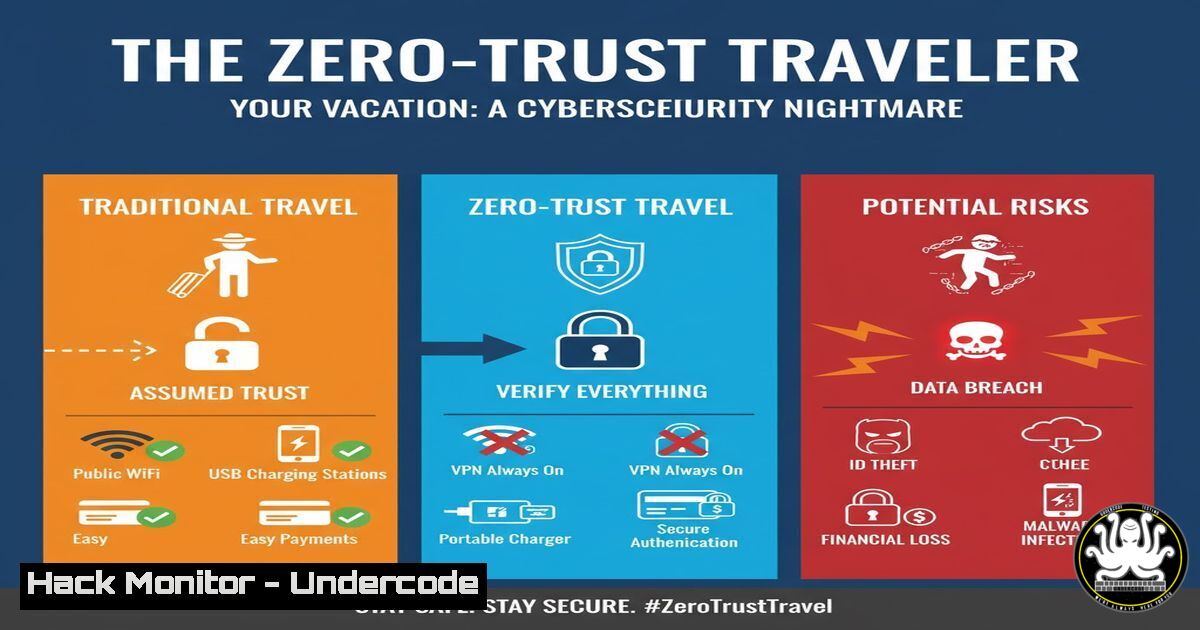
The convergence of digital nomadism, travel tech platforms, and AI-powered services has created a new attack surface for cybercriminals. From loyalty program hacks to rogue AI travel assistants, the modern traveler is a high-value target, often operating from insecure networks with a treasure trove of personal and financial data.
Learning Objectives:
- Understand the primary attack vectors targeting travelers and travel-related platforms.
- Learn critical commands and techniques to audit your digital footprint and secure devices before, during, and after travel.
- Implement proactive monitoring and incident response protocols for when you’re on the road.
You Should Know:
1. Reconnaissance: Enumerating Your Digital Footprint
Before an attacker can strike, they perform reconnaissance. You should do the same on your own assets to see what’s exposed.
Command List:
 Check for compromised emails and passwords
curl -s "https://api.haveibeenpwned.com/unifiedsearch/<your-email>" | jq .

Scan your own public IP for open ports using Nmap
nmap -sV --script vuln <your-public-ip>

Use theHarvester to find information leaked about you or your company online
theharvester -d "yourcompany.com" -b google,linkedin
Step-by-Step Guide:
The `haveibeenpwned.com` API check is crucial. By querying it (replace <your-email>), you can determine if your credentials are part of a known breach related to travel or other sites. `Nmap` scanning your public IP reveals which services are accessible from the internet—a common mistake when working remotely. Close all unnecessary ports. `theHarvester` helps you understand what an attacker can easily find, allowing you to request takedowns or prepare for social engineering attacks.
2. Endpoint Hardening: Locking Down Your Travel Laptop
A travel laptop is a prime target for theft and physical access attacks. Harden it before you depart.
Command List:
 On Linux/Mac: Full disk encryption status check
sudo fdesetup status
 On Windows (PowerShell as Admin):
Manage-bde -status C:

Verify firewall is active and blocking all unnecessary inbound connections
sudo ufw status verbose
 On Windows:
Get-NetFirewallProfile | Format-Table Name, Enabled

Audit running processes and services for anomalies
ps aux | grep -i "unknown"
Get-CimInstance Win32_Service | Where-Object {$_.State -eq 'Running'}
Step-by-Step Guide:
Ensure Full Disk Encryption (FDE) is active. This is your last line of defense if your device is stolen. The `fdesetup status` (macOS) or `Manage-bde` (Windows) commands confirm this. Next, verify your host-based firewall is on and set to deny all inbound connections by default. The `ufw status` or PowerShell `Get-NetFirewallProfile` command shows this. Regularly audit running services and kill any that are non-essential or unrecognized.
3. Network Security: Evading the Rogue Wi-Fi Snare
Hotel and café Wi-Fi are hunting grounds for attackers. Never trust the network.
Command List:
 Force the use of a trusted DNS server (like Cloudflare or Google)
sudo systemd-resolve --set-dns=1.1.1.1 --interface=wlan0
 On Windows:
netsh interface ip set dns "Wi-Fi" static 1.1.1.1

Check current network connections and listening ports
netstat -tulpn
Get-NetTCPConnection | Where-Object {$_.State -eq "Listen"}

Establish a secure SSH tunnel to a trusted server for all traffic
ssh -D 1080 -N [email protected]
Step-by-Step Guide:
Unsecured DNS is a common attack vector. Override the network-provided DNS with a trusted one using the `systemd-resolve` or `netsh` commands. Always use a VPN or, for more technical users, an SSH SOCKS proxy. The `ssh -D` command creates a dynamic port forward, routing your browser traffic through an encrypted tunnel to a server you control, effectively bypassing the local network’s snooping.
4. Credential Management & API Security
Travel apps and “roamer memberships” rely heavily on APIs. Compromised API keys are a goldmine.
Command List:
 Search bash history for accidental API key exposure
history | grep -E "api|key|token|password"

Use GitLeaks to scan a repository for hardcoded secrets
gitleaks detect --source=/path/to/your/code -v

Test an API endpoint for common misconfigurations with curl
curl -H "Authorization: Bearer <token>" https://api.travel-service.com/v1/user/profile
curl -X POST https://api.travel-service.com/v1/user/profile --data '{"user_id":"1"}'  Check for IDOR
Step-by-Step Guide:
Developers often leak secrets in their command history or code. Regularly scan your `history` and repositories with gitleaks. When interacting with travel service APIs, test for Broken Object Level Authorization (BOLA) by modifying the `user_id` parameter in a request. If you can access another user’s data, the API is vulnerable. Report this immediately.
5. Cloud Hardening for Remote Workers
Your cloud accounts are more accessible—and vulnerable—when you travel.
Command List:
 AWS CLI: Check for overly permissive S3 buckets
aws s3api get-bucket-policy --bucket my-bucket-name
aws s3 ls --recursive my-bucket-name

Azure CLI: Audit virtual machine security settings
az vm list -o table
az network nsg list --query '[].{Name:name, Ports:securityRules[].destinationPortRange}'

GCP CLI: Check IAM policies and firewall rules
gcloud projects get-iam-policy my-project-id
gcloud compute firewall-rules list --format="table(name, allowed[].ports, sourceRanges)"
Step-by-Step Guide:
Use cloud CLI tools to audit your environment. The S3 commands check for public access policies. The Azure commands list all VMs and their associated Network Security Groups (firewalls), highlighting open ports. The GCP commands review IAM policies for overly broad permissions and firewall rules exposing services to the entire internet (0.0.0.0/0). Tighten these configurations before traveling.
6. Vulnerability Exploitation & Mitigation: A Practical Example
Understanding how a simple vulnerability is exploited is key to defending against it.
Command List:
 Exploitation: Simple Remote Code Execution (RCE) via vulnerable web app
curl -X POST http://vulnerable-travel-app.com/upload -F "[email protected]"

Mitigation: Input validation and file type restriction on the server-side (PHP example)
$allowed_types = ['image/jpeg', 'image/png'];
if (in_array($_FILES['file']['type'], $allowed_types)) {
// Process file
} else {
die("Invalid file type.");
}

Scanning for known vulnerabilities with Nmap NSE
nmap -sV --script http-vuln-cve2017-5638 <target-ip>
Step-by-Step Guide:
An attacker might upload a malicious script (e.g., shell.php) to a poorly secured travel blog or portal. The `curl` command demonstrates this. The mitigation, shown in pseudo-PHP, is strict server-side whitelisting of allowed file types. Regularly scan your own external-facing services with Nmap’s Scripting Engine (NSE) to find and patch known vulnerabilities like the infamous Apache Struts flaw (CVE-2017-5638).
7. Incident Response: The First 10 Minutes Post-Breach
When you suspect a compromise, time is critical. Isolate and analyze.
Command List:
 Isolate the machine from the network immediately
sudo ip link set wlan0 down
 On Windows:
Stop-NetAdapter -Name "Wi-Fi" -Confirm:$false

Capture running processes and network connections for forensic analysis
ps auxef > /tmp/process_list.txt
netstat -tulpn > /tmp/network_connections.txt
lsof -i > /tmp/open_ports.txt

Create a disk image for later analysis (requires external storage)
sudo dd if=/dev/sda of=/mount/external-drive/disk_image.img bs=1M status=progress
Step-by-Step Guide:
At the first sign of intrusion, disconnect from the network using the `ip link set down` or `Stop-NetAdapter` command to prevent data exfiltration or lateral movement. Immediately dump volatile data—running processes, network connections, and open files—to a file for analysis. This data is lost on reboot. If possible, create a full disk image for a deep forensic investigation. Do not turn the machine off, as this erases RAM.
What Undercode Say:
- The Traveler is the New Perimeter. The corporate network perimeter is dead. Your security posture must now be centered on the individual user and their devices, operating on a foundation of zero-trust, regardless of their location.
- AI-Powered Phishing is the Next Wave. The same AI that powers convenient travel assistants can be weaponized to create highly personalized, convincing phishing emails targeting loyalty program members. Human vigilance is no longer sufficient; technical controls are mandatory.
The romanticized “digital nomad” lifestyle obscures a harsh reality: you are a soft target. Attackers bank on your guard being down while you’re in “vacation mode” or distracted by work in a public space. The technical commands and procedures outlined are not just for IT professionals; they are survival skills for anyone connecting to the internet outside their home. The breach isn’t a matter of “if” but “when,” and your response will determine the cost.
Prediction:
The next major wave of cybercrime will not target Fortune 500 companies directly but will focus on the sprawling ecosystem of travel, hospitality, and gig-economy platforms that hold vast amounts of consumer data. We will see the first AI-driven, mass-scale “vacation hijacking” campaign, where threat actors use compromised loyalty points, booking APIs, and synthetic identities created from past breaches to orchestrate complex fraud, draining millions from loyalty programs and causing widespread travel disruption. The attack will exploit the inherent trust and data-sharing between interconnected travel services, forcing the industry to adopt a zero-trust architecture or face collapse.
🎯Let’s Practice For Free:
IT/Security Reporter URL:
Reported By: Bhavesh Arora – Hackers Feeds
Extra Hub: Undercode MoN
Basic Verification: Pass ✅


