Listen to this Post
Introduction:
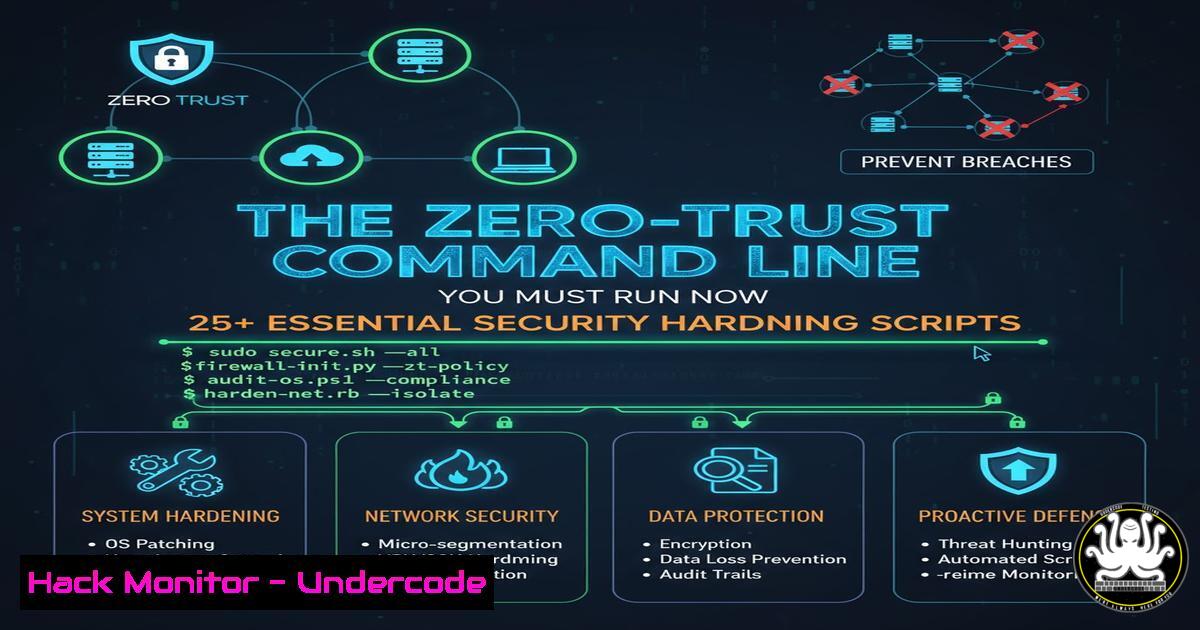
In an era of escalating cyber threats, proactive system hardening is no longer optional but a critical defense strategy. This guide provides security professionals and system administrators with a comprehensive collection of verified commands and scripts to immediately fortify Linux and Windows environments against common attack vectors, from privilege escalation to lateral movement.
Learning Objectives:
- Implement immediate security hardening across Linux and Windows infrastructure
- Detect and mitigate common misconfigurations that lead to breaches
- Establish continuous security monitoring and compliance verification
You Should Know:
1. Linux File Permission Auditing and Remediation
`find / -type f -perm /o=w -exec ls -la {} \; 2>/dev/null`
This command identifies world-writable files that could be modified by any user, a common privilege escalation vector. Run it regularly to detect improperly configured permissions and remediate by removing unnecessary write access using chmod o-w filename.
2. Windows Privilege Escalation Vulnerability Check
`Get-WindowsFeature | Where-Object InstallState -eq Installed`
Use this PowerShell cmdlet to audit installed Windows features and roles. Unnecessary services increase attack surface. Combine with `Get-Service | Where-Object Status -eq Running` to identify running services that should be disabled if not required.
3. SSH Server Hardening Configuration
`sudo nano /etc/ssh/sshd_config`
Edit your SSH configuration to include: Protocol 2, PermitRootLogin no, MaxAuthTries 3, `PasswordAuthentication no` (if using keys), and AllowUsers specific_username. These settings prevent brute-force attacks and limit access to authorized users only.
4. Windows Firewall Advanced Security Audit
`Get-NetFirewallRule | Where-Object {$_.Enabled -eq “True”} | Select-Object Name,DisplayName,Direction,Action`
This PowerShell command enumerates all active firewall rules. Review for unnecessary allowed connections, particularly inbound rules that could expose services to network attacks.
5. Linux Kernel Security Parameter Enforcement
`echo ‘net.ipv4.ip_forward=0’ >> /etc/sysctl.conf && echo ‘net.ipv4.conf.all.send_redirects=0’ >> /etc/sysctl.conf && sysctl -p`
These kernel parameters disable IP forwarding and ICMP redirects, preventing the system from being used as a network relay attack vector. Always test in non-production first.
6. Windows Event Log Critical Security Monitoring
`Get-WinEvent -FilterHashtable @{LogName=’Security’; ID=4625,4672} -MaxEvents 50`
Monitor failed logins (4625) and special privilege use (4672) to detect brute-force attacks and privilege escalation attempts. Consider forwarding these logs to a SIEM for correlation.
7. Linux User Account and Session Security
`last -f /var/log/wtmp | head -20` and `who /var/run/utmp`
Review recent logins and current users to identify unauthorized access. Combine with `cat /etc/passwd | cut -d: -f1` to audit active accounts and remove dormant ones.
8. PowerShell Execution Policy and Logging
`Set-ExecutionPolicy RemoteSigned` and enable module logging via `Register-PolicyChange -Scope LocalMachine -ExecutionPolicy RemoteSigned`
Restrict PowerShell script execution and enable comprehensive logging to detect malicious PowerShell activity, a common post-exploitation technique.
9. Linux Filesystem Integrity Monitoring
`rpm -Va > /tmp/rpm_verify.txt` For RPM systems or `debsums -c` For Debian/Ubuntu
Verify installed package integrity against database to detect unauthorized modifications. Investigate any changes not accounted for by legitimate administration.
10. Windows Group Policy Security Settings
`secedit /export /cfg C:\temp\sec_policy.txt` and `gpresult /z > C:\temp\gp_settings.txt`
Export current security policy and group policy settings for audit. Compare against security baselines like CIS benchmarks to identify deviations.
11. Network Service Enumeration and Hardening
`netstat -tulpn | grep LISTEN` Linux or `Get-NetTCPConnection | Where-Object State -eq Listen` PowerShell
Identify all listening services and disable/remove unnecessary ones. Each listening service represents a potential entry point for attackers.
12. SELinux/AppArmor Status Verification
`sestatus` SELinux or `aa-status` AppArmor
Ensure mandatory access control systems are enabled and enforcing. These provide critical containment even if a service is compromised.
13. Windows Privileged Account Audit
`net localgroup administrators` and `Get-LocalGroupMember -Group “Administrators”`
Document all accounts with administrative privileges and remove unnecessary ones. Follow principle of least privilege for all service accounts.
14. Linux System Update Automation
`apt list –upgradable` Debian/Ubuntu or `yum check-update` RHEL/CentOS
Regularly check for and apply security updates. Automate with `unattended-upgrades` on Debian/Ubuntu or `yum-cron` on RHEL/CentOS.
15. Windows Defender Antivirus Configuration
`Get-MpComputerStatus` and `Update-MpSignature`
Verify real-time protection is enabled and signatures are current. Consider enabling cloud-delivered protection and sample submission for enhanced detection.
16. Linux System Call Monitoring and Restrictions
`grep -r “kernel\.” /etc/audit/audit.rules` or `ausearch -sc process_execution`
Configure auditd to monitor sensitive system calls and binary executions. Unexplained executions may indicate compromise.
17. Windows WMI Event Subscription Detection
`Get-WMIObject -Namespace root\Subscription -Class __EventFilter`
Malicious WMI subscriptions can maintain persistence. Regularly audit and investigate unknown subscriptions that could indicate compromise.
18. Container Security Hardening
`docker image ls` and `docker ps –format “table {{.Names}}\t{{.RunningFor}}\t{{.Status}}”`
Audit running containers and images for vulnerabilities. Use `docker scan image_name` to check for known CVEs and update regularly.
19. Cloud Metadata Service Protection
`curl http://169.254.169.254/latest/meta-data/` AWS example
Prevent container access to cloud metadata services that could expose credentials. Use iptables/nftables rules or network policies to block access.
20. Database Security Configuration
`SELECT user, host FROM mysql.user;` MySQL or `\du` PostgreSQL
Audit database users and permissions. Remove anonymous users, restrict administrative access, and enable logging of authentication attempts.
What Undercode Say:
- Automated security hardening must become as routine as system updates
- Defense-in-depth through command-line validation provides critical protection layers
- Continuous configuration monitoring detects drift before attackers exploit it
The comprehensive nature of these commands demonstrates that security is not a single action but a continuous process of verification and remediation. Organizations that institutionalize these checks through automation significantly reduce their attack surface. The most effective security strategy assumes breach and focuses on containment and detection—these commands provide the foundational visibility needed for that approach. As attack techniques evolve, so must our hardening practices, making regular review and updating of these checks essential for maintaining security posture.
Prediction:
As AI-powered attacks become more sophisticated, manual security hardening will become increasingly inadequate. We predict a rapid shift toward AI-driven autonomous security systems that continuously harden environments in real-time, predicting attack vectors before they’re exploited. The commands outlined here represent the foundational knowledge that will be essential for security professionals to effectively manage and audit these advanced systems, creating a new paradigm of adaptive cyber defense that learns and evolves alongside threats.
🎯Let’s Practice For Free:
IT/Security Reporter URL:
Reported By: Ana Andreea – Hackers Feeds
Extra Hub: Undercode MoN
Basic Verification: Pass ✅


