Listen to this Post
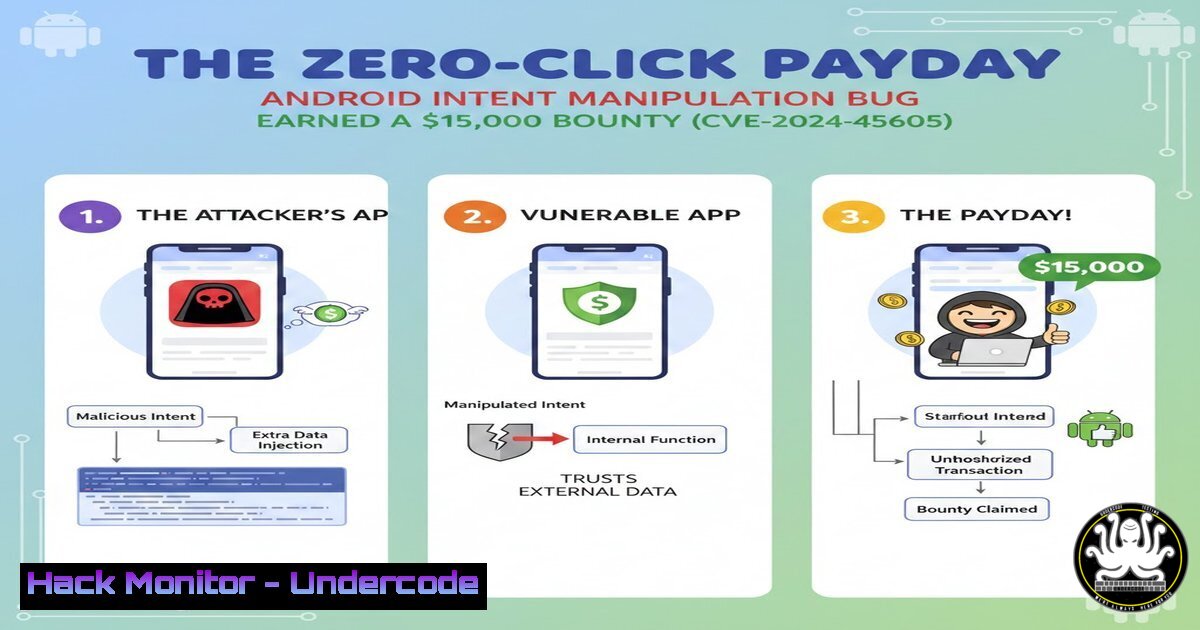
Introduction:
In the competitive realm of bug bounty hunting, a high‑value payout for an Android vulnerability signifies a critical discovery that bridges complex technical exploitation with tangible user risk. The recent disclosure of CVE‑2024-45605, a high‑severity flaw in a pre‑installed system application, highlights the persistent threat of privilege escalation and data theft via manipulated Android Intents. This article deconstructs the vulnerability’s mechanics, providing a roadmap for security professionals to test for similar issues and for developers to harden their applications against intent‑based attacks.
Learning Objectives:
- Understand the security implications of Android Intent handling and the concept of exported components.
- Learn the step‑by‑step methodology for discovering and exploiting Intent manipulation vulnerabilities in system apps.
- Apply secure coding practices and configuration changes to mitigate intent‑based attack vectors in Android applications.
You Should Know:
1. The Anatomy of an Android Intent Exploit
Android Intents are messaging objects used to request an action from another app component. A critical vulnerability arises when an app component (Activity, Service, BroadcastReceiver) is “exported,” meaning it can be invoked by any app on the device, and it fails to properly validate incoming Intent data. Attackers can craft a malicious Intent to trigger unauthorized actions, such as accessing private files, modifying settings, or executing code with elevated privileges.
Step‑by‑step guide:
Step 1: Reconnaissance via ADB
Connect to a test Android device/emulator with ADB and list all packages, focusing on system vendors (com.vendor.).
adb shell pm list packages | grep 'com.vendor'
Step 2: Identify Exported Components
Use a tool like `jadx‑gui` to decompile the target APK and inspect the AndroidManifest.xml. Look for components where `android:exported=”true”` without stringent permission requirements. Alternatively, use the `drozer` framework:
run app.package.attacksurface <package.name>
Step 3: Crafting the Malicious Intent
If a component accepts Extras via Intent, an attacker can craft an ADB command or a simple malicious app to invoke it with malicious data. For instance, to launch an exported Activity:
adb shell am start -n com.vendor.app/.TargetActivity --es extra_key "malicious_value"
Step 4: Exploitation
The goal is to manipulate Intent extras to trigger unexpected behavior—like forcing the app to write a sensitive file to a world‑readable location, or loading a malicious webview URL.
2. Deep Dive: CVE‑2024‑45605 – A Case Study
While exact details are under embargo, the classification suggests a high‑severity flaw in a pre‑installed app. Based on common patterns, this likely involved an exported component that, when sent a crafted Intent, could:
– Overwrite critical configuration files leading to persistence.
– Bypass user consent dialogs to grant permissions.
– Inject JavaScript into a privileged WebView context.
Step‑by‑step guide for testing similar flaws:
Step 1: Static Analysis
Decompile the target APK. Search for Java/Kotlin code handling getIntent(), getStringExtra(), getParcelableExtra(), and similar methods without validation.
Step 2: Dynamic Instrumentation
Use Frida to hook into the Intent handling routine and manipulate data in real‑time. Example Frida script to modify an extra:
Java.perform(function() {
var TargetClass = Java.use('com.vendor.app.TargetActivity');
TargetClass.onCreate.overload('android.os.Bundle').implementation = function(bundle) {
var original = this.onCreate(bundle);
var intent = this.getIntent();
// Manipulate the intent
intent.putExtra("injected_key", "injected_value");
console.log("[+] Intent Injected");
return original;
};
});
Step 3: Proof‑of‑Concept (PoC) Development
Create a minimal Android app that sends the malicious Intent. The `MainActivity` would contain:
Intent exploitIntent = new Intent();
exploitIntent.setComponent(new ComponentName("com.vendor.app", "com.vendor.app.VulnerableActivity"));
exploitIntent.putExtra("file_path", "/data/data/com.vendor.app/shared_prefs/tokens.xml");
exploitIntent.putExtra("destination", "/sdcard/Download/stolen.xml");
startActivity(exploitIntent);
- The Bug Bounty Hunter’s Toolkit: From Recon to Report
A successful bounty submission requires more than just a PoC; it requires a clear, reproducible, and impactful report.
Step‑by‑step guide:
Step 1: Environment Setup
- Use a physical test device (Google Pixel with factory image) or an emulator (Android Studio) with the target vendor ROM.
- Root the device (emulator with `-writable‑system` boot) to access system app data directories for impact demonstration.
Step 2: Evidence Collection
- Screen Record: Use
adb shell screenrecord /sdcard/exploit.mp4. - Log Capture:
adb logcat -v time -d > exploit.log. - File System Proof: Before/after `adb shell ls -la /data/data/com.vendor.app/` or `adb shell cat` commands.
Step 3: Report Crafting
Structure the report with: Executive Summary, Technical Details (CVSS vector, e.g., CVSS:3.1/AV:L/AC:L/PR:N/UI:N/S:U/C:H/I:H/A:N), Step‑by‑Step Reproduction, Proof of Concept Code, and Suggested Fix.
4. Mitigation Strategies for Developers
Preventing intent‑based attacks requires a defense‑in‑depth approach at the code and configuration level.
Step‑by‑step hardening guide:
Step 1: Minimize the Attack Surface
Review AndroidManifest.xml. Set `android:exported=”false”` for all components that do not need inter‑app communication. If exporting is necessary, enforce custom permissions with android:protectionLevel="signature".
Step 2: Input Validation and Intent Sanitization
Always validate and sanitize all Intent extras. Use explicit types and enforce constraints.
String filePath = getIntent().getStringExtra("file_path");
if (filePath != null && filePath.startsWith("/data/data/com.yourapp/")) {
// Validate it's within the app's private directory
File requestedFile = new File(filePath);
try {
String canonicalPath = requestedFile.getCanonicalPath();
if (!canonicalPath.startsWith(getApplicationInfo().dataDir)) {
throw new SecurityException("Path traversal attempt detected.");
}
} catch (IOException e) { e.printStackTrace(); }
}
Step 3: Use Permission Guards
Protect sensitive operations with system permissions (e.g., android.permission.WRITE_SECURE_SETTINGS) and perform in‑code checks with checkCallingOrSelfPermission().
- Beyond the Bounty: The Evolving Android Threat Landscape
The discovery of CVE‑2024‑45605 is not an isolated incident. It reflects a trend where attackers shift focus to the complex supply chain of pre‑installed software (OEM apps, SDKs, libraries).
Step‑by‑step guide for proactive monitoring:
Step 1: Monitor Security Bulletins
Subscribe to Android Security Bulletins, vendor‑specific bulletins (Samsung, Google Pixel), and the National Vulnerability Database (NVD) feeds.
Step 2: Automate Security Testing
Integrate static analysis (SAST) tools like `MobSF` (Mobile Security Framework) into your CI/CD pipeline. Automate dynamic testing (DAST) with tools like `Drozer` or `Appium` for intent fuzzing.
Step 3: Threat Modeling
For system app developers, conduct regular threat modeling sessions focusing on inter‑component communication (ICC). Diagram data flows and explicitly mark trust boundaries for every exported component.
What Undercode Say:
- Key Takeaway 1: The highest‑impact Android vulnerabilities often reside not in the core OS but in the privileged, pre‑installed applications that users cannot remove. These apps provide a rich attack surface for privilege escalation via improperly secured Intents.
- Key Takeaway 2: Modern bug bounty hunting is a blend of reverse engineering, systematic testing, and compelling storytelling. A technically valid exploit is only half the battle; its risk must be demonstrably and clearly communicated to the program’s triagers to justify a top‑tier reward.
The disclosure of CVE‑2024‑45605 underscores a critical junction in mobile security. While Google continuously hardens the Android core with features like Scoped Storage and stricter permission models, the ecosystem’s fragmentation means thousands of unique vendor‑specific system apps lag behind. This creates a fragmented security perimeter. Successful exploits against these apps often require zero‑click interaction or minimal user input, making them prized assets for sophisticated threat actors building exploit chains. For bug bounty hunters, this represents a lucrative niche. For the industry, it is a pressing call to action: vendors must extend the same rigorous security review and patch cadence applied to the AOSP core to their entire bundled software suite.
Prediction:
The success of bounties for vulnerabilities like CVE‑2024‑45605 will catalyze a surge of focused research into OEM and carrier‑bloatware, leading to a short‑term increase in similar disclosures over the next 12‑18 months. In response, major Android vendors will be forced to implement more robust centralized vetting processes for system apps, potentially even developing automated intent‑fuzzing frameworks as part of their pre‑load certification. Long‑term, this may push the platform towards a more granular, capability‑based permission model for inter‑component communication, moving beyond the simple binary “exported” flag to reduce the attack surface by default.
▶️ Related Video (80% Match):
🎯Let’s Practice For Free:
IT/Security Reporter URL:
Reported By: Shaikjaveedafrose Bugbounty – Hackers Feeds
Extra Hub: Undercode MoN
Basic Verification: Pass ✅


