Listen to this Post
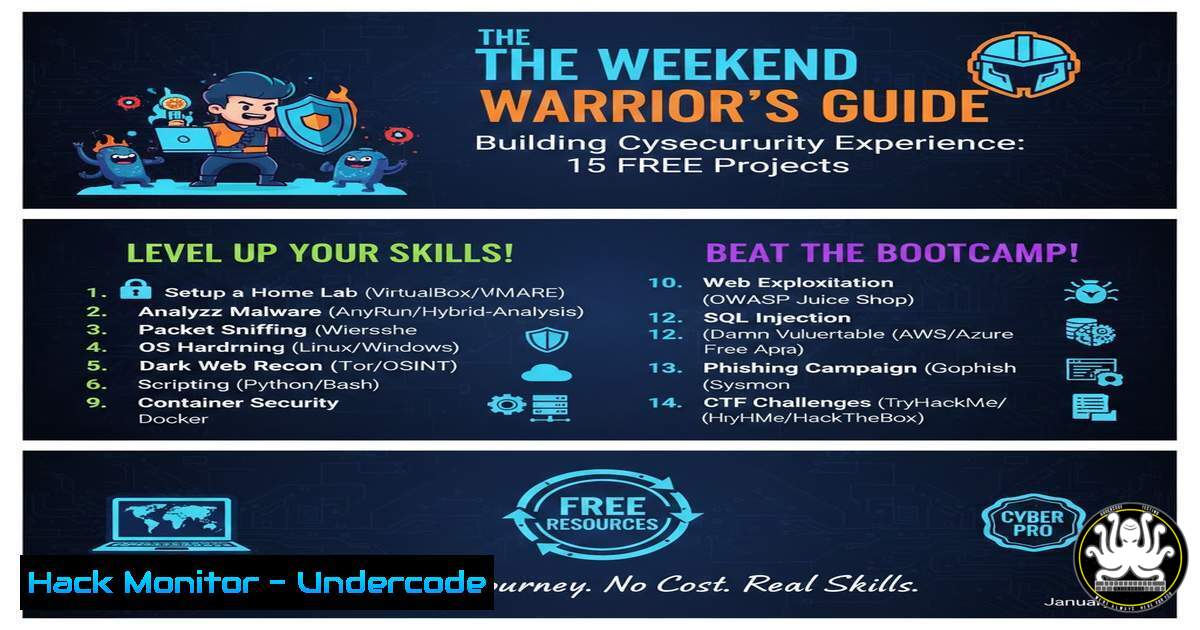
Introduction:
In an industry obsessed with credentials and prior experience, breaking into cybersecurity can feel like a closed loop. However, the paradigm is shifting toward demonstrable, hands-on skills. By strategically building and documenting a home lab portfolio, aspiring professionals can forge their own experience, moving from “no chance” to “highly capable” through practical application of SOC, cloud, defensive, and offensive security projects.
Learning Objectives:
- Deploy and integrate core security infrastructure including SIEM, IDS/IPS, and firewalls in a controlled environment.
- Conduct realistic threat hunting, vulnerability assessment, and incident response simulations.
- Document technical processes and findings to build a compelling portfolio for recruiters.
You Should Know:
- Building Your Cloud SIEM & Threat Visualization Engine
A Security Information and Event Management (SIEM) system is the cornerstone of a modern Security Operations Center (SOC). Microsoft Azure Sentinel provides a cloud-native platform to aggregate, analyze, and visualize security logs. Setting this up yourself demonstrates cloud proficiency and log analytics skills.
Step‑by‑step guide explaining what this does and how to use it.
Step 1: Set Up Azure Sentinel. Create a free Azure account (requires a credit card but offers $200 initial credit). Search for “Azure Sentinel” in the portal and create a workspace. Follow the onboarding instructions.
Step 2: Connect a Data Source. For a real-world project, deploy a Windows 10 VM within Azure. Use the Microsoft Monitoring Agent (MMA) or Azure Monitor Agent to forward Windows Event Logs to your Sentinel workspace. The connection settings are found under “Data connectors” in Sentinel.
Step 3: Create a Workbook for Attack Mapping. Use the provided playlist (https://lnkd.in/d3VvWeFF) to learn Kusto Query Language (KQL). Create a new workbook and use a query to extract failed RDP login attempts, then use the `geoip_from_ipv4()` function to map attacker IPs to geographic locations.
Key PowerShell Command to Simulate Logs (on your VM):
 Generate a sample failed login event in Windows Security log (run in Admin PowerShell)
Write-EventLog -LogName Security -Source Microsoft-Windows-Security-Auditing -EventId 4625 -EntryType FailureAudit -Message "An account failed to log on." -Category 12544
- Deploying a Honeypot to Capture Live Attack Data
A honeypot is a decoy system designed to attract and study cyber attacks. Exposing a deliberately vulnerable virtual machine to the internet allows you to observe real attacker tactics, techniques, and procedures (TTPs), providing invaluable insight into the threat landscape.
Step‑by‑step guide explaining what this does and how to use it.
Step 1: Choose and Deploy Honeypot Software. Use a low-interaction honeypot like `Cowrie` (SSH/Telnet) or `T-Pot` (all-in-one framework). For a simple start, deploy a Ubuntu VM in Azure or on a local hypervisor.
Step 2: Configure and Harden the Host. Isolate the honeypot on its own network segment. Install the chosen honeypot software. For Cowrie:
sudo apt update
sudo apt install git python3-venv python3-dev -y
git clone https://github.com/cowrie/cowrie
cd cowrie
python3 -m venv cowrie-env
source cowrie-env/bin/activate
pip install --upgrade pip
pip install -r requirements.txt
Step 3: Forward Honeypot Logs to SIEM. Configure Cowrie to output JSON logs. Use a log forwarder (like `rsyslog` or Filebeat) to send these logs to your Azure Sentinel or a local ELK stack for analysis. Observe usernames, passwords, and commands used by attackers.
- Constructing an Active Directory Home Lab for Defense & Attack
Active Directory (AD) is the identity backbone of most corporate networks. Building a Windows Server AD domain controller with users, groups, and Group Policy Objects (GPOs) is fundamental for understanding both attack vectors (like Kerberoasting) and defensive controls (like Least Privilege).
Step‑by‑step guide explaining what this does and how to use it.
Step 1: Set Up Virtualization. Install VMware Workstation Player or VirtualBox. Create a virtual network (e.g., 192.168.1.0/24) isolated from your main network.
Step 2: Install Windows Server. Create a VM, install Windows Server 2019/2022 Evaluation, and promote it to a Domain Controller using the `Active Directory Domain Services` role. Create a domain (e.g., homelab.local).
Step 3: Create Users and GPOs. Use the `Active Directory Users and Computers` console to create Organizational Units (OUs), user accounts, and security groups. Use the `Group Policy Management Console` to create a GPO that enforces a password policy or disables USB storage.
Step 4: Practice Enumeration & Hardening. From a joined Windows 10 client VM, use PowerShell for AD enumeration:
 Discover domain information
Get-ADDomain
 Find all users
Get-ADUser -Filter
 Check for misconfigured service accounts (potential Kerberoasting)
Get-ADUser -Filter {ServicePrincipalName -ne "$null"} -Properties ServicePrincipalName
- Implementing Network Security with Snort IDS/IPS and PF sense
Intrusion Detection/Prevention Systems (IDS/IPS) and next-generation firewalls are critical for network defense. Snort is a powerful open-source IDS/IPS, while PF sense is a firewall/router platform that enables network segmentation.
Step‑by‑step guide explaining what this does and how to use it.
Step 1: Deploy PF sense. Create a VM and install PF sense. Configure its interfaces as WAN and LAN. Set up DHCP on the LAN interface for your lab VMs.
Step 2: Create Network Segments. Add optional interfaces in PF sense to create a DMZ or an “Internal” network. Configure firewall rules to only allow specific traffic (e.g., HTTP to DMZ) between segments.
Step 3: Install and Configure Snort. On a Ubuntu VM placed in monitoring mode (using a SPAN port) or as an inline IPS, install Snort:
sudo apt update
sudo apt install snort -y
Step 4: Write a Custom Rule. Edit /etc/snort/rules/local.rules. Add a rule to detect a simple ICMP test or a SQL injection attempt:
alert tcp any any -> $HOME_NET 80 (msg:"Possible SQLi Detected"; content:"union%20select"; nocase; sid:1000001; rev:1;)
Restart Snort (sudo systemctl restart snort) and test by triggering the rule.
5. Conducting a Vulnerability Assessment with Nessus Essentials
Professional vulnerability management involves using tools like Tenable’s Nessus to identify, prioritize, and remediate weaknesses in systems. Nessus Essentials is a free version for scanning up to 16 IPs.
Step‑by‑step guide explaining what this does and how to use it.
Step 1: Download and Install Nessus. Register for a Nessus Essentials activation code on the Tenable website. Download the installer for your OS (e.g., `.deb` for Ubuntu) and install.
 For Ubuntu
sudo dpkg -i Nessus-.deb
sudo systemctl start nessusd
Step 2: Configure a Credentialed Scan. Access the web interface (`https://localhost:8834`). Create a new “Advanced Scan.” Under the “Credentials” tab, add the username and password for your Windows or Linux lab VM. Credentialed scans provide far more accurate results by checking for missing patches and misconfigurations.
Step 3: Analyze and Report. Run the scan against your lab VMs. Once complete, analyze the findings. Focus on critical and high-severity vulnerabilities. Use the “Reports” function to generate a professional PDF remediation report, noting how you would patch or mitigate each finding.
What Undercode Say:
- Portfolio Over Pedagogy: The market value of a self-built, documented lab showcasing specific tool skills (Sentinel, Nessus, AD hardening) now rivals or exceeds that of generic bootcamp certificates. The “receipts” of screenshots, write-ups, and code are tangible proof of competency.
- The DIY Ethos is the New Filter: The initiative and problem-solving demonstrated by completing these projects are themselves the soft skills employers seek. It filters for curiosity, persistence, and practical intelligence—traits that are difficult to assess in an interview alone.
Analysis: The original post correctly identifies the experiential gap in cybersecurity hiring but provides the tactical blueprint to bridge it. Its genius lies in curating projects that mirror real-world workflows (SIEM ingestion, IR documentation, cloud audits) rather than abstract theory. This approach doesn’t just teach a tool; it teaches the security engineer’s thought process—how to connect disparate systems, derive insight from logs, and communicate findings. The emphasis on documentation transforms learning into a marketable asset. This method effectively inverts the traditional career path: you become qualified by doing the job first in a lab, then you get hired, not the other way around.
Prediction:
The proliferation of free, high-quality educational resources and scalable cloud platforms will continue to democratize security expertise. Within five years, a significant portion of entry-level hires will be “career transformers” with robust self-built portfolios, forcing a formal shift in hiring criteria from “degree/certification checkboxes” to “portfolio and practical assessment.” Employers will increasingly use automated lab environments as part of the interview process to validate the skills claimed in these personal projects, making hands-on experience the undeniable currency of the industry.
▶️ Related Video (76% Match):
🎯Let’s Practice For Free:
IT/Security Reporter URL:
Reported By: Https: – Hackers Feeds
Extra Hub: Undercode MoN
Basic Verification: Pass ✅


