Listen to this Post
Introduction:
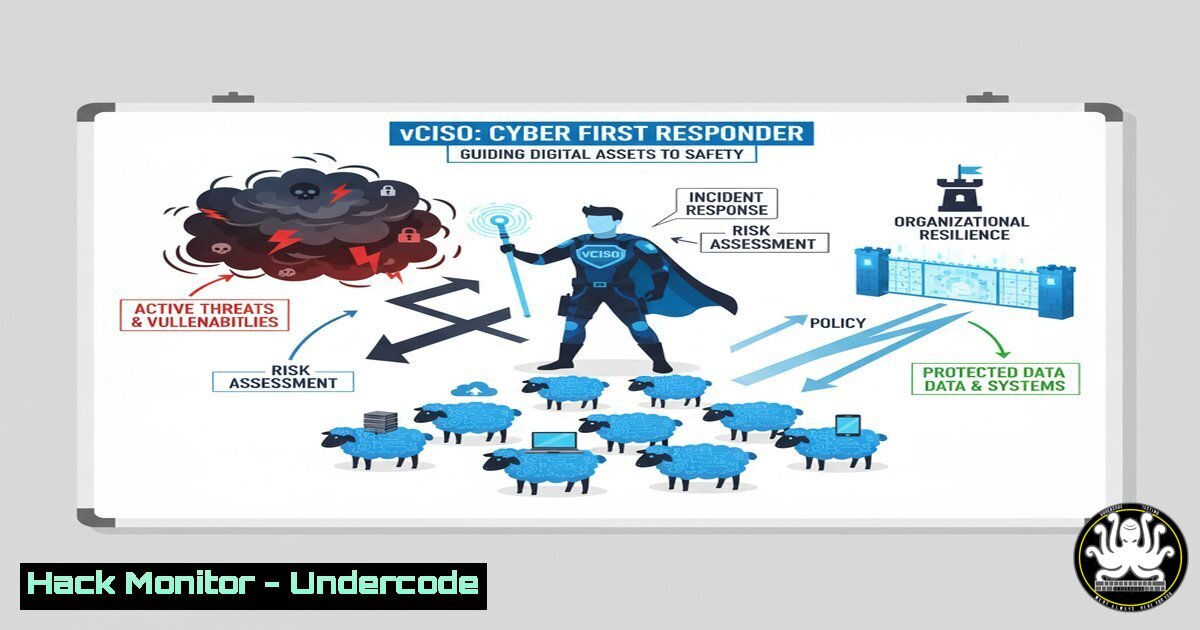
When a security breach occurs, organizations often experience panic and paralysis, akin to finding livestock escaped from a broken fence. The role of a virtual Chief Information Security Officer (vCISO) is not to assign blame but to provide the critical “muscle memory” and leadership needed to swiftly contain the incident, minimize damage, and restore operations. This article deconstructs the core technical and procedural disciplines a vCISO implements to transform chaos into a controlled response.
Learning Objectives:
- Understand the critical first steps in incident response and evidence collection.
- Learn key commands for triaging compromised Windows and Linux systems.
- Implement foundational security hardening across cloud, API, and network infrastructure.
You Should Know:
1. Initial Incident Triage & Evidence Collection
The first minutes after detection are critical. The goal is to gather volatile data from a potentially compromised system before performing a full forensic image.
Command (Linux – Gather Process & Network Info):
 Capture running processes
ps auxef > /tmp/process_list.txt

Capture network connections
netstat -tulnpa > /tmp/network_connections.txt

Capture logged-in users and command history
w > /tmp/logged_in_users.txt
cat ~/.bash_history > /tmp/command_history.txt

Create a hashed inventory of running binaries
ls -la /proc/[0-9]/exe | awk '{print $11}' | xargs -I {} sh -c 'md5sum "{}"' > /tmp/running_binaries_hashes.txt
Step-by-step guide:
This series of commands creates a snapshot of system activity. `ps auxef` provides a detailed list of all running processes with their arguments. `netstat -tulnpa` shows all listening and established network connections, which can identify unauthorized services or callbacks. Capturing the bash history and logged-in users provides context on recent activity. Finally, hashing the binaries of running processes allows for later comparison against known-good hashes to identify malicious files. Execute these commands from a trusted, static binary toolkit if possible to avoid relying on potentially compromised system utilities.
2. Windows System Forensic Triage
Windows environments require a different set of tools to extract crucial volatile data for analysis.
Command (Windows – Using PowerShell):
 Get a comprehensive process list with hashes
Get-WmiObject -Class Win32_Process | Select-Object Name, ProcessId, CommandLine | Export-Csv -Path .\process_list.csv -NoTypeInformation

Get network connections
Get-NetTCPConnection | Where-Object {$_.State -eq 'Established'} | Export-Csv -Path .\network_connections.csv -NoTypeInformation

Get recent PowerShell execution history
Get-History | Export-Csv -Path .\ps_history.csv -NoTypeInformation

Get autostart programs (common persistence mechanism)
Get-CimInstance -Class Win32_StartupCommand | Select-Object Name, command, Location | Export-Csv -Path .\autostart.csv -NoTypeInformation
Step-by-step guide:
These PowerShell commands are essential for initial Windows triage. The `Get-WmiObject` cmdlet queries for processes, including their full command line, which often reveals malicious arguments. `Get-NetTCPConnection` filters for active connections to pinpoint command-and-control servers. Checking PowerShell history is vital as it’s a common attack vector. Finally, enumerating autostart locations helps identify persistence mechanisms established by an attacker. Run these commands from an elevated PowerShell session and export the data to an external drive for analysis.
3. Containment: Network Segmentation & Isolation
A core vCISO directive is containing the blast radius. This involves isolating a compromised host at the network level.
Command (Cisco IOS – Quarantine a Host):
conf t
access-list 150 deny ip host <COMPROMISED_IP> any
access-list 150 permit ip any any
interface GigabitEthernet0/1
ip access-group 150 in
end
wr mem
Step-by-step guide:
This network access control list (ACL) sequence is applied on the switch or router interface connected to the affected segment. The first line creates an ACL that denies all traffic from the compromised host’s IP address. The second line permits all other traffic (critical to avoid a denial-of-service). The ACL is then applied inbound on the specific interface. `wr mem` saves the configuration to survive a reboot. This is a blunt instrument for immediate containment and should be followed by more nuanced segmentation policies.
4. Cloud Infrastructure Hardening (AWS S3 Bucket)
A common “escape” vector is misconfigured cloud storage. A vCISO ensures foundational hygiene.
Command (AWS CLI – Audit and Secure S3 Buckets):
 List all S3 buckets
aws s3api list-buckets --query 'Buckets[].Name' --output text

Check the ACL and policy for a specific bucket
aws s3api get-bucket-acl --bucket <BUCKET_NAME>
aws s3api get-bucket-policy --bucket <BUCKET_NAME> (if exists)

Apply a bucket policy that denies non-SSL requests and public access
aws s3api put-bucket-policy --bucket <BUCKET_NAME> --policy '{
"Version": "2012-10-17",
"Statement": [
{
"Effect": "Deny",
"Principal": "",
"Action": "s3:",
"Resource": "arn:aws:s3:::<BUCKET_NAME>/",
"Condition": { "Bool": { "aws:SecureTransport": false } }
},
{
"Effect": "Deny",
"Principal": "",
"Action": "s3:",
"Resource": "arn:aws:s3:::<BUCKET_NAME>/",
"Condition": { "Bool": { "aws:SecureTransport": false } }
}
]
}'
Step-by-step guide:
This AWS CLI workflow first inventories all S3 buckets. For each bucket, it audits the Access Control List (ACL) and bucket policy to identify overly permissive grants. The `put-bucket-policy` command applies a new policy that enforces two critical rules: it denies any request that does not use SSL/TLS (SecureTransport) and explicitly denies public access. This mitigates the risk of data exfiltration or leakage due to misconfiguration.
5. API Security Testing with OWASP ZAP
APIs are a primary attack surface. Automated scanning is key to identifying vulnerabilities early.
Command (OWASP ZAP Baseline Scan via Docker):
docker run -t owasp/zap2docker-stable zap-baseline.py \
-t https://<YOUR-API-TARGET>/api/v1 \
-r baseline_report.html \
-c "auth.login=true&auth.username=testuser&auth.password=testpass"
Step-by-step guide:
This command runs the OWASP ZAP (Zed Attack Proxy) baseline scan against a target API URL. The `-t` flag specifies the target. The `-r` flag generates an HTML report detailing findings like SQL injection, broken authentication, or insecure headers. The `-c` flag allows you to pass authentication parameters, crucial for testing protected endpoints. Regularly integrating this scan into a CI/CD pipeline provides continuous security feedback.
6. Vulnerability Assessment with Nmap & NSE
Mapping attack surfaces and identifying known vulnerabilities is a continuous process.
Command (Nmap Vulnerability Scanning):
nmap -sV --script vuln <TARGET_IP_OR_SUBNET> -oA vulnerability_scan
Step-by-step guide:
This Nmap command performs a service version detection scan (-sV) and executes the entire `vuln` category of scripts against the target. These scripts check for thousands of known vulnerabilities in services like SSH, FTP, SMB, and HTTP. The `-oA` flag outputs results in all major formats (normal, grepable, XML) for further analysis. This scan provides a prioritized list of weaknesses that need patching or mitigation.
7. Implementing Basic Logging & Monitoring (Linux)
Detection requires visibility. A vCISO ensures basic central logging is in place.
Command (Rsyslog Configuration to Forward Logs):
On the Client:
 Edit /etc/rsyslog.conf
. @<LOG_SERVER_IP>:514
On the Log Server:
 Enable reception on UDP 514
module(load="imudp")
input(type="imudp" port="514")
Step-by-step guide:
Centralized logging is non-negotiable. On client systems, edit the `rsyslog.conf` file to forward all log entries (.) to the IP address of your central log server on the standard syslog port (514). On the log server, configure the `rsyslog` daemon to listen for incoming UDP log messages. Restart the service on both ends. This simple setup ensures logs are aggregated in one location for analysis and are not lost if a client system is compromised.
What Undercode Say:
- Leadership Over Tooling: The most advanced (and expensive) security tools are worthless without the prepared leadership and guided processes a vCISO provides to navigate a crisis. Tools inform, but people decide.
- Trust is the Ultimate Control: The entire security program is built on the client’s trust that the vCISO can guide them through a storm. This trust is earned through preparation and proven response, not sold as a product.
The analogy of herding cattle is perfect because it underscores that security is ultimately about control, process, and practiced response—not just prevention. A breach is an operational event, not just a technical one. The vCISO’s value is in architecting the response playbook, drilling the team, and being the calm, experienced voice that steps in when the “fence is down.” This transforms a potential catastrophe into a manageable incident, saving millions in downtime, recovery costs, and reputational damage.
Prediction:
The role of the vCISO will evolve from a strategic advisor to an integrated, on-demand crisis manager, directly embedded via secure portals into client environments during incidents. We will see the rise of “vCISO-in-the-loop” AI systems that pre-process telemetry, suggest containment actions, and automate routine triage tasks, but the human vCISO’s judgment and leadership will remain the irreplaceable core of effective response. The future of cybersecurity leadership is hybrid: AI-powered efficiency guided by human experience and trust.
🎯Let’s Practice For Free:
IT/Security Reporter URL:
Reported By: https://lnkd.in/p/dsN4fzEk – Hackers Feeds
Extra Hub: Undercode MoN
Basic Verification: Pass ✅


