Listen to this Post
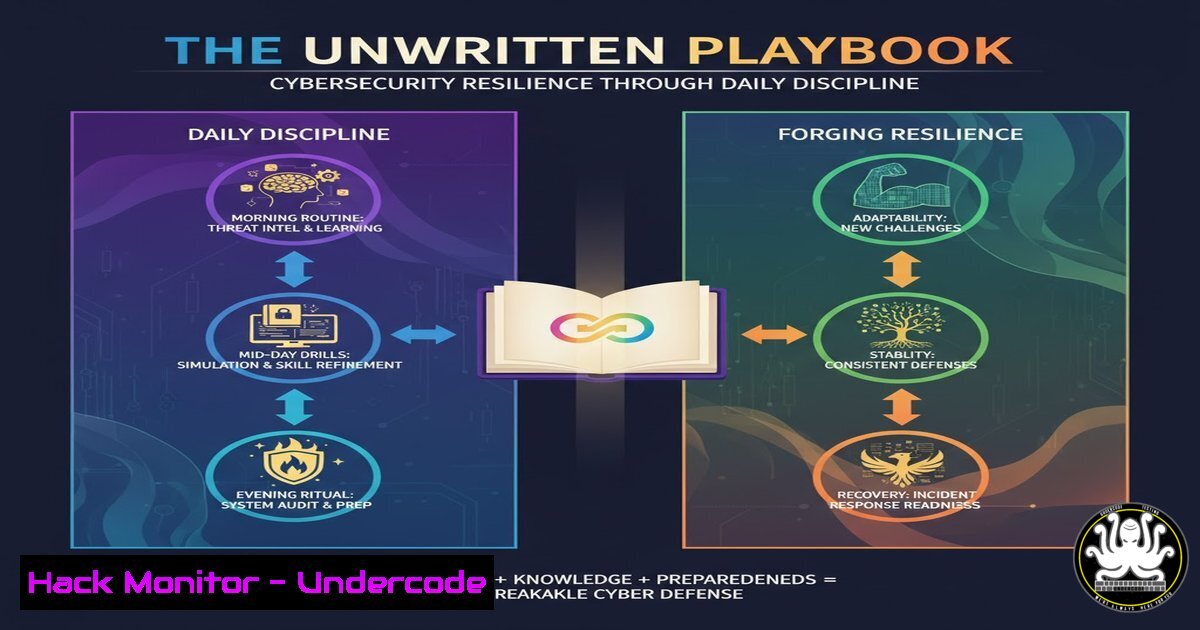
Introduction:
In the dynamic world of cybersecurity, technical skill is only half the battle; the mental fortitude to persist through constant challenges defines long-term success. This article explores the critical intersection of mindset and methodology, translating the principles of personal resilience into actionable technical practices for IT and security practitioners.
Learning Objectives:
- Develop a disciplined daily routine for continuous security monitoring and skill development.
- Implement practical, command-line-driven processes to identify, analyze, and mitigate system vulnerabilities.
- Cultivate the analytical mindset required to learn from security incidents and transform failures into fortified defenses.
You Should Know:
1. Building a Foundation of Daily Security Hygiene
The “chapter of discipline” in cybersecurity begins with unwavering consistency in foundational practices. Progress is not measured by occasional heroic efforts but by the daily, unglamorous work of hardening systems and maintaining vigilance.
Step‑by‑step guide explaining what this does and how to use it.
Step 1: Automated Log Auditing. Instead of manually sifting through logs, set up a daily cron job to parse and flag critical security events.
Linux Command:
 Scan /var/log/auth.log for failed SSH attempts and email the results
grep "Failed password" /var/log/auth.log | mail -s "Daily SSH Fail Report" [email protected]
Windows Command (PowerShell):
 Get failed login events from the last 24 hours
Get-EventLog -LogName Security -InstanceId 4625 -After (Get-Date).AddDays(-1)
Step 2: Vulnerability Scanning. Integrate a quick, daily vulnerability scan of your core assets into your routine.
Tutorial: Use `nmap` with the `–script vuln` flag to scan for known vulnerabilities on a target server. Warning: Only use on systems you own.
nmap --script vuln <target_IP>
Step 3: Patch Verification. Discipline means verifying that patches were applied successfully. Check the version of a critical service like OpenSSL.
Linux Command:
openssl version
- Transcribing Doubt into Defensive Code: The Chapter of Courage
The “scribbled doubts” of a security professional are the “what-if” scenarios that lead to more robust defenses. Courage is proactively testing your systems’ weaknesses before an adversary does.
Step‑by‑step guide explaining what this does and how to use it.
Step 1: Scripting a Basic Port Scanner. Understand how attackers discover open doors by building your own simple tool.
Python Code:
 save as simple_scanner.py
import socket
target = input("Enter target IP: ")
for port in [21, 22, 23, 53, 80, 443, 3389]:
s = socket.socket(socket.AF_INET, socket.SOCK_STREAM)
s.settimeout(1)
result = s.connect_ex((target, port))
if result == 0:
print(f"Port {port}: OPEN")
s.close()
Run with: `python3 simple_scanner.py`
Step 2: Testing Web Application Inputs. Courageously probe your own web forms for SQL Injection flaws.
Tutorial: Using `curl` to test a login form.
 Testing for a basic SQL injection bypass
curl -X POST http://testphp.vulnweb.com/userinfo.php -d "uname=admin' OR '1'='1&pass=fakepass"
Observing the response can reveal if the application is vulnerable to unauthorized access.
- Cutting Through the Noise: Achieving Clarity in Incident Response
When an alert fires, the “smudged by noise” feeling is overwhelming. Clarity is achieved by having a precise, practiced playbook to separate false positives from real threats.
Step‑by‑step guide explaining what this does and how to use it.
Step 1: Triage with Network Forensics. Use `tcpdump` to capture and analyze live traffic on a potentially compromised interface.
Linux Command:
 Capture 100 packets on interface eth0 and save to a file for analysis
sudo tcpdump -i eth0 -c 100 -w suspicious_traffic.pcap
Step 2: Process Analysis. Quickly identify suspicious processes running on a system.
Linux Command:
 List all processes, their command lines, and sort by CPU usage
ps aux --sort=-%cpu | head -20
Windows Command (PowerShell):
 Get processes and filter for those with high CPU
Get-Process | Sort-Object CPU -Descending | Select-Object -First 10
Step 3: Hunt for Persistence. Clarity involves looking for the mechanisms an attacker uses to maintain access.
Linux Tutorial: Check common persistence locations like cron jobs.
crontab -l  List current user's cron jobs
sudo cat /etc/crontab  List system-wide cron jobs
4. Learning from Failure: Conducting a Personal Post-Mortem
The “chapter where you failed, but learned” is a mandatory process in cybersecurity. Every lab exploit that crashes a service or misconfigured firewall rule is a data point for growth.
Step‑by‑step guide explaining what this does and how to use it.
Step 1: Isolate the Environment. Use a virtual machine (e.g., VirtualBox) with a snapshot taken before you attempt a risky exploit or configuration change. This allows for infinite “redo’s.”
Step 2: Exploit a Practice Vulnerability. In a controlled lab (like a Metasploitable VM), practice a common exploit.
Tutorial: Using Metasploit to exploit a vsFTPd backdoor.
 In the Metasploit console
use exploit/unix/ftp/vsftpd_234_backdoor
set RHOST <target_IP>
exploit
Analysis: After a successful exploit, document exactly what command you ran, what the expected outcome was, and what you would do to patch this vulnerability (e.g., update vsFTPd).
Step 3: Document the Mitigation. The learning is sealed by writing the fix. For the vsFTPd example, the mitigation is a one-line command.
Linux Command:
sudo apt update && sudo apt upgrade vsftpd
5. Celebrating Small Wins: Automating a Defensive Victory
The “chapter where you celebrated small wins” is about building momentum. Automate a simple defensive task and let that success fuel your next challenge.
Step‑by‑step guide explaining what this does and how to use it.
Step 1: Script a Basic IOC (Indicator of Compromise) Scanner. Create a script that checks for a known malicious file hash.
Bash Script:
 save as ioc_scanner.sh
!/bin/bash
MALICIOUS_HASH="bad5e0a83a0e8c58e42a9e7c10b78728"  Example MD5 hash
TARGET_FILE="/tmp/suspicious_file"
if [ -f "$TARGET_FILE" ]; then
FILE_HASH=$(md5sum "$TARGET_FILE" | awk '{print $1}')
if [ "$FILE_HASH" == "$MALICIOUS_HASH" ]; then
echo "ALERT: Malicious file detected!"
else
echo "File is clean."
fi
else
echo "File not found."
fi
Run with: `chmod +x ioc_scanner.sh && ./ioc_scanner.sh`
Step 2: Schedule the Script. Add this script to a cron job to run hourly, turning your small win into a persistent, automated defender.
What Undercode Say:
- Mindset is a Configurable System: Just as you harden an OS by configuring its settings, you harden your professional resilience by configuring daily habits and learning routines. The technical commands are useless without the disciplined operator.
- Progress is Logged in Chapters, Not Events: A career in cybersecurity is not defined by a single certification or job title, but by the cumulative log of skills practiced, scripts written, incidents triaged, and lessons learned from failures. Your career `tail -f` is a story of persistent effort.
Analysis: The original post is a powerful metaphor for the non-linear journey of a cybersecurity expert. The field’s complexity ensures that “messy chapters” are the norm. The professional who merely collects certifications will be outpaced by the one who embraces the daily grind of hands-on practice, who has the courage to break things in a lab, and possesses the clarity to document and learn from each outcome. This iterative process of action, failure, analysis, and improvement is the core feedback loop that forges true expertise. It transforms abstract knowledge into an ingrained, operational instinct.
Prediction:
The future of cybersecurity will see a growing valuation of professionals who embody this resilient, continuous-learning mindset. As AI automates more routine technical tasks, the human ability to adapt, reason through novel attacks, and persist through complex problem-solving will become the ultimate differentiator. Organizations will increasingly seek not just technicians, but “cyber athletes” whose mental fortitude and disciplined learning processes allow them to evolve as fast as the threat landscape itself. The “proof of moving forward” will be a documented portfolio of practical skills and lab-built experience, not just a list of credentials.
🎯Let’s Practice For Free:
IT/Security Reporter URL:
Reported By: Rebecca Nartey – Hackers Feeds
Extra Hub: Undercode MoN
Basic Verification: Pass ✅


