Listen to this Post
Introduction:
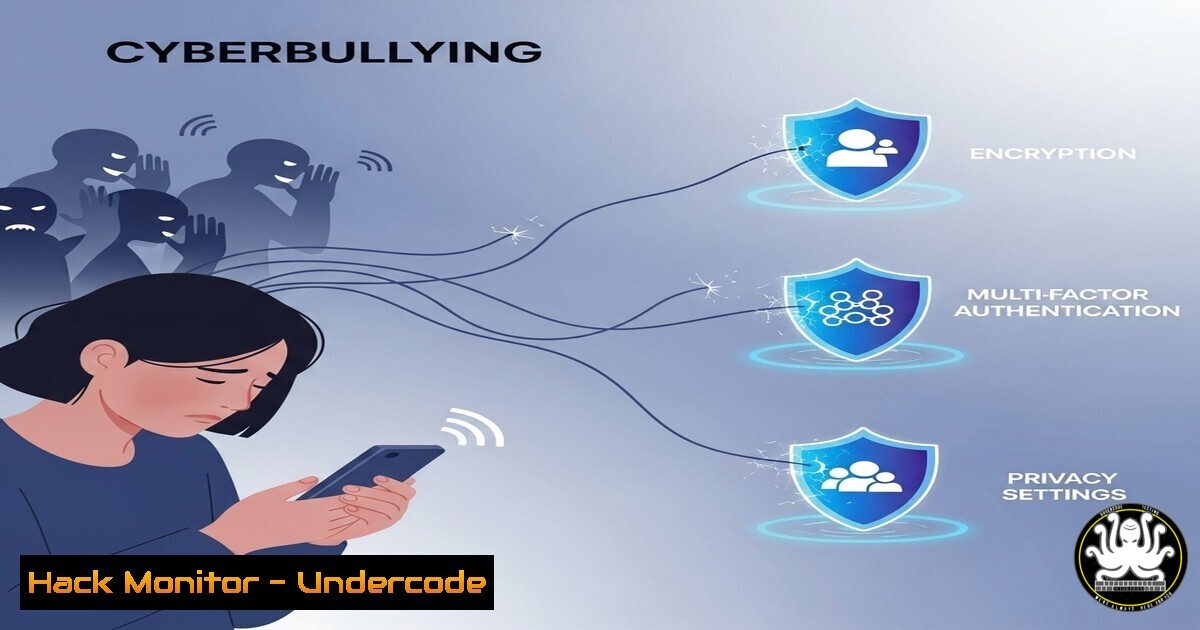
The cybersecurity landscape is no longer confined to defending against external threat actors; a pervasive internal culture of intimidation and cyberbullying is actively driving innovators from the field. This professional toxicity creates critical knowledge gaps and weakens our collective defense posture, making human-centric security more vital than ever.
Learning Objectives:
- Understand the impact of professional intimidation on cybersecurity innovation and retention.
- Learn technical commands and procedures to secure personal and professional communications.
- Implement advanced logging, monitoring, and system hardening techniques to protect against insider threats and doxing.
You Should Know:
1. Secure Encrypted Communications with PGP
Verifying the integrity and encrypting communications is fundamental to protecting against harassment and ensuring private conversations remain private.
 Generate a new PGP key pair (GPG)
gpg --full-generate-key

Export your public key to share
gpg --armor --export [email protected] > mypublickey.asc

Encrypt a file for a recipient using their public key
gpg --encrypt --recipient [email protected] sensitive_document.txt

Decrypt a file sent to you
gpg --decrypt encrypted_file.gpg > decrypted_file.txt
This step-by-step guide allows you to establish a trusted communication channel. Generating a key pair creates your digital identity. Exporting the public key lets others encrypt data only you can decrypt. Use this for sharing sensitive information, whistleblower documents, or secure professional discussions, ensuring even if messages are intercepted, they remain confidential.
2. Windows Application Guard for Office Hardening
Microsoft’s Defender Application Guard creates a hardware-isolated container for opening untrusted documents, a common attack vector in targeted harassment campaigns.
 Enable Windows Defender Application Guard (Enterprise Edition Required)
Enable-WindowsOptionalFeature -Online -FeatureName Windows-Defender-ApplicationGuard

Check Application Guard configuration status
Get-WindowsOptionalFeature -Online -FeatureName Windows-Defender-ApplicationGuard

Configure network isolation settings (Enterprise Policy)
New-ItemProperty -Path "HKLM:\SOFTWARE\Policies\Microsoft\AppHVSI" -Name "AllowWindowsDefenderApplicationGuard" -Value 1 -PropertyType DWORD -Force
This isolation technology uses Hyper-V virtualization to create a temporary, disposable environment. Any malicious code in a document (Word, Excel, PDF) executes within this sealed container, completely separate from the host OS, preventing system compromise, data theft, or keystroke logging from weaponized files.
3. Advanced Linux Auditd Logging for System Monitoring
Comprehensive logging is your first line of defense for detecting unauthorized access and suspicious activity, which can be precursors to more targeted attacks.
 Install and start auditd framework
sudo apt install auditd
sudo systemctl enable auditd && sudo systemctl start auditd

Add a rule to monitor all commands executed by a specific user (e.g., 'susan')
sudo auditctl -a always,exit -F arch=b64 -F euid=1001 -S execve

Add a rule to monitor access to a critical file (e.g., a research document)
sudo auditctl -w /home/susan/research/presencegate_whitepaper.pdf -p rwa -k research_doc_access

Search the audit log for specific events
sudo ausearch -k research_doc_access -i
The Auditd framework provides deep system introspection. The first rule logs every command run by a specified user ID (euid), crucial for auditing actions. The second rule (-w) watches a file for any read, write, or attribute change events (-p rwa). Review these logs to establish a baseline and investigate any anomalous behavior.
4. Cloud Identity and Access Management (IAM) Hardening
Prevent unauthorized access to critical cloud resources and AI training environments by enforcing the principle of least privilege.
 Google Cloud CLI - List all service accounts and their assigned roles
gcloud iam service-accounts list
gcloud projects get-iam-policy PROJECT_ID --format=json

AWS CLI - Create a new IAM policy with minimal permissions
aws iam create-policy --policy-name ResearchReadOnly --policy-document file://policy.json

Attach the policy to a user, replacing 'USERNAME'
aws iam attach-user-policy --user-name USERNAME --policy-arn arn:aws:iam::ACCOUNT_ID:policy/ResearchReadOnly

Azure CLI - Enable Multi-Factor Authentication (MFA) enforcement
az policy assignment create --name 'enforce-mfa' --scope /subscriptions/SUBSCRIPTION_ID --policy /subscriptions/SUBSCRIPTION_ID/providers/Microsoft.Authorization/policyDefinitions/enforce-mfa-requirement
These commands help lock down cloud infrastructure. Listing service accounts and policies reveals over-permissioned identities. Creating a custom JSON policy document allows you to grant only the specific permissions needed (e.g., `s3:GetObject` on one bucket). Enforcing MFA at the policy level is a critical zero-trust step to mitigate compromised credentials.
5. Container Security Scanning with Trivy
Scan container images for vulnerabilities before deployment, especially important for AI-powered applications and wallets to prevent supply chain attacks.
 Install Trivy scanner
sudo apt-get install trivy

Scan a local Docker image for critical vulnerabilities
trivy image --severity CRITICAL my-ai-wallet:latest

Scan a container image for misconfigurations
trivy conf --exit-code 1 /path/to/Dockerfile

Integrate into a CI/CD pipeline (example exit code check)
trivy image --exit-code 0 --ignore-unfixed my-registry/app:latest
Trivy scans both the built image and its Dockerfile. The `–severity CRITICAL` flag filters to show only the most urgent vulnerabilities. Using `–exit-code 1` in a CI/CD pipeline will fail the build if issues are found, preventing vulnerable code from progressing. This is essential for securing AI model containers and financial application pipelines.
6. Network Security Group (NSG) Flow Log Analysis
Analyze network traffic patterns to detect exfiltration attempts, port scanning, or unusual connections that may indicate a targeted attack.
 Azure CLI - Create a NSG flow log
az network watcher flow-log create --resource-group RESOURCE_GROUP --nsg NSG_NAME --storage-account STORAGE_ACCOUNT_ID --enabled true --format json --interval 30

Using jq to process flow log JSON and find top talkers
cat flow-log.json | jq -r '.records[].properties.flows[].flows[].flowTuples[] | split(",") | .[bash]' | sort | uniq -c | sort -nr | head -10

Check for failed SSH authentication attempts in system logs
grep "Failed password" /var/log/auth.log | awk '{print $11}' | sort | uniq -c | sort -nr
NSG flow logs provide a record of all allowed and denied network traffic. The `jq` command parses the JSON log to extract and count source IPs, identifying unusual traffic volumes. The grep command checks for brute-force attacks on SSH. Consistent monitoring of this data can reveal coordinated access attempts or data exfiltration to unknown IPs.
7. Implementing Zero-Trust with `iptables` Microsegmentation
Create granular firewall rules on critical servers to enforce a zero-trust network model, limiting lateral movement.
 Drop all incoming traffic by default
sudo iptables -P INPUT DROP

Allow established, related connections
sudo iptables -A INPUT -m conntrack --ctstate ESTABLISHED,RELATED -j ACCEPT

Allow SSH only from a specific management subnet
sudo iptables -A INPUT -p tcp --dport 22 -s 192.168.1.0/24 -j ACCEPT

Allow HTTP/HTTPS to the web server
sudo iptables -A INPUT -p tcp --dport 80 -j ACCEPT
sudo iptables -A INPUT -p tcp --dport 443 -j ACCEPT

Save rules to persist reboots (Ubuntu/Debian)
sudo netfilter-persistent save
This `iptables` configuration embodies zero-trust: deny everything first, then allow only specific necessary traffic. Rules are based on the principle of least privilege, allowing SSH only from a trusted admin network and web traffic to public ports. This limits an attacker’s ability to move from a compromised web server to other internal systems.
What Undercode Say:
- The Human Firewall is the Weakest Link: Technical controls are futile if bullying and intimidation create a culture of fear, silence, and attrition. Security requires psychological safety as much as cryptographic algorithms.
- Proactive Logging is Non-Negotiable: Comprehensive audit trails are not just for compliance; they are a critical tool for investigating threats, whether they originate from outside the network or within the organization itself.
The incident described is not an isolated disagreement but a symptom of a systemic issue that directly impacts security efficacy. When experts like Susan Brown are targeted, the entire industry loses valuable expertise and perspective, creating blind spots that adversaries can exploit. The technical measures outlined—from stringent logging (auditd) and communication security (PGP) to cloud hardening (IAM) and zero-trust networking (iptables)—serve a dual purpose. They protect against technical exploits while also creating an immutable record of activity. This evidentiary trail is crucial for holding bad actors accountable, whether they are external hackers or malicious insiders engaged in harassment campaigns. The future of cybersecurity depends on integrating human safety with technical controls.
Prediction:
The normalization of cyberbullying within tech will lead to a significant brain drain, disproportionately affecting women and minority innovators. This exodus will create a tangible skills gap in emerging areas like AI security and tokenization, directly resulting in more software vulnerabilities, slower patching cycles, and ultimately, higher-profile breaches. Organizations that fail to address this human factor will find their advanced technical defenses undermined by a toxic culture, making them vulnerable targets. The future of security depends on protecting its people as diligently as it protects its data.
🎯Let’s Practice For Free:
IT/Security Reporter URL:
Reported By: Susanbrownceozortrex Cybersecurity – Hackers Feeds
Extra Hub: Undercode MoN
Basic Verification: Pass ✅


